Introduzione
Thank you for choosing the GOBOULT Crown Smart Watch. This manual provides essential information for the proper setup, operation, and maintenance of your device. Please read it thoroughly to ensure optimal performance and longevity of your smartwatch.
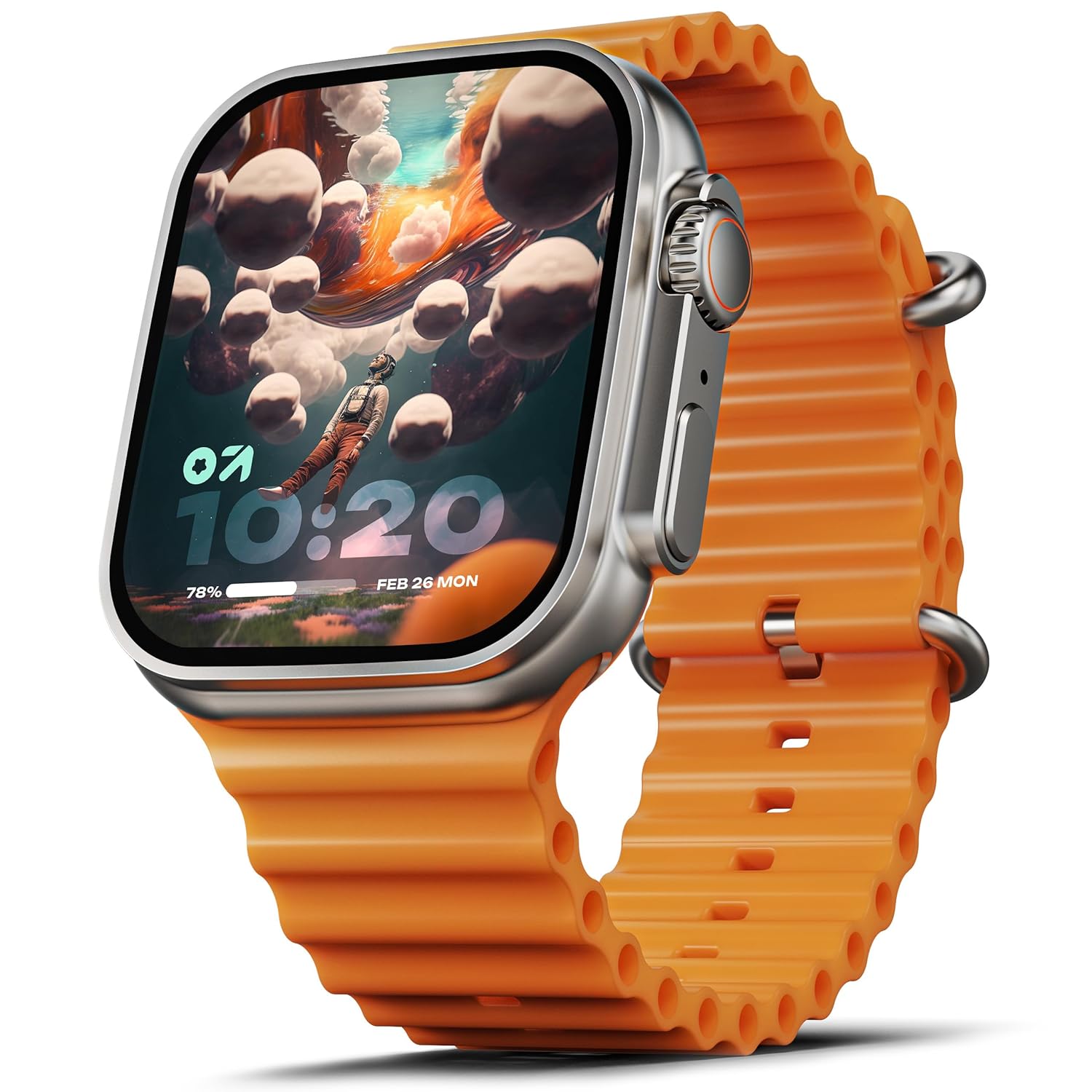
Image: The GOBOULT Crown Smart Watch, featuring a large display and an orange silicone strap.
Cosa c'è nella scatola
Dopo aver disimballato il prodotto, verificare che siano presenti tutti i seguenti elementi:
- GOBOULT Crown Smart Watch
- Cavo di ricarica
- Manuale d'uso
- Scheda di garanzia
Iniziare
1. Ricarica dello Smart Watch
Before initial use, fully charge your GOBOULT Crown Smart Watch. Connect the provided charging cable to the charging port on the back of the watch and to a standard USB power adapter. The watch display will indicate charging status.
2. Accensione/Spegnimento
To power on, press and hold the side button until the GOBOULT logo appears. To power off, navigate to the settings menu on the watch, select 'Power Off', and confirm.
3. Associazione con lo smartphone
- Download the official GOBOULT companion app from your smartphone's app store (available for Android and iOS).
- Assicurati che il Bluetooth sia abilitato sul tuo smartphone.
- Open the GOBOULT app and follow the on-screen instructions to search for and pair with your Crown Smart Watch.
- Conferma la richiesta di associazione sia sul telefono che sull'orologio.
Istruzioni per l'uso
Visualizzazione e navigazione

Image: Close-up of the smartwatch display, highlighting its 1.95-inch size and 900 Nits brightness for clear visibility.
- Schermo HD da 1.95": The large, high-definition screen provides clear visuals and responsive touch interaction.
- Luminosità 900 nit: Ensures excellent visibility even in bright outdoor conditions.
- Working Rotating Crown: Use the functional rotating crown on the side of the watch to scroll through menus, zoom in/out, and switch watch faces.
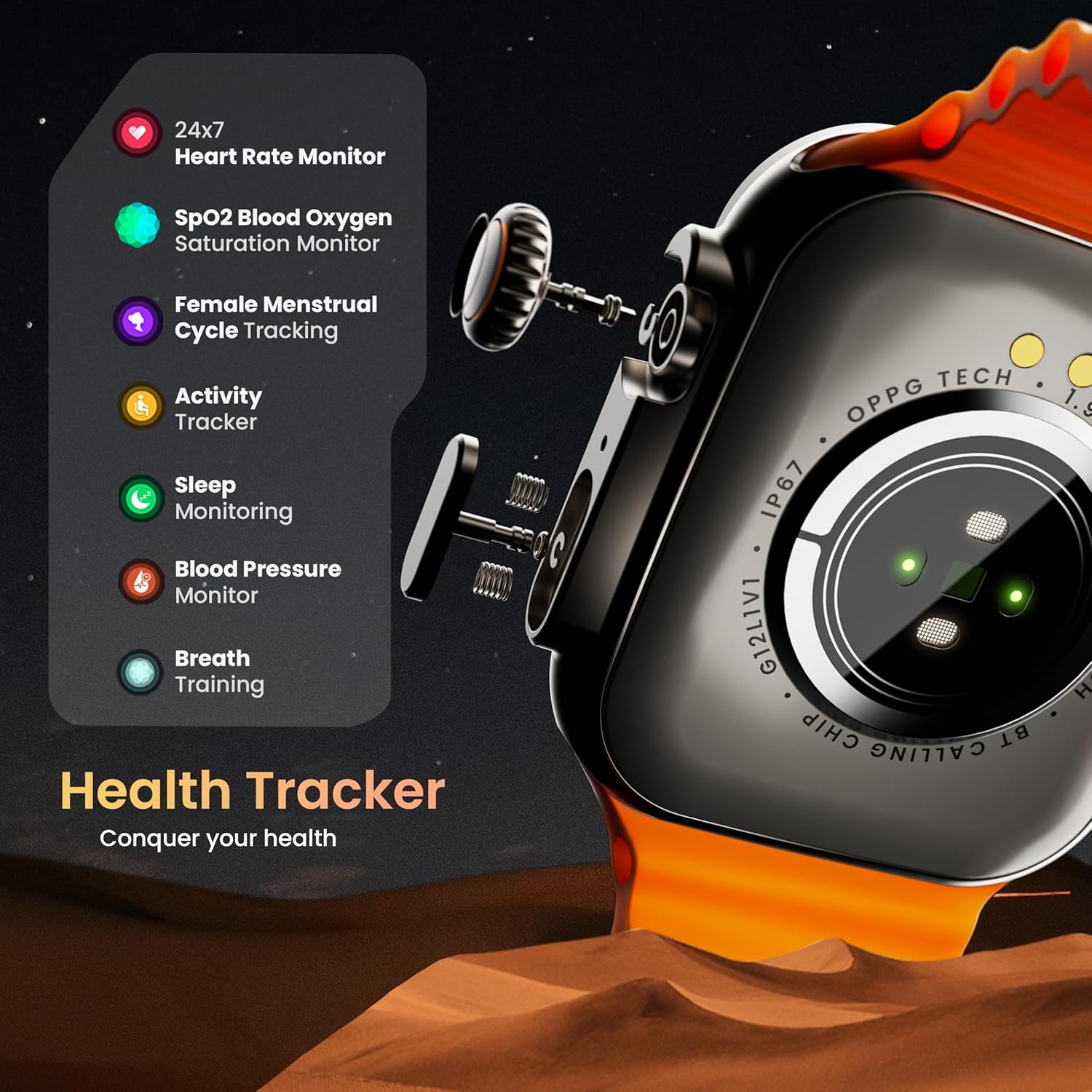
Immagine: Un esploso view illustrating the internal mechanism of the working rotating crown, used for navigation and control.
Chiamata Bluetooth

Image: The smartwatch screen showing an incoming call, alongside diagrams explaining Bluetooth 5.2 calling features like call answer/reject, dial pad, and contact sync.
The GOBOULT Crown Smart Watch supports Bluetooth Calling 5.2, allowing you to make and receive calls directly from your wrist. It features a built-in speaker and microphone for clear communication.
- Rispondere/rifiutare le chiamate: Tap the green icon to answer or the red icon to reject an incoming call.
- Tastiera: Access the dial pad on the watch to make outgoing calls.
- Sincronizza contatti: Sync your phone's contacts to the watch via the companion app.
Monitoraggio della salute
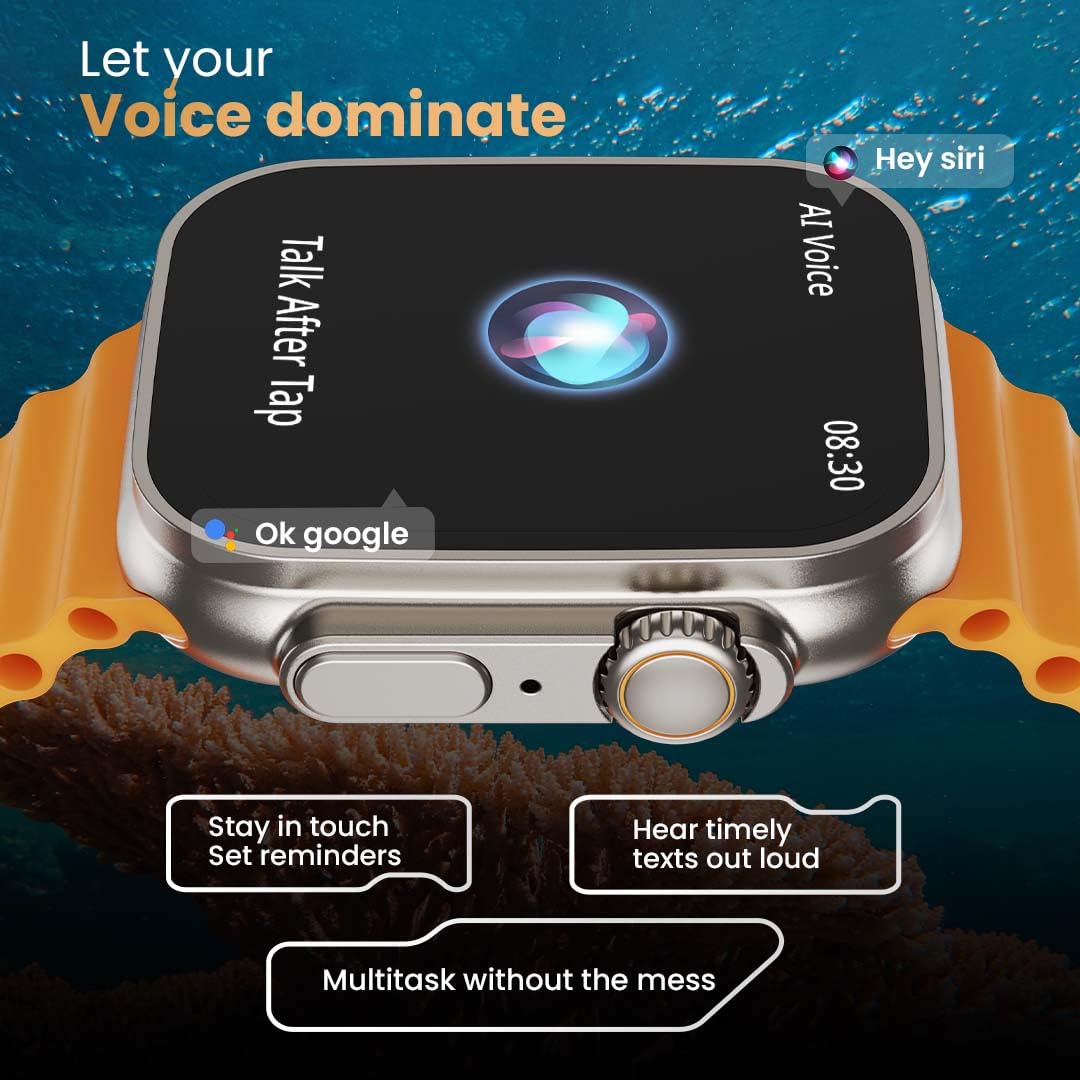
Image: The rear of the smartwatch showing its health sensors, accompanied by a list of health metrics it tracks, including heart rate, SpO2, and sleep.
The watch is equipped with an advanced health suite to help you monitor your well-being:
- 24/7 Heart Rate Monitor: Tiene traccia in modo continuo della tua frequenza cardiaca durante tutto il giorno.
- SpO2 Blood Oxygen Saturation Monitor: Misura i livelli di ossigeno nel sangue.
- Monitoraggio del sonno: Analizza i tuoi ritmi e la qualità del sonno.
- Monitoraggio attività: Registra i passi, la distanza e le calorie bruciate.
- Monitoraggio del ciclo mestruale femminile: Fornisce approfondimenti e previsioni sui cicli mestruali.
- Allenamento del respiro: Esercizi di respirazione guidata per il rilassamento.
Modalità Sportive
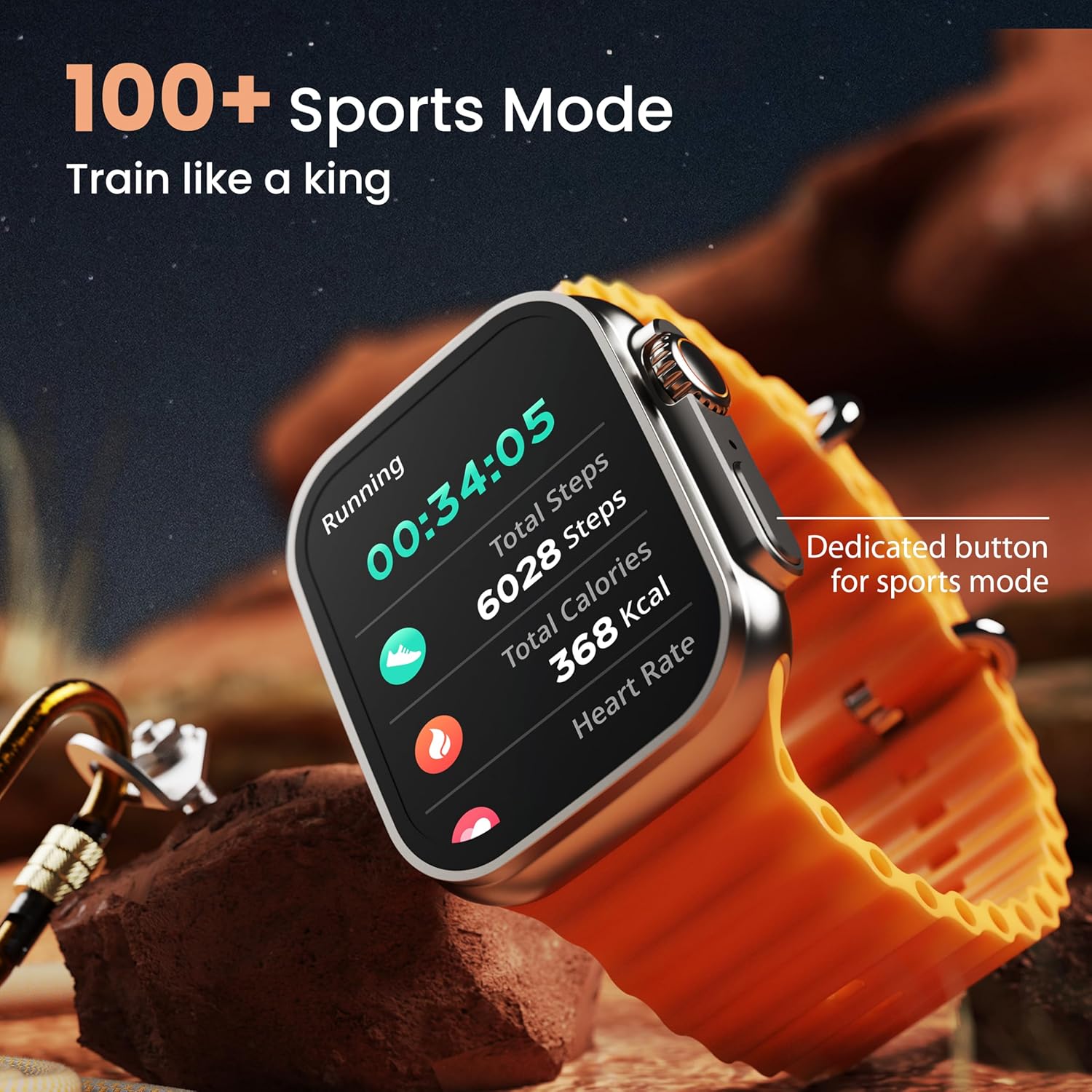
Image: The smartwatch screen showing a 'Running' sports mode with real-time metrics like duration, total steps, calories, and heart rate. A dedicated button for sports mode is also visible.
With over 120 sports modes, the GOBOULT Crown Smart Watch can track a wide range of physical activities. Select your desired sport from the watch menu to record real-time metrics, performance insights, and track your progress.
Personalizzazione

Immagine: Un collage mostraasing various watch faces, including custom and animated options, along with different UI styles available for personalization on the smartwatch.
Personalizza la tua esperienza con lo smartwatch:
- 100+ Cloud-Based Watch Faces: Choose from a wide selection of watch faces available through the companion app.
- Opzioni di personalizzazione: Customize your screen with widgets, backgrounds, and layouts to match your style.
- 8 UI Styles: Select from different user interface styles for menu navigation.
Funzioni aggiuntive
- Assistente vocale AI: Interact with your watch using voice commands (e.g., "Hey Siri" or "Ok Google") for tasks like setting reminders or hearing texts aloud.
- Trova il mio telefono: If your paired phone is misplaced, use this feature on your watch to make it ring/vibrate.
- Minigiochi: Enjoy pre-installed mini-games directly on your watch.
- Notifiche e promemoria: Receive SMS, WhatsApp, social media, and mail notifications. Set goal achievement reminders.
- Calcolatrice: L'orologio dispone di una funzione di calcolatrice di base.
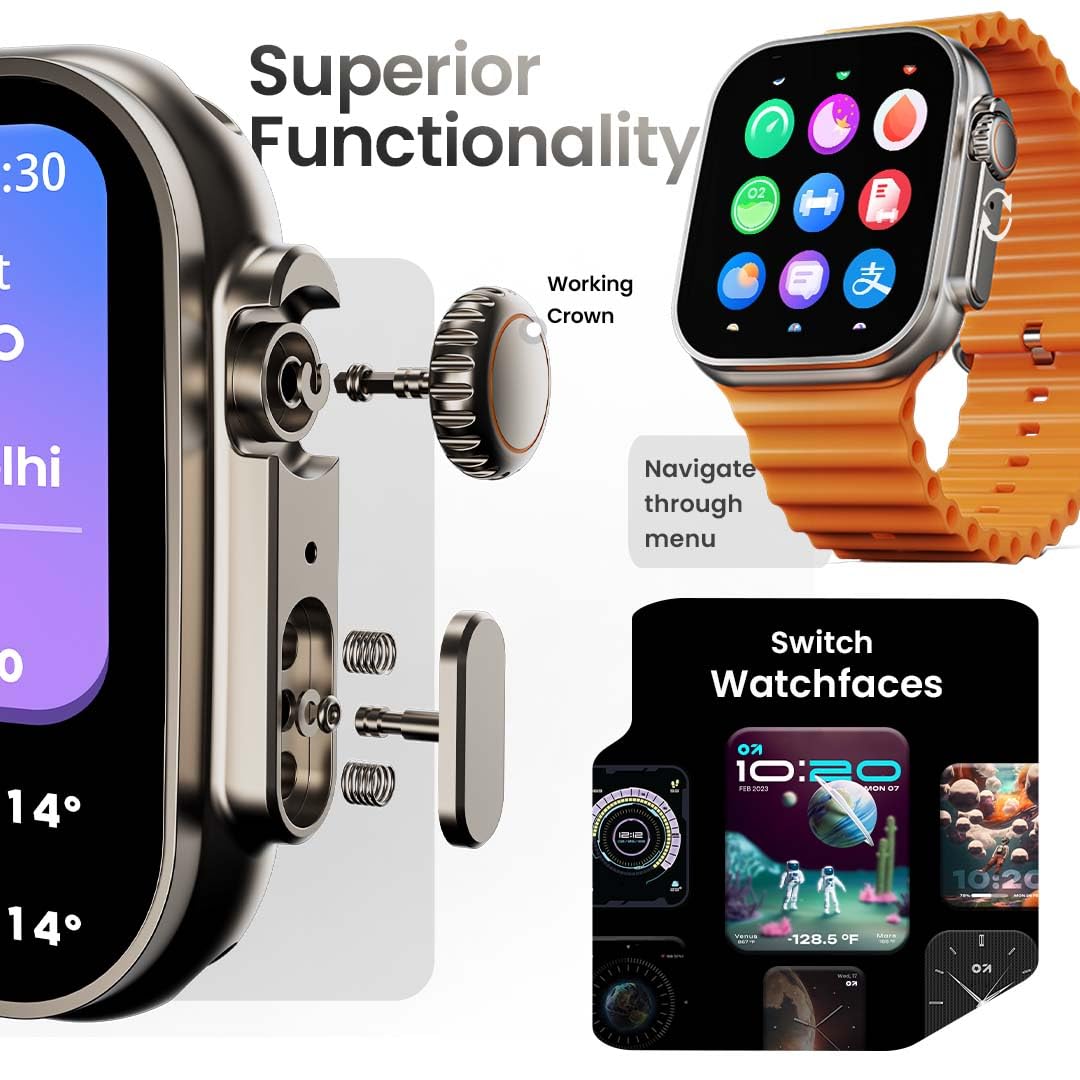
Image: The smartwatch screen showing the AI Voice Assistant interface, indicating support for voice commands like "Hey Siri" and "Ok Google".
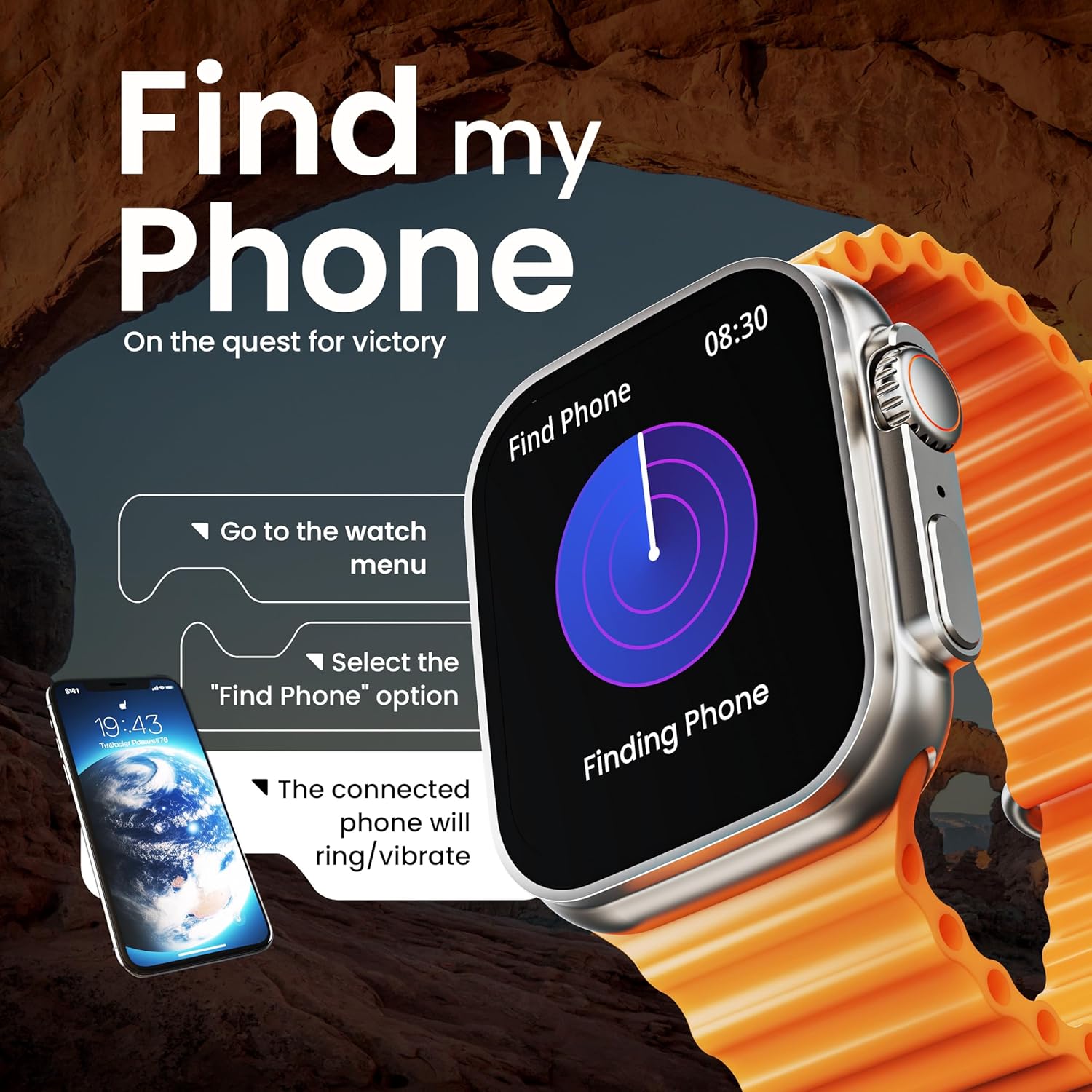
Image: The smartwatch screen illustrating the 'Find Phone' feature, with instructions on how to activate it to locate a connected smartphone.
Immagine: Lo schermo dello smartwatch mostraasing a selection of mini-games available on the device, such as 'Young Bird', 'Hamster', and 'Battleships'.

Image: The smartwatch screen showing a calculator interface, along with a pop-up notification and a list of reliable and robust features like sync notifications and reminders.
Manutenzione
Pulizia
Regularly clean your smartwatch and strap to prevent skin irritation and maintain device hygiene. Use a soft, lint-free cloth. If necessary, slightly dampLavare il panno con acqua. Evitare prodotti chimici aggressivi o materiali abrasivi.
Resistenza all'acqua
The GOBOULT Crown Smart Watch is IP67 water resistant. This means it is protected against dust and can withstand immersion in water up to 1 meter for up to 30 minutes. It is suitable for daily use and light splashes but not recommended for swimming, showering, or diving.
Cura del cinturino
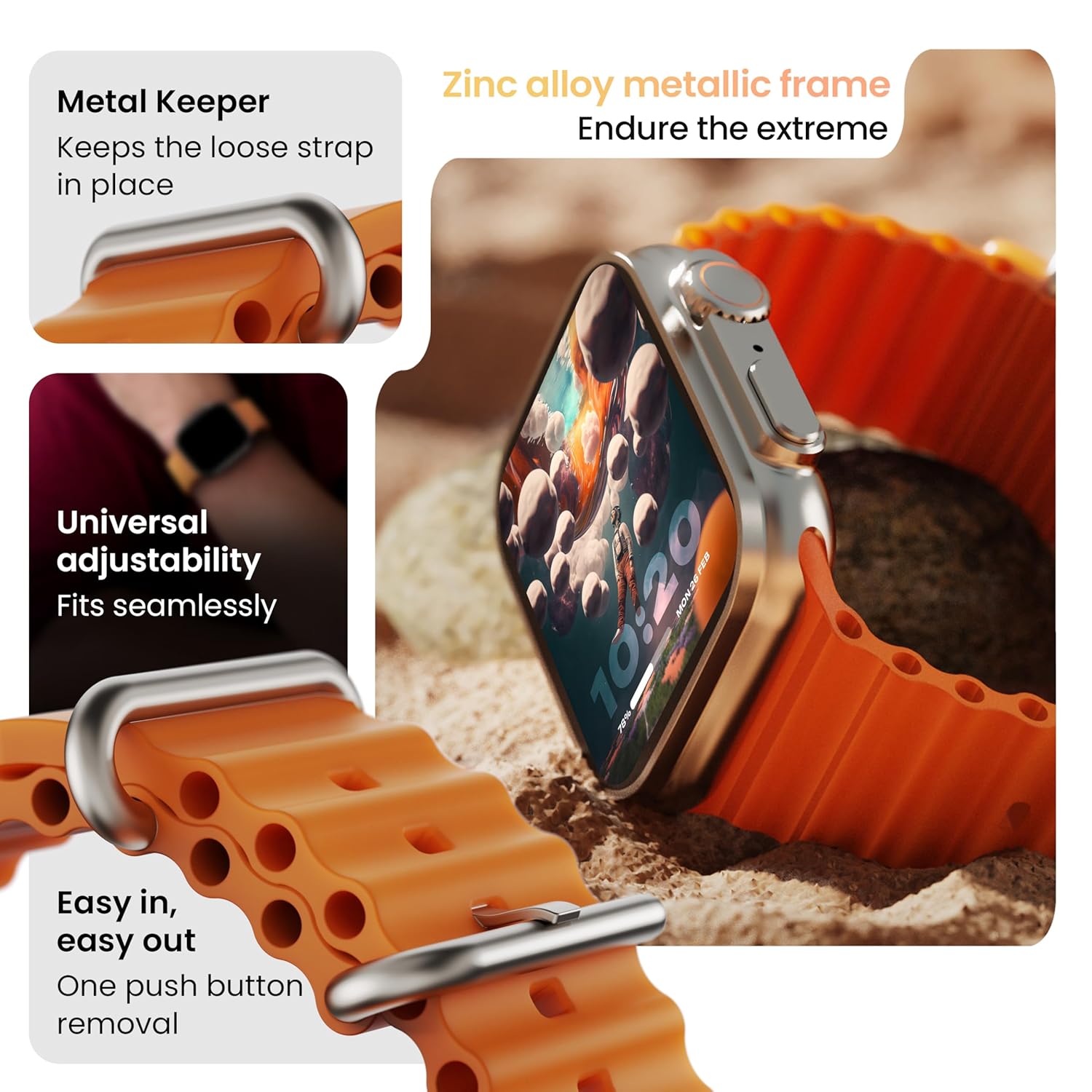
Immagine: dettagliata view of the smartwatch strap, highlighting features such as the metal keeper for securing the loose end, universal adjustability for a seamless fit, and a push-button mechanism for easy removal.
The skin-friendly silicone strap is designed for comfort. Ensure it is not too tight or too loose for accurate health tracking. Clean the strap regularly, especially after workouts, to remove sweat and dirt.
Risoluzione dei problemi
L'orologio non si accende
- Assicurati che l'orologio sia completamente carico. Collegalo al caricabatterie per almeno 30 minuti.
- Tenere premuto il pulsante laterale per 10-15 secondi per tentare un riavvio forzato.
Problemi di associazione
- Assicurati che il Bluetooth sia abilitato sul telefono e sull'orologio.
- Ensure the watch is within the Bluetooth range (approximately 10 meters).
- Riavvia sia il telefono che l'orologio.
- Svuota la cache Bluetooth sul telefono oppure elimina il dispositivo e riprova ad associarlo.
Dati sanitari imprecisi
- Assicurati che l'orologio sia indossato comodamente al polso, ma non troppo stretto.
- Pulisci i sensori sul retro dell'orologio.
- Per una maggiore precisione, evitare movimenti eccessivi durante le misurazioni.
Notifiche non visualizzate
- Controlla se l'orologio è correttamente connesso al telefono tramite Bluetooth.
- Verify notification permissions for the GOBOULT app in your phone's settings.
- Assicurati che la modalità "Non disturbare" non sia attiva né sul telefono né sull'orologio.
Specifiche
| Caratteristica | Dettaglio |
|---|---|
| Marca | GOBOULT |
| Modello | Orologio intelligente Crown |
| Dimensioni dello schermo | 1.95 pollici |
| Luminosità dello schermo | 900 nit |
| Connettività | Bluetooth 5.2 |
| Sistema operativo | Android Wear 1.0, iOS compatible |
| Durata della batteria (media) | 7 giorni |
| Tempo di carica della batteria | 150 minuti |
| Capacità della batteria | 300 milioneamp Ore |
| Resistenza all'acqua | Grado di protezione IP67 |
| Peso dell'articolo | 40 grammi |
| Componenti inclusi | Smartwatch, Charging Cable, User Manual, Warranty Card |
Garanzia e supporto
Your GOBOULT Crown Smart Watch comes with a Warranty Card included in the box. Please refer to this card for detailed information regarding warranty coverage and terms. For technical support or further assistance, please contact GOBOULT customer service through the contact information provided on the warranty card or the official GOBOULT websito.


