Introduzione
Thank you for choosing the Bagotte A22/A6 Pro Robot Vacuum and Mop. This device is designed to provide efficient and convenient cleaning for your home. This manual will guide you through the setup, operation, and maintenance of your robot vacuum to ensure optimal performance and longevity.
Si prega di leggere attentamente il presente manuale prima di utilizzare il prodotto e di conservarlo per riferimento futuro.
Importanti istruzioni di sicurezza
Prima di utilizzare questo prodotto, leggere attentamente tutte le istruzioni di sicurezza. Il mancato rispetto di queste istruzioni può causare scosse elettriche, incendi o lesioni gravi.
- Questo apparecchio può essere utilizzato da bambini di età pari o superiore a 8 anni e da persone con capacità fisiche, sensoriali o mentali ridotte o prive di esperienza e conoscenza, solo se sorvegliati o istruiti sull'uso sicuro dell'apparecchio e se comprendono i pericoli connessi.
- I bambini non devono giocare con l'apparecchio. La pulizia e la manutenzione da parte dell'utente non devono essere eseguite da bambini senza supervisione.
- Utilizzare solo l'adattatore di alimentazione originale fornito dal produttore.
- Non utilizzare il prodotto in ambienti con fiamme libere o materiali infiammabili.
- Ensure the charging station is placed on a flat surface against a wall, with no obstacles within 1 meter on either side and 2 meters in front.
- Non immergere il robot o la stazione di ricarica in acqua.
- Pulire regolarmente le spazzole e i filtri per mantenere prestazioni ottimali.
- Tenere capelli, abiti larghi, dita e tutte le parti del corpo lontano dalle aperture e dalle parti mobili.
Prodotto finitoview
Contenuto della confezione
Verificare che tutti i componenti siano presenti nella confezione:

Image: All components included in the Bagotte A22/A6 Pro Robot Vacuum and Mop package. This includes the robot vacuum cleaner, 2-in-1 water tank, charging station, remote control, power adapter, cleaning brush, mop holder, 2 mop cloths, 2 side brushes, and Hepa filters.
- Robot aspirapolvere Bagotte A22 x 1
- Serbatoio dell'acqua 2 in 1 x 1
- Stazione di ricarica x 1
- Telecomando x 1
- Adattatore di alimentazione x 1
- Spazzola per la pulizia x 1
- Supporto per mocio x 1
- Panno per mocio x 2
- Spazzole laterali x 2
- Filtri HEPA x 1
- Manuale utente x 1
Componenti del robot
The Bagotte A22/A6 Pro features a compact design for efficient cleaning.

Image: The Bagotte A22/A6 Pro Robot Vacuum highlighting its slim profile of 2.87 inches, allowing it to clean under furniture. It also features automatic boost and can handle angles up to 15 degrees and obstacles up to 15mm in height.
The robot is equipped with various sensors for navigation and obstacle avoidance, including anti-drop sensors to prevent falls from elevated surfaces.
Impostare
1. Installare le spazzole laterali
Premere le spazzole laterali sui montanti nella parte inferiore del robot finché non scattano in posizione.
2. Posizionare la stazione di ricarica
Place the charging station against a wall in an open, uncluttered area. Ensure there are no obstacles within 1 meter (3 feet) on either side and 2 meters (6 feet) in front of the charging station. Connect the power adapter to the charging station and plug it into a wall outlet.

Image: The Bagotte A22/A6 Pro Robot Vacuum automatically returning to its charging station when its battery is low. The image illustrates the recommended clear space around the charging station for optimal docking.
3. Carica iniziale
Place the robot on the charging station to fully charge the battery before first use. The indicator light on the robot will show charging status. A full charge typically takes 4-5 hours.
4. Connect to Tuya Smart App (Optional)
For advanced features and remote control, download the Tuya Smart app from your mobile app store. Follow the in-app instructions to connect your robot vacuum to your 2.4GHz Wi-Fi network.
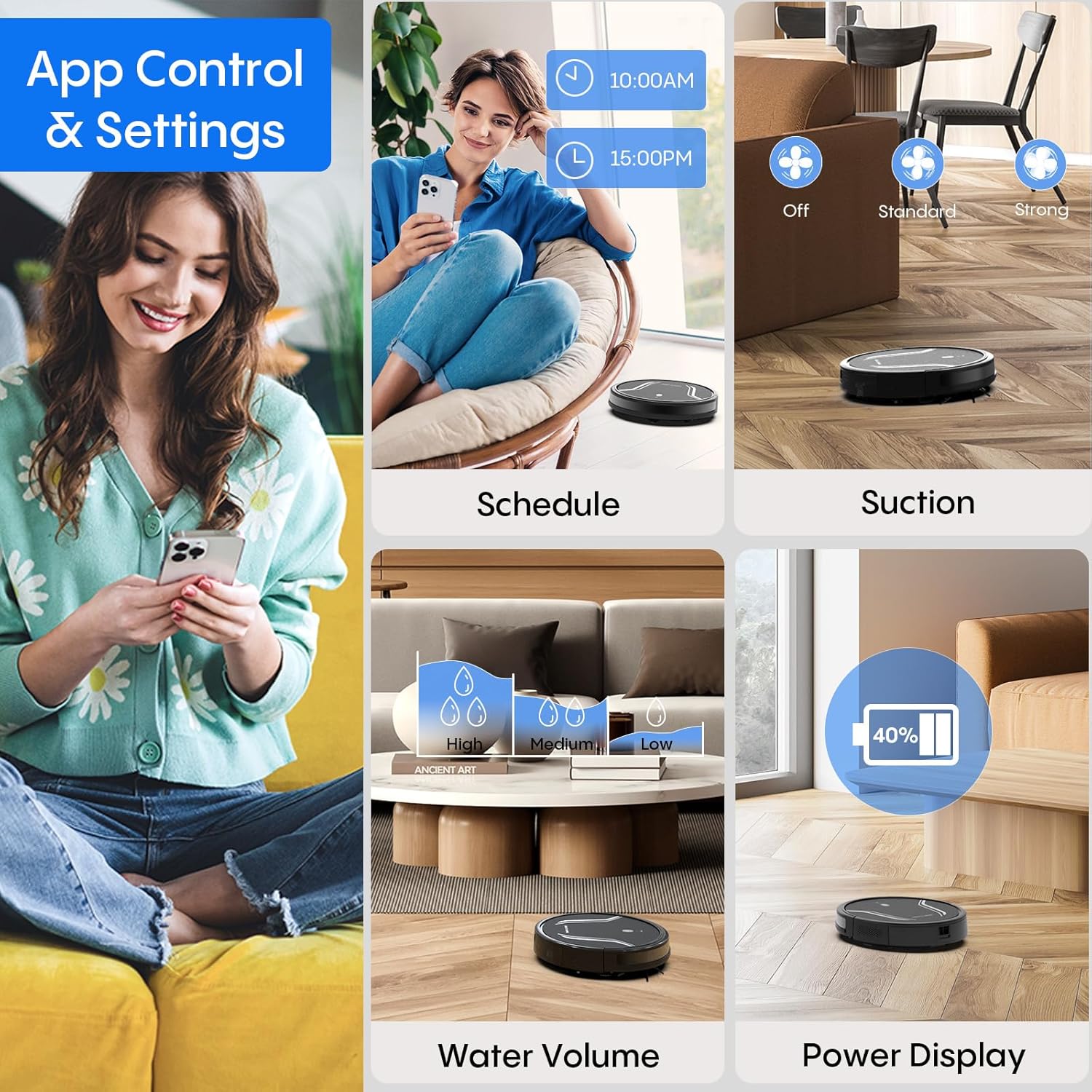
Image: A smartphone screen displaying the Bagotte A22/A6 Pro Robot Vacuum's app control interface, showing options for scheduling, suction adjustment, water volume control, and power display.
Istruzioni per l'uso
Avvio di un ciclo di pulizia
Press the power button on the robot or the "Clean" button on the remote control/app to start an automatic cleaning cycle.
Modalità di pulizia
The Bagotte A22/A6 Pro offers four cleaning modes:
- Pulizia automatica: Il robot pulisce e naviga in modo intelligente l'intera superficie del pavimento.
- Pulizia dei bordi: Il robot pulisce lungo le pareti e i bordi dei mobili.
- Pulizia spot: Il robot si concentra su una specifica area sporca, pulendo seguendo uno schema a spirale.
- Pulizia manuale: Controlla la direzione del robot tramite il telecomando o l'app.

Immagine: una vista dall'alto view illustrating the four distinct cleaning modes of the Bagotte A22/A6 Pro Robot Vacuum: Auto Cleaning, Edge Cleaning, Spot Cleaning, and Manual Cleaning, showing their respective cleaning paths.
Funzione Mopping
Per utilizzare la funzione di lavaggio:
- Fill the 2-in-1 water tank with clean water.
- Attach a clean mop cloth to the mop holder and then attach it to the water tank.
- Inserire il serbatoio dell'acqua pieno nel robot.
- Adjust the water flow level (low/medium/high) via the Tuya Smart app.

Image: The Bagotte A22/A6 Pro Robot Vacuum demonstrating its 3-in-1 functionality: vacuuming, sweeping, and mopping. The image highlights the two levels of waterflow adjustment and three levels of suction adjustment.
Regolazione della potenza di aspirazione
The robot features 5000Pa suction power with adjustable levels (Standard, Maximum) through the app or remote control to suit different cleaning needs.
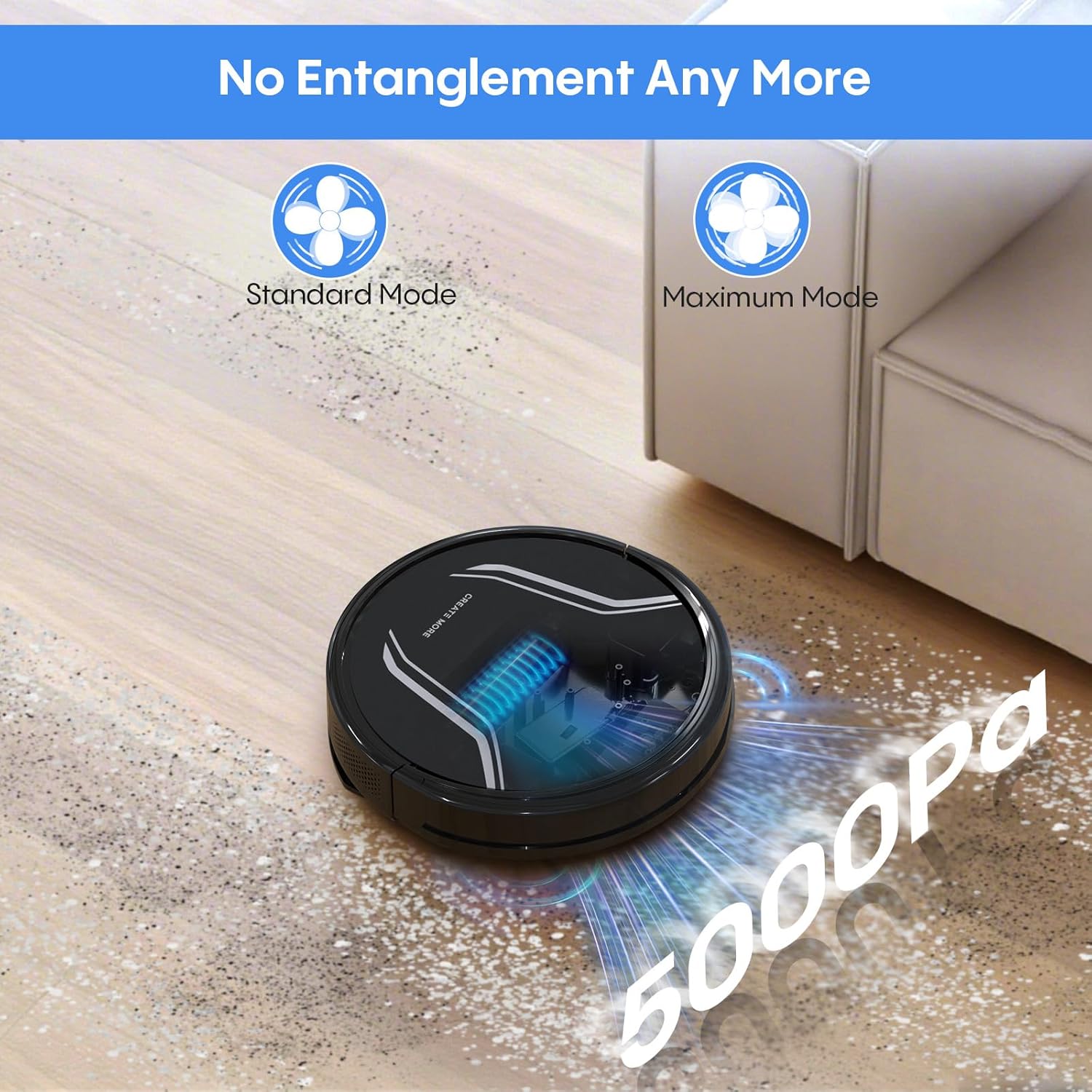
Image: The Bagotte A22/A6 Pro Robot Vacuum demonstrating its 5000Pa suction power, showing debris being collected. The image also indicates Standard Mode and Maximum Mode for suction adjustment.
Voice Control (Alexa/Google Assistant)
Integrate your robot vacuum with Amazon Alexa or Google Assistant for convenient voice commands. Follow the instructions in the Tuya Smart app to link your device.

Image: The Bagotte A22/A6 Pro Robot Vacuum being controlled via voice commands through an Amazon Echo device, alongside a smartphone displaying the app interface. This illustrates the convenience of both voice and app control.
Manutenzione
Regular maintenance ensures your robot vacuum operates efficiently.
Svuotare il cestino
Empty the dustbin after each cleaning cycle. Press the release button to remove the dustbin, open it, and discard the collected debris.
Pulizia dei filtri
Tap the HEPA filter to remove dust. Rinse the pre-filter and sponge filter with water. Allow them to air dry completely before reinstalling. Do not wash the HEPA filter with water.
Pulizia della spazzola principale
Rimuovere il coperchio della spazzola principale e sollevare la spazzola stessa. Utilizzare l'apposito strumento per rimuovere peli e detriti aggrovigliati attorno alla spazzola.
Pulizia delle spazzole laterali
Periodically check side brushes for wear or damage. Remove any tangled hair or debris. Replace worn brushes as needed.
Pulizia dei sensori e dei contatti di ricarica
Pulire i sensori anticaduta, i sensori di ostacolo e i contatti di ricarica sia sul robot che sulla stazione di ricarica con un panno pulito e asciutto.
Pulizia del serbatoio dell'acqua e del panno per il lavaggio
After mopping, empty any remaining water from the tank. Rinse the water tank and allow it to air dry. Wash the mop cloth by hand or machine and air dry.
Risoluzione dei problemi
| Problema | Possibile causa | Soluzione |
|---|---|---|
| Il robot non si accende. | Batteria scarica; interruttore di alimentazione spento. | Caricare il robot; assicurarsi che l'interruttore di alimentazione sia su ON. |
| Il robot non si carica. | Contatti di ricarica sporchi; Stazione di ricarica non alimentata. | Pulire i contatti di ricarica; assicurarsi che la stazione di ricarica sia collegata. |
| La potenza di aspirazione è debole. | Contenitore della polvere pieno; Filtro intasato; Spazzola principale aggrovigliata. | Empty dustbin; Clean/replace filters; Clean main brush. |
| Il robot si blocca spesso. | Ostacoli sul pavimento; sensori sporchi. | Clear floor of cables/small items; Clean sensors. |
| La funzione di lavaggio non funziona. | Water tank empty; Mop cloth dry; Water flow setting too low. | Fill water tank; Wet mop cloth; Adjust water flow in app. |
| Connessione all'app non riuscita. | Password Wi-Fi errata; Wi-Fi non a 2.4 GHz; Robot troppo lontano dal router. | Verify password; Connect to 2.4GHz network; Move robot closer to router. |
Specifiche
| Caratteristica | Dettaglio |
|---|---|
| Marca | Bagotto |
| Nome del modello | A21 (A6 Pro) |
| Potenza di aspirazione | 5000Pa |
| Modalità di pulizia | Auto, Edge, Spot, Manual |
| Metodo di controllo | App, Telecomando, Voce (Alexa, Google Assistant) |
| Durata della batteria | Fino a 120 minuti |
| Ricarica | Auto-ricarica |
| Tipo di filtro | Filtro HEPA |
| Dimensioni del prodotto | 15 cm L x 12.5 cm P x 4 cm A |
| Peso dell'articolo | 7.13 libbre |
| Raccomandazione di superficie | Pavimento duro, moquette a pelo corto |
Garanzia e supporto
Bagotte provides a 12-month service warranty for this product. For technical support, warranty claims, or any questions regarding your Bagotte A22/A6 Pro Robot Vacuum and Mop, please contact Bagotte customer service.
Please refer to the contact information provided in the original packaging or on the official Bagotte websito per i dettagli di supporto più aggiornati.


