Introduzione
The Mercusys MA72XH is a high-performance Wi-Fi 6 AX1800 USB adapter designed to provide fast and stable wireless connectivity for your desktop or laptop computer. Featuring dual-band support, USB 3.0 interface, and advanced security protocols like WPA3, this adapter enhances your online experience for streaming, gaming, and video calls. This manual provides detailed instructions for the proper installation, operation, and maintenance of your MA72XH adapter.
Contenuto della confezione
Verifica che il pacco contenga i seguenti articoli:
- 1 x Mercusys MA72XH AX1800 High-Performance Dual-Band Wireless USB Adapter
- 1 x Guida di installazione rapida
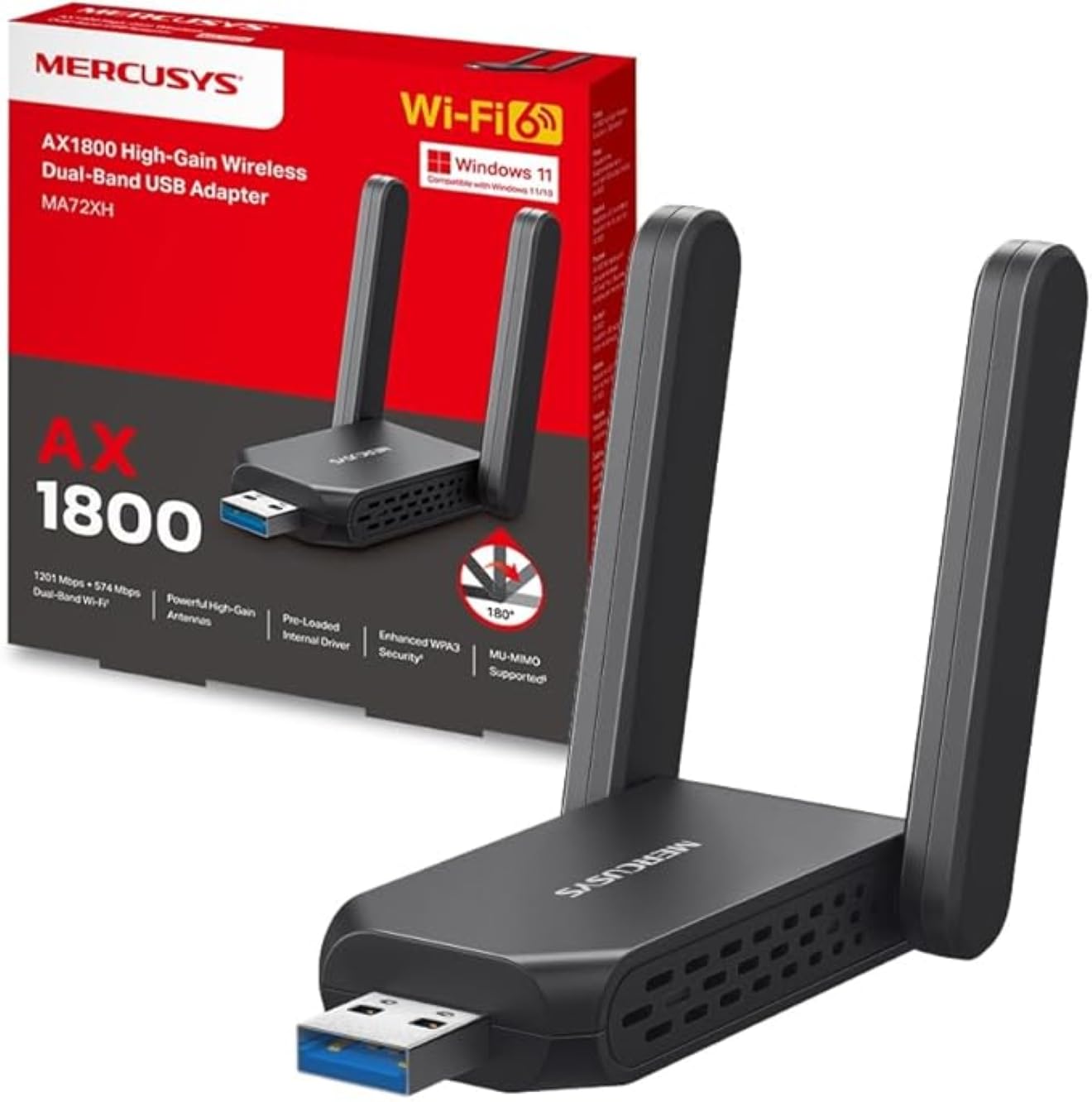
Image: The Mercusys MA72XH WiFi 6 AX1800 USB Adapter, showcasing its compact design and two adjustable external antennas.
Caratteristiche del prodotto
- Wi-Fi dual-band ad alta velocità: Achieves speeds up to 1201 Mbps on the 5 GHz band and 574 Mbps on the 2.4 GHz band, supported by two high-performance antennas.
- Preloaded Internal Driver: Offers simple plug-and-play installation for most Windows 10/11 systems, eliminating the need for manual driver downloads in many cases.
- Tecnologia MU-MIMO: Enables the adapter to communicate with multiple devices simultaneously, reducing latency and improving overall network efficiency.
- Enhanced WPA3 Security: Utilizes the latest Wi-Fi security standard to provide robust protection for your network and personal data against unauthorized access.
- Interfaccia USB 3.0: Ensures superior data transfer speeds, optimizing performance for high-definition streaming, online gaming, and large file transfers when paired with Wi-Fi 802.11ax.
- Ampia compatibilità: Fully compatible with Windows 10 and Windows 11 operating systems.
Guida all'installazione
Follow these steps to install your Mercusys MA72XH WiFi adapter:
- Inserisci l'adattatore: Plug the MA72XH adapter into an available USB 3.0 port on your desktop or laptop computer. For optimal performance, use a USB 3.0 port (often blue inside).
- Installazione del driver:
- Installazione automatica: In most cases, Windows 10 or 11 will automatically detect the adapter and install the necessary drivers from its preloaded internal memory. Wait for a notification indicating successful driver installation.
- Installazione manuale (se necessaria): If the driver does not install automatically, or if you encounter issues, you may need to download the latest drivers from the official Mercusys support website. Insert the adapter, then navigate to the Mercusys support page for the MA72XH model, download the driver, and follow the on-screen instructions for installation.
- Regola le antenne: Position the two external antennas for optimal signal reception. Generally, pointing them upwards or slightly angled can improve performance.
- Connettiti alla rete Wi-Fi:
- Once the driver is installed, click the Wi-Fi icon in your computer's system tray (usually in the bottom-right corner).
- Seleziona la rete Wi-Fi desiderata dall'elenco delle reti disponibili.
- Se richiesto, immettere la chiave di sicurezza di rete (password), quindi fare clic su "Connetti".
Your Mercusys MA72XH adapter should now be connected to your wireless network.
Istruzioni per l'uso
The Mercusys MA72XH operates as a standard Wi-Fi adapter once installed.
- Connessione/Disconnessione: Manage your Wi-Fi connections through the standard Windows network settings. Click the Wi-Fi icon in the system tray to view available networks, connect to a new one, or disconnect from an existing one.
- Funzionamento a doppia banda: The adapter automatically selects the optimal band (2.4 GHz or 5 GHz) based on network conditions and router capabilities. If your router broadcasts separate SSIDs for each band, you can manually choose to connect to the 5 GHz network for higher speeds or the 2.4 GHz network for better range.
- Vantaggi MU-MIMO: When connected to a MU-MIMO compatible router, the MA72XH can process data streams to and from multiple devices simultaneously, leading to more efficient network usage and reduced buffering, especially in busy network environments.
Manutenzione
To ensure the longevity and optimal performance of your MA72XH adapter:
- Aggiornamenti driver: Controllare periodicamente il sito ufficiale Mercusys websito per gli ultimi aggiornamenti dei driver. Mantenere i driver aggiornati può migliorare prestazioni, stabilità e sicurezza.
- Cura fisica: Keep the adapter clean and free from dust. Avoid exposing it to extreme temperatures, humidity, or direct sunlight. Do not attempt to disassemble the device.
- Posizionamento dell'antenna: Ensure the antennas are not obstructed and are positioned for the best possible signal reception. Avoid placing the adapter near large metal objects or other electronic devices that may cause interference.
- Connessione sicura: Always ensure the adapter is firmly seated in the USB port to prevent intermittent connections.
Risoluzione dei problemi
If you encounter issues with your Mercusys MA72XH adapter, refer to the following common solutions:
- Nessuna connessione Wi-Fi:
- Assicurati che l'adattatore sia collegato saldamente a una porta USB funzionante. Prova una porta USB diversa.
- Verifica che il Wi-Fi sia abilitato nelle impostazioni del tuo computer.
- Check if the adapter's driver is correctly installed in Device Manager (Windows Key + X > Device Manager > Network adapters). If there's a yellow exclamation mark, reinstall the driver.
- Restart your computer and your Wi-Fi router.
- Velocità Wi-Fi lenta:
- Ensure you are connected to the 5 GHz band if available and your router supports it, as it generally offers higher speeds.
- Move closer to your Wi-Fi router or adjust the adapter's antennas for better signal strength.
- Verificare la presenza di interferenze da parte di altri dispositivi elettronici (ad esempio forni a microonde, telefoni cordless).
- Update your adapter's drivers to the latest version.
- Disconnessioni frequenti:
- Ensure the adapter is not loose in the USB port.
- Disable any power-saving features for the USB port in Device Manager (right-click the adapter > Properties > Power Management tab, uncheck "Allow the computer to turn off this device to save power").
- Aggiorna il firmware del router.
- Try connecting to a different Wi-Fi channel on your router to avoid congestion.
- Errore di installazione del driver:
- Disattivare temporaneamente il software antivirus durante l'installazione del driver.
- Download the driver directly from the Mercusys official website and run the installer as an administrator.
- Assicurati che il tuo sistema operativo Windows sia aggiornato.
Specifiche
| Marca | MERCUSIO |
| Numero di modello | MA72XH |
| standard wireless | IEEE 802.11ax (Wi-Fi 6) |
| Velocità di trasferimento dati | Fino a 1800 Mbps (1201 Mbps su 5 GHz, 574 Mbps su 2.4 GHz) |
| Frequenza | Doppia banda (2.4 GHz e 5 GHz) |
| Interfaccia | USB 3.0 |
| Sicurezza | WPA3, WPA2, WPA |
| Compatibilità | Finestre 10, Windows 11 |
| Antenne | 2 antenne esterne ad alte prestazioni |
| Dimensioni (L x P x A) | Dimensioni: 11.3 x 10.1 x 2.7 cm |
| Peso | 50 grammi |
Garanzia e supporto
Per informazioni sulla garanzia e supporto tecnico, fare riferimento al sito ufficiale Mercusys website or the documentation included with your product. You can typically find support resources, FAQs, and contact information by visiting www.mercusys.com/support and searching for your model (MA72XH).


