1. Introduzione
Thank you for choosing the HARDELL Mini Cordless Rotary Tool. This versatile and compact tool is designed for various light-duty tasks such as sanding, polishing, drilling, carving, and engraving. Its cordless design and multiple speed settings provide flexibility and precision for your DIY projects and crafts. Please read this manual thoroughly before use to ensure safe and optimal operation.
2. Informazioni sulla sicurezza
- Always wear appropriate personal protective equipment, including safety glasses, during operation.
- Mantenere l'area di lavoro pulita e ben illuminata. Le aree disordinate o buie favoriscono gli incidenti.
- Non utilizzare utensili elettrici in atmosfere esplosive, ad esempio in presenza di liquidi, gas o polveri infiammabili.
- Tenere lontani bambini e astanti mentre si utilizza un elettroutensile. Le distrazioni possono causare la perdita del controllo.
- Evitare l'avvio accidentale. Assicurarsi che l'interruttore sia in posizione di spegnimento prima di collegare la batteria, sollevare o trasportare l'utensile.
- Non forzare l'utensile elettrico. Utilizzare l'utensile elettrico corretto per la propria applicazione.
- Scollegare il pacco batteria dall'utensile elettrico prima di effettuare qualsiasi regolazione, sostituire gli accessori o riporre gli utensili elettrici.
- Conservare gli elettroutensili inutilizzati fuori dalla portata dei bambini e non consentire a persone che non hanno familiarità con l'elettroutensile o con le presenti istruzioni di utilizzarlo.
- Mantieni gli utensili elettrici e gli accessori. Controlla eventuali disallineamenti o inceppamenti delle parti mobili, rotture di parti e qualsiasi altra condizione che possa influire sul funzionamento dell'utensile elettrico.
- Utilizzare l'utensile elettrico, gli accessori e le punte dell'utensile in conformità con queste istruzioni, tenendo conto delle condizioni di lavoro e del lavoro da eseguire.
- This rotary tool is not designed for heavy-duty tasks.
3. Contenuto della confezione
The HARDELL Mini Cordless Rotary Tool kit includes the following items:
- HARDELL Mini Cordless Rotary Tool (Orange)
- Cavo di ricarica USB-C
- Assorted Accessories (35 pieces), including:
- Nastri abrasivi
- Tamponi per lucidatura
- Grinding heads
- Punte da trapano
- Engraving tips
- Mole da taglio
- Pinze (varie dimensioni)
- Wrench for accessory changes

Image: The HARDELL Mini Cordless Rotary Tool shown with its included USB-C charging cable and various accessories, such as sanding bands, cutting discs, drill bits, and grinding heads.
4. Prodotto finitoview
Familiarize yourself with the components of your HARDELL Mini Cordless Rotary Tool:

Image: Diagram showing the key parts of the rotary tool, including the Locking Collar, Spindle Lock Button, On/Off Button, Speed Control Button, Unique Cooling Device, and Type-C Charging Port.
- Collare di bloccaggio: Firmly fixes accessories in place.
- Pulsante di blocco del mandrino: Quick collet lock for fast accessory changes. Caution: Do not press this button when the device is running.
- Pulsante On/Off: Accende o spegne lo strumento.
- Pulsanti di controllo della velocità (+/-): Adjusts the rotational speed. The "+" button increases speed, and the "-" button decreases speed.
- Luce LED: Illuminates the work area for enhanced precision and visibility.
- Porta di ricarica di tipo C: For convenient charging using a USB-C cable.
- Dispositivo di raffreddamento unico: Progettato per dissipare il calore durante il funzionamento.
Impostazioni di velocità
The tool features 5-speed settings for various applications:
- Velocità 1: 5000 RPM (Recommended for polishing)
- Velocità 2: 8000 RPM (Recommended for sanding)
- Velocità 3: 11000 RPM (Recommended for carving)
- Velocità 4: 14000 RPM (Recommended for grinding)
- Velocità 5: 18000 RPM (Recommended for drilling)
5. Configurazione e installazione degli accessori
L'installazione corretta degli accessori è fondamentale per un funzionamento sicuro ed efficace.
General Accessory Installation
- Premere il pulsante di bloccaggio del mandrino e svitare il dado.
- Choose the suitable collet and insert it into the tool. Then, place the black nut over the collet. Install the accessory you need to use.
- Press the spindle lock button again, then tighten the nut to secure the accessory.

Image: Visual guide demonstrating the four steps to install various accessories into the rotary tool's collet.
Installing a Sanding Band
- Insert the sanding drum into the collet and tighten the nut.
- Loosen the screw of the sanding drum.
- Installare il nastro abrasivo sul tamburo.
- Premere il pulsante di blocco del mandrino e serrare la vite del tamburo di levigatura con la chiave in dotazione.

Image: Visual instructions for attaching a sanding band to the rotary tool, showing the drum, band, and tightening process.
Installing an HSS Cutting Disc or Sanding Paper
- Inserire il mandrino della ruota nella pinza e serrare il dado.
- Smontare la vite del mandrino della ruota.
- Installare il mandrino della ruota e montare il disco da taglio HSS o la carta abrasiva.
- Premere il pulsante di blocco del mandrino e serrare la vite del mandrino della ruota con la chiave in dotazione.
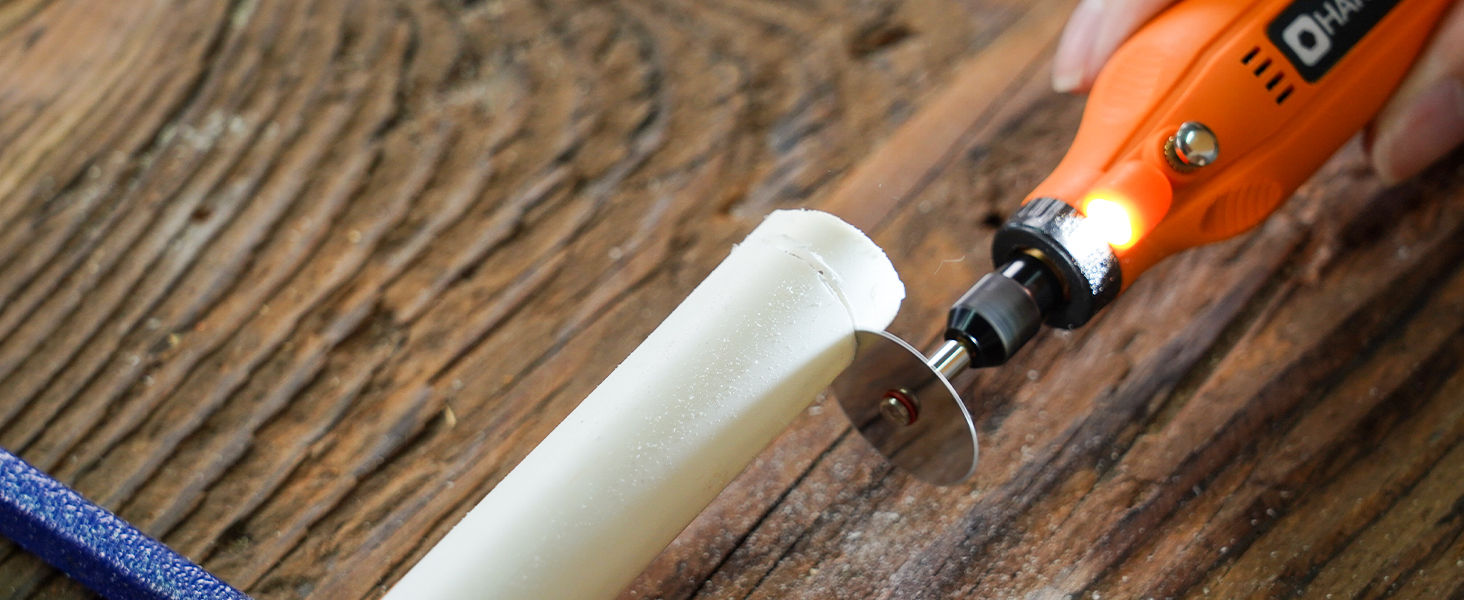
Image: Visual instructions for attaching an HSS cutting disc or sanding paper to the rotary tool, detailing the mandrel and securing steps.
6. Istruzioni per l'uso
- Accensione/spegnimento: Press the On/Off button to turn the tool on or off.
- Regola la velocità: Use the '+' and '-' buttons to cycle through the 5 available speed settings (5000 RPM to 18000 RPM). The LED indicators will show the current speed level.
- Luce LED: The integrated LED light automatically illuminates when the tool is powered on, providing visibility for detailed work.
- Operazione: Hold the tool firmly and apply gentle pressure to the workpiece. Allow the tool to do the work; excessive force can lead to poor results or damage to the tool/workpiece.

Image: A person using the HARDELL Mini Cordless Rotary Tool for carving a wooden piece, demonstrating its ergonomic design and precision.

Immagine: un primo piano view of the rotary tool in action, with its LED light brightly illuminating the precise point of contact on a workpiece, highlighting its utility in detailed tasks.
7. Applicazioni
The HARDELL Mini Cordless Rotary Tool is ideal for a variety of light-duty projects, including but not limited to:
- Engraving on various materials
- Sanding small surfaces or edges
- Carving intricate designs
- Drilling small holes
- Grinding for shaping or smoothing
- Polishing for a smooth finish
- Trimming excess material

Immagine: Un collage mostraasing the multi-purpose capabilities of the rotary tool, including sanding wood, carving glass, polishing beads, grinding metal, drilling shells, and cutting plastic.
8. Manutenzione
Caricare lo strumento
- Connect the provided USB-C charging cable to the charging port at the base of the tool.
- Plug the other end of the USB-C cable into a compatible power source (e.g., computer, car charger, power bank).
- The LED indicators will show the charging status. A full charge provides up to 100 minutes of continuous use under no-load conditions.
Pulizia e conservazione
- After each use, disconnect any accessories and gently wipe the tool body with a clean, dry cloth.
- Remove any dust or debris from the collet and spindle area.
- Store the tool and its accessories in a dry, clean place, preferably in its original carrying case, away from direct sunlight and extreme temperatures.
9. Risoluzione Dei Problemi
- Lo strumento non si accende: Ensure the tool is fully charged. If the battery is low, connect it to a power source using the USB-C cable.
- Prestazioni ridotte: Check if the accessory is securely installed. Ensure the battery is adequately charged. The tool is designed for light-duty tasks; avoid using it for heavy-duty applications that may exceed its capacity.
- Vibrazioni o rumori eccessivi: Ensure the accessory is correctly inserted and tightened. A loose or damaged accessory can cause vibration. Replace any worn or damaged accessories.
- Surriscaldamento: If the tool feels excessively hot, discontinue use and allow it to cool down. Ensure the cooling vents are not obstructed.
10. Specifiche
| Caratteristica | Specificazione |
|---|---|
| Marca | HARDELL |
| Numero di modello | DM12405ORANGEH-2 |
| Fonte di alimentazione | Alimentato a batteria (ioni di litio da 3.7 V) |
| Impostazioni di velocità | 5-Speed (5000-18000 RPM) |
| Tipo di ricarica | USB-C |
| Peso dell'articolo | 0.3 lbs (7.4 ounces / 0.21 Kilograms) |
| Caratteristiche speciali | Compact, LED Light |
| Componenti inclusi | 35 Accessories, USB-C Cable |
11. Garanzia e supporto
For warranty information, technical support, or any questions regarding your HARDELL Mini Cordless Rotary Tool, please refer to the documentation included in your product packaging or contact HARDELL customer service directly. Contact details can typically be found on the manufacturer's websito o sulla confezione del prodotto.


