Introduzione
The KONNWEI KW206 is an advanced automotive tool designed to provide real-time vehicle data and diagnostic capabilities. It functions as both a Head-Up Display (HUD) for critical driving information and a comprehensive OBD2 diagnostic scanner. This manual provides instructions for the proper setup, operation, and maintenance of your KW206 device.
Prodotto finitoview
The KW206 integrates a 3.5-inch full-color LCD screen to display over 100 key vehicle parameters. It is compatible with OBDII/EOBD-compliant gasoline, diesel, and hybrid vehicles manufactured from 2003 onwards. Key features include:
- Visualizzazione dei dati in tempo reale: Speed, RPM, coolant temperature, fuel consumption, voltage, throttle position, intake pressure, and more.
- Funzioni diagnostiche: Read and clear Diagnostic Trouble Codes (DTCs), reset Check Engine Light, I/M readiness status, freeze frame data, O2 sensor test, EVAP system test.
- Avvisi di sicurezza: Customizable warnings for overspeed, high engine temperature, low voltage, and RPM limits.
- Test delle prestazioni: 0-100 km/h acceleration test.
- Interfaccia intuitiva: Auto-adjusting brightness, multiple display themes, metric/imperial unit switching.

Image: The KONNWEI KW206 device showing its main display and various data points.
Contenuto della confezione
Verifica che tutti gli articoli siano presenti nel tuo pacco:
- KONNWEI KW206 Auto Diagnostic Scanner Unit
- Cavo di collegamento OBDII
- Manuale dell'utente (questo documento)
- Cavo USB (per aggiornamenti software)
- Mounting Accessories (e.g., anti-slip mat, stand)

Image: The KONNWEI KW206 package contents, showing the main unit, OBDII cable, and other accessories.
Configurazione e installazione
The KW206 is designed for plug-and-play installation. No complex setup or external power source is required.
- Individuare la porta OBDII: La porta OBDII si trova in genere sotto il cruscotto, sul lato conducente del veicolo. Se non riesci a trovarla, consulta il manuale d'uso e manutenzione del veicolo.
- Collegare il dispositivo: Plug the provided OBDII connection cable into your vehicle's OBDII port. Ensure a secure connection.
- Posizionare il dispositivo: Place the KW206 unit on your dashboard using the provided anti-slip mat or stand. Ensure it does not obstruct your view della strada.
- Accensione: Once connected, the device will automatically power on when the vehicle's ignition is turned to the ON position (or engine started).
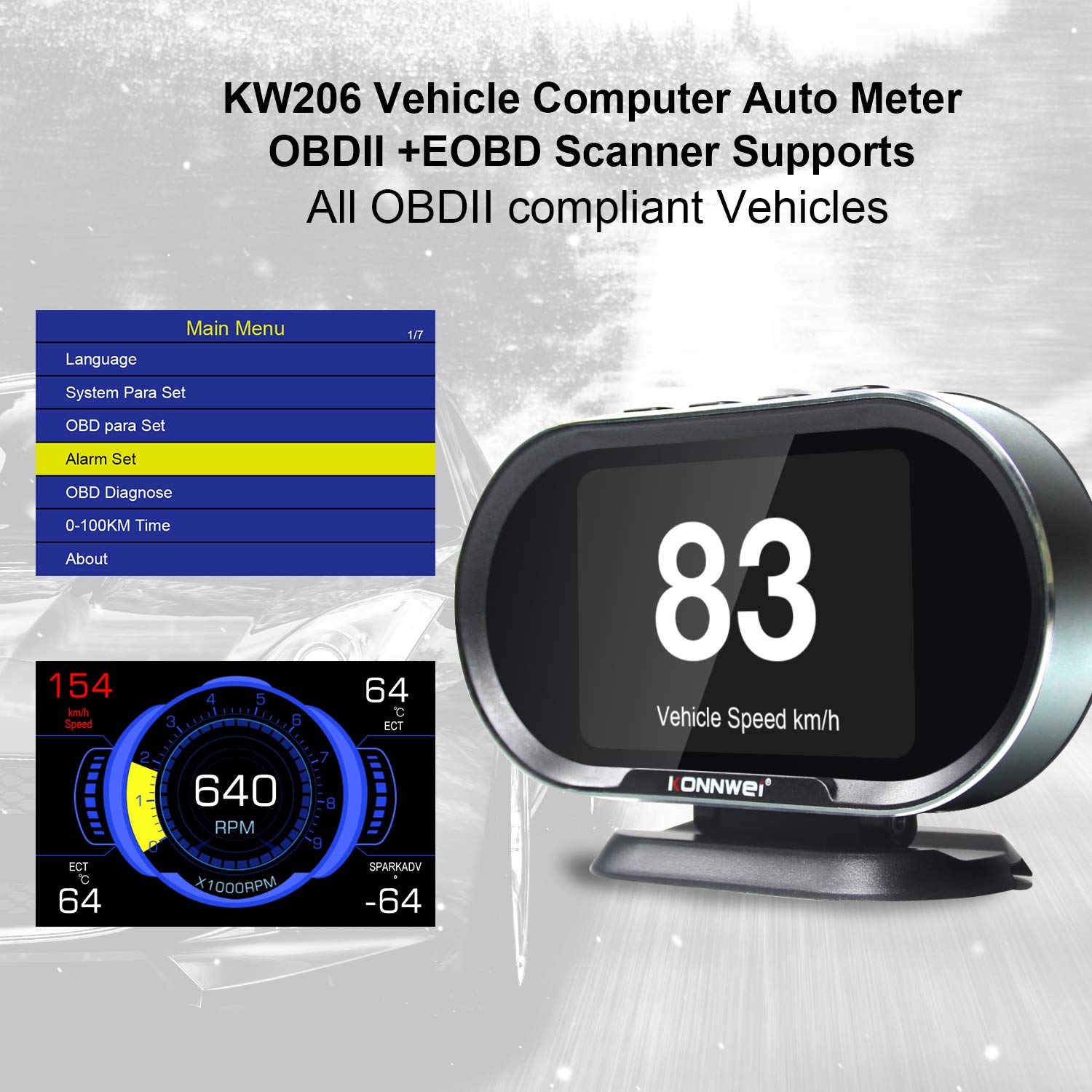
Image: The main menu of the KW206, accessible after initial setup, allowing configuration of various parameters.
Istruzioni per l'uso
The KW206 features an intuitive four-button interface for navigation and selection.
Navigazione di base
- Utilizzare il UP E GIÙ buttons to scroll through menu options or data parameters.
- Premere il tasto OK pulsante per confermare una selezione o accedere a un sottomenu.
- Premere il tasto ESC pulsante per tornare alla schermata precedente o uscire da una funzione.
Display Modes and Parameters
The KW206 offers multiple display modes and can show up to 95 different parameters. You can cycle through these modes and select specific data streams to monitor.
- Flusso di dati in tempo reale: View live sensor data such as engine RPM, vehicle speed, coolant temperature, fuel system status, calculated load value, and more.
- Customizable Displays: The device allows you to configure which parameters are displayed on the main screen.
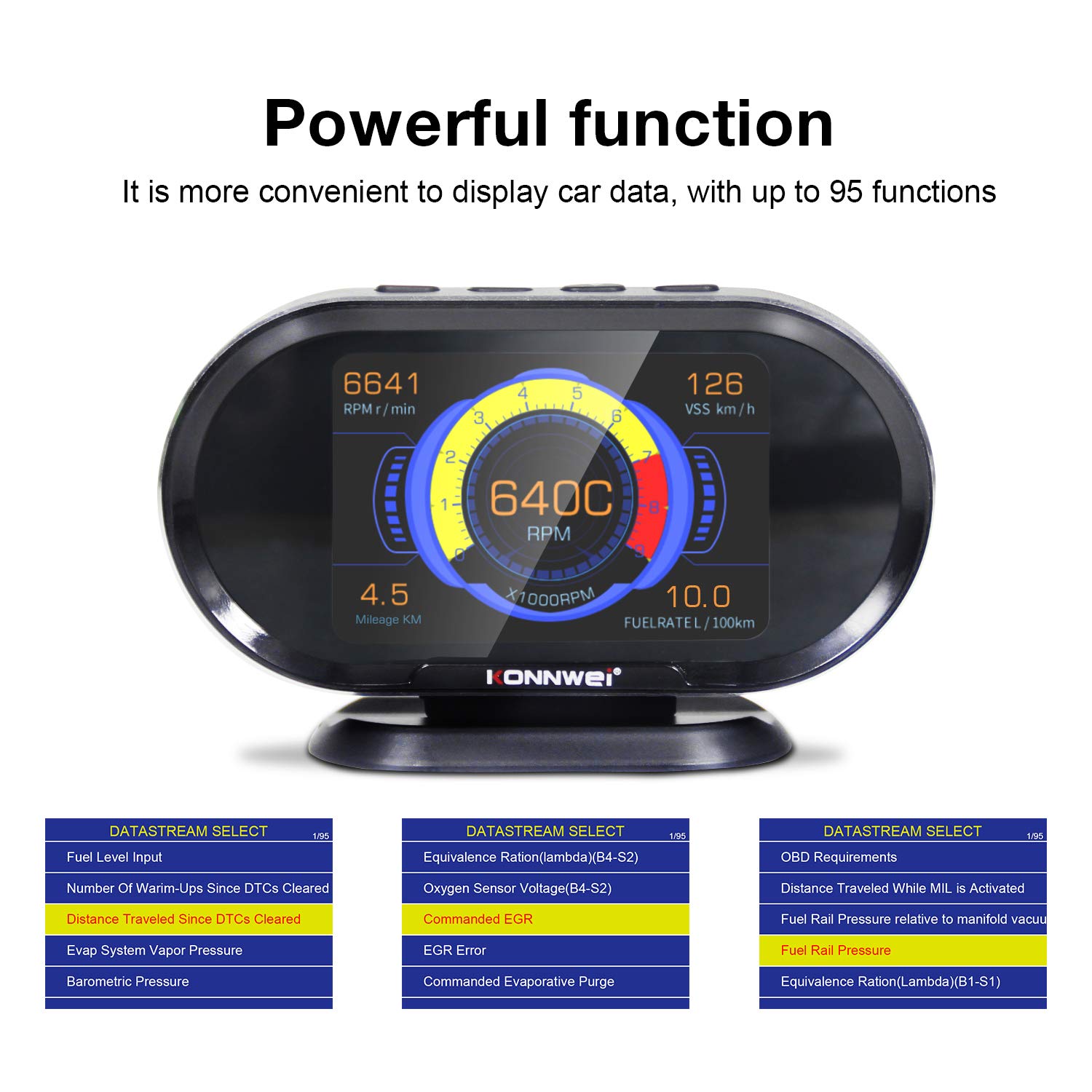
Image: The KW206 displaying various vehicle data points simultaneously, demonstrating its multi-functionality.

Image: A visual representation of the numerous functions and parameters available on the KW206, including diagnostic tools and alert settings.
Funzioni diagnostiche
- Leggi i codici: Retrieve generic (P0, P2), manufacturer-specific (P1), and pending Diagnostic Trouble Codes (DTCs).
- Codici chiari: Erase DTCs and reset the Check Engine Light (MIL). This also clears I/M readiness monitor status.
- Prontezza I/M: Controllare lo stato dei monitor relativi alle emissioni per determinare se il veicolo è pronto per un test sulle emissioni.
- Blocca dati fotogramma: View un'istantanea delle condizioni operative del veicolo al momento dell'impostazione del codice di errore.
- Test sensore O2: Recupera i risultati del test del monitor del sensore O2.
- Test del sistema EVAP: Avviare un test del sistema di controllo delle emissioni evaporative.

Image: The KW206 displaying OBD stream data, including diagnostic trouble codes and real-time sensor readings.
Impostazioni di avviso
Configure various alerts to enhance driving safety and monitor vehicle health.
- Avviso di eccesso di velocità: Set a maximum speed limit, and the device will alert you if exceeded.
- High Engine Temperature Alert: Receive a warning if the engine coolant temperature reaches a predefined threshold.
- Basso volumetage Avvertenza: Alerts you to potential battery or charging system issues.
- RPM Limit Reminder: Set an RPM limit to prevent over-revving the engine.

Image: The KW206 indicating an alarm condition with a red display, contrasting with a normal white display.
Manutenzione
To ensure the longevity and optimal performance of your KW206 device, follow these maintenance guidelines:
- Pulizia: Utilizzare un panno morbido e asciutto per pulire il dispositivo. Evitare detergenti abrasivi o solventi.
- Magazzinaggio: Conservare il dispositivo in un luogo fresco e asciutto quando non in uso. Evitare temperature estreme.
- Aggiornamenti software: The KW206 supports lifetime free software updates. Regularly check the KONNWEI official website for the latest firmware to ensure compatibility with new vehicle models and improved functionality. Connect the device to a computer via the provided USB cable for updates.
- Cura del cavo: Inspect the OBDII cable periodically for any signs of damage. Do not use a damaged cable.
Risoluzione dei problemi
Se riscontri problemi con il tuo KW206, fai riferimento ai seguenti problemi comuni e alle relative soluzioni:
| Problema | Possibile causa | Soluzione |
|---|---|---|
| Il dispositivo non si accende. |
|
|
| Nessun dato visualizzato o letture errate. |
|
|
| Check Engine Light remains on after clearing codes. |
|
|
Specifiche
| Caratteristica | Dettaglio |
|---|---|
| Modello | KW206 |
| Display | LCD a colori da 3.5 pollici |
| Dimensioni (L x P x A) | 5.4 x 3.3 x 2.1 pollici (13.7 x 8.4 x 5.3 cm) |
| Peso | 10.2 once (0.29 kg) |
| Volume di eserciziotage | 9-16 V (tramite porta OBDII) |
| Temperatura di esercizio | da 0°C a 60°C (da 32°F a 140°F) |
| Temperatura di conservazione | -20°C a 70°C (-4°F a 158°F) |
| Protocolli supportati | J1850, CAN, ISO9141, EOBD |
| Materiale | Plastica ABS |
Garanzia e supporto
KONNWEI provides lifetime customer support and free software updates for the KW206 device. For technical assistance, warranty claims, or further inquiries, please refer to the contact information provided on the official KONNWEI websito o sulla confezione del prodotto.
Controllare regolarmente il KONNWEI ufficiale website for the latest software updates to ensure optimal performance and compatibility.


