1. Introduzione
The Retevis A3 Ham Radio Handheld is a versatile communication device designed for amateur radio enthusiasts, emergency preparedness, and outdoor activities. It offers quad-band transmission, wideband reception including SSB, and essential features like NOAA weather alerts. This manual provides detailed instructions for setting up, operating, maintaining, and troubleshooting your Retevis A3 radio.
2. Prodotto finitoview
2.1 Contenuto della confezione
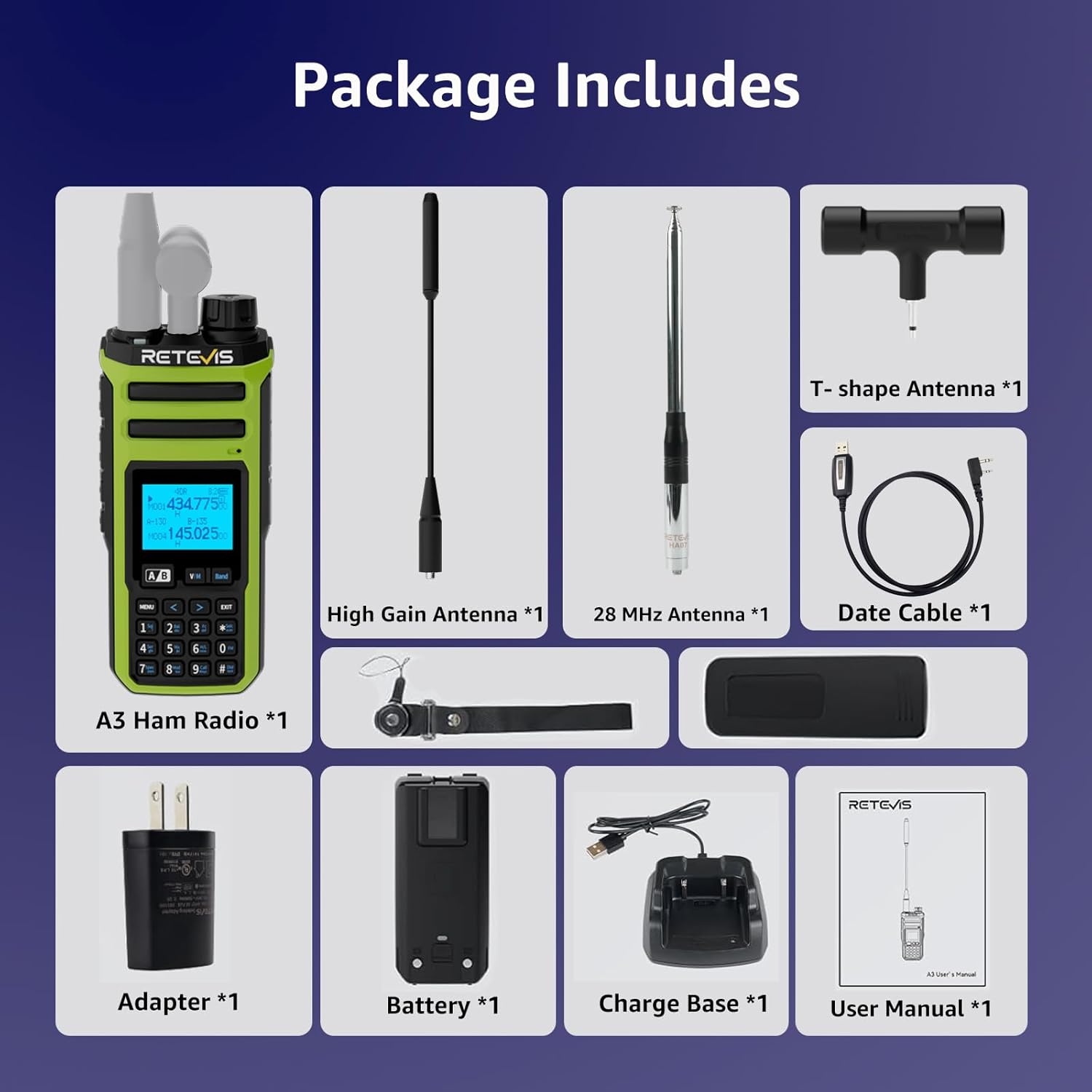
The Retevis A3 package includes the following items:
- A3 Ham Radio (x1)
- High Gain Antenna & T-shape Antenna (x1)
- 28 MHz Antenna (x1)
- 2500 mAh Battery & Desk Charger (x1)
- Date cable (x1)
2.2 Caratteristiche principali
- Quad-Band Transmission: Supports 10m, 6m, 2m, and 70cm amateur radio bands.
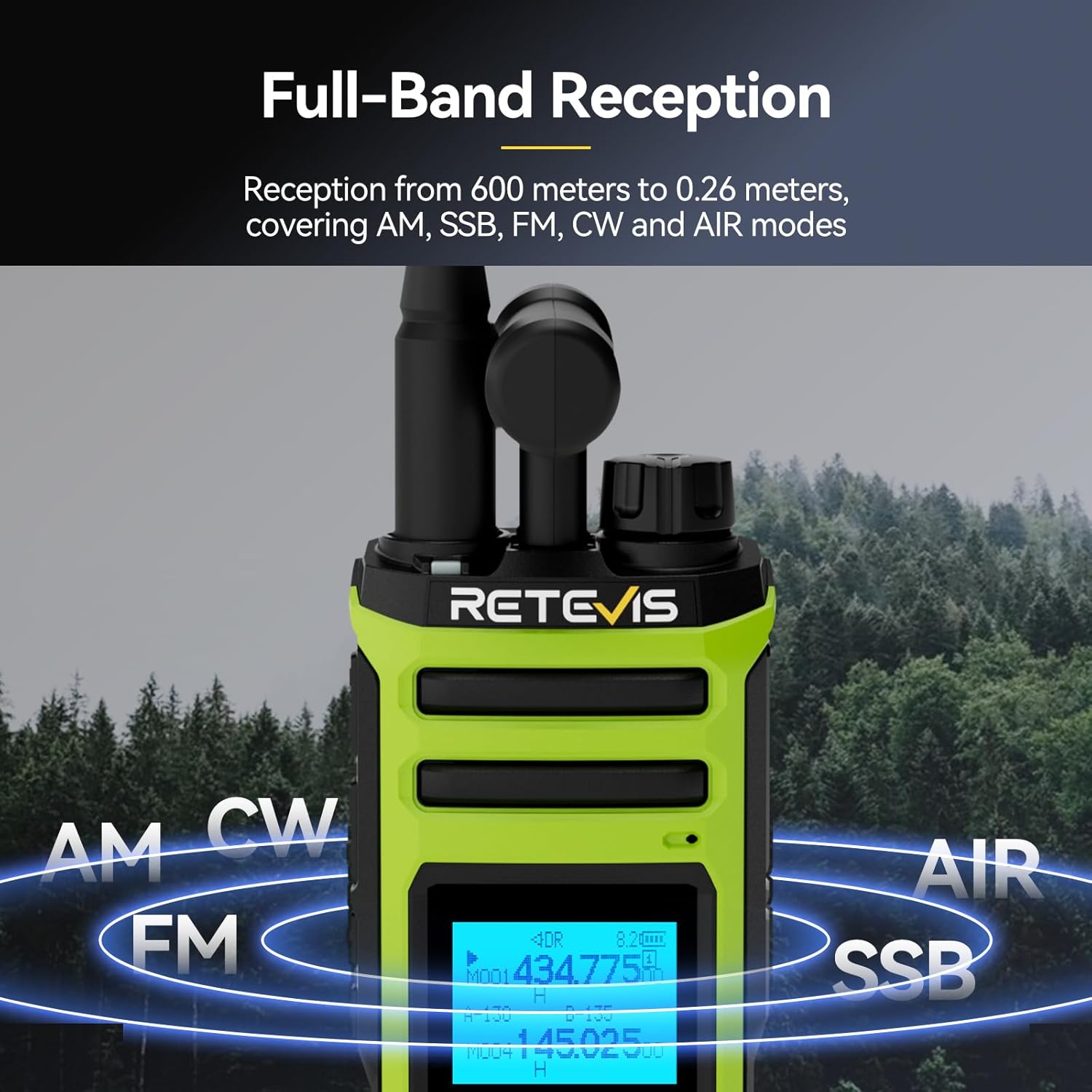
- Ricezione a banda larga: Covers AM, SSB, FM, CW, and AIR modes from 600 meters to 0.26 meters.
- Dual Watch & PTT Control: Monitor two channels simultaneously with independent PTT buttons and volume control.
- NOAA Weather Alerts with SAME: Receive precise emergency weather warnings for your county.
- Uscita ad alta potenza: Boost signal range on 2m/70cm for clear communication in challenging environments.
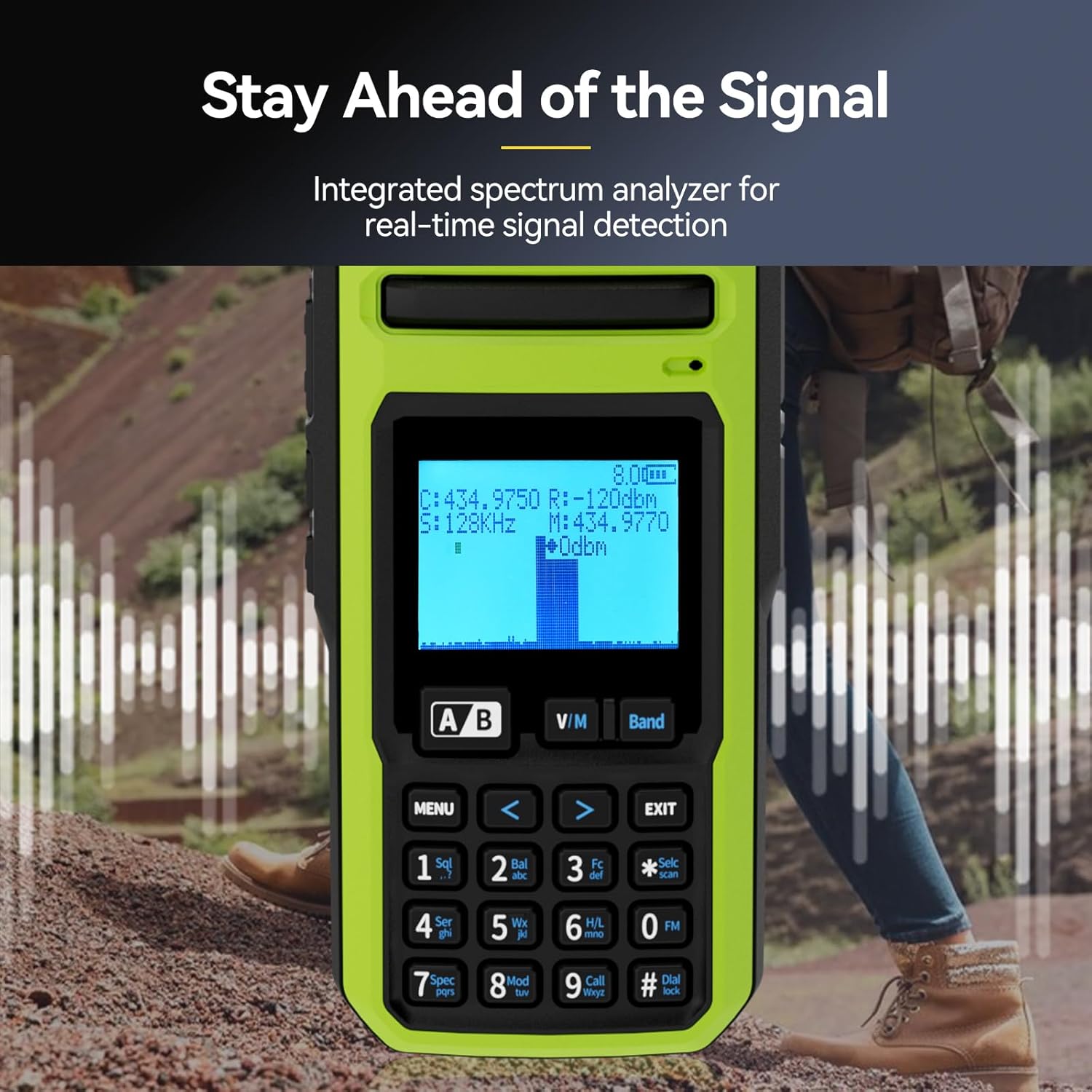
- Analizzatore di spettro integrato: Real-time signal detection for enhanced situational awareness.
- Long-Life 2500mAh Battery: Fornisce fino a 16 ore di autonomia.
- Tasti laterali personalizzabili: Assign functions like High/Low Power, FM, VOX, 1750Hz tone, Flashlight, and Emergency alarm.
- Wireless Duplicate: One-key pairing for easy radio cloning.



3. Impostazione
3.1 Installazione e ricarica della batteria
- Per installare la batteria, allineare il pacco batteria con le scanalature sul retro della radio e farlo scorrere verso l'alto finché non scatta in posizione.
- Per rimuoverla, premere il pulsante di rilascio nella parte inferiore della batteria e farla scorrere verso il basso.
- Connect the USB-A cable from the charging cradle to the charging brick, then plug the brick into a standard wall outlet.
- Place the radio into the charging cradle. The indicator light on the cradle will show charging status.
- Alternatively, you can charge the battery directly via the USB-C port located under the rubber flap on the back of the radio.
3.2 Attacco dell'antenna
The Retevis A3 comes with multiple antennas for different frequency bands:
- A tri-band antenna for 2m, 70cm, and 6m.
- A 28MHz antenna for 10m.
- A T-shape antenna for HF reception.
To attach an antenna, screw it clockwise onto the SMA male connector on top of the radio until it is finger-tight. Ensure the correct antenna is used for the desired frequency band.

3.3 Accensione iniziale
Turn the rotary knob on top of the radio clockwise to power it on and adjust the volume. The LCD display will illuminate.
Setup Video: How to set up the Retevis A3 walkie talkie
This video provides a step-by-step guide on how to set up your Retevis A3 walkie talkie, covering initial assembly and basic configurations.
4. Funzionamento di base
4.1 Accensione/spegnimento e controllo del volume
The top rotary knob controls both power and volume. Turn clockwise to power on and increase volume; turn counter-clockwise to decrease volume and power off.
4.2 Selezione della frequenza e del canale
The radio operates in two main modes: VFO (Variable Frequency Oscillator) mode for direct frequency input and Memory mode for stored channels.
- Modalità VFO: Press the 'Band' button to cycle through different frequency segments. Use the arrow keys or the numeric keypad to enter a desired frequency.
- Modalità memoria: Press the 'V/M' button to switch between VFO and Memory modes. Use the arrow keys to navigate through stored channels.
4.3 Dual Watch and Dual PTT
The Retevis A3 features dual watch capability, allowing you to monitor two different frequencies or channels simultaneously. The two PTT buttons on the side correspond to the upper (VFO A) and lower (VFO B) displays, enabling independent transmission on either frequency.
4.4 Avvisi meteo NOAA
The radio supports NOAA weather alerts with SAME (Specific Area Message Encoding). To access NOAA weather channels, use the 'Band' button to navigate to the NOAA band. The radio will provide precise emergency warnings for your county.

5. Funzionalità avanzate
5.1 SSB/AM/FM/CW Reception
The Retevis A3 is capable of receiving various modulation modes beyond standard FM, including Single Sideband (SSB), Amplitude Modulation (AM), and Continuous Wave (CW). This allows for monitoring a wider range of radio communications, including shortwave broadcasts and amateur SSB signals.
5.2 Analizzatore di spettro
An integrated spectrum analyzer provides real-time visual feedback of signal activity across the frequency band. This feature is useful for identifying active frequencies and understanding band conditions.
5.3 Tasti laterali personalizzabili
The side keys on the radio can be programmed to quickly access frequently used functions such as:
- Regolazione potenza alta/bassa
- Attivazione radio FM
- VOX (trasmissione vocale)
- Sending 1750Hz tone
- Attivazione della torcia
- Allarme di emergenza
Refer to the detailed menu options in the user manual for programming these keys.
5.4 Wireless Duplicate
The wireless duplicate function allows for quick and easy cloning of settings from one Retevis A3 radio to another. This is particularly useful for groups or teams using multiple devices.
6. Manutenzione
6.1 Cura della batteria
- Utilizzare sempre il caricabatterie e la batteria forniti.
- Evitare di esporre la batteria a temperature estreme.
- Do not disassemble, strike, squeeze, or put the battery into fire.
- If the battery gets wet, do not use it.
6.2 Pulizia
Pulisci l'esterno della radio con un panno morbido eamp cloth. Do not use harsh chemicals or abrasive cleaners. Ensure all ports are covered by their rubber flaps when not in use to prevent dust and moisture ingress.
6.3 Cura dell'antenna
Ensure antennas are securely attached but do not overtighten. Avoid bending or stressing the antennas, as this can damage the connector or the antenna itself.
7. Risoluzione Dei Problemi
This section addresses common issues you might encounter with your Retevis A3 radio. For more detailed troubleshooting, refer to the comprehensive user manual.
| Problema | Possibile causa | Soluzione |
|---|---|---|
| La radio non si accende. | La batteria è scarica o non è installata correttamente. | Caricare la batteria o assicurarsi che sia installata correttamente. |
| Impossibile trasmettere o ricevere. | Incorrect frequency/channel, antenna not attached, or low power. | Verify frequency/channel settings, attach antenna, check battery level, ensure transmit power is set to 'High' if needed. |
| Poor audio quality on transmit. | Transmit bandwidth set to 'Narrow'. | Ensure transmit bandwidth (W/N) is set to 'Wide' for amateur radio use. |
| Programming software not connecting. | Driver issues or cable connection problems. | Install correct drivers, ensure programming cable is fully seated and not damaged. |
| Limited 6-meter band transmission. | Out-of-band transmit is disabled. | Refer to advanced settings in the manual to enable out-of-band transmit via button combination. |
8. Specifiche
| Caratteristica | Specificazione |
|---|---|
| Peso dell'articolo | 1.94 libbre |
| Dimensioni del pacco | 8.98 x 8.74 x 3.54 pollici |
| Numero modello articolo | A3 |
| Batterie | 1 AA batteries required. (included) - Note: Product description states 2500mAh Li-ion battery. Please verify. |
| Marca | Retevis |
| Colore | Verde |
| Numero di canali | 999 |
| Caratteristica speciale | 999 Channels, Dual Receiving, Long Range |
| Gamma di frequenza | 28-29.7Mhz, 50-52Mhz, 144-148Mhz, 420-450Mhz |
| Livello di resistenza all'acqua | Non resistente all'acqua |
| Durata della batteria | 15.9 ore |
9. Garanzia e supporto
9.1 Informazioni sulla garanzia
Retevis provides a 2-year warranty for the radio body and a 1-year warranty for accessories. A 30-day no-reason return policy is also offered. For service beyond the warranty period, maintenance services are available, with buyers responsible for corresponding costs.
9.2 Assistenza clienti
Per qualsiasi domanda o necessità di supporto, contatta il servizio clienti Retevis su Amazon. Le risposte vengono solitamente fornite entro 12 ore.


