1. Introduzione
This manual provides comprehensive instructions for the safe and effective use of your HAYLOU S40 Noise Cancelling Headphones. Please read this manual thoroughly before using the product and retain it for future reference.
2. Informazioni sulla sicurezza
- Non esporre le cuffie a temperature estreme, umidità o ambienti corrosivi.
- Evitare di far cadere le cuffie o di sottoporle a forti urti.
- Non smontare o modificare le cuffie. Ciò potrebbe invalidare la garanzia e causare danni.
- Tenere le cuffie lontano dalla portata dei bambini e degli animali domestici.
- Use only the provided charging cable. Do not use the headphones while charging.
- L'ascolto prolungato ad alto volume può causare danni all'udito. Regolare il volume a un livello sicuro.
3. Contenuto della confezione
Verifica che tutti gli articoli siano presenti nel tuo pacco:
- HAYLOU S40 Noise Cancelling Bluetooth Headphones
- Type-C 2-in-1 Cable (Charging & Audio)
- Microfono staccabile
- Manuale dell'utente (questo documento)
4. Prodotto finitoview
Familiarize yourself with the components of your HAYLOU S40 headphones.
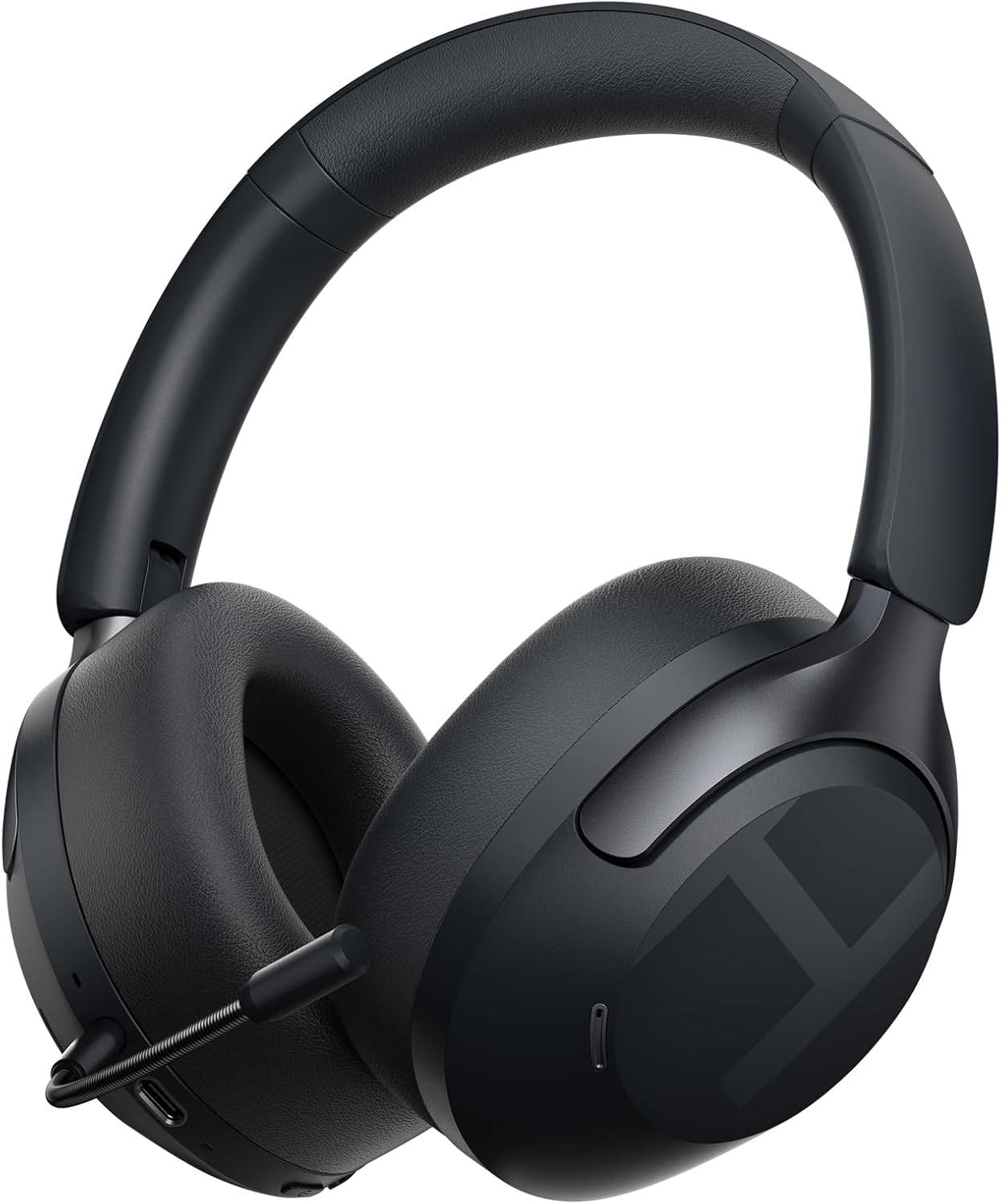
Immagine 4.1: HAYLOU S40 Noise Cancelling Headphones with the detachable microphone attached.
The headphones feature soft protein leather earcups for comfort, an adjustable headband, and foldable design for portability.
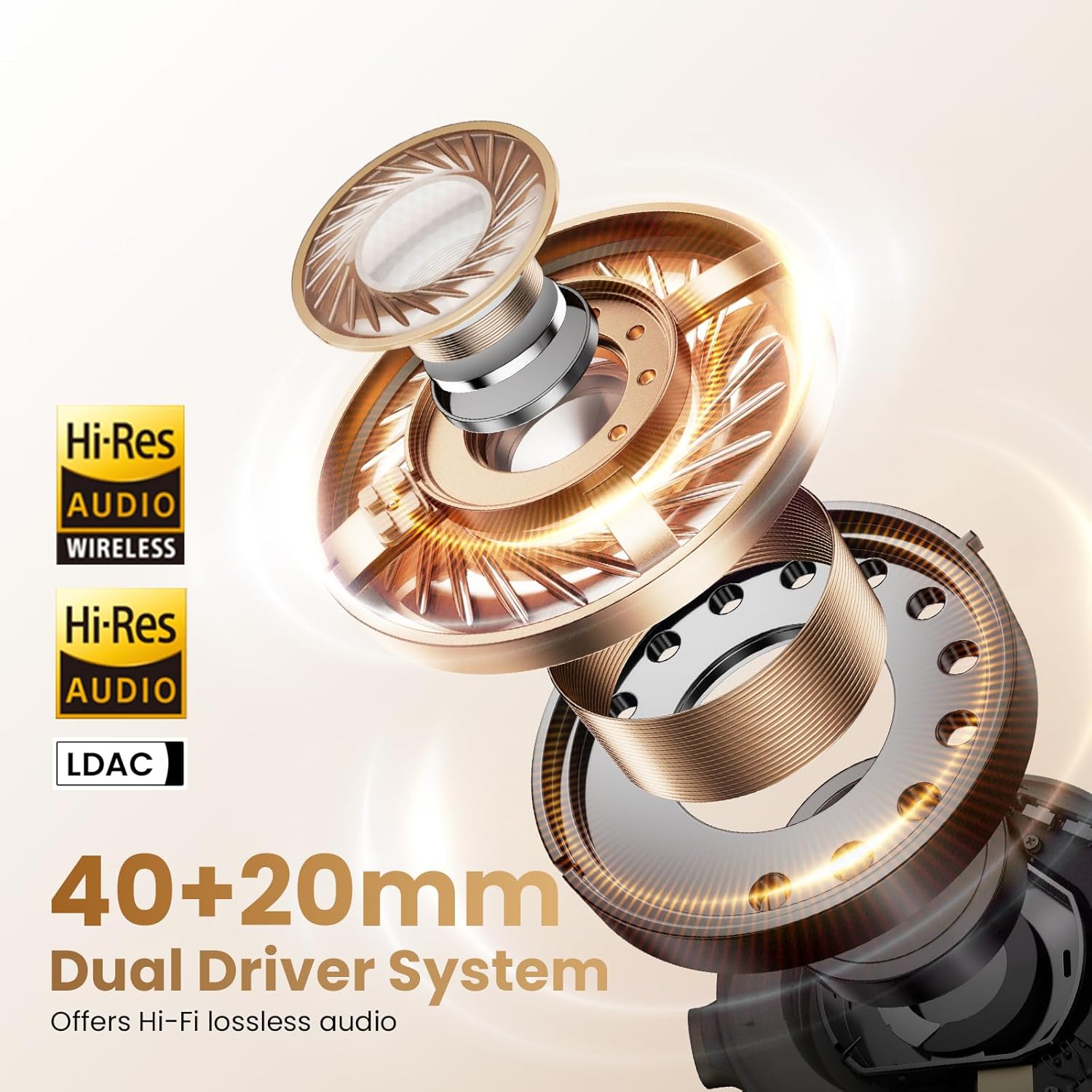
Immagine 4.2: The HAYLOU S40 headphones demonstrating their foldable design, soft earcups, and adjustable headband for comfortable wear and easy storage.
Controlli e porte:

Immagine 4.3: Detailed diagram illustrating the location and function of buttons and touch controls on the HAYLOU S40 headphones.
- Pulsante di accensione: For power on/off and pairing mode.
- Pulsanti del volume (+/-): Adjust volume, next/previous track.
- Pulsante ANC: Scorrere le modalità di cancellazione attiva del rumore.
- Area di controllo touch: For quick conversation mode, answer/reject calls, play/pause music.
- Porta USB-C: Per la ricarica e la connessione audio cablata.
- Porta microfono: Per fissare il microfono staccabile.
5. Impostazione
5.1 Ricarica delle cuffie
Before first use, fully charge the headphones. Connect the provided Type-C cable to the headphone's USB-C port and a power source (e.g., computer USB port or wall adapter).
- Tempo di ricarica: Circa 2.5 ore per una ricarica completa.
- Ricarica rapida: 10 minutes of charging provides approximately 5 hours of playback.
- Indicatore: L'indicatore LED mostrerà lo stato di carica. Per maggiori dettagli, consultare la sezione relativa agli indicatori LED.
Note: Do not use the headphones while charging.

Immagine 5.1: Visual representation of the HAYLOU S40's battery life, indicating 90 hours with ANC off, 60 hours with ANC on, and 10 minutes of quick charging for 5 hours of playback.
5.2 Accensione/spegnimento
- Accensione: Premere a lungo il pulsante di accensione per 2 secondi.
- Spegni: Premere a lungo il pulsante di accensione per 2 secondi.
5.3 Associazione Bluetooth
- Assicurati che le cuffie siano spente.
- Hold down the Power button for 5 seconds until the LED indicator flashes blue and red, indicating pairing mode.
- Sul tuo dispositivo (smartphone, tablet, computer), attiva il Bluetooth e cerca i dispositivi disponibili.
- Select "HAYLOU S40" from the list of devices.
- Una volta connesso, l'indicatore LED diventerà blu fisso.
5.4 Connecting to the Haylou Sound App
For advanced features and customization, download the "Haylou Sound" app from your device's app store.
- Download and install the "Haylou Sound" app.
- Ensure your HAYLOU S40 headphones are powered on and connected via Bluetooth to your device.
- Open the Haylou Sound app. The app should automatically detect and prompt you to connect to your S40 headphones.
- Seguire le istruzioni sullo schermo per completare la connessione.

Immagine 5.2: A smartphone screen displaying the Haylou Sound app interface, showing a prompt to connect to the Haylou S40 headphones.
The app allows for noise canceling depth controls, preset sound profiles, device renaming, and game mode activation.
5.5 Connessione multipunto
The HAYLOU S40 supports connecting to two devices simultaneously, allowing seamless switching between them.
- Connect the headphones to the first device via Bluetooth as described in section 5.3.
- Disconnect the headphones from the first device (do not unpair).
- Riportare le cuffie in modalità di associazione e connetterle al secondo dispositivo.
- Ricollega le cuffie al primo dispositivo tramite le impostazioni Bluetooth. Ora le cuffie dovrebbero essere connesse a entrambi i dispositivi.

Immagine 5.3: The HAYLOU S40 headphones demonstrating multipoint connection, simultaneously linked to a smartphone and a tablet, enabling seamless audio switching.
6. Istruzioni per l'uso
6.1 Controlli di base
| Funzione | Azione |
|---|---|
| Accensione/spegnimento | Long press Power button for 2s |
| Modalità di accoppiamento | Hold Power button for 5s (when device is off) |
| Alza il volume | Click "+" button |
| Abbassa il volume | Click "-" button |
| Traccia successiva | Press and hold "+" button |
| Traccia precedente | Press and hold "-" button |
| ANC On/Off/Mode Cycle | Fare clic sul pulsante ANC |
| Quick Conversation Mode | Press and hold touch control area (release to turn off) |
| Rispondi/riaggancia la chiamata | Double click touch control area |
| Rifiuta chiamata | Press and hold touch control area for 1s |
| Riproduci/Pausa musica | Double click touch control area |
6.2 Modalità di cancellazione attiva del rumore (ANC)
The HAYLOU S40 features 50dB Hybrid ANC with multiple modes. Press the ANC button to cycle through the available modes:
- ANC profondo: Effectively blocks over 95% of noise, ideal for very noisy environments like airplanes or subways.
- ANC moderato: Preserves some ambient sounds while reducing noise, suitable for offices or cafes.
- ANC adattivo: Regola in modo intelligente la riduzione del rumore in base all'ambiente circostante.
- Modalità trasparenza: Permette di sentire chiaramente l'ambiente circostante senza dover togliere le cuffie, utile per conversazioni o annunci.
- ANC disattivato: Disables active noise cancellation.
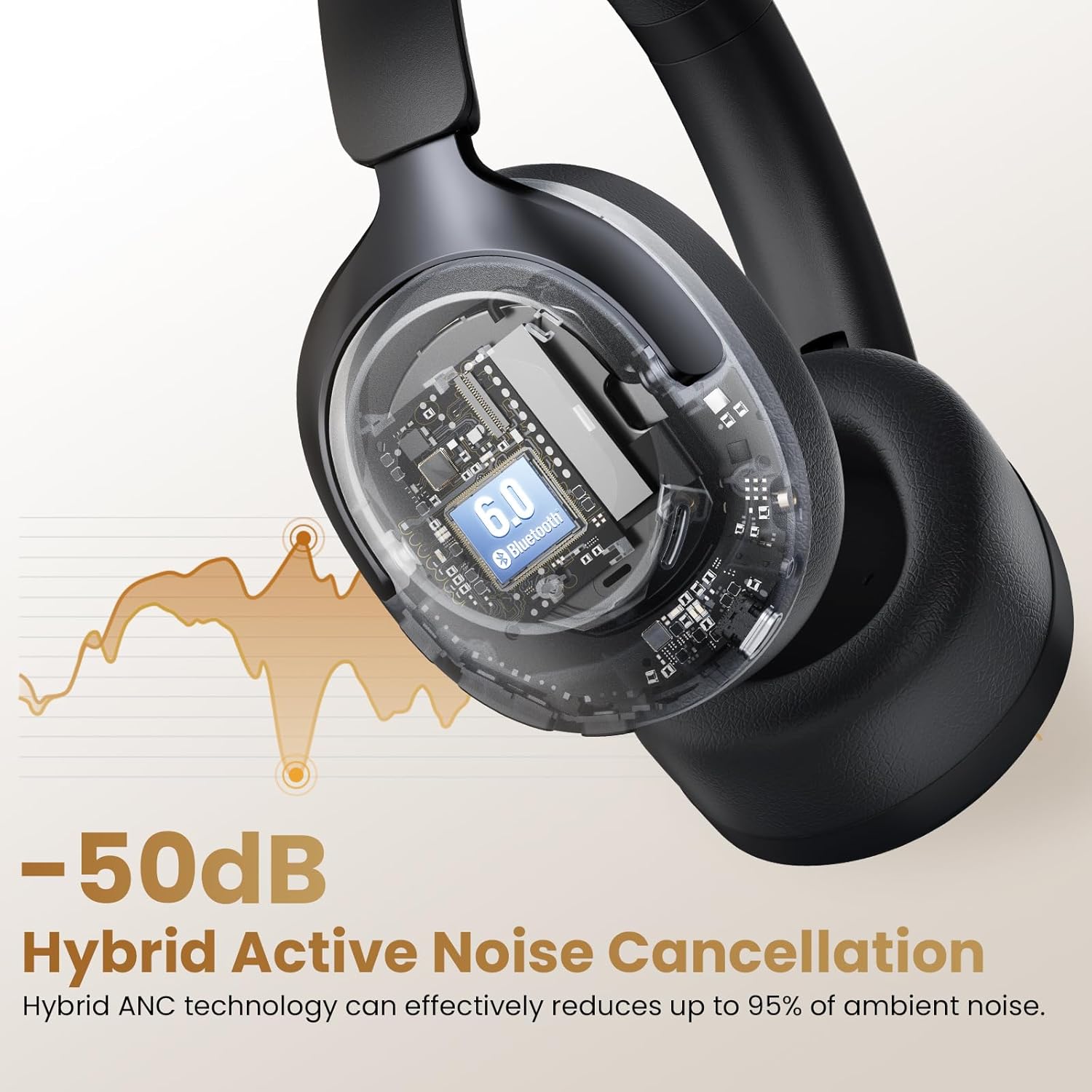
Immagine 6.1: An illustration depicting the 50dB Hybrid Active Noise Cancellation feature of the HAYLOU S40 headphones, showing how it reduces up to 95% of ambient noise.

Immagine 6.2: A collage illustrating the four distinct Active Noise Cancellation modes: Deep ANC for maximum noise blocking, Moderate ANC for balanced noise reduction, Adaptive ANC for intelligent adjustment, and Transparency Mode for hearing surroundings.
6.3 LDAC Hi-Res Audio Activation
The HAYLOU S40 supports LDAC for Hi-Res Wireless Audio. To enable LDAC, you must activate it within the Haylou Sound App.
- Ensure your headphones are connected to the Haylou Sound App (refer to section 5.4).
- Navigate to the audio settings within the app.
- Locate and enable the LDAC option.
Note: Disabling LDAC is recommended during Game Mode to avoid latency issues.
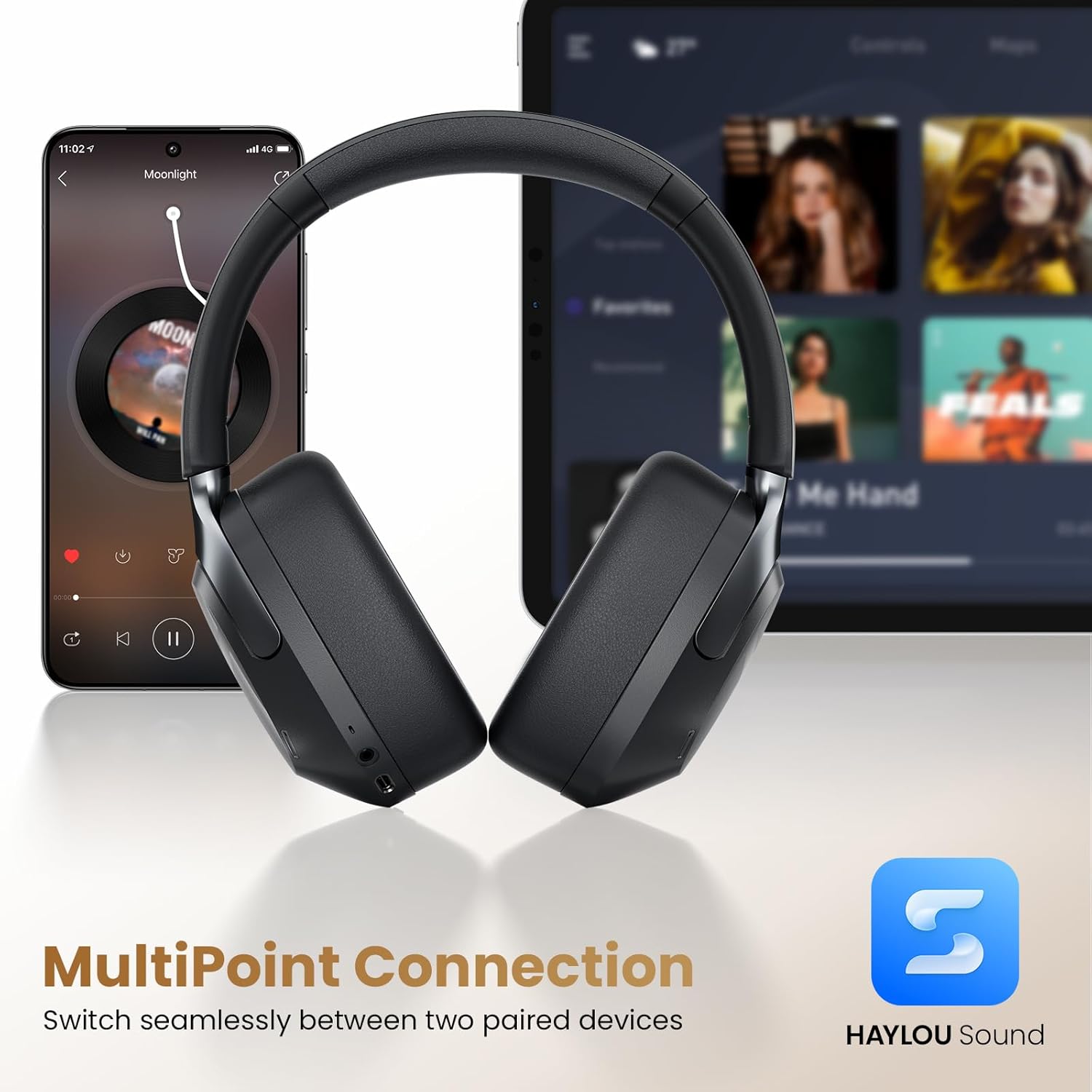
Immagine 6.3: Un esploso view of the HAYLOU S40's 40mm+20mm dual driver system, highlighting its Hi-Res Audio and LDAC compatibility for lossless sound reproduction.
6.4 Detachable Microphone Usage
The HAYLOU S40 includes a detachable microphone for enhanced call clarity. Simply plug the microphone into the designated port on the headphones.
The headphones utilize five built-in microphones and the detachable microphone, combined with AI algorithms, to isolate your voice and suppress background noise during calls.

Immagine 6.4: The HAYLOU S40 headphones with the detachable microphone attached, illustrating its use for clear communication, particularly during gaming or calls.
6.5 Audio spaziale
Experience immersive audio with 360° Surround Spatial Audio and Head Tracking. This feature can be configured via the Haylou Sound App.
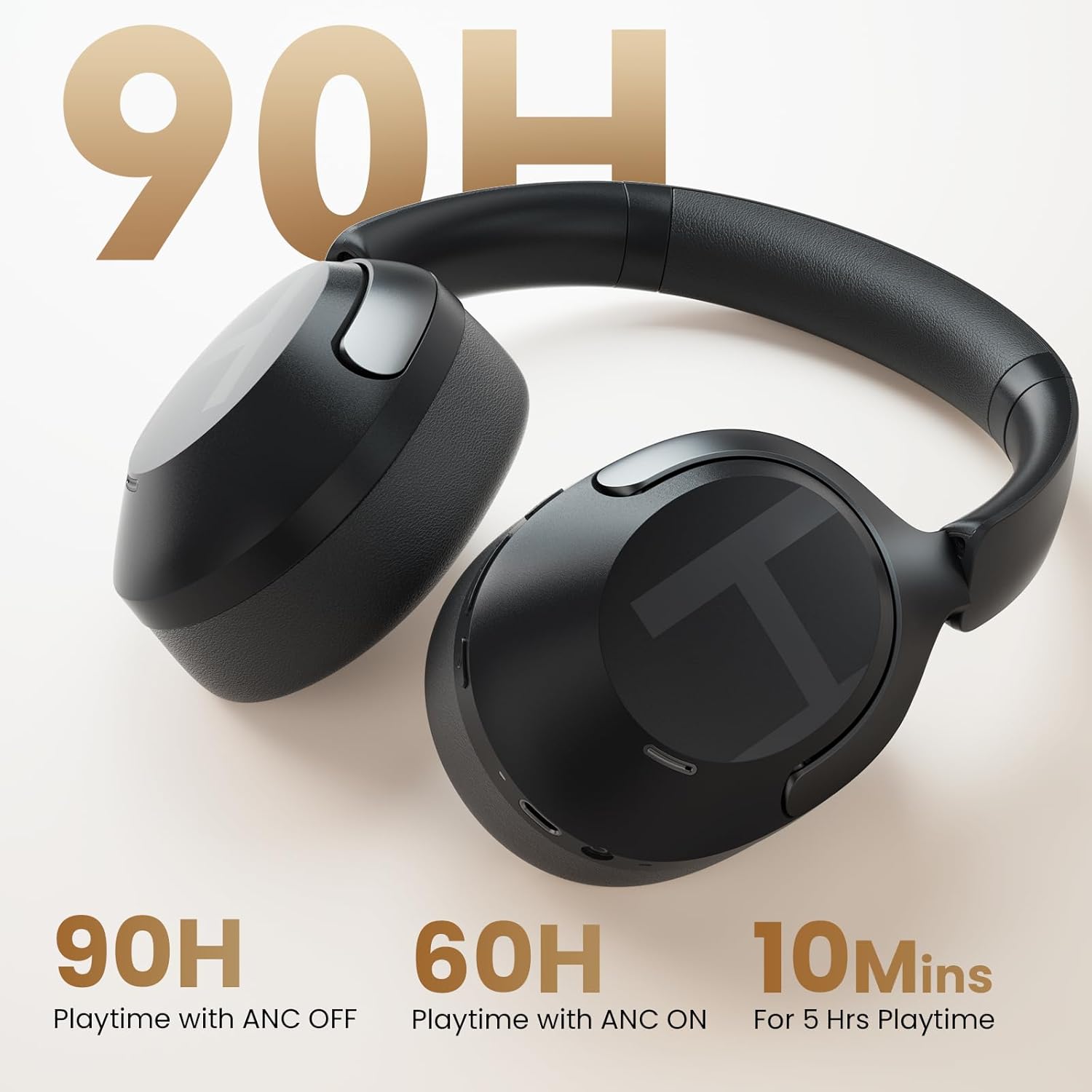
Immagine 6.5: A woman wearing the HAYLOU S40 headphones, depicted experiencing 360° surround spatial audio with head tracking for an immersive listening experience.
7. Manutenzione
- Pulizia: Per pulire le cuffie, utilizzare un panno morbido e asciutto. Non utilizzare prodotti chimici aggressivi o materiali abrasivi.
- Magazzinaggio: Quando non vengono utilizzate, conservare le cuffie in un luogo fresco e asciutto, lontano dalla luce solare diretta e da temperature estreme. Il design pieghevole consente di riporle in modo compatto.
- Cura della batteria: Per prolungare la durata della batteria, evitare di scaricare completamente le cuffie frequentemente. Caricarle regolarmente, anche se non vengono utilizzate costantemente.
8. Risoluzione Dei Problemi
| Problema | Possibile causa | Soluzione |
|---|---|---|
| Le cuffie non si accendono. | Batteria scarica. | Caricare completamente le cuffie. |
| Impossibile effettuare l'associazione tramite Bluetooth. | Cuffie non in modalità di associazione; Bluetooth disattivato sul dispositivo; interferenza. | Ensure headphones are in pairing mode (flashing blue/red LED). Turn Bluetooth on your device. Move closer to the device. Restart both devices. |
| Nessun suono o volume basso. | Volume troppo basso; cuffie non collegate; uscita audio errata. | Adjust volume on headphones and device. Reconnect Bluetooth. Check device's audio output settings. |
| L'ANC non funziona in modo efficace. | Incorrect ANC mode; poor seal. | Cycle through ANC modes. Ensure earcups form a good seal around your ears. |
| Il microfono non funziona. | Detachable microphone not properly connected; device microphone settings. | Ensure the detachable microphone is securely plugged in. Check your device's microphone input settings. |
| LDAC audio quality issues or latency. | LDAC enabled during Game Mode; environmental interference. | Disable LDAC in the Haylou Sound App if using Game Mode. Reduce distance to device or move away from interference sources. |
9. Specifiche
| Caratteristica | Dettaglio |
|---|---|
| Nome del modello | Scarpe Haylou S40 |
| Controllo del rumore | Adaptive Noise Cancellation (50dB Hybrid ANC) |
| Tipo di driver audio | Driver dinamico (40 mm + 20 mm) |
| Supporto audio ad alta risoluzione | Yes (LDAC compatible) |
| Versione Bluetooth | 6.0 |
| Tecnologia di connettività | Cablato (USB-C), Wireless (Bluetooth) |
| Durata della batteria (ANC disattivato) | Fino a 90 ore |
| Durata della batteria (ANC attivato) | Fino a 60 ore |
| Tempo di ricarica | Circa 2.5 ore |
| Microfoni | 5 built-in + 1 detachable (AI algorithms for calls) |
| Connessione multipunto | Yes (connects to two devices simultaneously) |
| Materiale | ABS, similpelle, PC |
| Peso | 0.35 chilogrammi (12.3 once) |
| Dimensioni | 6.81 x 3.26 x 7.68 pollici |
10. Garanzia e supporto
HAYLOU products are covered by a limited warranty. For detailed warranty information, please refer to the warranty card included in your package or visit the official HAYLOU websito.
For technical support, troubleshooting assistance, or to inquire about replacement parts, please contact HAYLOU customer service through their official channels. You can often find support contact information on the HAYLOU website or within the Haylou Sound App.
Risorse online:
- HAYLOU ufficiale Websito: www.haylou.com
- Haylou Sound App: Available on iOS App Store and Google Play Store.