1. Introduzione
Welcome to the user manual for your Raycon Essential Open Earbuds. These true wireless Bluetooth 6.0 headphones are designed for comfort and awareness, featuring an ultra-lightweight, open-ear design with comfort hooks and IPX5 water resistance. This manual provides detailed instructions to help you get the most out of your new earbuds.

Image: Raycon Essential Open Earbuds (Blue)
2. Cosa c'è nella scatola
Your Raycon Essential Open Earbuds package includes the following items:
- Raycon Essential Open Earbuds (Left and Right)
- Custodia di ricarica
- Cavo di ricarica USB
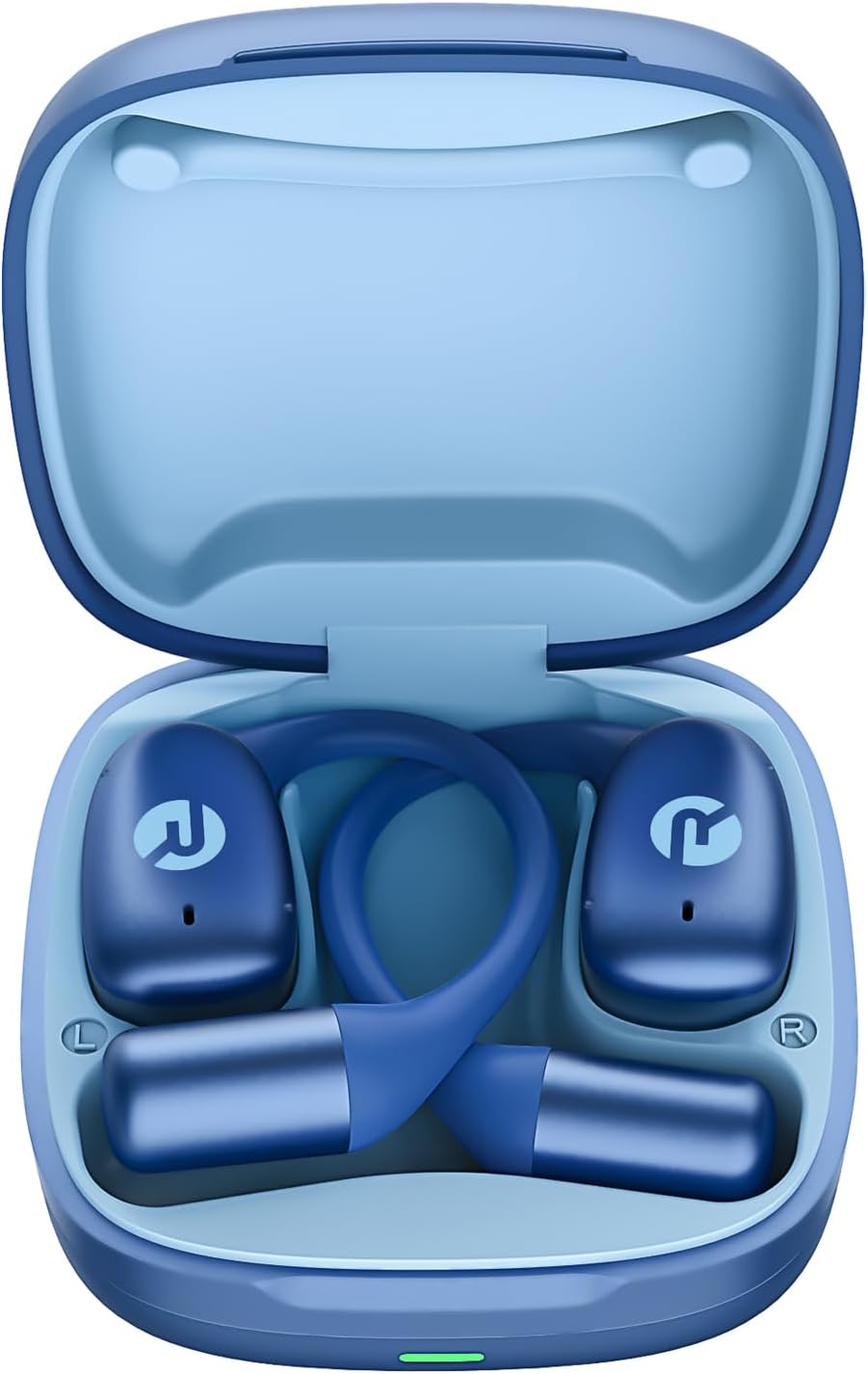
Image: Raycon Essential Open Earbuds in Charging Case
3. Caratteristiche principali
The Raycon Essential Open Earbuds are packed with features designed for an optimal listening experience:
- Design Open-Head: Experience clear audio while maintaining full awareness of your surroundings. This design is ideal for activities where situational awareness is crucial, such as workouts or outdoor runs.
- Featherlight Fit: Designed to be ultra-lightweight (approximately 13.3g per earbud) and comfortable, ensuring a secure fit that remains stable during movement without causing discomfort.
- Built for On-The-Go: These earbuds are sweat-resistant and designed for active lifestyles, making them suitable for gym sessions, cycling, and daily commutes. Their portable size ensures easy transport.
- Batteria a lunga durata: Enjoy up to 8 hours of continuous playback on a single charge, with an additional 28 hours provided by the charging case, totaling up to 36 hours of battery life.
- Resistenza all'acqua IPX5: Engineered to withstand sweat and light splashes, making them durable for various environments and activities.
- Flexible Ear Hook: The ergonomic ear hook is designed to bend and conform to the shape of any ear, ensuring a comfortable and secure fit for all users.
- Connessione multipunto: Seamlessly connect to two devices simultaneously and switch between them without manual re-pairing.

Image: Open-Ear Design Illustration

Image: Ultra-Lightweight Design

Image: Compact Design

Image: 36 Hours of Battery Life

Image: IPX5 Water Resistant

Image: Flexible Ear Hook

Image: Multipoint Connection
4. Impostazione
4.1 Ricarica degli auricolari
Before first use, fully charge your Raycon Essential Open Earbuds and their charging case. The charging case provides additional battery life for on-the-go power.
- Place both earbuds into the charging case, ensuring they are properly seated.
- Connect the provided USB charging cable to the charging port on the case and plug the other end into a USB power source (e.g., wall adapter, computer USB port).
- La spia luminosa sulla custodia di ricarica indicherà lo stato di carica. Una volta completata la carica, la spia cambierà colore o si spegnerà.
4.2 Abbinamento iniziale
Follow these steps to pair your earbuds with your device for the first time:
- Assicurarsi che gli auricolari siano carichi e all'interno della custodia di ricarica.
- Open the charging case. The earbuds will automatically enter pairing mode, indicated by flashing lights on the earbuds.
- Sul tuo dispositivo (smartphone, tablet, laptop), vai alle impostazioni Bluetooth.
- Cercare available devices and select "Raycon Essential Open Earbuds" from the list.
- Una volta effettuata la connessione, le spie luminose degli auricolari smetteranno di lampeggiare e verrà emesso un tono di conferma.
Video: Essential Open Earbuds - Our Most Compact Open Audio Yet. This short video demonstrates the compact design and ease of use of the earbuds.
5. Istruzioni per l'uso
5.1 Indossare gli auricolari
The Essential Open Earbuds feature a comfort hook design for a secure and comfortable fit. Gently place the earbud over your ear, ensuring the hook rests comfortably behind your ear and the speaker portion is positioned near your ear canal without blocking it, allowing for open-ear listening.
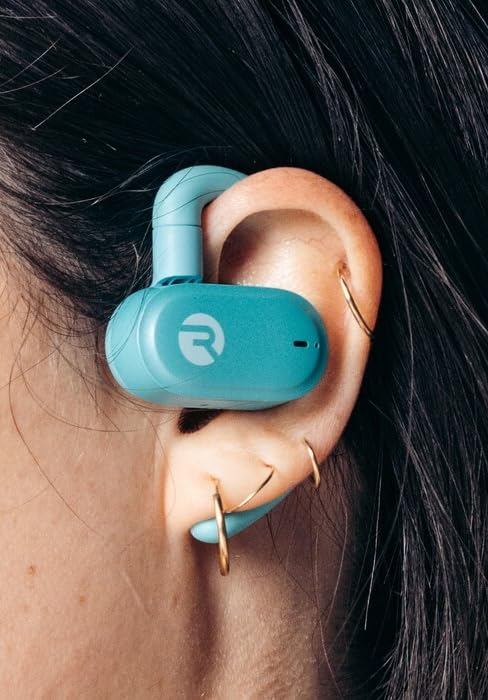
Image: Earbud worn on ear (Mint)
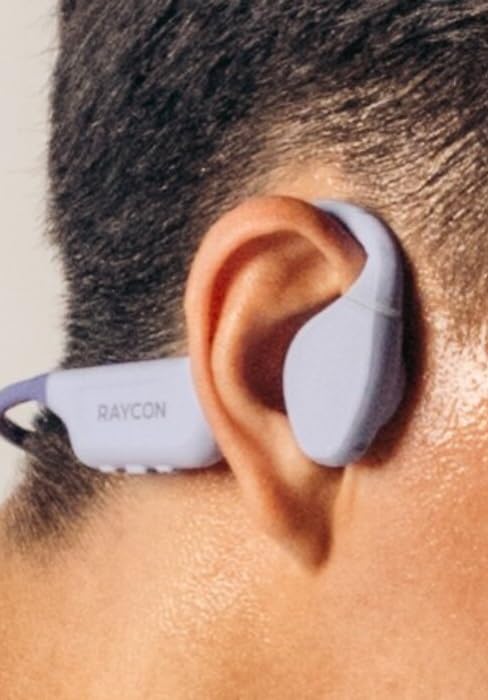
Image: Earbud worn on ear (Purple)
5.2 Comandi touch
Gli auricolari sono dotati di comandi touch intuitivi per la gestione dell'audio e delle chiamate:
| Azione | Controllare |
|---|---|
| Riproduci/Pausa | Tocca una volta su uno degli auricolari |
| Traccia successiva | Doppio tocco sull'auricolare destro |
| Traccia precedente | Doppio tocco sull'auricolare sinistro |
| Alza il volume | Tocca tre volte sull'auricolare destro |
| Abbassa il volume | Tocca tre volte sull'auricolare sinistro |
| Rispondi/Termina chiamata | Tocca una volta uno degli auricolari durante una chiamata |
| Rifiuta chiamata | Tieni premuto uno degli auricolari per 2 secondi |
| Attiva l'Assistente Vocale | Tieni premuto uno degli auricolari per 3 secondi |
6. Manutenzione
Proper care and maintenance will extend the lifespan of your Raycon Essential Open Earbuds.
- Pulizia: Pulisci regolarmente gli auricolari e la custodia di ricarica con un panno morbido, asciutto e privo di lanugine. Non utilizzare prodotti chimici aggressivi o materiali abrasivi.
- Resistenza all'acqua: The earbuds are IPX5 water resistant, meaning they can withstand sweat and light splashes. Do not submerge them in water or expose them to strong jets of water. Ensure they are dry before placing them back in the charging case.
- Magazzinaggio: Quando non li usi, conservali nella loro custodia di ricarica per proteggerli da polvere e danni. Conservali in un luogo fresco e asciutto, al riparo da temperature estreme.
7. Risoluzione Dei Problemi
Se riscontri problemi con gli auricolari, prova le seguenti soluzioni:
| Problema | Soluzione |
|---|---|
| Gli auricolari non si accoppiano | Assicurati che gli auricolari siano carichi. Disattiva e riattiva il Bluetooth del dispositivo. Elimina il dispositivo dalle impostazioni Bluetooth e riesegui l'associazione. |
| Nessun suono da un auricolare | Place both earbuds back in the case, close it, then open it again. Check device's audio output settings. |
| Basso volume | Increase volume on both the earbuds (triple tap right) and your connected device. |
| Problemi di ricarica | Ensure the charging cable is securely connected. Try a different USB port or power adapter. Clean charging contacts on earbuds and case. |
| Gli auricolari cadono | Adjust the flexible ear hook to better fit your ear shape. Ensure proper placement as described in the 'Wearing the Earbuds' section. |
8. Specifiche
Detailed technical specifications for the Raycon Essential Open Earbuds:
| Caratteristica | Dettaglio |
|---|---|
| Nome del modello | Auricolari aperti Raycon Essential |
| Numero di modello | RBO715 |
| Tecnologia di connettività | Senza fili |
| Tecnologia di comunicazione wireless | Bluetooth |
| Versione Bluetooth | 6.0 |
| Componenti inclusi | Cavo |
| Materiale | Plastica, Silicone |
| Usi specifici per il prodotto | Sport |
| Dispositivi compatibili | Smartphone, laptop, tablet, altoparlanti intelligenti |
| Tipo di controllo | Controllo touch |
| Livello di resistenza all'acqua | IPX5 resistente all'acqua |
| Gamma di frequenza | 20 Hz - 20,000 Hz |
| Tipo di driver audio | Driver con armatura bilanciata |
| Forma dell'auricolare | Gancio |
| Posizionamento dell'orecchio | Orecchio aperto |
| Peso dell'articolo | 4.6 once |
| Codice UPC | 811162032996 |
| Produttore | Raycon Global |
| Durata della batteria (auricolari) | Fino a 8 ore |
| Durata totale della batteria (con custodia) | Fino a 36 ore |
9. Garanzia e supporto
For detailed warranty information, product registration, and customer support, please visit the official Raycon webo contattare direttamente il servizio clienti. Conservare la prova d'acquisto per eventuali reclami in garanzia.
Raycon Official Websito: www.rayconglobal.com


