1. Informazioni sulla sicurezza
Always read and understand the entire instruction manual before using the FOXWELL BC521. Failure to follow safety instructions may result in electric shock, fire, or serious injury. Keep the manual for future reference.
- Indossare occhiali protettivi e indumenti protettivi quando si lavora con le batterie.
- Ensure adequate ventilation during charging to prevent gas accumulation.
- Evitare scintille o fiamme vicino alla batteria durante la carica.
- Connect the charger to the correct battery voltage (solo 12 V).
- Non caricare batterie congelate.
- The BC521 features built-in protections against sparks, overcharging, overheating, reverse polarity, and short circuits.
2. Prodotto finitoview
The FOXWELL BC521 is a versatile 4-in-1 device designed for 12V lead-acid batteries, including AGM, GEL, EFB, and Flooded types. It combines smart battery charging, testing, maintenance, and desulfation functions in a single unit.
Cosa c'è nella scatola:
- BC521 Host Unit
- Manuale d'uso
- Custodia di stoccaggio

Figure 2.1: FOXWELL BC521 Battery Charger & Tester with included cables.
3. Impostazione
Follow these steps to set up your FOXWELL BC521 for operation:
- Connetti Clamps alla batteria: Collegare il polo positivo rosso (+) clamp al terminale positivo della batteria e al polo negativo nero (-) clamp al terminale negativo della batteria. Assicurarsi che il collegamento sia saldo.
- Collegare alla corrente alternata: Connect the charger's AC power cord to a standard 100-240V AC outlet. The device will power on automatically.
- Visualizzazione iniziale: The LCD screen will display the main menu, allowing you to select desired functions.
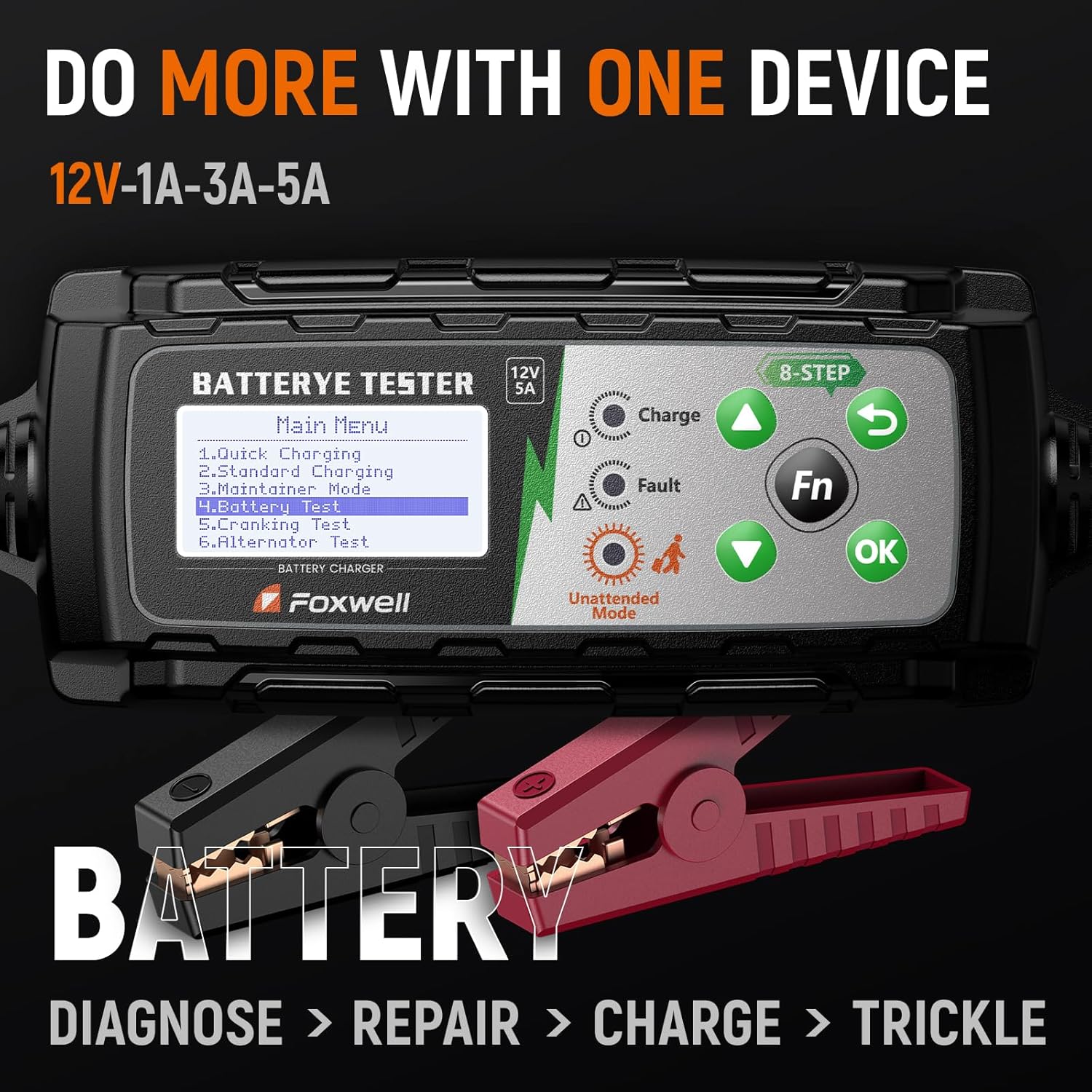
Figure 3.1: Correct connection of the BC521 clamps to a 12V battery.
4. Modalità operative
The BC521 offers multiple operating modes for comprehensive battery care.
4.1 Smart 8-Stage Ricarica
The device intelligently adjusts charging through an 8-stage process, automatically selecting the appropriate current (1A-5A) based on battery condition. This prevents over- or under-charging and includes temperature compensation.
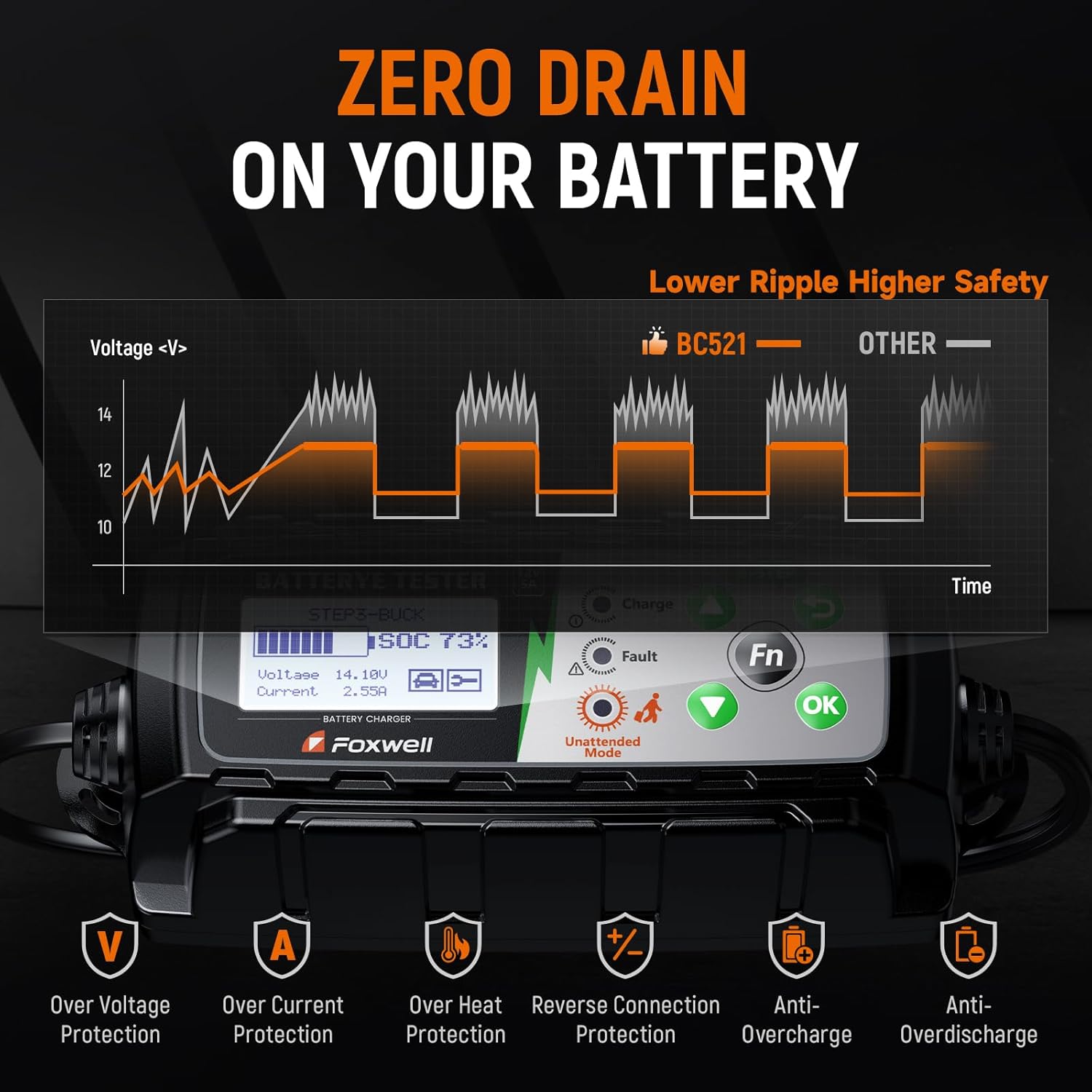
Figura 4.1: Rappresentazione visiva dell'8-stage smart charging system.
4.2 Quick Charging & Standard Charging
Select 'Quick Charging' for a faster charge or 'Standard Charging' for a regular charging cycle. The device will automatically detect the battery type and condition to optimize the charge.
4.3 Maintainer Mode & Unattended Mode
For long-term storage, activate 'Maintainer Mode'. Once fully charged, the charger automatically enters 'Unattended Mode' to maintain optimal voltage without overcharging, keeping batteries ready for use.

Figure 4.2: The BC521 display indicating Unattended Mode and various safety protections.
5. Test della batteria
The BC521 functions as a comprehensive battery tester, providing accurate data on your battery's condition.
5.1 Test della batteria
From the main menu, select 'Battery Test'. The device will analyze and display key data including voltage, State of Charge (SoC), State of Health (SoH), and internal resistance. This helps determine if the battery needs charging, maintenance, or replacement.
5.2 Prova di avviamento
Select 'Cranking Test' to evaluate the battery's ability to start the engine. Follow the on-screen prompts to start the vehicle. The tester will measure cranking performance.
5.3 Alternator Test
Choose 'Alternator Test' to check the vehicle's charging system. The device will assess the alternator's output under various load conditions.

Figura 5.1: Esample of battery test results displayed on the BC521 screen.
Video 5.1: Demonstrates the various functions of the FOXWELL BC521, including testing, charging, and repair capabilities.
6. Maintenance & Pulse Repair
The BC521 includes features to extend battery life and revive older batteries.
6.1 Pulse Repair
The Pulse Repair function helps reduce sulfation and slow battery aging, especially for batteries that have been deeply discharged or unused for long periods. This mode can help restore battery health.
6.2 Unattended Mode
As described in Section 4.3, the Unattended Mode automatically maintains optimal battery voltage for long-term storage, preventing self-discharge and ensuring the battery is ready when needed.
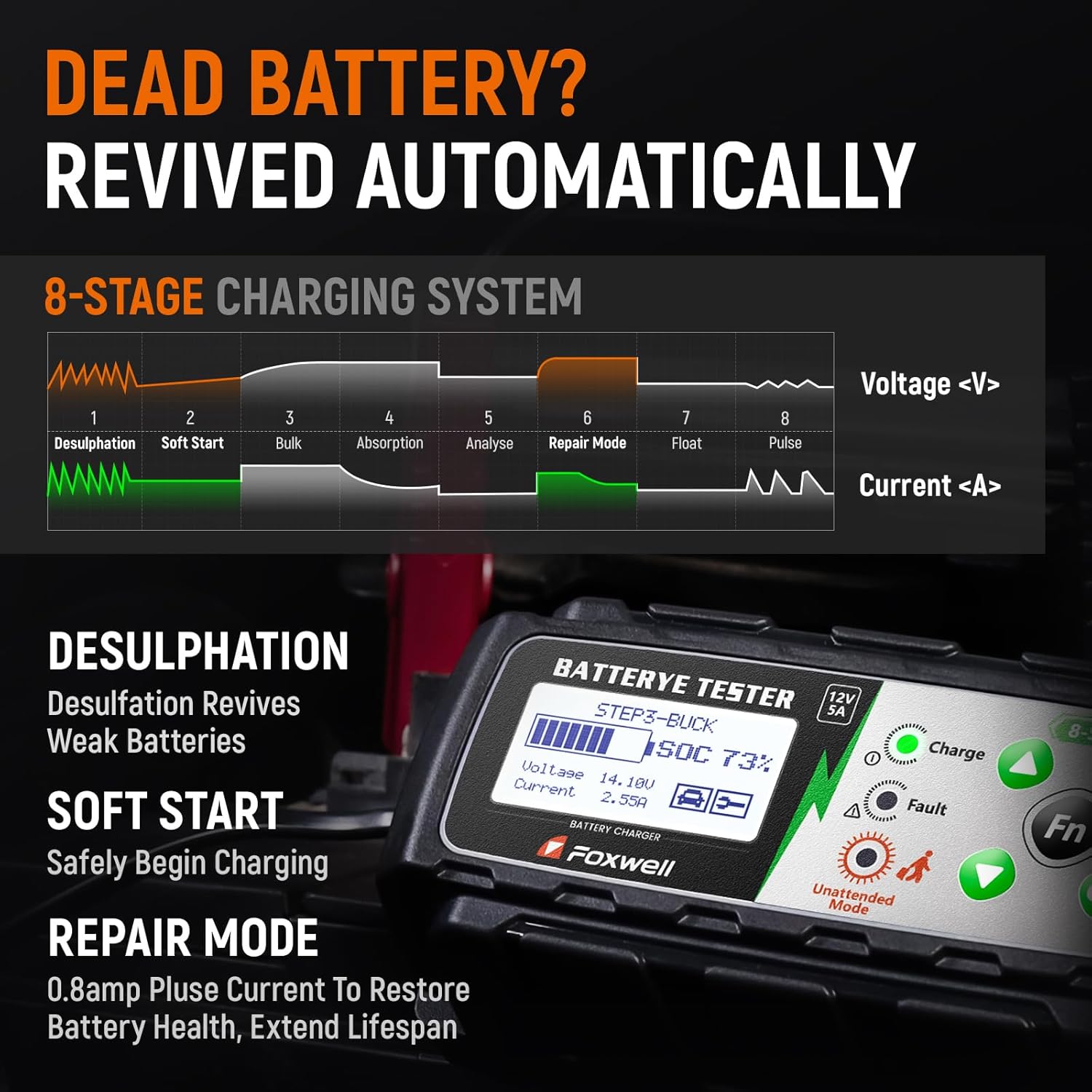
Figure 6.1: Illustrates the improvement in battery health after using the repair functions.
7. Risoluzione Dei Problemi
If you encounter issues with your BC521, refer to the following common problems and solutions:
- Il caricabatterie non si accende: Ensure the AC power cord is securely plugged into a live outlet and the battery clampsono collegati correttamente.
- Indicatore di guasto: If the fault indicator lights up, check for reverse polarity connection, short circuit, or an incompatible battery type. Disconnect and reconnect the clampcon attenzione.
- Batteria non in carica: Verify that the selected charging mode is appropriate for your battery type. Ensure the battery is not severely damaged or frozen.
- Risultati dei test imprecisi: Ensure battery terminals are clean and connections are secure. Select the correct battery type and CCA rating for accurate testing.
For further assistance, please contact FOXWELL customer support.
8. Specifiche
| Caratteristica | Specificazione |
|---|---|
| Dimensioni del prodotto | 7.09 x 11.22 x 3.54 pollici |
| Peso dell'articolo | 2.38 libbre |
| Numero modello articolo | BC521 |
| Marca | VOLPE DI POMELLO |
| Colore | Nero |
| Volume di uscitatage | 12 Volt (CC) |
| Ingresso volumetage | 12 Volt (CC) |
| Specifica Met | UL, CE, FCC, IEC |
9. Garanzia e supporto
The FOXWELL BC521 comes with a 1-year quality backup. FOXWELL provides lifetime technical support for this product. Additionally, a 30-day return/replace policy is available.
For any inquiries or support, please visit the official FOXWELL websito o contattare il loro servizio clienti.


