Introduzione
This manual provides detailed instructions for the setup, operation, maintenance, and troubleshooting of your NULLTONEX Y813 Thermal Label Printer. This versatile thermal label printer simplifies your shipping and labeling process with robust wireless connectivity and USB compatibility. It is designed to produce clear and crisp shipping labels efficiently, making it ideal for small businesses, home offices, or anyone requiring regular package shipping. The thermal printing technology eliminates the need for ink or toner, ensuring cost-effective and high-quality output.
Contenuto della confezione
Prima di iniziare, verifica che tutti gli articoli siano presenti nel tuo pacco:
- 1 x NULLTONEX Y813 Thermal Label Printer
- 1 x adattatore di alimentazione
- 1 x cavo di alimentazione
- 1 cavo USB
- 1 x USB A to C Adapter
- 1 x USB Flash Drive (optional, may contain drivers and software)
- 1 x Manuale utente (questo documento)
- 15 x 4x6 inch Thermal Labels (for initial testing)

Image: Contents of the NULLTONEX Y813 Thermal Label Printer package.
Impostare
1. Collegamento dell'alimentazione
- Collegare il cavo di alimentazione all'adattatore di corrente.
- Collegare l'adattatore di alimentazione alla porta di alimentazione della stampante.
- Collegare l'altra estremità del cavo di alimentazione a una presa a muro.
2. Caricamento delle etichette termiche
The printer supports thermal labels with a width of 1.57 inches to 4.3 inches, including common sizes like 4x6, 3x2, 3x1, 2x1, 2.25x1.25, and 2-inch circle labels.
- Aprire il coperchio superiore della stampante.
- Place the thermal labels into the label compartment, ensuring the printable side faces up.
- Regolare le guide delle etichette in modo che si adattino perfettamente alla larghezza delle etichette, senza creareasing loro.
- Chiudere il coperchio superiore. La stampante rileverà automaticamente la dimensione dell'etichetta e la calibrerà.

Image: Supported thermal label sizes for the NULLTONEX Y813 printer.
3. Installazione di driver e app
The printer offers both USB and Bluetooth connectivity. Drivers for Windows and Mac OS are typically found on the included USB flash drive or can be downloaded from the NULLTONEX support website. For mobile printing, download the companion app from your device's app store.
USB Connection (Windows/Mac/Chromebook)
- Collega la stampante al computer utilizzando il cavo USB in dotazione.
- Inserisci la chiavetta USB nel computer.
- Follow the on-screen instructions to install the printer drivers. If using Mac OS, Bluetooth printing is not supported; please use a USB connection.
Bluetooth Connection (Windows/iOS/Android/Chromebook)
- Ensure Bluetooth is enabled on your device (phone, tablet, or computer).
- Open the NULLTONEX companion app (for mobile devices) or go to your device's Bluetooth settings.
- Cercare and select the printer (e.g., "NULLTONEX Y813") to pair.
- Note: Bluetooth is not supported for Mac OS. For iOS, version 13 or later is required.
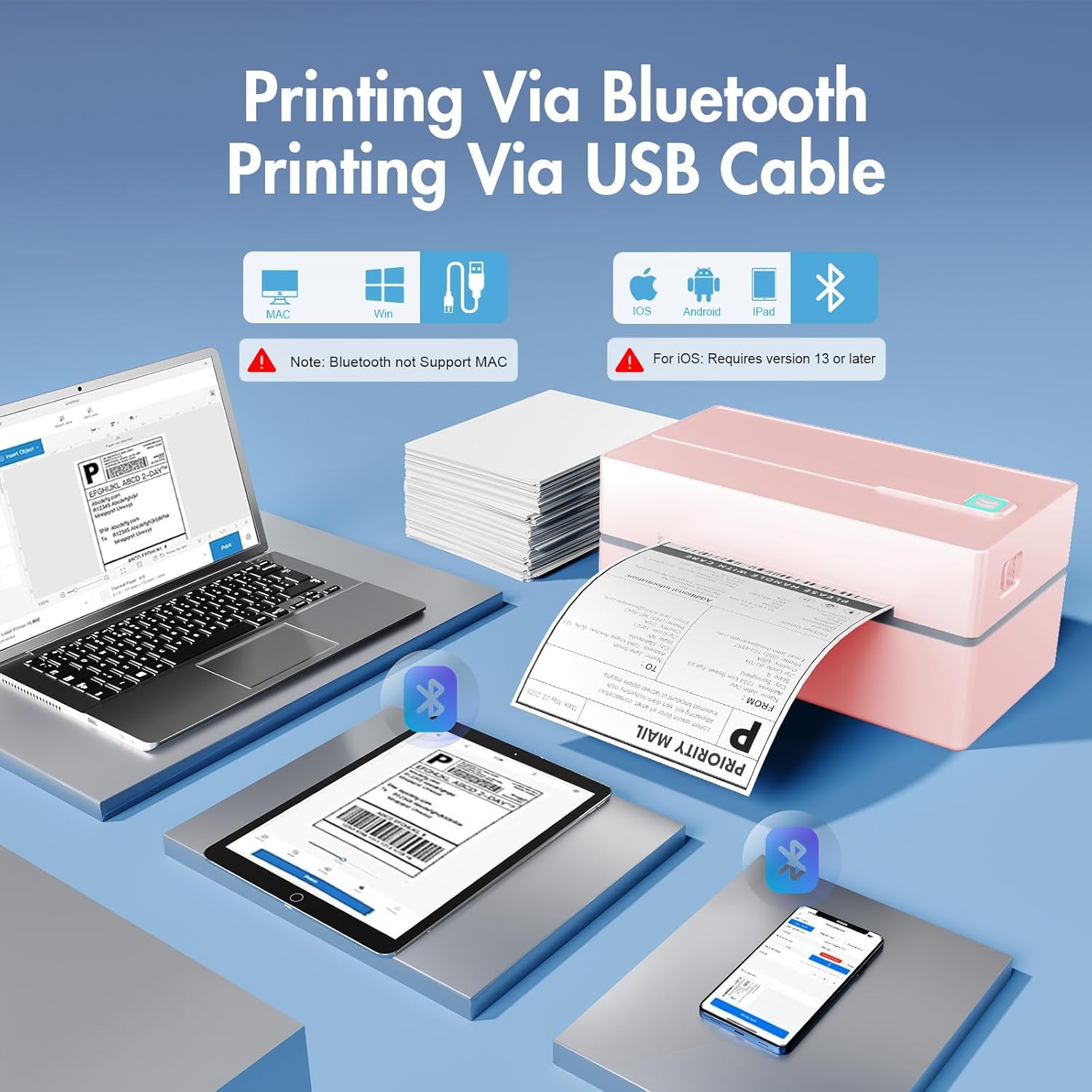
Image: Connectivity options for the NULLTONEX Y813 printer, including USB and Bluetooth.
Istruzioni per l'uso
Stampa da un computer
- Ensure the printer is powered on and connected via USB.
- Apri il documento o l'etichetta file che desideri stampare (ad esempio, un'etichetta di spedizione in formato PDF).
- Seleziona "Stampa" dal menu della tua applicazione.
- Choose the NULLTONEX Y813 printer from the list of available printers.
- Adjust print settings such as paper size (e.g., 4x6 inch) and orientation as needed.
- Fare clic su "Stampa".
Printing from the Mobile App
- Ensure the printer is powered on and paired via Bluetooth with your mobile device.
- Open the NULLTONEX companion app.
- Import or create your label within the app.
- Adjust print settings, including label size and quantity.
- Tap "Print".

Image: The NULLTONEX Y813 printer in use with its mobile app, demonstrating ease of use for various environments.
High Efficiency Printing
The NULLTONEX Y813 printer is capable of high-speed thermal printing, producing 4x6 inch labels at a rate of 72 labels per minute. It delivers high-resolution prints at 203 DPI, ensuring barcodes and text are perfectly clear and scannable. This efficiency helps reduce downtime during peak shipping hours and improves overall operational workflow.
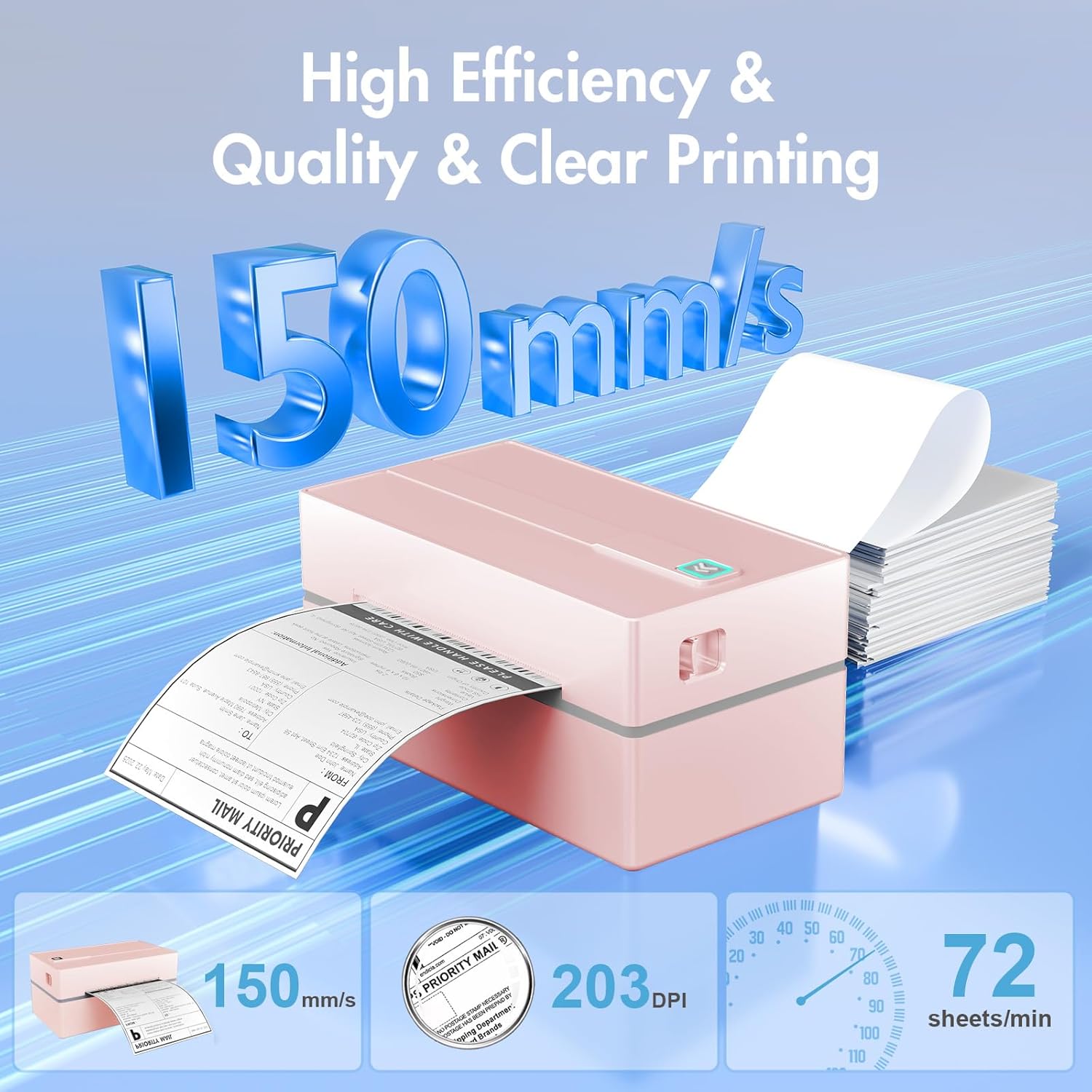
Image: High efficiency and quality printing capabilities of the NULLTONEX Y813 printer.
Compatibilità della piattaforma
The printer is widely compatible with various marketplaces and shipping platforms, including Amazon, eBay, ShipStation, ShippingEasy, Shopify, UPS, FedEx, USPS, ShipBob, and more. This broad compatibility ensures seamless integration into your existing shipping workflow.

Image: The NULLTONEX Y813 printer's compatibility with multiple shipping platforms.
Manutenzione
Pulizia della testina di stampa
To ensure optimal print quality, regularly clean the print head. Use a lint-free cloth lightly dampened with isopropyl alcohol. Gently wipe the print head surface. Allow it to dry completely before using the printer again.
Assistenza generale
- Conservare la stampante in un ambiente pulito e privo di polvere.
- Evitare di esporre la stampante alla luce solare diretta o a temperature estreme.
- Non utilizzare detergenti abrasivi o solventi sulla parte esterna della stampante.
- Assicurare una ventilazione adeguata attorno alla stampante durante il funzionamento.
Risoluzione dei problemi
Problemi comuni e soluzioni
| Problema | Possibile causa | Soluzione |
|---|---|---|
| La stampante non si accende | Nessuna alimentazione, connessione allentata | Check power cord and adapter connections. Ensure outlet is functional. |
| No labels feeding | Labels incorrectly loaded, empty roll | Reload labels correctly, ensuring printable side is up. Replace empty label roll. |
| Scarsa qualità di stampa (sbiadita, poco chiara) | Dirty print head, low-quality labels | Clean the print head as described in the Maintenance section. Use high-quality thermal labels. |
| Problemi di connessione Bluetooth | Device not paired, incompatible OS, Bluetooth off | Ensure Bluetooth is on and paired. Remember Mac OS does not support Bluetooth printing. iOS requires version 13 or later. |
| Connessione USB non riconosciuta | Driver not installed, faulty cable | Install correct drivers from the USB flash drive or website. Try a different USB cable. |
Specifiche
| Caratteristica | Dettaglio |
|---|---|
| Marca | NULLTONEX |
| Nome del modello | Stampante termica Y813 |
| Tecnologia di stampa | Termico |
| Tecnologia di connettività | Bluetooth, USB |
| Uscita della stampante | Monocromo |
| Velocità di stampa massima (monocromatica) | 72 pages per minute (4x6 labels) |
| Dimensione massima del supporto | 4 x 6 pollici |
| Formati di carta supportati | 4x6, 3x2, 3x1, 2x1, 2.25x1.25, 2" Circle Inches |
| Metodo di controllo | Applicazione mobile |
| Stampa fronte-retro | NO |
| Energia | 24 Watt |
| Dimensioni del prodotto (L x P x A) | Dimensioni: 20.5 x 12 x 17.5 cm |
| Peso dell'articolo | 530 grammi |
| Colore | Rosa |
Garanzia
The NULLTONEX Y813 Thermal Label Printer comes with a standard manufacturer's warranty. Please refer to the warranty card included in your package or visit the official NULLTONEX webPer i termini e le condizioni di garanzia dettagliati, consultare il sito. Conservare la ricevuta d'acquisto come prova d'acquisto per eventuali reclami in garanzia.
Assistenza clienti
The NULLTONEX support team is available to assist you with any technical issues or questions regarding your shipping label printer. We offer comprehensive support through various channels:
- Supporto telefonico: Available Monday to Friday, 9:00 AM - 5:30 PM (EST).
- Email and Live Chat: Available Monday to Friday, 8:00 PM - 4:30 AM (EST).
For immediate assistance, please visit the NULLTONEX official website for live chat options or to find contact details for phone and email support. Remote desktop access may be provided if necessary for complex technical issues.