FIFINE Ampligame SC8 Gaming Audio Mixer User Manual
Modello: SC8
Marca: FIFINE
1. Introduzione
Il FIFINE Ampligame SC8 is a versatile gaming audio mixer designed to enhance your audio experience for gaming, streaming, and voice chat. It features an XLR microphone preamp, 7.1 virtual surround sound, voice changer effects, customizable sound pads, and intuitive controls for managing multiple audio sources.

Image 1.1: The FIFINE Ampligame SC8 Gaming Audio Mixer, showcasing its control layout and RGB lighting.
2. Informazioni sulla sicurezza
- Leggere attentamente tutte le istruzioni prima dell'uso.
- Tenere il dispositivo lontano da acqua, umidità e temperature estreme.
- Non tentare di smontare o riparare il dispositivo da soli. Per qualsiasi intervento di assistenza, rivolgersi a personale qualificato.
- Utilizzare solo l'alimentatore specificato dal produttore.
- Evitare di posizionare oggetti pesanti sul dispositivo.
- Garantire una ventilazione adeguata per evitare il surriscaldamento.
3. Contenuto della confezione
Verificare che tutti gli articoli siano presenti nel pacco:
- FIFINE Ampligame SC8 Gaming Audio Mixer
- Cavo USB (da tipo C a USB-A)
- Cavo audio da 3.5 mm a 3.5 mm
- Manuale dell'utente (questo documento)
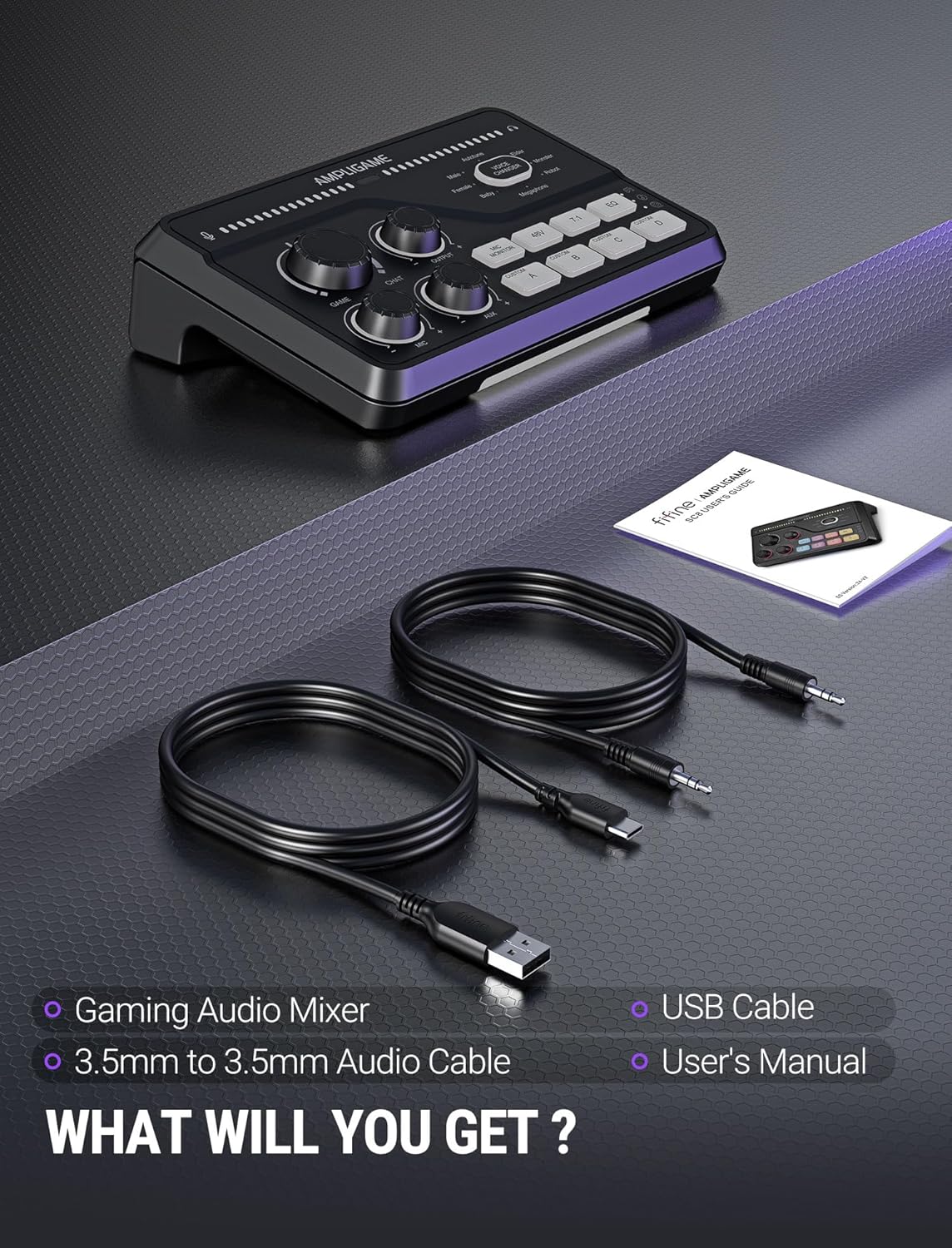
Image 3.1: Contents of the FIFINE Ampligame SC8 package, including the mixer, USB cable, 3.5mm audio cable, and user manual.
4. Prodotto finitoview (Componenti)
Familiarizza con le varie porte e controlli del tuo Ampligame SC8 mixer.
Controlli del pannello frontale:
- Game Knob: Adjusts the volume of the game audio.
- Chat Knob: Adjusts the volume of the chat audio.
- Manopola di uscita: Controlla il volume di uscita complessivo delle cuffie.
- Manopola del microfono: Adjusts the microphone input gain.
- Manopola AUX: Adjusts the volume of the AUX input.
- Mic Monitor Button: Toggles microphone monitoring (sidetone).
- Pulsante 48V: Activates/deactivates 48V phantom power for XLR microphones.
- 7.1 pulsanti: Toggles 7.1 virtual surround sound.
- Pulsante EQ: Cycles through 3 EQ presets (Game, Music, Movie).
- Pulsante cambia voce: Activates and cycles through 8 voice changer effects.
- Custom Buttons (A, B, C, D): Programmable buttons for custom sound samples or effects.
- Illuminazione RGB: Effetti di illuminazione RGB personalizzabili.

Image 4.1: Close-up of the FIFINE Ampligame SC8's front panel, highlighting the finely graduated knobs, quick press mute function, and game/chat balance control.
Connessioni pannello posteriore:
- Porta USB-C: For connection to PC, PS5, Switch, or mobile devices.
- Optical AUX Input: For connecting PS4/TV.
- 3.5mm AUX-In: For mixing commentary audio or other external audio sources.
- Uscita cuffie: 3.5mm jack for connecting your gaming headset or headphones.
- Ingresso XLR: For connecting XLR microphones.
- Dynamic/Condenser Toggle: Switch to match your microphone type.
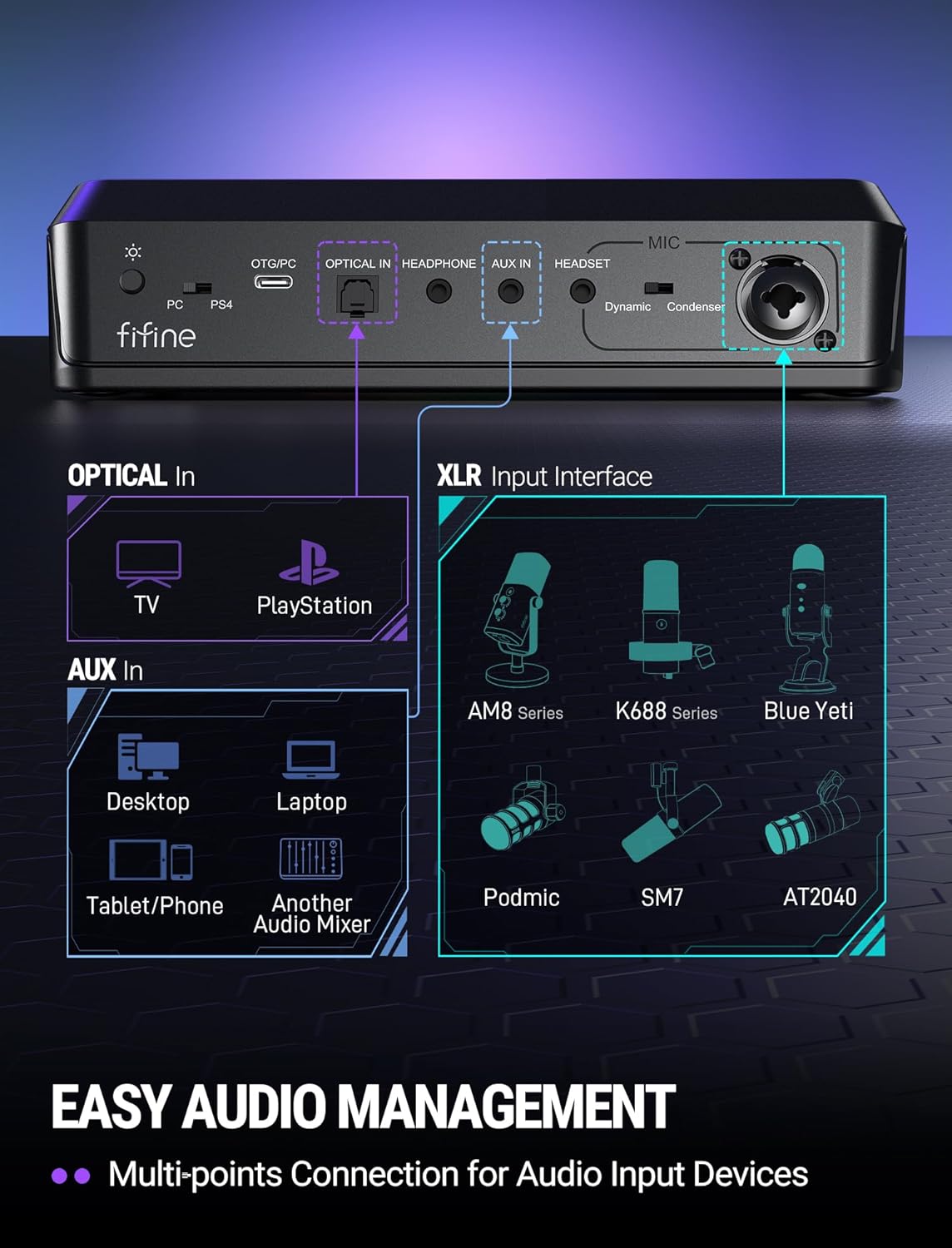
Image 4.2: Diagram of the FIFINE Ampligame SC8's rear panel, illustrating the various input and output ports and their typical connections.
5. Impostazione
5.1 Connessione iniziale
- Connect the FIFINE Ampligame SC8 to your computer (PC/PS5/Switch) using the provided USB-C to USB-A cable. The device is Plug & Play and should be recognized automatically.
- Connect your gaming headset or headphones to the 3.5mm Headphone Output jack on the rear panel.
5.2 Collegamento del microfono
- Connect your XLR microphone to the XLR Input port on the rear panel.
- Imposta il Dynamic/Condenser Toggle switch to match your microphone type.
- If using a condenser microphone that requires power, press the Pulsante 48 V. to activate phantom power. The button will illuminate when active.
- Regolare il Manopola del microfono on the front panel to set your microphone's input gain.

Image 5.1: Illustration of the XLR connection and 48V phantom power feature, emphasizing wide compatibility with various microphones.
5.3 Connecting External Audio Sources
- Optical AUX: For PS4/TV audio, connect an optical cable from your console/TV to the Optical AUX Input on the mixer.
- 3.5mm AUX-In: For mobile devices, tablets, or other audio mixers, connect a 3.5mm audio cable from the device's output to the 3.5mm AUX-In on the mixer. Adjust its volume using the Manopola AUX.
6. Istruzioni per l'uso
6.1 Volume Control and Muting
- Volume di gioco: Ruotare il Game Knob to adjust the volume of your game audio.
- Chat Volume: Ruotare il Chat Knob to adjust the volume of your voice chat.
- Saldo gioco/chat: IL Gioco E Chiacchierata knobs allow you to prioritize game audio or chat audio as needed.
- Volume di uscita: Ruotare il Manopola di uscita to control the master volume for your headphones. Pressing this knob will mute/unmute the output.
- Microfono disattivato: Premere il tasto Manopola del microfono to mute/unmute your microphone.
- AUX Mute: Premere il tasto Manopola AUX to mute/unmute the AUX input.
6.2 Microphone Monitoring
Premere il tasto Mic Monitor Button to toggle microphone monitoring (sidetone). This allows you to hear your own voice through your headphones, which can help prevent shouting and ensure clear communication.
6.3 7.1 Suono surround virtuale
Premere il tasto 7.1 Pulsante to activate or deactivate the 7.1 virtual surround sound feature. This can enhance spatial awareness in games, allowing you to better pinpoint the direction of sounds.
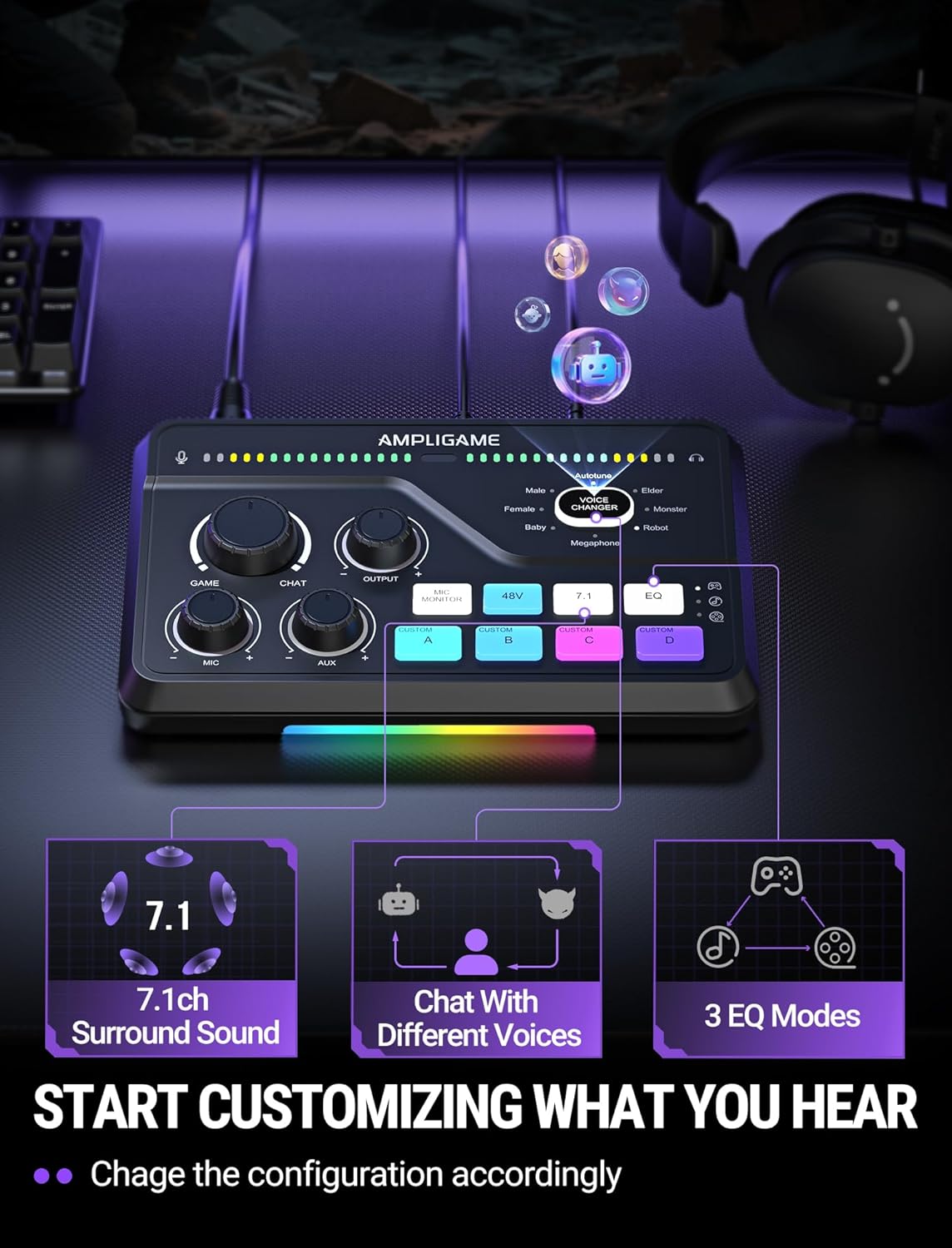
Image 6.1: Visual representation of the 7.1ch surround sound, voice chat, and 3 EQ modes features available on the mixer.
6.4 preset di equalizzazione
Premere il tasto Pulsante EQ to cycle through three distinct equalization presets:
- Modalità di gioco: Ottimizzato per l'audio di gioco, migliora i passi e altri segnali sonori critici.
- Modalità Musica: Balanced audio for listening to music.
- Modalità film: Enhanced audio for cinematic experiences.
6.5 Cambia voce
Premere il tasto Pulsante cambia voce to activate the voice changer and cycle through 8 different voice effects, such as Demon, Robot, Megaphone, etc. This feature can be used for entertainment during streams or voice chats.

Image 6.2: A user enjoying the voice changer function of the FIFINE Ampligame SC8, illustrating the playful aspect of the device's features.
6.6 Customizable Sound Pads (Custom A, B, C, D)
I quattro Custom Buttons (A, B, C, D) can be programmed to play custom sound samples or effects. Refer to the FIFINE website or support resources for detailed instructions on how to load and manage custom audio files for these buttons.
6.7 Illuminazione RGB
IL Ampligame SC8 features dynamic RGB lighting. The lighting effects can synchronize with audio peaks, providing visual feedback. Specific controls for RGB customization may be available through dedicated software or by cycling through presets on the device itself (if applicable, consult FIFINE support for details).
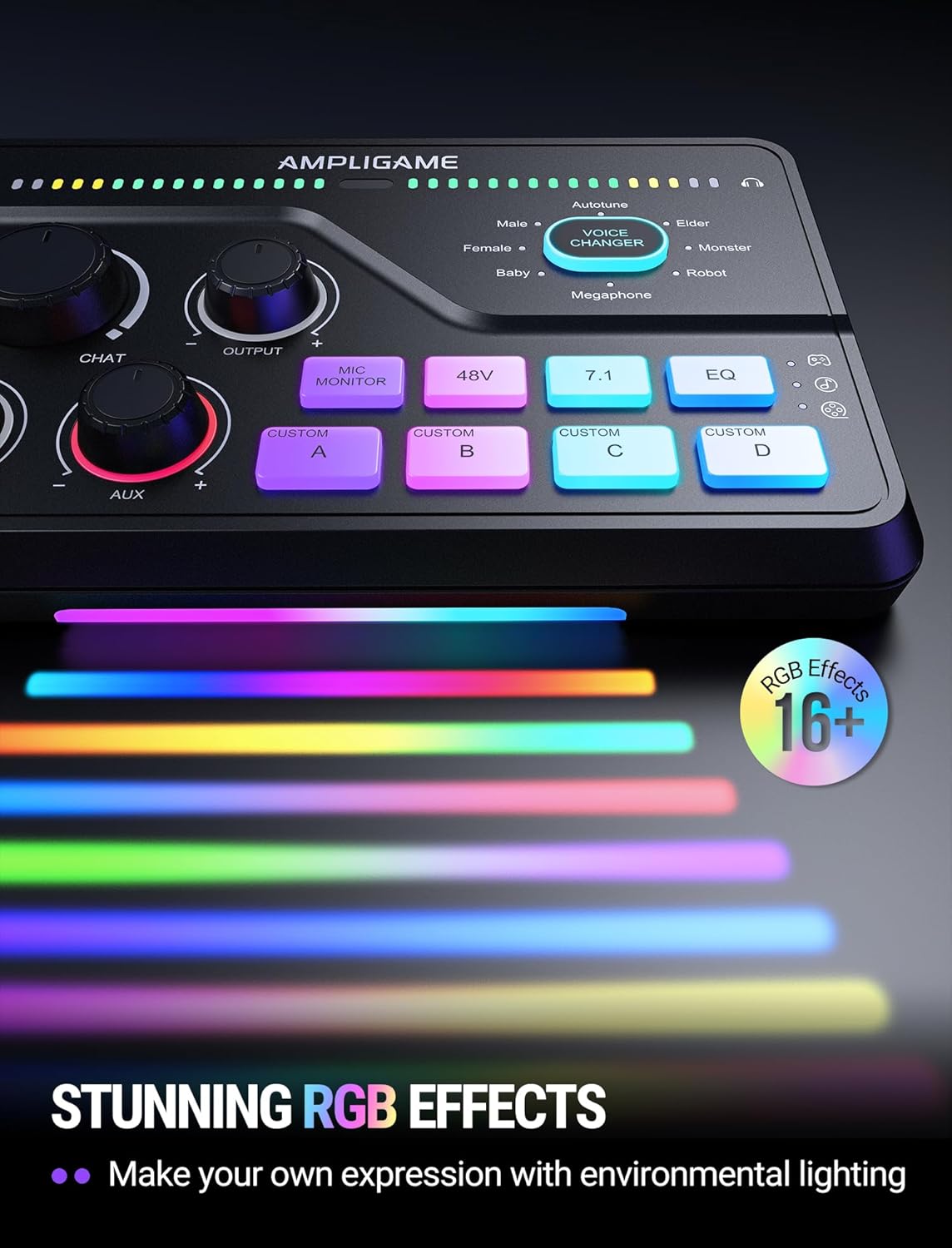
Image 6.3: The FIFINE Ampligame SC8 displaying its stunning RGB lighting effects, which can be customized to match environmental lighting.
7. Manutenzione
- Clean the device regularly with a soft, dry cloth. Do not use liquid cleaners or abrasive materials.
- Mantenere le porte libere da polvere e detriti.
- Quando non lo si utilizza, conservare il mixer in un luogo fresco e asciutto.
8. Risoluzione Dei Problemi
| Problema | Possibile causa | Soluzione |
|---|---|---|
| No audio output from headphones. |
|
|
| Il microfono non funziona. |
|
|
| No game/chat audio. |
|
|
9. Specifiche
| Caratteristica | Dettaglio |
|---|---|
| Numero di modello | SC8 |
| Peso dell'articolo | 1.37 libbre |
| Dimensioni del pacco | 9.65 x 6.22 x 2.87 pollici |
| Tecnologia di connettività | USB |
| Tipo di connettore di uscita | USB |
| Numero di canali | 5 |
| Fonte di alimentazione | Elettrico con cavo |
| Dispositivi compatibili | Headphone, Laptop, Microphone, Personal Computer, Smartphone |
| Software supportato | Discord, OBS, Twitch, Streamlabs |
10. Garanzia e supporto
FIFINE products are designed and manufactured to the highest quality standards. For information regarding warranty coverage, technical support, or service, please visit the official FIFINE webo contattare direttamente l'assistenza clienti. Conservare la ricevuta d'acquisto come prova d'acquisto per eventuali reclami in garanzia.
FIFINE Official Websito: www.fifinemic.com


