1. Introduzione
Thank you for choosing the OSCAL T2 Smartwatch. This device is designed to enhance your daily life with features like Bluetooth calling, comprehensive health monitoring, and multiple sports modes. This manual provides essential instructions for setup, operation, and maintenance to ensure optimal performance and longevity of your smartwatch.
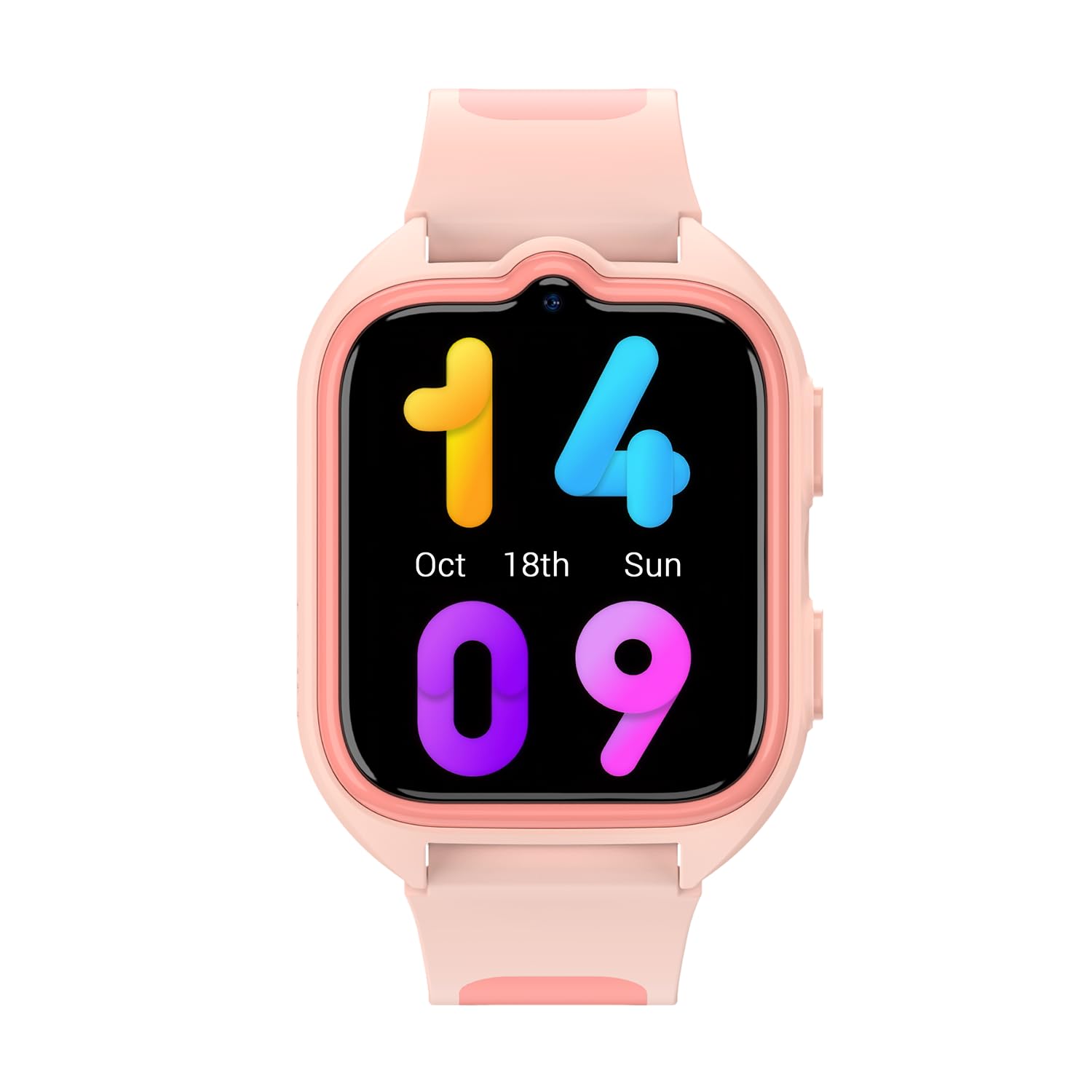
Immagine 1.1: anteriore view of the OSCAL T2 Smartwatch. This image displays the watch face and strap.
2. Impostazione
2.1. Cosa c'è nella scatola
- OSCAL T2 Smartwatch
- Cavo di ricarica
- Manuale d'uso
2.2. Ricarica dello smartwatch
Before first use, fully charge your smartwatch. Connect the charging cable to the charging port on the back of the watch and plug the USB end into a standard USB power adapter (not included). The watch display will indicate charging status. A full charge provides up to 100 days of battery life under typical usage conditions.
2.3. Associazione con lo smartphone
- Scarica l'App: Scan the QR code in the manual or on the watch screen (if available) to download the official OSCAL smartwatch application from your smartphone's app store.
- Abilita Bluetooth: Assicurati che il Bluetooth sia abilitato sul tuo smartphone.
- Apri l'app: Launch the OSCAL app and follow the on-screen instructions to create an account or log in.
- Aggiungi dispositivo: In the app, select "Add Device" or a similar option. The app will search for available smartwatches.
- Collegare: Select "OSCAL T2" from the list of found devices. Confirm the pairing request on both your phone and the smartwatch.
- Configurazione completa: Seguire le istruzioni rimanenti nell'app per completare il processo di associazione e sincronizzare i dati.
3. Istruzioni per l'uso
3.1. Navigazione di base
- Schermo tattile: Scorri verso sinistra, destra, in alto o in basso per navigare tra menu e widget. Tocca per selezionare un'opzione.
- Pulsante laterale: Premi il pulsante laterale per tornare alla schermata iniziale o riattivare il display. Una pressione prolungata può accedere alle opzioni di risparmio energetico o a un menu rapido.
3.2. Chiamate Bluetooth
Once paired with your smartphone, the OSCAL T2 Smartwatch supports Bluetooth calling. You can answer incoming calls directly from your wrist, dial numbers, or view call history. Ensure your watch is within Bluetooth range of your phone for this feature to function.
3.3. Modalità sportive
The smartwatch offers over 100 sports modes. To access them, navigate to the "Workout" or "Sports" menu on your watch. Select your desired activity (e.g., running, cycling, swimming) to start tracking. The watch will record data such as duration, calories burned, and heart rate during your activity.
3.4. Monitoraggio della salute
- Frequenza cardiaca (FC): Access the heart rate monitor from the main menu. The watch will measure your current heart rate. Continuous monitoring can be enabled via the app.
- Ossigeno nel sangue (SpO2): Select the SpO2 function to measure your blood oxygen saturation level. Keep your arm still during measurement for accurate results.
- Analisi del sonno: Wear the smartwatch to bed for automatic sleep tracking. The app will provide detailed analysis of your sleep patterns, including deep sleep, light sleep, and wake times.
- Nota: questo dispositivo non è un dispositivo medico. I dati sanitari sono forniti solo a scopo di riferimento e non devono essere utilizzati per diagnosi o trattamenti medici.
3.5. Notifiche
Receive notifications for calls, messages, and app alerts directly on your smartwatch. Configure which app notifications you wish to receive through the OSCAL app on your smartphone.
3.6. Resistenza all'acqua (IP68)
The OSCAL T2 Smartwatch is IP68 rated, meaning it is resistant to dust and can withstand immersion in water up to 1.5 meters for 30 minutes. It is suitable for daily use, hand washing, and light rain. Avoid hot water, saunas, or diving, as these conditions may compromise the water resistance.
4. Manutenzione
4.1. Pulizia del dispositivo
Pulisci regolarmente lo smartwatch e il cinturino per prevenire irritazioni cutanee e mantenerne la funzionalità. Usa un panno morbido eamp, lint-free cloth. Do not use harsh chemicals or abrasive materials. Ensure the watch is dry before charging.
4.2. Cura della batteria
To maximize battery life, avoid exposing the watch to extreme temperatures. Charge the device fully when prompted. The smartwatch features a 100-day battery life, reducing the frequency of charging.
4.3. Aggiornamenti software
Periodically check the OSCAL app for available software updates. Updates can improve performance, add new features, and fix bugs. Ensure your watch is sufficiently charged before starting an update.
5. Risoluzione Dei Problemi
5.1. Problemi comuni e soluzioni
| Problema | Possibile soluzione |
|---|---|
| L'orologio non si accende: | Assicurati che l'orologio sia completamente carico. Collegalo al caricabatterie per almeno 30 minuti. |
| Impossibile associare allo smartphone: |
|
| Dati sanitari inesatti: |
|
| Notifiche non ricevute: |
|
6. Specifiche
| Caratteristica | Dettaglio |
|---|---|
| Marca | OSCALE |
| Numero di modello | Reloj inteligente OSCAL T2 |
| Dimensioni dello schermo | 1.74 pollici |
| Tipo di visualizzazione | LCD |
| Tecnologia di connettività | Cellular (Bluetooth for phone connection) |
| Caratteristiche speciali | Phone Call, Heart Rate Monitor, Sleep Monitor, Oximeter (SpO2), Multisport Tracking |
| Dispositivi compatibili | Smartphone |
| Durata della batteria | 100 giorni |
| Batteria ricaricabile | SÌ |
| Resistenza all'acqua | Grado di protezione IP68 |
| Tipo di materiale del cinturino | Silicone |
| GPS | Nessun GPS |
| Forma | Piazza |
7. Garanzia e supporto
7.1. Informazioni sulla garanzia
OSCAL provides a warranty for this product in accordance with local consumer laws. Spare parts availability is guaranteed for 3 years from the date of purchase. Please retain your proof of purchase for warranty claims.
7.2. Assistenza clienti
For further assistance, technical support, or warranty inquiries, please refer to the official OSCAL websul sito o contattare il servizio clienti. Le informazioni di contatto sono in genere riportate sulla confezione del prodotto o sul marchio ufficiale. websito.


