Introduzione
Thank you for choosing the YFK Smart Fingerprint Door Lock. This manual provides detailed instructions for the installation, operation, and maintenance of your new smart lock. Please read this manual thoroughly before installation and use to ensure proper function and security.
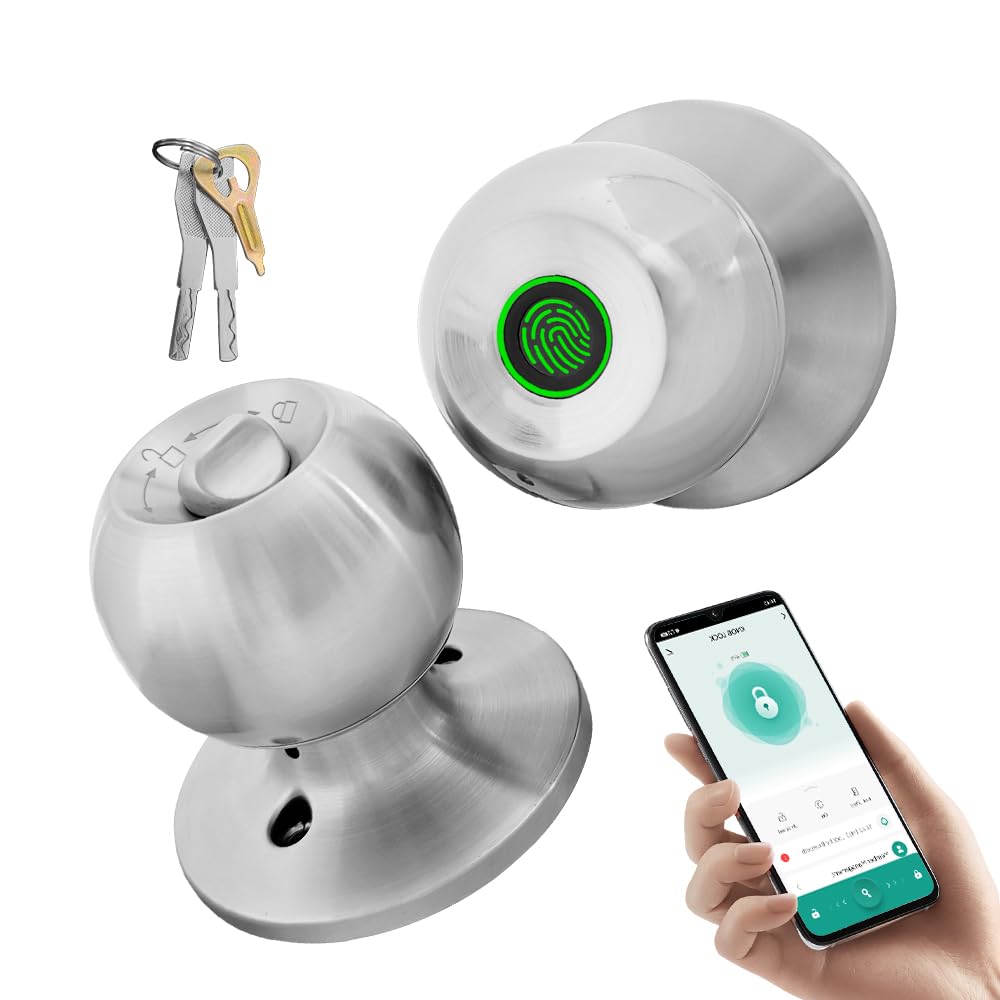
Image: The YFK Smart Fingerprint Door Lock in silver, showcasinil suo design elegante.
Caratteristiche principali:
- Accesso tramite impronta digitale: Unlock your door in approximately 1.5 seconds with advanced biometric technology. Stores up to 20 unique fingerprints.
- Multiple Unlocking Modes: Choose from fingerprint, mechanical key, or app access.
- Controllo intelligente delle app: Manage your lock remotely via the Tuya Smart App, including Bluetooth unlocking, user management, and access history.
- Costruzione durevole: Made from premium aluminum alloy and stainless steel for long-lasting performance.
- Batteria ricaricabile: Built-in Li-On rechargeable battery with an estimated life of 8-12 months, charged via a Type-C port.
- Compatibilità universale: Compatible with wooden, steel, copper, and composite doors (35–55mm thick) and features an adjustable 60–70mm latch.
- Allarme batteria scarica: Provides warning when battery power is low.
Contenuto della confezione
Prima di iniziare l'installazione, verificare che tutti i componenti siano presenti e integri.
- YFK Smart Fingerprint Door Lock Unit
- Hardware di installazione
- 2 tasti meccanici
- Manuale d'uso
Configurazione e installazione
This section guides you through the physical installation of the YFK Smart Fingerprint Door Lock.
Compatibilità porta:
- Spessore della porta: 35mm to 55mm (1.38 inches to 2.17 inches)
- Fermo: Adjustable 60mm to 70mm (2.36 inches to 2.76 inches)
- Tipi di porte: Wooden, steel, copper, and composite doors.
Passaggi generali di installazione:
- Prepara la porta: Ensure your door meets the compatibility requirements. If replacing an existing lock, remove it.
- Installa il fermo: Insert the latch into the door edge and secure it with screws. Adjust the backset if necessary.
- Installare il gruppo esterno: Place the exterior lock assembly (with fingerprint sensor) onto the door, aligning it with the latch.
- Installare il gruppo interno: Connect the interior lock assembly to the exterior assembly, ensuring the spindle and wires are correctly routed. Secure with mounting screws.
- Operazione di prova: After installation, test the mechanical key and ensure the knob turns smoothly.
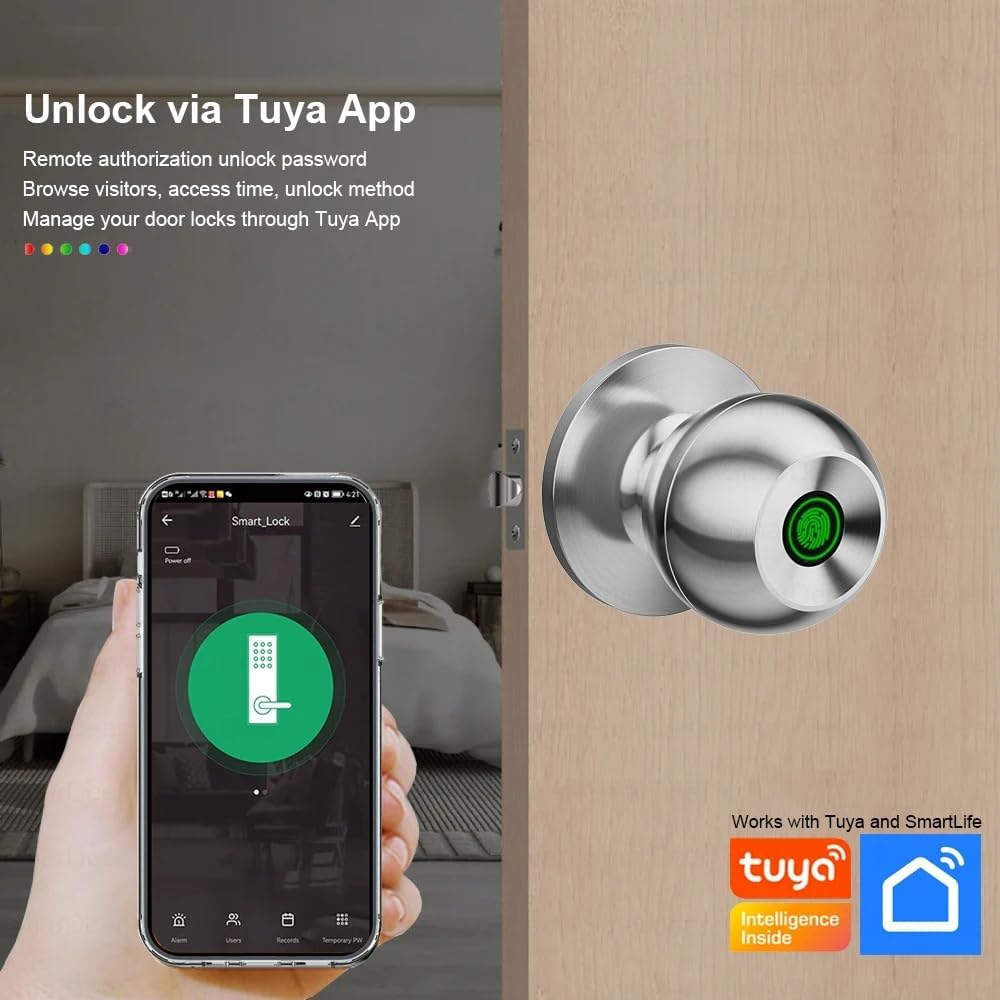
Image: The YFK Smart Fingerprint Door Lock shown installed on a wooden door, demonstrating its appearance after setup.
Istruzioni per l'uso
Learn how to use the various unlocking methods and smart features of your YFK Smart Fingerprint Door Lock.
1. Fingerprint Access:
- Registra le impronte digitali:
- Download and install the Tuya Smart App (see 'Smart App Control' section).
- Follow the in-app instructions to add new fingerprints. You can store up to 20 unique fingerprints.
- Ensure your finger covers the entire sensor for accurate registration.
- Unlock with Fingerprint:
- Posizionare saldamente il dito registrato sul sensore delle impronte digitali.
- The lock will unlock in approximately 1.5 seconds if the fingerprint is recognized.
2. Mechanical Key Access:
- In caso di emergenza o di batteria scarica, utilizzare una delle due chiavi meccaniche in dotazione.
- Insert the key into the keyhole located on the exterior assembly and turn to unlock.

Immagine: Un dettaglio view of the YFK Smart Door Lock's exterior, highlighting the mechanical keyhole and the Type-C charging port.
3. Smart App Control (Tuya Smart App):
The Tuya Smart App allows for remote management and enhanced control over your lock.
- Scarica e installa: Cercare "Tuya Smart" in your mobile app store (iOS or Android) and install the application.
- Abbina il lucchetto:
- Abilita il Bluetooth sul tuo smartphone.
- Open the Tuya Smart App and follow the on-screen instructions to add a new device.
- Ensure your phone is within Bluetooth range of the lock during pairing.
- Funzioni dell'app:
- Sblocco Bluetooth: Unlock the door directly from the app when within Bluetooth range.
- Gestione dell'impronta digitale dell'utente: Add, edit, or delete registered fingerprints.
- Unlock Record Log: View una cronologia di tutti gli eventi di blocco e sblocco.
- Accesso temporaneo: Grant temporary access to guests or service providers.
- Avviso di batteria scarica: Receive notifications when the lock's battery is low.

Image: A smartphone screen showing the Tuya Smart App interface, demonstrating remote control capabilities for the smart lock.

Image: An infographic illustrating the various functions available through the Tuya App, such as APP Unlock, User Fingerprint Management, and Lock Unlocking Record Log.
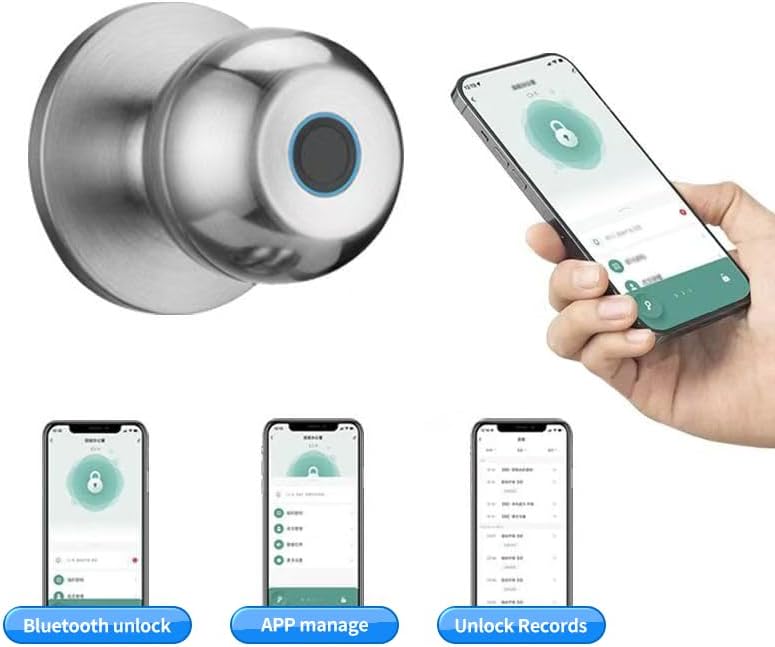
Image: Multiple smartphone screenshots demonstrating the Tuya App's features, including Bluetooth unlocking, app-based management, and viewing sblocca i record.
4. Multiple Unlocking Modes:
The lock supports various operational modes to suit different needs:
- Modalità standard: Requires fingerprint, key, or app unlock for each entry.
- Modalità normalmente aperta: Keeps the door unlocked for continuous access (e.g., during parties or business hours). This mode can typically be activated via the app or a specific sequence on the lock.
- Reverse Lock Mode: (If applicable, specific details not provided, but generally implies a mode for enhanced security or specific access control). Refer to the Tuya App for advanced settings.
Manutenzione
Gestione della batteria:
- The YFK Smart Fingerprint Door Lock is equipped with a built-in Li-On rechargeable battery.
- Expected battery life is 8-12 months, depending on usage frequency.
- Ricarica: Use a standard Type-C USB cable to charge the lock. The charging port is located on the exterior assembly.
- Avviso di batteria scarica: The lock will provide an audible or visual alert when the battery level is low. Charge the lock promptly to avoid being locked out.

Image: An illustration highlighting the Li-On rechargeable battery and the Type-C charging port of the YFK Smart Door Lock.
Cura generale:
- Clean the lock's exterior with a soft, dry cloth. Avoid abrasive cleaners or solvents.
- Per ottenere prestazioni ottimali, mantenere il sensore delle impronte digitali pulito e privo di sporco o umidità.
- Do not expose the lock to extreme temperatures or direct water spray.
Risoluzione dei problemi
This section addresses common issues you might encounter with your YFK Smart Fingerprint Door Lock.
- Impronta digitale non riconosciuta:
- Assicurati che il dito sia pulito e asciutto.
- Posizionare il dito saldamente e completamente sul sensore.
- Try re-registering your fingerprint through the Tuya Smart App.
- Ensure the sensor is clean.
- Blocco non risponde:
- Check the battery level. Recharge the lock if the battery is low.
- Use the mechanical key for emergency access.
- Problemi di connettività dell'app:
- Assicurati che il Bluetooth sia abilitato sul tuo smartphone.
- Make sure your phone is within close proximity to the lock.
- Restart the Tuya Smart App or your phone.
- Try re-pairing the lock with the app.
- Meccanismo di blocco bloccato:
- Ensure the installation screws are not overtightened.
- Controllare che non vi siano ostruzioni nel telaio della porta o nella piastra di battuta.
If you continue to experience issues, please refer to the manufacturer's support resources.
Specifiche
| Marca | YFK |
| Numero di modello | B0FL7M8WDC |
| Materiale | Aluminum, Stainless Steel (Metal) |
| Colore | Argento |
| Dimensioni del prodotto | 3.35"L x 2.64"W |
| Compatibilità dello spessore della porta | 35 mm - 55 mm |
| Chiusura regolabile | 60 mm - 70 mm |
| Tipo di blocco | Combination Lock (Fingerprint, Key, App) |
| Caratteristiche speciali | Auto-Lock, Fingerprint, Lightweight, Lockable, Rustproof |
| Tipo di batteria | Built-in Li-On Rechargeable Battery |
| Porta di ricarica | Tipo C |
| Uso interno/esterno | Al chiuso |
| Orientamento della mano | Ambidestro |
Garanzia e supporto
For warranty information, technical support, or further assistance, please refer to the official YFK websul sito o contattare direttamente il servizio clienti. I dettagli sono solitamente forniti nella documentazione di acquisto o sulla confezione del prodotto.
Produttore: door knob (as per product specifications, please refer to YFK for official support)


