1. Introduzione
Thank you for choosing the Parsonver G01 GPS Smart Watch. This manual provides essential information for the proper setup, operation, and maintenance of your device. Please read it carefully to ensure optimal performance and longevity of your smartwatch.

Image: The Parsonver G01 Smart Watch displayed with various outdoor activity scenes, highlighting its versatile use.
2. Contenuto della confezione
Dopo aver aperto la confezione, verificare che siano presenti tutti gli elementi:
- 1x Parsonver G01 Smart Watch
- 1x cavo di ricarica magnetico
- 1x Manuale utente

Image: An illustration detailing the package contents, including the smartwatch, charging cable, and user manual.
3. Guida all'installazione
3.1 Ricarica dello Smart Watch
Before initial use, fully charge your Parsonver G01 Smart Watch. The device features a 520mAh battery, providing extended usage time.
- Collegare il cavo di ricarica magnetico ai contatti di ricarica sul retro dell'orologio.
- Collegare l'estremità USB-A del cavo a un adattatore di alimentazione USB standard (non incluso) o alla porta USB di un computer.
- Il display dell'orologio indicherà lo stato di carica. Una carica completa richiede in genere circa 2 ore.

Image: The smartwatch connected to its magnetic charging cable, illustrating the charging process and battery life indicators.
3.2 Installazione e associazione dell'app
Per sfruttare appieno le funzionalità del tuo smartwatch, scarica e installa l'applicazione complementare sul tuo smartphone.
- Scan the QR code provided in the quick start guide or search for "Glory Fit" in your smartphone's app store (compatible with iOS 9.0/Android 5.0 or above).
- Install the "Glory Fit" application.
- Apri l'app e segui le istruzioni sullo schermo per creare un account o accedere.
- Assicurati che il Bluetooth sia abilitato sul tuo smartphone.
- In the app, navigate to the device pairing section and select your Parsonver G01 Smart Watch from the list of available devices.
- Conferma la richiesta di associazione sia sullo smartphone che sull'orologio.
4. Istruzioni per l'uso
4.1 Navigazione di base
The Parsonver G01 features a 1.95-inch HD touchscreen for intuitive interaction.
- Scorri verso l'alto/il basso: Accedi alle impostazioni rapide o alle notifiche.
- Scorri verso sinistra/destra: Naviga tra i widget e le funzioni principali.
- Rubinetto: Seleziona un elemento o conferma un'azione.
- Premere il pulsante laterale: Torna alla schermata iniziale o accendi/spegni.
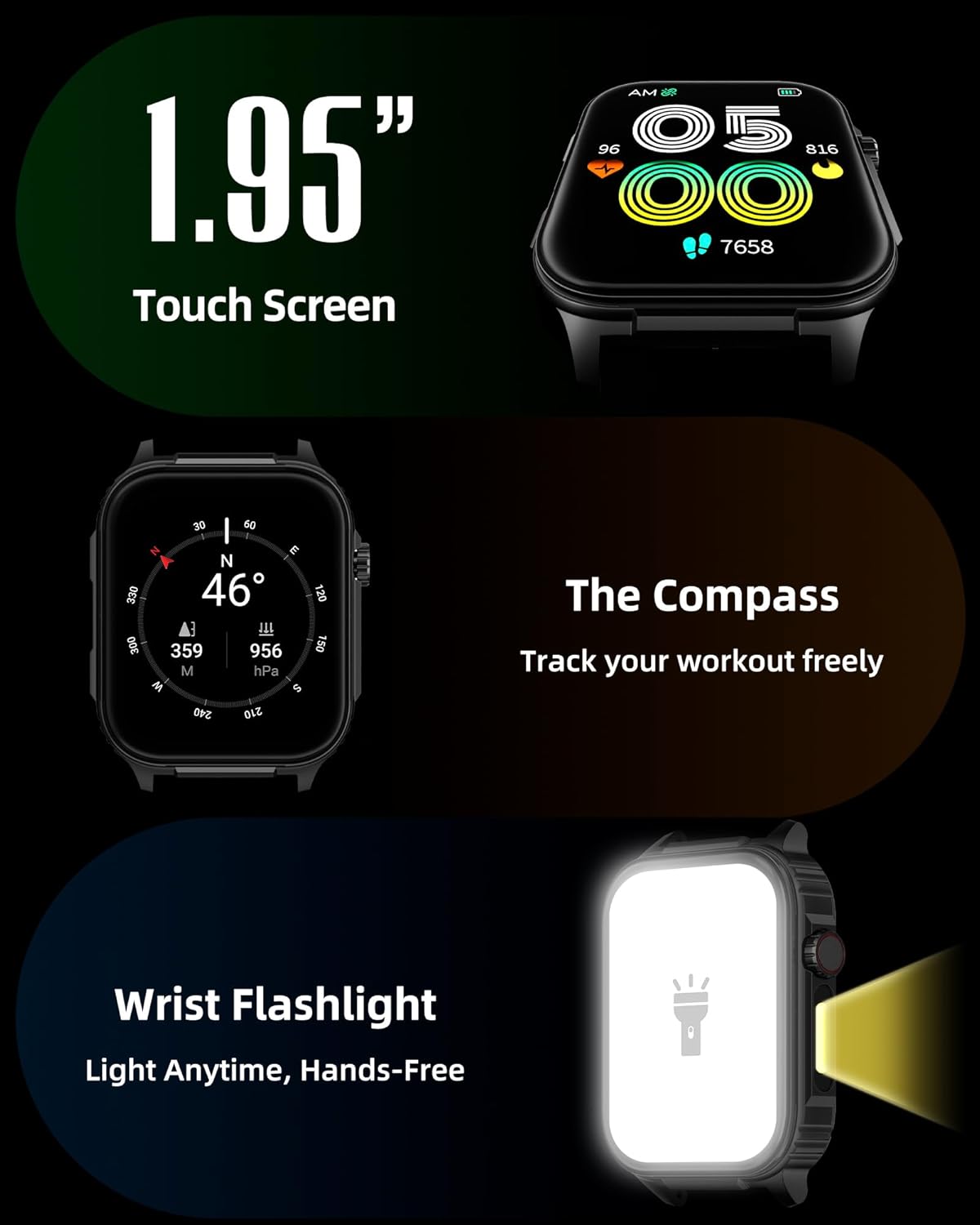
Immagine: Un dettaglio view of the smartwatch screen, illustrating its 1.95-inch size, along with icons for compass and flashlight functions.
4.2 Chiamate Bluetooth e notifiche intelligenti
Stay connected by making and receiving calls directly from your wrist and receiving instant notifications.
- Effettuare le chiamate: Once paired via Bluetooth 5.3, access the call function on your watch to dial numbers or select contacts.
- Ricevere chiamate: Le chiamate in arrivo verranno visualizzate sullo schermo dell'orologio, consentendoti di rispondere o rifiutarle.
- Notifiche: The watch provides vibration alerts for SMS, WhatsApp, Facebook, and other app notifications. Note: Direct replies from the watch are not supported.

Image: A man on a mountain trail interacting with his Parsonver G01 Smart Watch to manage a Bluetooth call, with notification icons floating above.

Image: The smartwatch screen showing incoming messages and app notifications, demonstrating its smart notification feature.
4.3 Quadranti dell'orologio
Personalize your watch with over 400 available watch faces or create your own custom designs.
- Access the watch face market through the "Glory Fit" app.
- Browse and download various styles, from classic to modern.
- Use the DIY function to upload custom photos and create unique watch faces.

Immagine: Lo schermo dello smartwatch mostraasing a variety of watch face designs, illustrating the customization options.
4.4 Built-in GPS and Compass
Track your outdoor activities and navigate with precision, even without your phone.
- Tracciamento GPS: The built-in GPS accurately records your route, distance, and pace during outdoor workouts like running, hiking, and cycling. Ensure you are in an open area for optimal GPS signal acquisition.
- Bussola: Utilize the integrated compass for navigation and orientation during your adventures.

Image: A cyclist wearing the Parsonver G01 Smart Watch, with the watch display showing GPS tracking data and a map.

Image: Hikers on a mountain trail, with the smartwatch displaying compass and GPS navigation features.
Torcia elettrica 4.5 LED
The integrated LED flashlight provides convenient illumination when needed.
- Access the flashlight function from the quick settings menu or a dedicated shortcut.
- The flashlight provides hands-free lighting for various situations.

Image: The smartwatch with its LED flashlight illuminated, demonstrating its utility in dark environments.
4.6 modalità sportive
The watch supports over 100 built-in sports modes to track your physical activities.
- Select your desired sport from the activity menu.
- The watch will track metrics such as calories burned, steps, distance, and heart rate in real-time.
- Examples include running, cycling, yoga, hiking, football, and more.

Image: An athlete tying shoelaces, with the smartwatch displaying various sports tracking metrics like steps, calories, distance, and heart rate.

Image: A visual representation of the smartwatch's extensive range of over 100 built-in sports modes, including running, football, and cycling.
4.7 Monitoraggio sanitario
The Parsonver G01 provides comprehensive health monitoring features to help you maintain a healthy lifestyle.
- Monitoraggio della frequenza cardiaca: Monitoraggio continuo della frequenza cardiaca 24 ore su 24, 7 giorni su 7.
- Monitoraggio dell'ossigeno nel sangue (SpO2): Track your blood oxygen levels in real-time.
- Monitoraggio del sonno: Analizza il sonnotages (deep, light, awake) to provide insights into your sleep quality.
- Monitoraggio dello stress e dell'umore: Ti aiuta a comprendere e gestire i tuoi livelli di stress.
- Promemoria sedentarietà: Ti invita a muoverti dopo periodi di inattività.
- Esercizi di respirazione: Guided breathing sessions to help reduce stress.
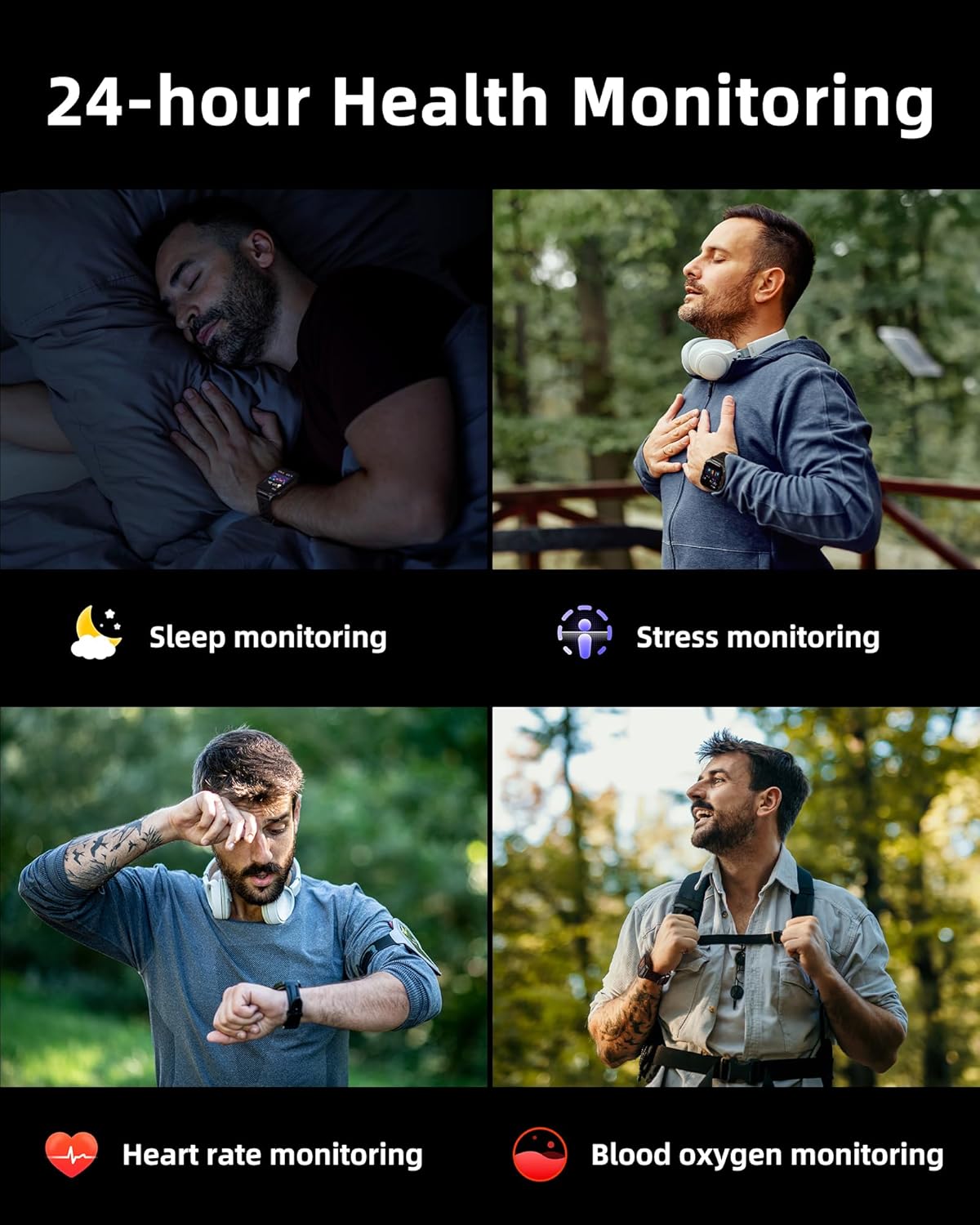
Image: A collage illustrating the smartwatch's 24-hour health monitoring capabilities, including sleep, stress, heart rate, and blood oxygen tracking.

Image: A man sleeping, with the smartwatch on his wrist, and a graphic showing detailed sleep analysis data.
4.8 Altre funzioni pratiche
The Parsonver G01 includes a variety of additional features to assist with daily tasks:
- Sveglia: Imposta più sveglie.
- Timer e cronometro: Per tempi precisi.
- Calcolatrice: Funzioni aritmetiche di base.
- Calendario: View date e programma.
- Controllo della musica: Play, pause, skip tracks on your connected phone.
- Previsioni del tempo: Ricevi aggiornamenti meteo in tempo reale.
- Assistente vocale: Interagisci con l'assistente vocale del tuo telefono.
- Controllo remoto della telecamera: Attiva la fotocamera del tuo telefono da remoto.
- Trova telefono: Trova il tuo smartphone smarrito.
- Alza-sveglia: Attiva automaticamente lo schermo quando sollevi il polso.

Image: A display of various practical functions on the smartwatch, including alarm, timer, stopwatch, calculator, calendar, music control, and weather.
5. Manutenzione
5.1 Resistenza all'acqua
The Parsonver G01 Smart Watch has an IP68 waterproof rating, meaning it is resistant to dust and can withstand immersion in water up to 1.5 meters for 30 minutes. It is suitable for daily splashes, hand washing, and light rain.
Nota importante:
- The IP68 rating does not make the watch suitable for swimming, showering, or sauna use. Exposure to hot water, steam, or high-pressure water jets may compromise the water resistance.
- Evitare di premere i pulsanti sott'acqua.
- If the watch gets wet, dry it thoroughly before charging or using the touchscreen.

Image: A hand wearing the smartwatch under running water, illustrating its IP68 waterproof capabilities for everyday use.
5.2 Pulizia e cura
- Regularly clean the watch and strap with a soft, dry cloth.
- Se necessario, utilizzare una punta leggermente damp panno con sapone neutro, quindi risciacquare e asciugare accuratamente.
- Evitare l'uso di prodotti chimici aggressivi, detergenti abrasivi o solventi, poiché potrebbero danneggiare la finitura e i componenti dell'orologio.
- Per garantire una ricarica corretta, mantenere i contatti di ricarica puliti e privi di detriti.
6. Risoluzione Dei Problemi
If you encounter issues with your Parsonver G01 Smart Watch, refer to the following common solutions:
- L'orologio non si accende: Assicurati che l'orologio sia completamente carico. Collegalo al caricabatterie per almeno 30 minuti.
- Impossibile associare lo smartphone:
- Assicurati che il Bluetooth sia abilitato sul telefono e sull'orologio.
- Assicurati che l'orologio si trovi nel raggio d'azione del Bluetooth del tuo telefono.
- Riavvia sia l'orologio che il telefono.
- Check if the "Glory Fit" app has necessary permissions on your phone.
- Inaccurate GPS data:
- Assicurati di trovarti in un'area esterna aperta e con una vista libera view del cielo per una migliore ricezione satellitare.
- Allow sufficient time for the watch to acquire a GPS signal before starting an activity.
- Screen lights up during sleep: This can be caused by wrist movements activating the raise-to-wake feature. You may be able to disable or adjust the sensitivity of the raise-to-wake feature in the watch settings or the companion app.
- Breve durata della batteria:
- Frequent use of GPS, Bluetooth calls, and continuous health monitoring can consume more battery.
- Ridurre la luminosità dello schermo o abbreviare il tempo di accensione dello stesso.
- Disattiva le notifiche non necessarie.
- Compass inaccuracy: Calibrate the compass if available in the watch settings or app. Ensure no strong magnetic fields are nearby.
If the issue persists, consult the FAQ section within the "Glory Fit" app or contact customer support.
7. Specifiche
| Caratteristica | Specificazione |
|---|---|
| Numero di modello | G01 |
| Dimensioni dello schermo | 1.95 pollici |
| Tipo di visualizzazione | Full Touch Screen HD |
| Capacità della batteria | Polimeri di litio da 520 mAh |
| Durata tipica della batteria | 7-10 giorni |
| Tempo di standby | Fino a 40 giorni |
| Tempo di ricarica | Approx. 2 Hours (Magnetic Fast Charging) |
| Connettività | Bluetooth 5.3 |
| Compatibilità del sistema operativo | iOS 9.0 / Android 5.0 o versioni successive |
| Valutazione della resistenza all'acqua | Grado di protezione IP68 |
| Funzionalità integrate | GPS, Compass, LED Flashlight |
| Monitoraggio della salute | Heart Rate, Blood Oxygen, Sleep, Stress, Mood |
| Modalità Sportive | 100+ |
| Peso dell'articolo | 47 grammi (1.66 once) |
| Capacità di archiviazione della memoria | 256 MB |
8. Garanzia e supporto
Parsonver is committed to providing reliable products and dedicated customer support. For any questions, technical assistance, or warranty inquiries, please refer to the contact information provided with your purchase or visit the official Parsonver websito.


