1. Introduzione
This manual provides essential information for the safe and effective operation of your ACMER S1-3.5W Laser Engraver. This device is designed for high-precision engraving and cutting on a variety of materials, including wood, bamboo, leather, plastic, PCB, aluminum oxide, ceramics, and glass. Please read these instructions thoroughly before use to ensure optimal performance and safety.
2. Informazioni sulla sicurezza
The ACMER S1-3.5W Laser Engraver is a Class 4 laser product. Adherence to safety precautions is critical to prevent injury.
- Protezione degli occhi: Always wear the provided safety glasses when operating the laser engraver. Direct exposure to the laser beam can cause severe eye damage.
- Ventilazione: Utilizzare il dispositivo in un'area ben ventilata per dissipare i fumi e il fumo prodotti durante l'incisione e il taglio.
- Sicurezza dei materiali: Ensure materials are suitable for laser processing. Some materials may produce toxic fumes or catch fire.
- Supervisione: Non lasciare mai la macchina incustodita durante il funzionamento.
- Bambini e animali domestici: Tenere bambini e animali domestici lontani dall'area operativa.
- Arresto di emergenza: Familiarizzare con la posizione e la funzione del pulsante di arresto di emergenza.
3. Contenuto della confezione
Verifica che tutti gli articoli siano presenti nel tuo pacco:
- ACMER S1-3.5W Laser Engraver Unit
- Adattatore di alimentazione
- Cavo USB
- Occhiali di sicurezza
- Manuale dell'utente (questo documento)
- Sampi materiali (ad esempio, pezzi di legno)
- Strumenti di regolazione
4. Impostazione
Seguire questi passaggi per la configurazione iniziale:
- Disimballaggio: Rimuovere con attenzione tutti i componenti dalla confezione.
- Installazione della testa laser: The device arrives 99% preassembled. Install the laser head by following the quick guide. This typically takes less than one minute.
- Collegamento elettrico: Collegare l'adattatore di alimentazione all'incisore e a una presa di corrente idonea.
- Connessione USB: Collegare l'incisore al computer utilizzando il cavo USB in dotazione.
- Installazione del software: Install the recommended engraving software. The engraver is optimized for AcmerTool, a free, self-developed software. It also supports LightBurn and LaserGRBL. Refer to the software-specific instructions for installation on macOS, Windows, or Linux.
- Regolazione della messa a fuoco: Adjust the laser height using the provided screws to achieve optimal focus for your material.
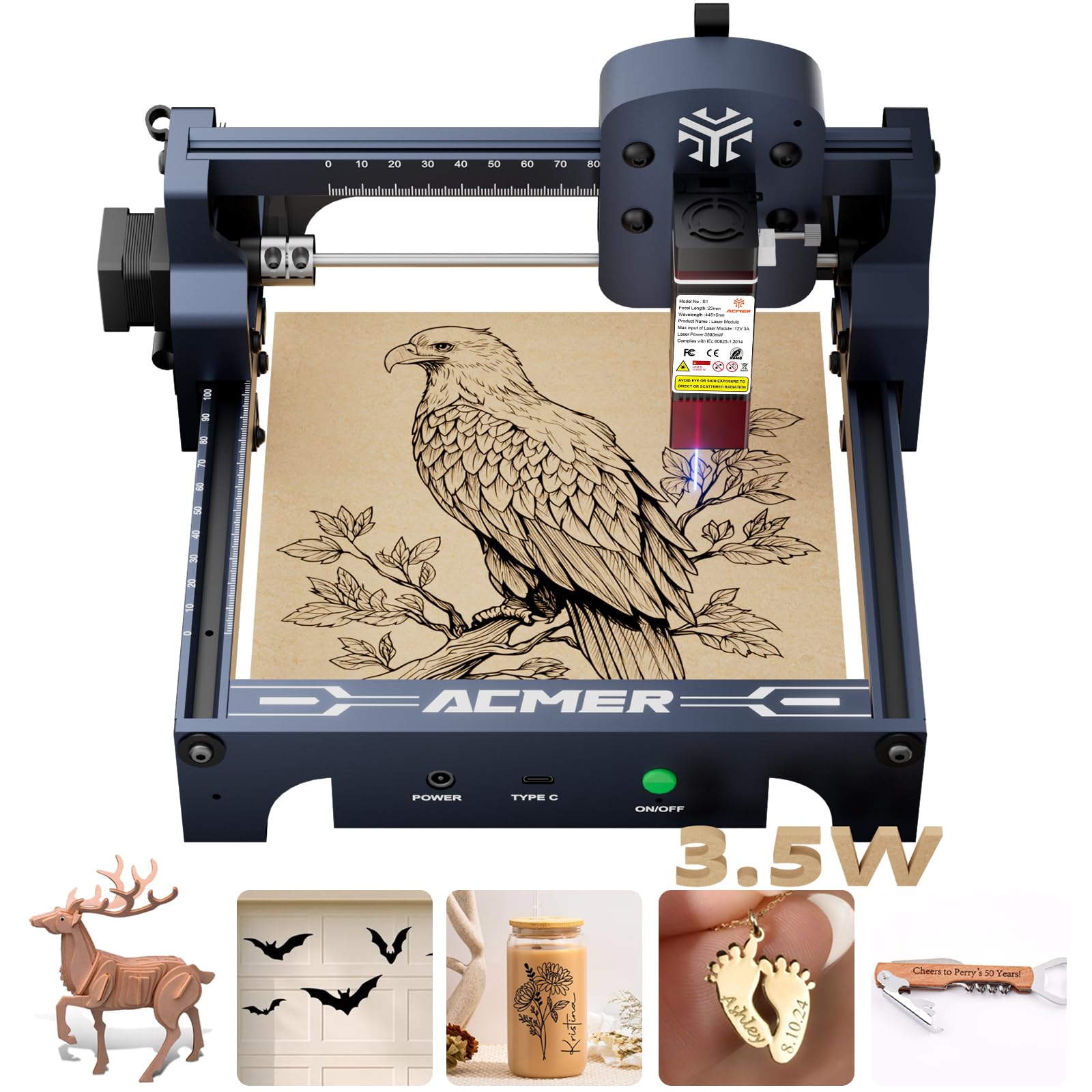
Figure 4.1: The ACMER S1-3.5W Laser Engraver unit.

Figure 4.2: Wide compatibility with various operating systems and software.
5. Operativo
This section outlines the general operating procedure for your laser engraver.
- Preparare il materiale: Place the material to be engraved or cut within the 130x130mm working area. Ensure it is flat and securely positioned.
- Interfaccia software: Open your chosen engraving software (AcmerTool, LightBurn, or LaserGRBL).
- Progettazione del carico: Importa il tuo disegno file (NC, DXF, BMP, JPG, PNG formats are supported).
- Imposta parametri: Adjust engraving or cutting parameters such as speed (up to 10,000mm/min for engraving) and power according to the material and desired effect. The device offers 0.01mm repeatable positioning accuracy for detailed work.
- Preview e Posizione: Utilizzare il software preview function to confirm the design's position on the material.
- Inizia l'operazione: Initiate the engraving or cutting process from the software. Always wear safety glasses during operation.
- Monitorare i progressi: Observe the process to ensure proper function and material response.
Video 5.1: Demonstration of making skull earrings with the ACMER Laser Engraver. This video illustrates the cutting capabilities of the machine on wood.
Video 5.2: Example of laser-cut items created with the ACMER engraver, showcasinprecisione g.
Video 5.3: Tutorial on how to make a magic card box using the ACMER Laser Engraver, demonstrating intricate cutting.

Figure 5.1: Illustration of 0.01mm precision engraving.

Figure 5.2: Speed comparison highlighting the 10,000mm/min engraving speed.
6. Manutenzione
Regular maintenance ensures the longevity and performance of your engraver.
- Pulisci la lente laser: After each use, clean the laser lens to maintain optimal beam quality and prevent residue buildup.
- Pulizia generale: Periodically clean the machine's frame and rails to remove dust and debris.
- Magazzinaggio: Store the engraver in a dry, dust-free environment when not in use.
7. Risoluzione Dei Problemi
Fare riferimento a questa sezione per trovare soluzioni ai problemi più comuni.
| Problema | Possibile causa | Soluzione |
|---|---|---|
| La macchina non si connette al software | Incorrect USB connection, driver issues, software settings. | Check USB cable, reinstall drivers, verify software port settings. |
| Scarsa qualità dell'incisione | Incorrect focus, wrong power/speed settings, dirty lens, unsuitable material. | Adjust laser focus, optimize power/speed, clean lens, use recommended materials. |
| Il laser non si accende | Power issue, software command error, laser module malfunction. | Check power connections, restart software, contact customer support if persistent. |
8. Specifiche
Key technical specifications for the ACMER S1-3.5W Laser Engraver:
- Modello: Modello S1-3.5W
- Potenza laser: 3500mW Diode Laser
- Machine Output: 36W
- Lunghezza d'onda: 455 ± 5 nm
- Lunghezza focale: 2mm
- Velocità di incisione: Fino a 10,000 mm/min
- Repeatable Positioning Accuracy: 0.01mm
- Area di lavoro: 130x130mm
- Dimensioni del prodotto: 9.84 x 9.84 x 6.38 pollici
- Peso dell'articolo: 4.11 libbre
- Compatibilità: macOS, Windows, Linux
- Supportato File Formati: NC, DXF, BMP, JPG, PNG
- Classe Laser: Classe 4
- Conformità: Norma CEI 60825-1
- Produttore: ACMER

Figure 8.1: One-pass laser cutting depth capabilities.
9. Garanzia e supporto
ACMER fornisce un supporto completo per il tuo incisore laser.
- Garanzia: The ACMER S1-3.5W Laser Engraver comes with a 12-month warranty from the date of purchase. Please retain your proof of purchase for warranty claims.
- Assistenza clienti: 24/7 customer support is available for any technical assistance or inquiries.
- Contatto: Per supporto, visita il sito ufficiale ACMER websito o fare riferimento alle informazioni di contatto fornite sulla confezione del prodotto.


