Introduzione
Welcome to your new Fastrack VOX Plus Smart Watch. This manual provides detailed instructions on how to set up, operate, maintain, and troubleshoot your device. Please read this manual carefully to ensure optimal performance and longevity of your smartwatch.
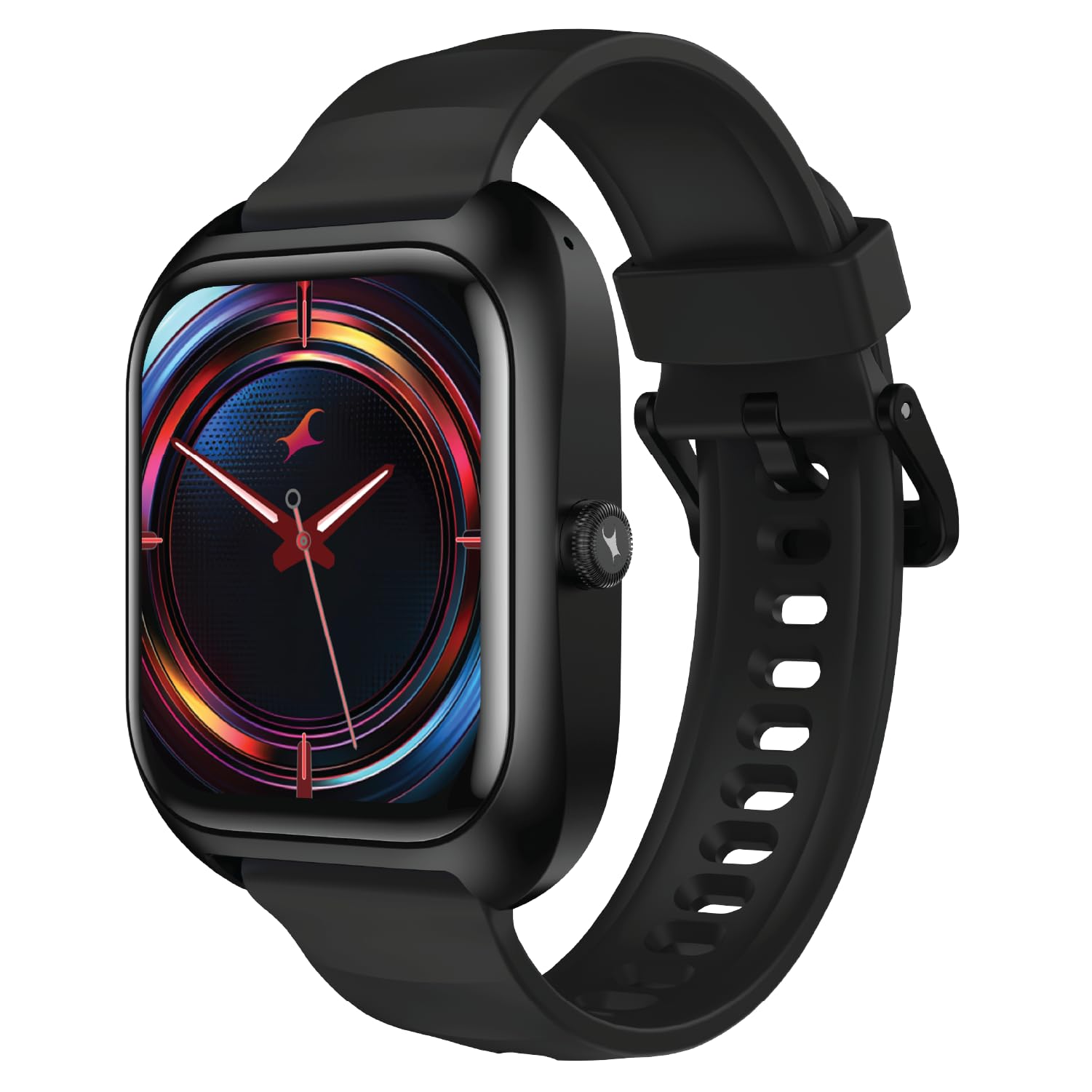
Image: Fastrack VOX Plus Smart Watch, Onyx Black variant, showcasinil suo design elegante.
Cosa c'è nella scatola
Upon unboxing your Fastrack VOX Plus Smart Watch, you should find the following items:
- Fastrack VOX Plus Smart Watch
- Cavo di ricarica magnetico
- Guida rapida
- Scheda di garanzia
Impostare
1. Ricarica dello Smart Watch
Before initial use, fully charge your Fastrack VOX Plus Smart Watch. Connect the magnetic charging cable to the charging pins on the back of the watch and plug the USB end into a power adapter (not included) or a computer's USB port. A full charge typically takes approximately 1.5 hours.
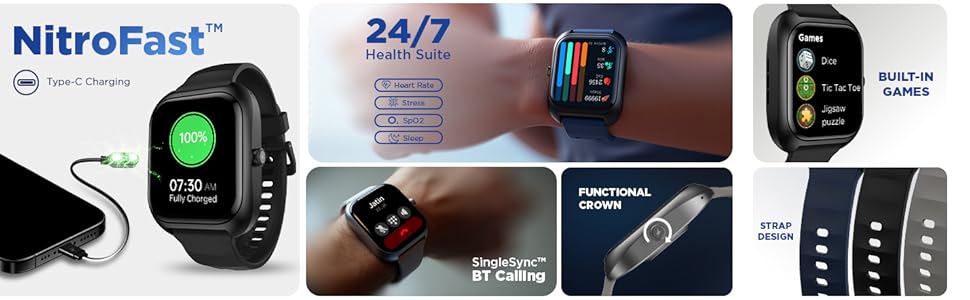
Image: The Fastrack VOX Plus Smart Watch connected to its magnetic charging cable, illustrating 'NitroFast Type-C Charging' and a 100% charge status.
2. Installing the Fastrack Smart World App
To unlock the full potential of your smartwatch, download and install the "Fastrack Smart World" application on your smartphone. The app is available on both Android and iOS app stores. Cercare "Fastrack Smart World" and follow the on-screen instructions to install.
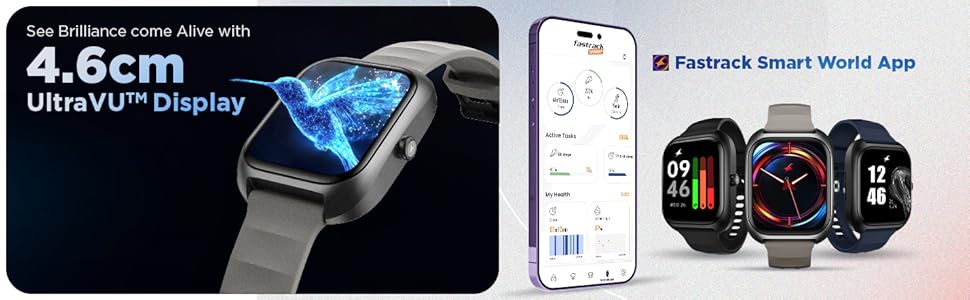
Image: A smartphone displaying the Fastrack Smart World App interface, shown alongside three Fastrack smartwatches, highlighting app integration.
3. Associazione con lo smartphone
- Assicurati che il Bluetooth sia abilitato sul tuo smartphone.
- Open the Fastrack Smart World app and create an account or log in.
- Follow the in-app instructions to search for and connect to your Fastrack VOX Plus Smart Watch.
- Conferma la richiesta di associazione sia sullo smartphone che sullo smartwatch.
Istruzioni per l'uso
Visualizzazione e navigazione
The Fastrack VOX Plus features a 1.85-inch Ultra VU TFT display. Navigate through menus and features by swiping across the touchscreen or using the functional rotary crown on the side of the watch.
Image: The Fastrack VOX Plus Smart Watch showcasing its 4.6cm UltraVU Display with a vibrant hummingbird graphic.
Immagine: Un dettaglio view of the functional rotary crown on the side of the Fastrack VOX Plus Smart Watch, used for navigation.
Chiamata Bluetooth
With the built-in Bluetooth calling feature, you can make and receive calls directly from your wrist. Ensure your watch is connected to your smartphone via Bluetooth. You can access your call history and contacts through the watch interface.
Image: The Fastrack VOX Plus Smart Watch screen showing an incoming call notification, illustrating the 'SingleSync BT Calling' capability.
Offline Voice Commands
Control your smartwatch hands-free using offline voice commands. Simply say "Hey Fastrack" followed by your command, such as "Open My fitness" or "Call SOS".
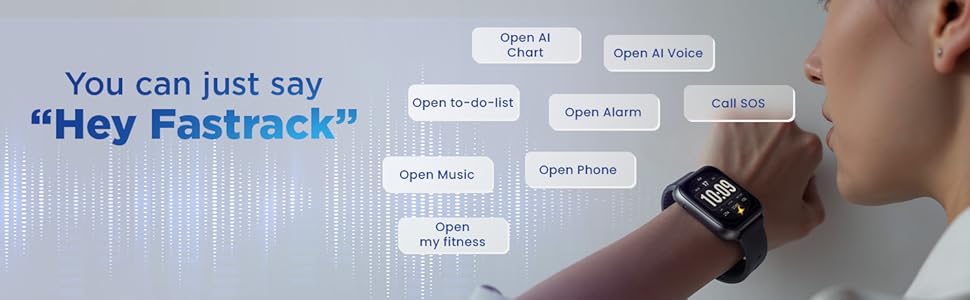
Image: A person speaking to their Fastrack VOX Plus Smart Watch, demonstrating the "Hey Fastrack" voice command feature.
24/7 Health Suite
Monitor your health continuously with the integrated health suite. The watch tracks your Heart Rate, SpO2 (blood oxygen saturation), and Sleep patterns. Access detailed reports and historical data through the Fastrack Smart World app.
- Cardiofrequenzimetro: Fornisce dati sulla frequenza cardiaca in tempo reale.
- Monitoraggio SpO2: Misura i livelli di ossigeno nel sangue.
- Monitoraggio del sonno: Analizza il sonnotage qualità.
- Monitoraggio dello stress: Helps monitor stress levels throughout the day.
Image: The Fastrack VOX Plus Smart Watch screen showing a colorful display of health metrics, including heart rate, SpO2, and stress levels, indicating the '24/7 Health Suite'.
Smart Features for Daily Life
The Fastrack VOX Plus offers several features to enhance your daily productivity and entertainment:
- Lista delle cose da fare: Create and manage tasks directly from your wrist.
- Calcolatrice: Eseguire calcoli rapidi.
- Calendario: Tieni traccia del tuo programma.
- Giochi: Enjoy built-in games like Dice, Tic Tac Toe, and Jigsaw puzzle.
- Sveglia, cronometro, timer: Strumenti essenziali per la gestione del tempo.
- Stili di menu multipli: Customize your watch interface.

Image: The Fastrack VOX Plus Smart Watch screen showing a "TO-DO LIST CHECKER" with various tasks listed, demonstrating its organizational capabilities.
Image: The Fastrack VOX Plus Smart Watch showing a menu of built-in games, including Dice, Tic Tac Toe, and Jigsaw puzzle.
Manutenzione
Proper maintenance ensures the longevity and optimal performance of your Fastrack VOX Plus Smart Watch.
- Pulizia: Pulire regolarmente lo schermo e il cinturino dell'orologio con un panno morbido, asciutto e privo di lanugine. Per lo sporco ostinato, pulire leggermenteampLavare il panno con acqua. Evitare l'uso di prodotti chimici aggressivi o materiali abrasivi.
- Resistenza all'acqua (IP68): Your watch is IP68 rated, meaning it is resistant to dust and can withstand immersion in water up to 1.5 meters for up to 30 minutes. It is suitable for everyday use, including hand washing and light rain. However, it is not recommended for swimming, diving, or high-pressure water activities. Ensure the watch is dry before charging.
- Magazzinaggio: Quando non in uso, conservare l'orologio in un luogo fresco e asciutto, lontano dalla luce solare diretta e da temperature estreme.
- Ricarica: Use only the provided magnetic charging cable. Avoid bending or damaging the cable.
Risoluzione dei problemi
If you encounter issues with your Fastrack VOX Plus Smart Watch, refer to the following common solutions:
| Problema | Soluzione |
|---|---|
| L'orologio non si accende | Assicurati che l'orologio sia completamente carico. Collegalo al caricabatterie per almeno 30 minuti. |
| Impossibile associare allo smartphone |
|
| Dati sanitari imprecisi | Assicurati che l'orologio sia ben aderente al polso, circa un dito sopra l'osso del polso. Pulisci il sensore sul retro dell'orologio. |
| Le notifiche non vengono visualizzate |
|
| Il touchscreen non risponde | Riavvia l'orologio tenendo premuto il pulsante laterale. Se il problema persiste, assicurati che lo schermo sia pulito e asciutto. |
Se queste soluzioni non risolvono il problema, consultare la sezione Garanzia e supporto per ulteriore assistenza.
Specifiche
| Caratteristica | Dettaglio |
|---|---|
| Marca | Fasttrack |
| Nome del modello | Fastrack VOX Plus |
| Numero di modello | 38175PP01K |
| Dimensioni dello schermo | 1.85 pollici |
| Tipo di visualizzazione | LCD |
| Capacità di archiviazione della memoria | 128 MB |
| Sistema operativo | Sistema operativo per smartwatch |
| Dispositivi compatibili | Smartphone |
| Caratteristiche speciali | Activity Tracker, Heart Rate Monitor, Multisport Tracker, Phone Call, Stress Tracking |
| Resistenza all'acqua | Grado di protezione IP68 |
| Durata media della batteria | 5 giorni |
| Tempo di ricarica | 1.5 ore |
| Tipo di batteria | Polimero di litio |
| Tecnologia di connettività | Bluetooth |
| Peso dell'articolo | 37 grammi |
Garanzia e supporto
Your Fastrack VOX Plus Smart Watch comes with a warranty. Please refer to the included Warranty Card for specific terms and conditions, including the warranty period and coverage details.
For technical support, service, or further inquiries, please contact Fastrack customer service. Contact information can typically be found on the Fastrack official websul sito o sulla scheda di garanzia.
Keep your purchase receipt and warranty card in a safe place as proof of purchase may be required for warranty claims.


