Prodotto finitoview

Image: The Dyness 51.2V 100Ah LiFePO4 Battery, a deep cycle lithium iron phosphate battery module.
The Dyness 51.2V 100Ah LiFePO4 Battery (Model DL5.0C) is a high-capacity energy storage solution designed for various applications including off-grid, solar, and backup power systems. This battery module offers a nominal voltage of 51.2V and a capacity of 100Ah, providing 5.12kWh of energy. It features advanced communication capabilities, automotive-grade cell technology, and a robust Battery Management System (BMS) for enhanced safety and performance.
Caratteristiche principali
- Space-Saving Rack Design: Standard modular unit (5.12kWh) allows for easy parallel connection of up to 50 batteries for a 256kWh system. Supports wall-mount and floor-standing installations.
- Comunicazione intelligente: Utilizes industrial-grade CAN bus or RS485 wired communication for compatibility with major inverter brands, ensuring stable data transmission and strong anti-interference capabilities.
- Automotive-Grade Cell Connection Technology: Features "Cells Contact System (CCS)" technology for integrated battery cell interconnection, enhancing spatial utilization, consistency, and electrical connection reliability.
- Monitoraggio in tempo reale: Equipped with a COM port for Wi-Fi signal booster, external data loggers, or displays supporting RS232 protocol. Monitors voltage, current, temperature, and protection status via smartphone. An LED indicator on the front panel displays State of Charge (SOC), operational status, and fault alarms.
- Upgraded 100A BMS & Grade-A EV Cells: Manufactured with premium Lithium Iron Phosphate (LiFePO4) cells for inherent safety and 4000+ long cycle life. The built-in BMS provides multiple protections against overcharge, over-discharge, over-current, and high/low temperatures, including cell balancing.
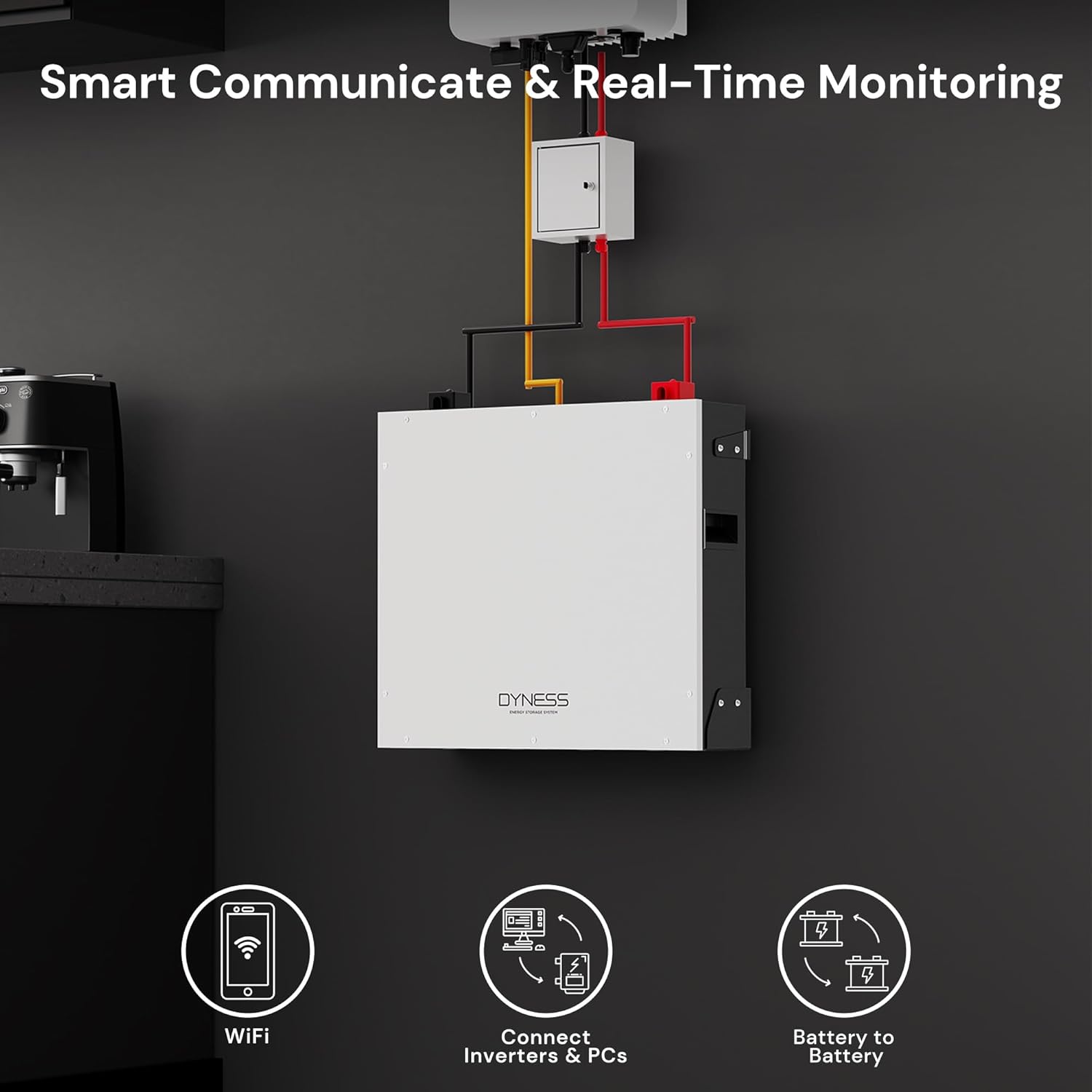
Image: Illustration of smart communication and real-time monitoring capabilities, including Wi-Fi, inverter/PC connection, and battery-to-battery communication.

Immagine: dettagliata view of the battery's front panel, highlighting the power switch, positive/negative sockets, ADD dip switches, SOC/RUN/ALM indicators, DRY contact, CAN/RS485/RS232 communication ports, and grounding point.

Image: Close-up of the internal automotive industrial-grade cell contact system (CCS) technology, emphasizing precise monitoring, enhanced battery safety, and space-saving design.

Image: Visual representation of the wall-mounted and floor-mounted installation options for the Dyness 51.2V 100Ah LiFePO4 Battery, highlighting its space-saving design for home energy storage.
Video ufficiale del prodotto
Video: An official product video from Dyness US providing an overview of the Dyness 51.2V 100Ah LiFePO4 Battery, showcasinle sue caratteristiche e il suo design.
Cosa c'è nella scatola

Immagine: rappresentazione visiva di tutti gli articoli inclusi nella confezione del prodotto.
The Dyness 51.2V 100Ah LiFePO4 Battery package includes the following items:
- Dyness 51.2V 100Ah LiFePO4 Battery Module
- Manuale d'uso
- Positive Power Cable (Red)
- Negative Power Cable (Black)
- Communication Parallel Cable
- Communication Cable to Inverter
- Filo di terra
- Battery Brackets (for wall-mount/floor-standing)
- Staffe di fissaggio
- Bulloni di espansione
- Posizionamento del cartone
Configurazione e installazione
Proper setup and installation are crucial for the safe and efficient operation of your Dyness LiFePO4 battery. Please follow these guidelines carefully.
Opzioni di montaggio
The Dyness battery offers flexible installation options to suit your space requirements:
- Montaggio a parete: Securely attach the battery to a sturdy wall using the provided battery brackets and fixing hardware. Ensure the wall can support the battery's weight (approximately 110 pounds).
- Da pavimento: Place the battery on a flat, stable surface. The design allows for stacking multiple units.

Image: An illustration demonstrating how multiple Dyness batteries can be connected in parallel for flexible energy expansion solutions, minimizing wiring complexity.
Collegamento parallelo
For increased capacity, multiple Dyness battery modules can be connected in parallel. The system supports up to 50 batteries in parallel, allowing for a total energy storage system of up to 256kWh. Use the provided parallel cables for secure connections.
Collegamento all'inverter
Connect the battery to your inverter using the appropriate communication and power cables. The battery supports industrial-grade CAN bus or RS485 wired communication for compatibility with major inverter brands.
Messa a terra
Ensure the battery is properly grounded using the provided ground wire to prevent electrical hazards.
Initial Power-On and Display Check
After installation, press the power button on the battery. The integrated display will show basic information and allow you to navigate through various settings and statuses.
Istruzioni per l'uso
The Dyness battery features an intuitive interface for monitoring and configuration.
Visualizza navigazione
Use the MENU, ENTER, NEXT, and ESC buttons on the front panel to navigate the display:
- Pack Info: View dati in tempo reale come voltage, corrente, capacità e temperatura.
- Pack Status: Check the battery's operational status, protection count, and MOSFET status.
- Pack Para: Access pack parameters (some content may not be settable directly from the display).
- Pack Set: Configure communication settings for RS485 and CANBus protocols.
Impostazioni di comunicazione
To configure communication protocols for your inverter:
- Navigate to 'Pack Set' on the display.
- Select either 'RS485' or 'CANBus' depending on your inverter's protocol.
- Choose the specific inverter brand/model from the list (e.g., PYLON, GROWATT, Voltronic, LXP for RS485; LXP, DEYE, SOFAR, GINLONG, SMA, MUST for CANBus).
- Press ENTER to confirm your selection. The display will show 'SET OK!'.
Wi-Fi App Monitoring
The COM port allows connection to a Wi-Fi signal booster or external data loggers/displays supporting the RS232 protocol. This enables remote monitoring of battery health and performance parameters (voltage, current, temperature, protection status) via a smartphone application.
Manutenzione
To ensure optimal performance and longevity of your Dyness LiFePO4 battery, adhere to the following maintenance guidelines:
- Ispezione regolare: Periodically check all cable connections for tightness and signs of wear or corrosion.
- Gestione della temperatura: Operate the battery within its specified working temperature ranges. For charging, the recommended temperature is 0°C to 55°C. For discharging, it is -20°C to 60°C. For storage, maintain temperatures between 10°C and 35°C.
- Pulizia: Mantenere la batteria pulita e libera da polvere e detriti. Utilizzare un panno asciutto e morbido per la pulizia.
- Aggiornamenti del firmware: Controllare il produttore website or app for any available firmware updates to ensure your battery's BMS is running the latest version.
Risoluzione dei problemi
If you encounter issues with your Dyness LiFePO4 battery, consider the following basic troubleshooting steps:
- Nessuna alimentazione/Display spento: Check the main power switch and ensure all connections are secure. Verify the input voltage dalla fonte di ricarica.
- Allarme guasto: Refer to the LED indicator on the front panel for fault alarms. Consult the user manual for specific fault codes and their meanings.
- Problemi di comunicazione: Ensure communication cables are correctly connected to the appropriate ports (RS485, CAN, RS232) and that the inverter communication protocol is correctly set in the 'Pack Set' menu.
- Low Capacity/Performance: Verify that the battery is operating within the recommended temperature ranges for charging and discharging. Check for any error messages on the display.
- Parallel System Imbalance: For multi-module parallel systems, ensure the master battery BMS is aggregating data correctly. Check individual module statuses if an imbalance is suspected.
Per problemi persistenti, contattare l'assistenza clienti Dyness.
Specifiche
| Caratteristica | Valore |
|---|---|
| Modulo batteria | 51.2V 100Ah |
| Energia nominale | 5.12kWh |
| Capacità nominale | 100 Ah |
| Volume nominaletage | 51.2V |
| Volume di interruzione della caricatage | 58.4V |
| Volume di interruzione dello scaricotage | 41.6V |
| Corrente di carica consigliata | Da 20A a 50A |
| Corrente di scarica massima | 100A |
| Comunicazione | CAN / RS485 / RS232 / Bluetooth |
| Temperatura di carica | Temperatura ambiente: da 0°C a 55°C |
| Temperatura di scarico | Temperatura ambiente -20°C ~ 60°C |
| Temperatura di conservazione | Temperatura ambiente: da 10°C a 35°C |
| Dimensioni del prodotto | 5.9"P x 21.96"L x 21.45"A |
| Peso dell'articolo | 110 libbre |
| terminale | Terminale M8 |
Garanzia e supporto
Dyness batteries come with a Garanzia di 10 annoCi impegniamo a fornire un servizio clienti eccellente e risolveremo qualsiasi problema entro 24 ore.
A return or replacement is applicable if there is any verified technical issue within 30 days of purchase, even if the item is marked as non-returnable by the retailer. Please feel free to contact us should you have any questions or require support.
For customer support, please refer to the contact information provided in your product packaging or visit the official Dyness websito.


