1. Introduzione
This manual provides detailed instructions for the AGPTEK A02 MP3 Player. Please read this manual thoroughly before using the device to ensure proper operation and to maximize your listening experience. The AGPTEK A02 is a portable music player featuring Bluetooth 5.3, an FM radio, voice recording capabilities, and expandable storage.
2. Cosa c'è nella scatola
- AGPTEK A02 MP3 Player
- Cavo di ricarica USB-C
- Manuale d'uso
3. Prodotto finitoview
The AGPTEK A02 MP3 Player is designed for portable audio enjoyment with a range of features:
- Tecnologia Bluetooth 5.3: Offers stable signal and reduced power consumption for connecting to Bluetooth headphones or speakers.
- Independent Volume and Back Buttons: Semplifica il funzionamento per una maggiore facilità d'uso.
- Memoria integrata da 32 GB: Stores up to 3000 songs and supports expansion up to 128GB via a Micro SD card (not included).
- Tempo di riproduzione lungo: Up to 40 hours of playback on a 2-hour charge via Type-C cable.
- Schermo TFT a colori da 1.8 pollici: Provides clear display for reading text, viewing album covers, and navigating menus.
- Design portatile: Palm-sized and lightweight, ideal for exercise, travel, and daily use.
- Qualità del suono senza perdita di dati: Supports MP3, WMA, OGG, WAV, APE, FLAC, AAC-LC, ACELP formats. Features a built-in speaker.
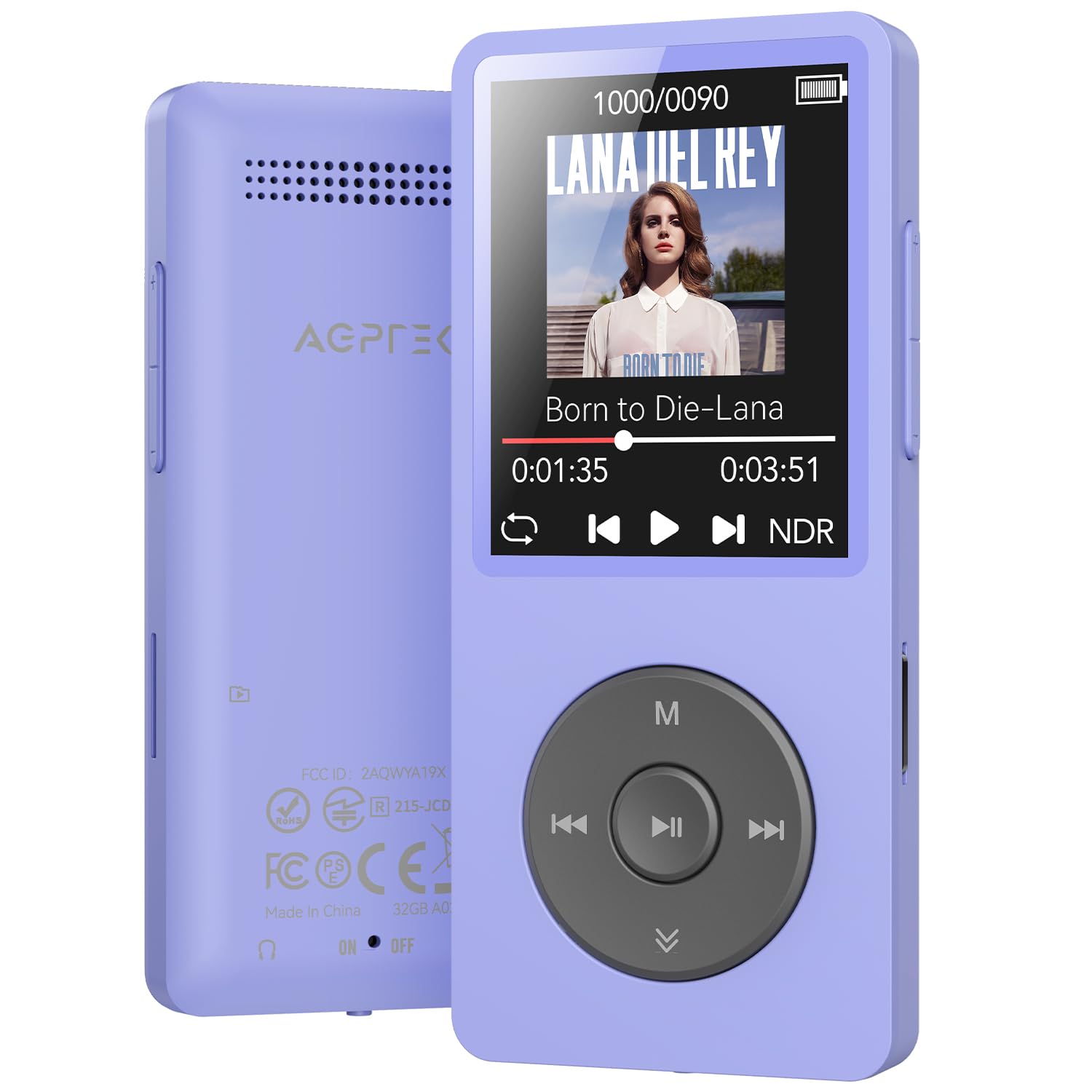
Figure 1: AGPTEK A02 MP3 Player (Purple)

Figure 2: Multifunctional Interface
4. Impostazione
4.1 Ricarica del dispositivo
Connect the included USB-C cable to the MP3 player and a power source (e.g., computer USB port, USB wall adapter). The device will fully charge within approximately 2 hours.
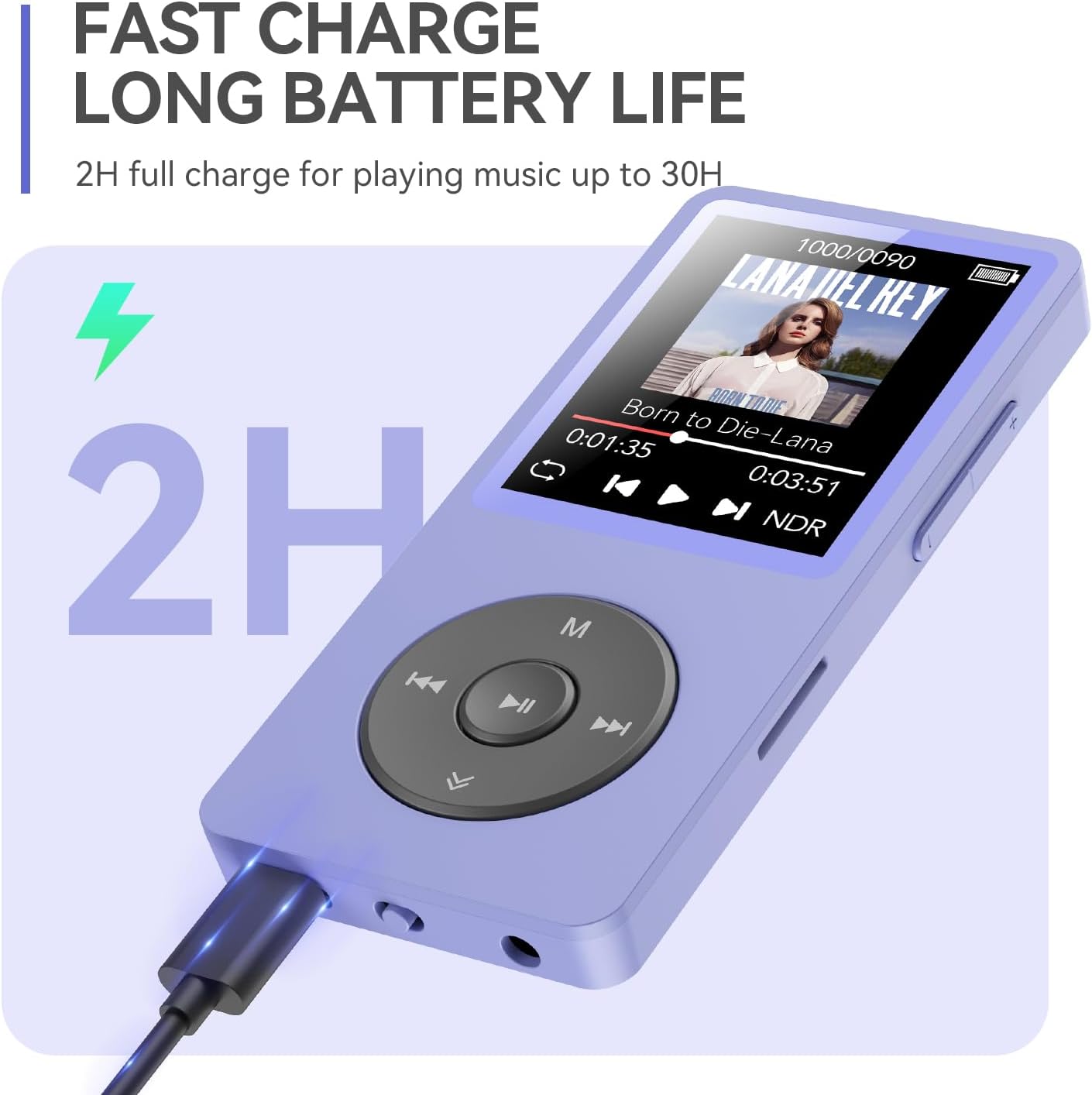
Figura 3: Ricarica del lettore MP3
4.2 Accensione/spegnimento
To power on, press and hold the power button until the screen lights up. To power off, press and hold the power button until the device shuts down.
4.3 Connecting to a Computer and File Trasferire
Per trasferire musica o altro files, connect the MP3 player to your computer using the USB-C cable. Select "Charge & Transfer" on the device screen if prompted. The device will appear as a removable drive on your computer. You can then drag and drop files nelle cartelle appropriate.
Video 1: How to Transfer Files from PC to MP3 Player. This video demonstrates the steps to connect your MP3 player to a computer and transfer music files.
2 video: File Transfer between Memory Card and Player. This video illustrates how to transfer files between the internal memory and an inserted microSD card on the MP3 player.

Figure 4: Customizing Playlists via PC
5. Istruzioni per l'uso
5.1 Riproduzione di musica
Navigate to the "Music" icon on the main menu and press the play button to enter. You can browse by All Songs, Artists, Albums, Genres, or Playlists. To search for a specific song, use the search function.
Video 3: How to search for songs. This video demonstrates two methods for searching for songs on your MP3 player.

Figure 5: Quick Song Search Interface

Figure 6: Playback Modes
5.2 Connessione Bluetooth
From the main menu, select the "Bluetooth" icon. Turn on Bluetooth and search for available devices. Select your Bluetooth headphones or speakers to pair. The device supports auto-reconnect after powering on.

Figure 7: Bluetooth Auto-Reconnect
Video 4: AGPTEK A02 MP3 Player with Bluetooth. This video provides a general overview of the MP3 player's features, including Bluetooth connectivity, song search, playback modes, FM radio, video playback, and charging.
5.3 Radio FM
Select the "FM Radio" icon. You can auto-tune to find available stations or manually tune to a specific frequency. Your headphones act as the antenna for the FM radio.

Figure 8: Connecting to Car via AUX Port
5.4 Registratore vocale
Select the "Recorder" icon. You can record audio using the built-in microphone or through a line-in connection. Ensure you save your recordings after completion.
Video 5: How to Record and Play Back Using the Line-in Function. This video demonstrates how to use the line-in function for recording and playback.
5.5 Schermata di blocco
Press and hold the 'M' button to lock the screen, preventing accidental presses during use. Repeat the action to unlock.

Figure 9: Lock Screen Function
6. Manutenzione
To ensure the longevity and optimal performance of your AGPTEK A02 MP3 Player, follow these maintenance guidelines:
- Mantenere il dispositivo asciutto e lontano dall'umidità.
- Evitare temperature estreme.
- Clean the screen and body with a soft, dry cloth.
- Non far cadere né sottoporre il dispositivo a forti impatti.
- Utilizzare solo il cavo di ricarica fornito o un equivalente certificato.
7. Risoluzione Dei Problemi
If you encounter issues with your MP3 player, refer to the following common solutions:
7.1 Dispositivo bloccato o non reattivo
If the device freezes or becomes unresponsive, you may need to perform a firmware update. Follow the instructions in the video below.
Video 6: How to fix a freeze? This video guides you through the process of updating the firmware on your AGPTEK MP3 player to resolve freezing issues.
7.2 Cannot Connect to Bluetooth
Ensure your Bluetooth headphones/speakers are in pairing mode. Check that the MP3 player's Bluetooth is enabled. Note that the device cannot connect directly to phones, tablets, or car Bluetooth systems (AUX port connection is required for cars).
7.3 Musica Files Non appare
Dopo il trasferimento files, ensure you update the playlist on the device. Verify that the music files are in a supported format (MP3, WMA, OGG, WAV, APE, FLAC, AAC-LC, ACELP). Note that it does not directly support Audiobook and iTunes formats.
8. Specifiche
| Nome del modello | A02XT |
| Tecnologia di connettività | Bluetooth 5.3 |
| Capacità di archiviazione della memoria | 32 GB (espandibile fino a 128 GB tramite Micro SD) |
| Dimensioni dello schermo | 1.8 pollici |
| Caratteristica speciale | Altoparlante incorporato, radio FM, registratore vocale |
| Formati audio supportati | MP3, WMA, OGG, WAV, APE, FLAC, AAC-LC, ACELP |
| Tipo di batteria | Polimeri di litio (320mAh) |
| Durata della batteria | Fino a 40 ore di riproduzione |
| Tempo di ricarica | Circa 2 ore |
| Peso dell'articolo | 4.2 once |
| Dimensioni del pacco | 7.52 x 5 x 0.75 pollici |
9. Garanzia e supporto
The AGPTEK A02 MP3 Player comes with a 12-month warranty. For technical support or warranty claims, please contact AGPTEK customer service. AGPTEK offers lifetime technical support and 7x24 online service.
Per maggiori informazioni, visita il AGPTEK Store on Amazon.


