1. Introduzione
Grazie per l'acquistoasing the Monster S350 Bluetooth Speaker. This portable wireless speaker features a touch screen, Bluetooth 6.0 connectivity, and support for TF cards, offering a versatile audio experience. This manual provides detailed instructions for setup, operation, maintenance, and troubleshooting to ensure optimal performance and longevity of your device.
2. Informazioni sulla sicurezza
- Non esporre l'altoparlante a temperature estreme, alla luce solare diretta o a elevata umidità.
- Evitare di far cadere o di sottoporre l'altoparlante a forti urti.
- Tenere l'altoparlante lontano dall'acqua e da altri liquidi.
- Non tentare di smontare, riparare o modificare autonomamente l'altoparlante. Se necessario, contattare personale di assistenza qualificato.
- Utilizzare solo il cavo di ricarica fornito o un equivalente certificato.
- Smaltire le batterie secondo le normative locali. Non incenerire.
3. Contenuto della confezione
Si prega di controllare la confezione per verificare la presenza dei seguenti elementi:
- Altoparlante Bluetooth Monster S350
- Cavo di ricarica USB
- Manuale d'uso
4. Prodotto finitoview
Familiarize yourself with the components of your Monster S350 speaker.

Figura 4.1: Davanti view of the Monster S350 Bluetooth Speaker, showcasing its retro design and touch screen.

Figura 4.2: Close-up of the speaker's top controls, illustrating the long press function for power and swipe gestures for volume adjustment.
Controlli e porte:
- Manopola accensione/volume: Long press to turn on/off. Swipe up to increase volume, swipe down to decrease volume.
- Schermo touch: For navigation, settings, and displaying information.
- Slot per schede TF: Inserire una scheda TF (microSD) per la riproduzione di musica locale.
- Porta di ricarica USB-C: Per caricare l'altoparlante.
5. Impostazione
5.1 Ricarica dell'altoparlante
- Collegare il cavo di ricarica USB alla porta USB-C dell'altoparlante.
- Collegare l'altra estremità del cavo a un adattatore di alimentazione USB (non incluso) o alla porta USB di un computer.
- The charging indicator on the screen will show the charging status. A full charge typically takes approximately 2-3 hours.
5.2 Accensione/Spegnimento
- Per accendere: Long press the Power/Volume knob until the screen lights up.
- Per spegnere: Long press the Power/Volume knob until the screen turns off.
5.3 Associazione Bluetooth
Pair your Monster S350 with a Bluetooth-enabled device.
- Ensure the speaker is powered on and within range of your Bluetooth device (e.g., smartphone, tablet).
- Sul tuo dispositivo Bluetooth, attiva il Bluetooth e cerca i dispositivi disponibili.
- Selezionare "Monster S350" dall'elenco dei dispositivi trovati.
- Una volta effettuato l'abbinamento, l'altoparlante indicherà una connessione riuscita e sarà possibile iniziare a riprodurre l'audio.

Figura 5.1: The speaker displaying its Bluetooth connection status alongside a smartphone's Bluetooth settings.
Riproduzione della scheda TF da 5.4
Riproduci musica direttamente da una scheda TF (microSD).
- Assicurarsi che l'altoparlante sia spento.
- Insert a TF card (up to 32GB, formatted to FAT32) into the TF card slot until it clicks into place.
- Power on the speaker. The speaker will automatically detect the TF card and switch to local music playback mode, or you can select it from the touch screen menu.

Figura 5.2: Demonstrating the insertion of a TF card into the speaker's dedicated slot for local music playback.
6. Istruzioni per l'uso
Riproduzione audio di base 6.1
- Riproduci/Pausa: Tap the play/pause icon on the touch screen.
- Traccia successiva: Swipe right on the touch screen or tap the next track icon.
- Traccia precedente: Swipe left on the touch screen or tap the previous track icon.
- Controllo del volume: Swipe up on the Power/Volume knob to increase volume, swipe down to decrease volume. Alternatively, adjust volume via the connected Bluetooth device.
6.2 Utilizzo del touch screen
The full-color touchscreen display allows for intuitive navigation and access to various features.
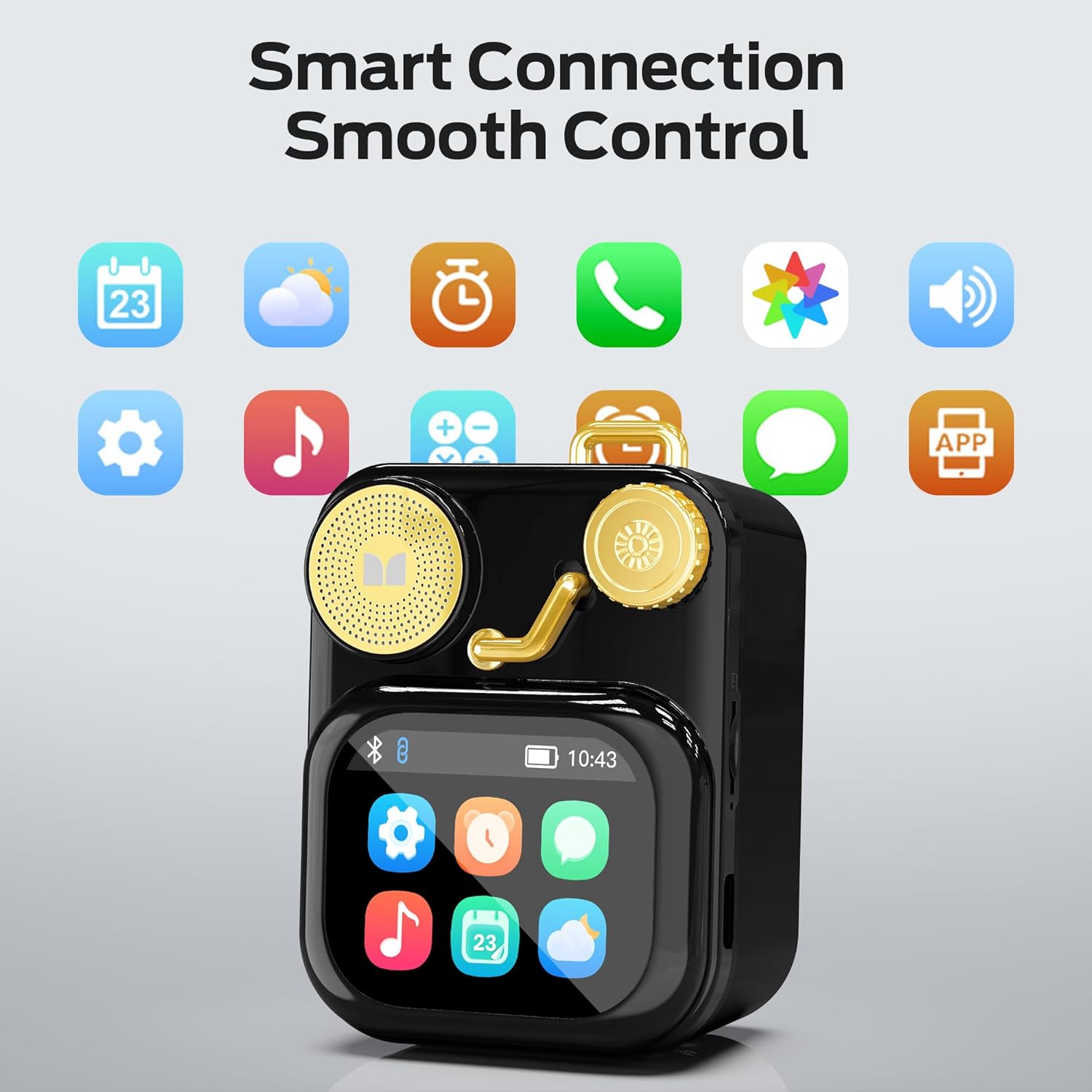
Figura 6.1: The speaker's touch screen displaying various application icons for smart features.
- Navigazione: Swipe left/right or up/down to browse through menus and options.
- Selezione: Tocca un'icona o un'opzione per selezionarla.
- Impostazioni: Access system settings, Bluetooth options, display preferences, and more through the settings icon.
6.3 Funzionalità intelligenti
When connected to a compatible smartphone via Bluetooth and the companion app (if available), the speaker can display various smart features:

Figura 6.2: Examples of smart features displayed on the speaker's screen, including notifications, weather, lyrics, and Bluetooth call information.
- Notifiche mobili: Ricevi avvisi per messaggi e altre notifiche delle app.
- Informazioni sul brano: Display song titles and artist information during playback.
- Allarmi: Set and manage alarms directly from the speaker.
- Aggiornamenti meteorologici: View informazioni meteo in tempo reale.
- Rumore bianco: Access soothing white noise sounds for relaxation.
7. Manutenzione
7.1 Pulizia
- Wipe the speaker's surface with a soft, dry, lint-free cloth.
- Non utilizzare detergenti abrasivi, alcol o solventi chimici, poiché potrebbero danneggiare la finitura.
- Mantenere le porte libere da polvere e detriti.
7.2 Conservazione
- Conservare l'altoparlante in un luogo fresco e asciutto, lontano dalla luce solare diretta e da temperature estreme.
- If storing for an extended period, charge the battery to approximately 50% every three months to preserve battery life.
8. Risoluzione Dei Problemi
If you encounter issues with your Monster S350 speaker, refer to the following solutions:
| Problema | Possibile causa | Soluzione |
|---|---|---|
| L'altoparlante non si accende. | La batteria è scarica. | Carica l'altoparlante utilizzando il cavo USB in dotazione. |
| Nessun suono dall'altoparlante. | Il volume è troppo basso o disattivato. Dispositivo non associato. | Increase speaker volume. Ensure Bluetooth device is paired and playing audio. |
| Impossibile effettuare l'associazione tramite Bluetooth. | L'altoparlante non è in modalità di associazione. Il dispositivo è fuori portata. Interferenza. | Ensure speaker is on and Bluetooth is enabled. Move devices closer. Turn off other Bluetooth devices. |
| La musica sulla scheda TF non viene riprodotta. | Scheda non inserita correttamente. Non supportata file formato. Scheda danneggiata. | Reinserisci la scheda TF. Assicurati che la musica filesiano in un formato supportato (ad esempio, MP3). Prova una scheda TF diversa. |
| Smart features not working. | Not connected to companion app. App issues. | Ensure the speaker is connected to the companion app on your smartphone. Check app permissions and updates. |
9. Specifiche
Technical details of the Monster S350 Bluetooth Speaker:
- Nome modello: S350
- Marca: Mostro
- Materiale: Metallo
- Colore: Nero
- Dimensioni del prodotto: 12.5 P x 10.5 L x 5.4 A centimetri (circa 4.9 x 4.1 x 2.1 pollici)
- Peso dell'articolo: 160 grammi (circa 0.35 libbre)
- Tecnologia di connettività: Bluetooth 6.0
- Potenza massima in uscita dell'altoparlante: 10 Watt
- Modalità di uscita audio: Stereo
- Tipo di montaggio: Da tavolo
- Batteria: 1 batteria agli ioni di litio (inclusa)
- Supporto per schede TF: Yes (up to 32GB, FAT32 format recommended)

Figura 9.1: Diagram illustrating the internal woofer for deep bass and tweeter for crisp highs, contributing to the speaker's audio quality.
10. Garanzia e supporto
For warranty information or technical support, please refer to the documentation included with your purchase or contact Monster customer service. Keep your proof of purchase for warranty claims.
Contatto del servizio clienti: Please visit the official Monster website or refer to your product packaging for the most current support contact information.


