1. Introduzione
Grazie per l'acquistoasing the GOBOULT Bassbox X20 Bluetooth Speaker. This manual provides essential information for setting up, operating, and maintaining your device. Please read it carefully before use to ensure optimal performance and longevity.

Immagine 1.1: anteriore view of the GOBOULT Bassbox X20 Bluetooth Speaker.
2. Contenuto della confezione
Assicurarsi che tutti gli articoli siano presenti nel pacco. Se qualche articolo risulta mancante o danneggiato, contattare l'assistenza clienti.
- GOBOULT Bassbox X20 Soundbar
- Manuale dell'utente (questo documento)
- Scheda di garanzia
- Cavo di ricarica (tipo C)
Note: The product features integrated bass drivers, referred to as 'Subwoofer' in some listings, which are part of the main soundbar unit.
3. Prodotto finitoview
3.1 Caratteristiche principali
- 20W Bass Boosted Sound: Delivers clear and dynamic audio with enhanced bass.
- Doppi driver dinamici: Provides balanced sound across all frequencies.
- Fino a 6 ore di riproduzione: Durata prolungata della batteria per una riproduzione audio continua.
- Tecnologia Bluetooth 5.4: Garantisce una connettività wireless stabile e veloce.
- Opzioni di multi-connettività: Supports Bluetooth, AUX, TF Card, and USB input.
- Design portatile: Compatto e leggero per un facile trasporto.
- Funzione True Wireless Stereo (TWS): Connect two Bassbox X20 speakers for a stereo experience.
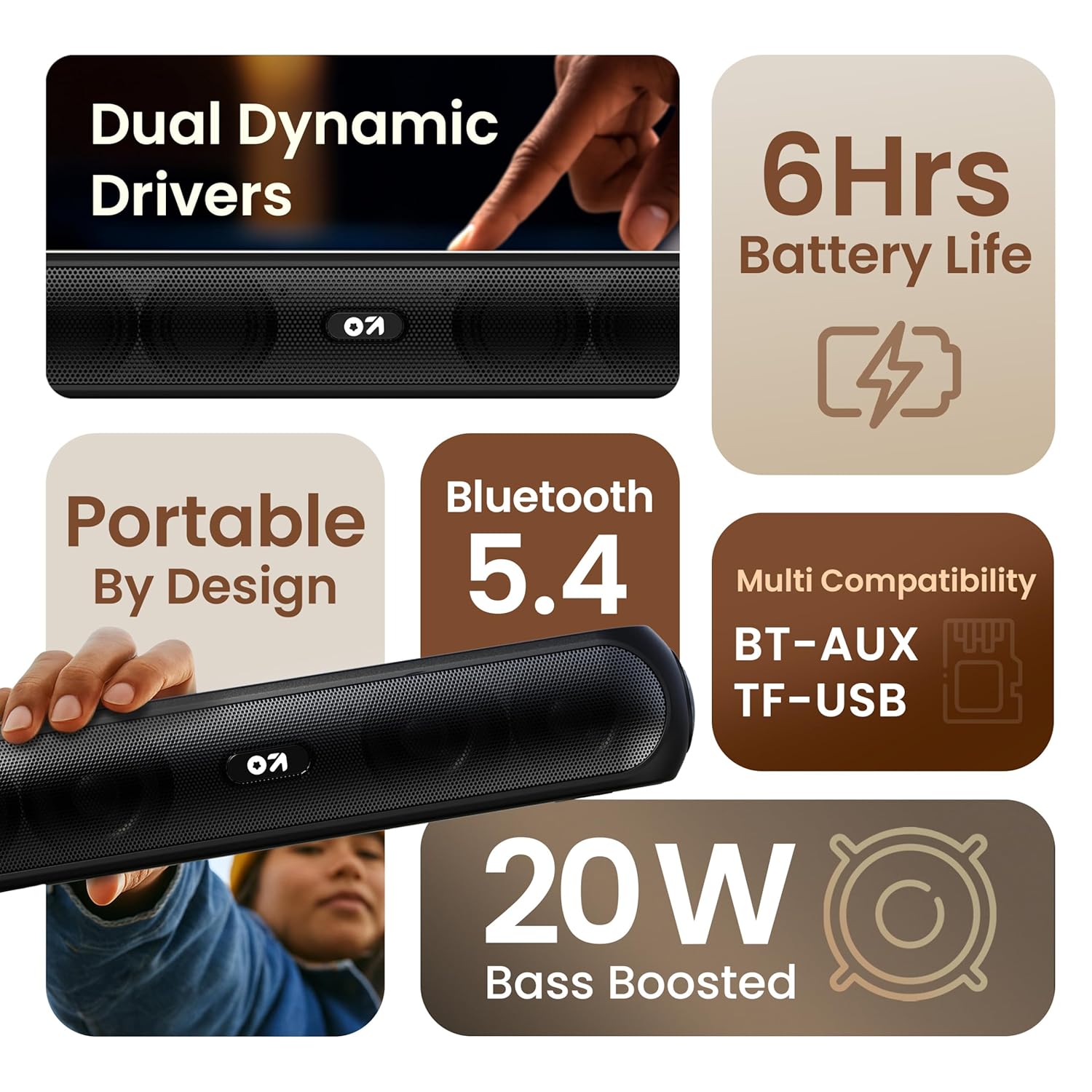
Immagine 3.1: Passoview of the speaker's main features.
3.2 Controlli e porte
Familiarize yourself with the control buttons and input ports on your speaker.
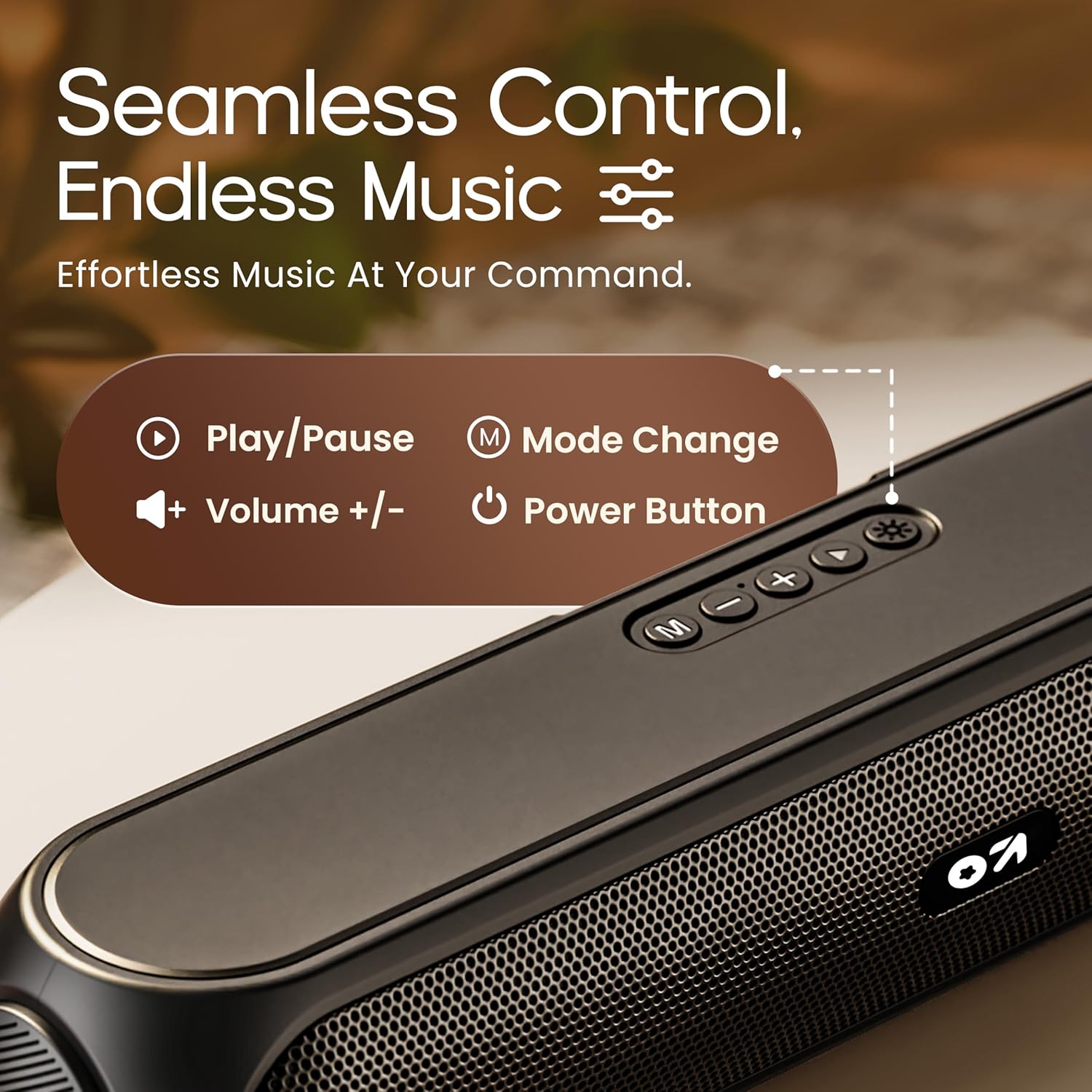
Image 3.2: Top control panel with Play/Pause, Volume, Mode, and Power buttons.
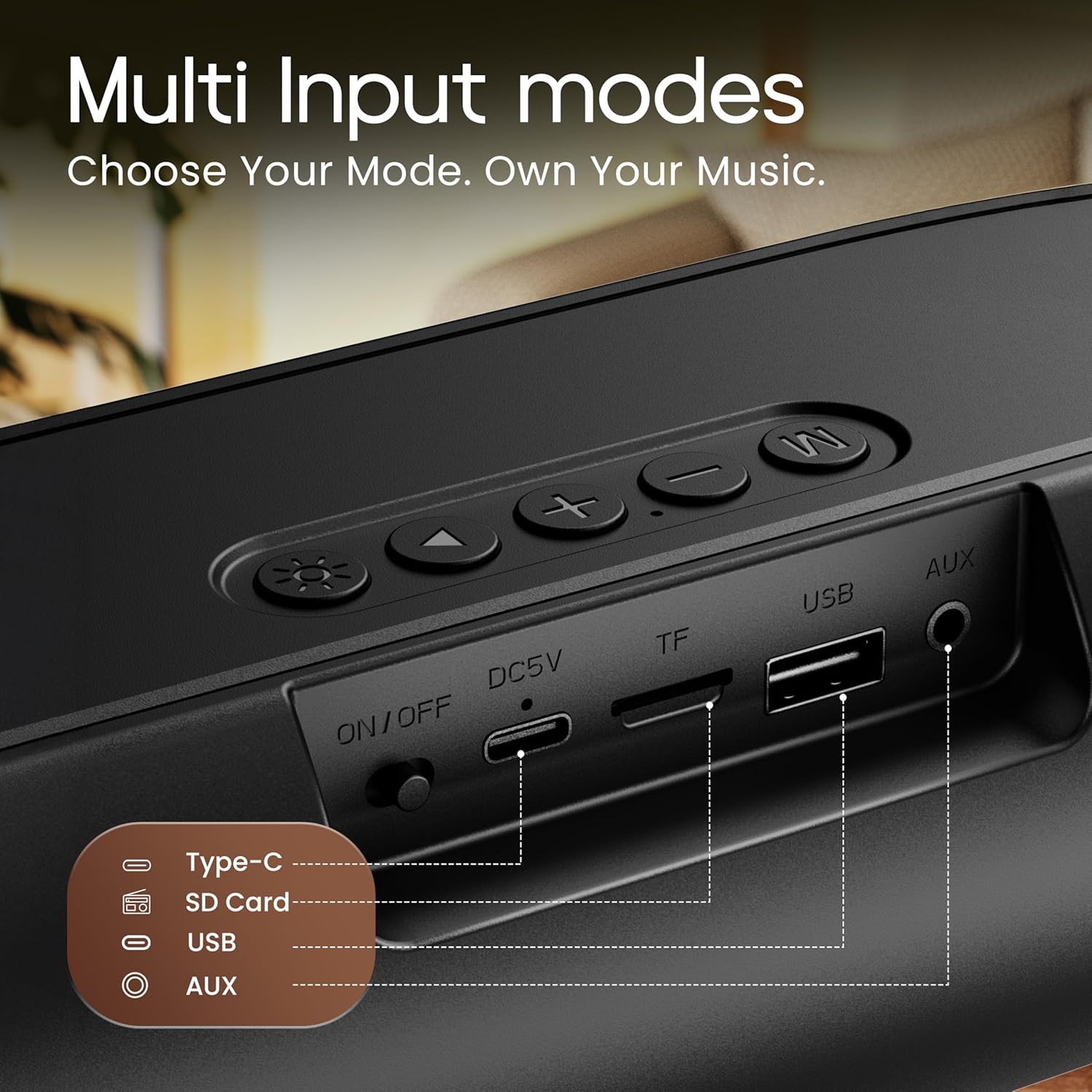
Image 3.3: Rear input panel showing Type-C, TF Card, USB, and AUX ports, along with the ON/OFF switch.
- Pulsante di accensione: Press and hold to power on/off. Short press to change LED light modes (if applicable).
- Pulsante Modalità (M): Premere brevemente per passare tra le modalità Bluetooth, AUX, scheda TF e USB.
- Pulsante Play/Pausa: Premere brevemente per riprodurre o mettere in pausa l'audio.
- Volume su (+): Premere brevemente per aumentare il volume. Premere a lungo per passare alla traccia successiva.
- Volume basso (-): Premere brevemente per diminuire il volume. Premere a lungo per tornare alla traccia precedente.
- Porta di tipo C: Per caricare l'altoparlante.
- Slot per schede TF: Insert a TF (MicroSD) card for direct audio playback.
- Porta USB: Inserire un'unità USB per la riproduzione audio diretta.
- Porta AUX: Collegare dispositivi audio esterni tramite un cavo audio da 3.5 mm.
- Interruttore ON/OFF: Interruttore di alimentazione principale del dispositivo.
4. Impostazione
4.1 Ricarica dell'altoparlante
Prima del primo utilizzo, caricare completamente l'altoparlante. Utilizzare il cavo di ricarica Type-C in dotazione.
- Connect the Type-C end of the charging cable to the speaker's Type-C port.
- Collegare l'estremità USB-A del cavo di ricarica a un adattatore di alimentazione USB da 5 V (non incluso) o alla porta USB di un computer.
- La spia di carica si illuminerà. Si spegnerà o cambierà colore una volta completata la carica.
A full charge typically takes approximately 2-3 hours and provides up to 6 hours of playtime.
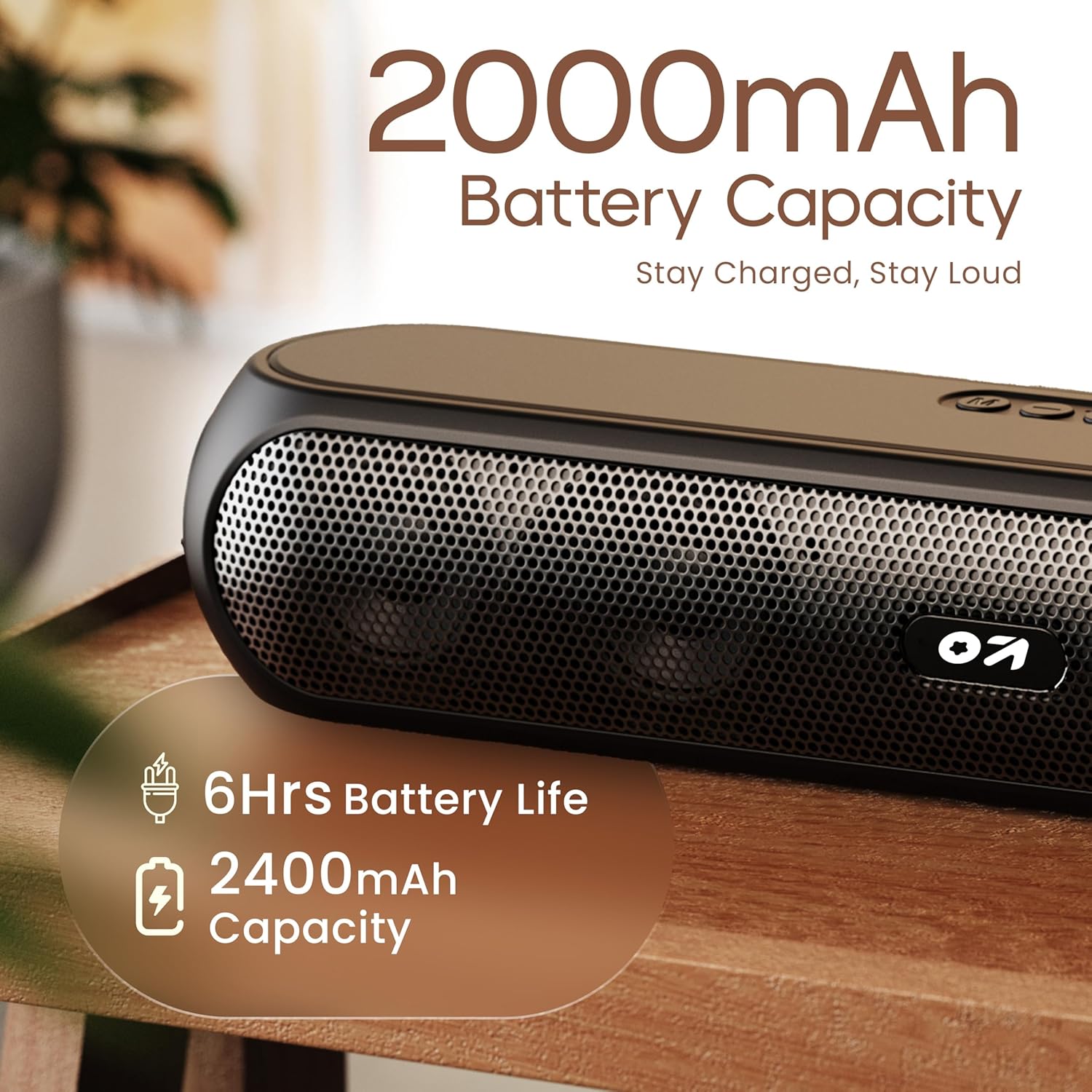
Image 4.1: Battery capacity and estimated playtime.
4.2 Accensione/spegnimento
- To power on, slide the ON/OFF switch to the 'ON' position, then press and hold the Power button on the top panel until the indicator light turns on.
- Per spegnere, tenere premuto il pulsante di accensione finché la spia non si spegne.
4.3 Associazione Bluetooth
After powering on, the speaker will automatically enter Bluetooth pairing mode if no other device is connected. The Bluetooth indicator will flash.
- Ensure the speaker is powered on and in Bluetooth mode (indicator flashing).
- Sul tuo dispositivo (smartphone, tablet, laptop), attiva il Bluetooth e cerca i dispositivi disponibili.
- Select "GOBOULT Bassbox X20" from the list of devices.
- Once connected, the speaker will emit a confirmation sound, and the Bluetooth indicator will stop flashing and remain solid.
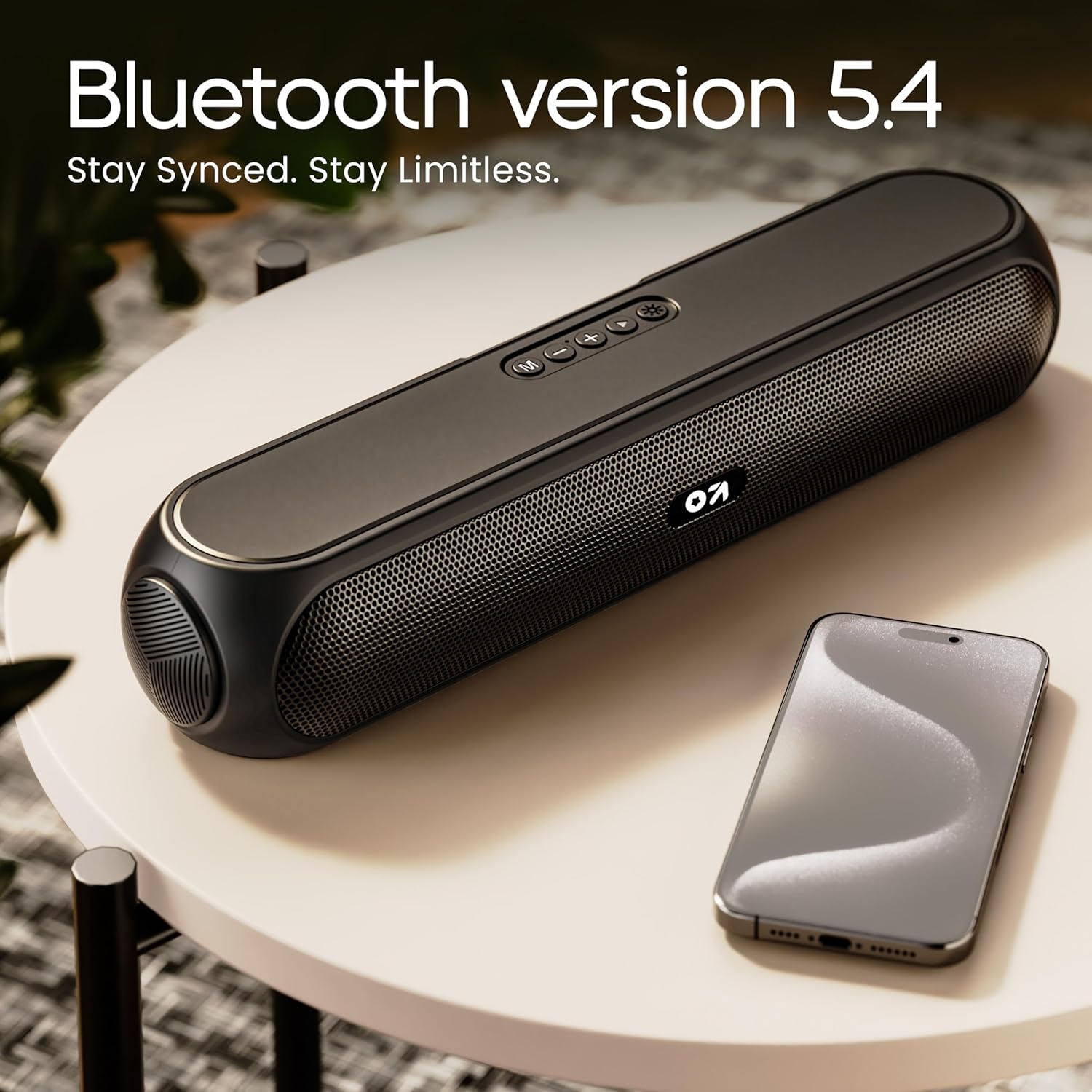
Image 4.2: Bluetooth 5.4 connectivity for seamless pairing.
4.4 Accoppiamento True Wireless Stereo (TWS)
The TWS function allows you to connect two GOBOULT Bassbox X20 speakers for a stereo sound experience.
- Ensure both Bassbox X20 speakers are powered on and not connected to any Bluetooth device.
- On one speaker (this will be the primary speaker), double-press the Mode (M) button. It will emit a sound indicating it's searching for another TWS speaker.
- The second speaker will automatically connect to the primary speaker. Once connected, both speakers will emit a confirmation sound.
- Now, connect your device to the primary speaker via Bluetooth as described in Section 4.3. Audio will play in stereo through both speakers.
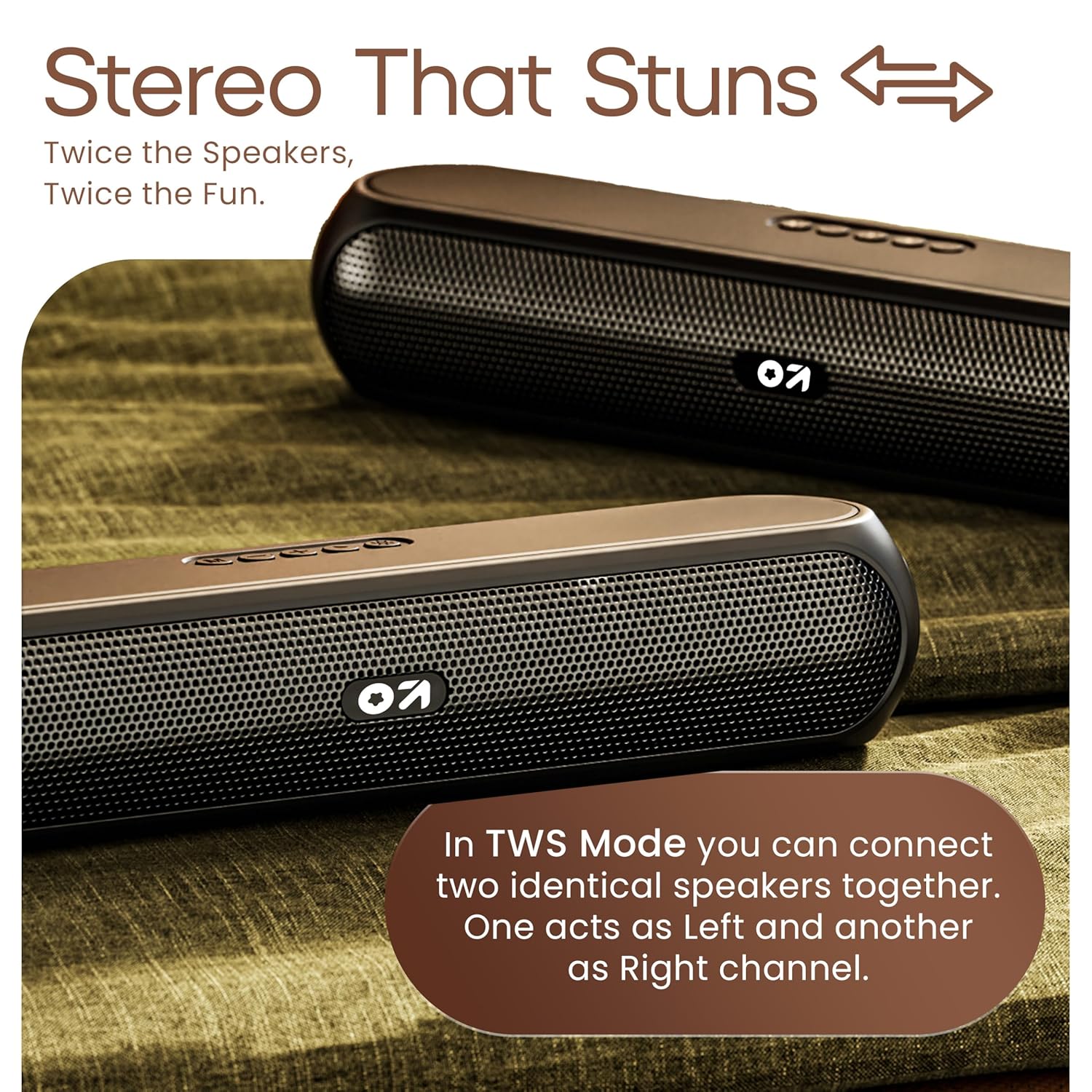
Image 4.3: TWS mode for connecting two speakers.
5. Funzionamento
5.1 Modalità di commutazione
Premere il tasto Modalità (M) pulsante per scorrere le modalità di input disponibili: Bluetooth, AUX, scheda TF e USB.
5.2 Modalità Bluetooth
After successful pairing (Section 4.3), you can stream audio wirelessly from your connected device. Use the speaker's volume controls or your device's volume controls to adjust the sound level.
5.3 Modalità ausiliaria
- Collegare un'estremità di un cavo audio da 3.5 mm (non incluso) alla porta AUX dell'altoparlante.
- Collegare l'altra estremità al jack di uscita audio del dispositivo esterno (ad esempio, lettore MP3, computer).
- Premere il tasto Modalità (M) finché l'altoparlante non entra in modalità AUX.
- Control playback and volume from your external device or the speaker's controls.
5.4 Modalità scheda TF / USB
- Insert a TF (MicroSD) card or a USB drive containing audio files nella rispettiva porta sull'altoparlante.
- The speaker will automatically switch to TF Card or USB mode and begin playing audio. If not, press the Modalità (M) pulsante per selezionare la modalità corretta.
- Use the speaker's controls to play/pause, skip tracks, and adjust volume.
6. Manutenzione
- Keep the speaker away from water, moisture, and extreme temperatures. While water-resistant, it is not waterproof.
- Pulire l'altoparlante con un panno morbido e asciutto. Non utilizzare detergenti abrasivi o solventi.
- Evitare di far cadere o di sottoporre l'altoparlante a forti urti.
- Quando non lo si utilizza per lunghi periodi, conservare l'altoparlante in un luogo fresco e asciutto e caricarlo periodicamente per preservare la salute della batteria.
7. Risoluzione Dei Problemi
| Problema | Possibile causa | Soluzione |
|---|---|---|
| L'altoparlante non si accende. | Low battery. Main power switch off. | Caricare l'altoparlante. Assicurarsi che l'interruttore ON/OFF sia in posizione 'ON'. |
| Impossibile effettuare l'associazione tramite Bluetooth. | Altoparlante non in modalità di associazione. Bluetooth del dispositivo disattivato. Troppo lontano dall'altoparlante. | Ensure speaker is in Bluetooth pairing mode (flashing indicator). Enable Bluetooth on your device. Move device closer to speaker (within 10 meters). |
| Nessun suono. | Volume too low. Incorrect mode selected. Cable not connected properly (AUX). | Increase volume on speaker and device. Press 'M' button to select correct input mode. Reconnect AUX cable securely. |
| L'associazione TWS non riesce. | Altoparlanti già collegati ad altri dispositivi. | Disconnect both speakers from any Bluetooth devices before attempting TWS pairing. Ensure both speakers are Bassbox X20 models. |
8. Specifiche
| Caratteristica | Dettaglio |
|---|---|
| Nome del modello | Cassa per bassi X20 |
| Tipo di altoparlante | Altoparlante Bluetooth portatile |
| Potenza di uscita | 20 Watt |
| Versione Bluetooth | 5.4 |
| Portata Bluetooth | Fino a 10 metri (33 piedi) |
| Opzioni di connettività | Bluetooth, Auxiliary (3.5mm), USB, TF Card |
| Tipo di batteria | Polimero di litio |
| Durata della batteria | Fino a 6 ore (al 70% del volume) |
| Porta di ricarica | Tipo C (DC5V) |
| Dimensioni del prodotto | 89D x 38W x 68H millimetri |
| Peso dell'articolo | 655 grammi |
| Livello di resistenza all'acqua | Resistente all'acqua (non impermeabile) |
| Componenti inclusi | X20 Soundbar, User Manual, Warranty Card, Charging Cable |
9. Garanzia e supporto
The GOBOULT Bassbox X20 Bluetooth Speaker comes with a Garanzia del produttore di 1 anni dalla data di acquisto. La presente garanzia copre i difetti di fabbricazione e di lavorazione in condizioni di normale utilizzo.
For warranty claims, technical support, or any inquiries, please refer to the contact information provided on your warranty card or visit the official GOBOULT websito.
Si prega di conservare la ricevuta d'acquisto come prova d'acquisto ai fini della garanzia.


