1. Introduzione
This manual provides detailed instructions for the installation and operation of the ANYFAR RM-AD3502Q Decoder Adapter. This device integrates advanced connectivity features into your Audi's existing MMI 3G system, enhancing your driving experience with modern infotainment capabilities.
1.1. Compatibilità
The ANYFAR RM-AD3502Q Decoder Adapter is specifically designed for the following Audi models equipped with the MMI 3G system:
- Audi A4 (2008-2016)
- Audi A5 (2008-2016)
- Audi Q5 (2010-2018)
Please verify your vehicle's compatibility before installation. Refer to Section 2.3 for guidance on identifying your MMI 3G system.

2. Caratteristiche principali
The ANYFAR RM-AD3502Q Decoder Adapter offers a range of features to upgrade your in-car entertainment and connectivity:
- CarPlay e Android Auto wireless: Seamless integration of your smartphone for navigation, music, calls, and messaging without physical connection.
- Mirror Link & USB Drive Playback: Mirror your phone's display to the car screen for video content or play media directly from a USB drive.
- In-Car Hi-Fi Audio: Digital audio transmission ensures high-quality sound without interference, preserving the original car audio system's integrity.
- Conservare i comandi originali dell'auto: Full functionality of your car's existing controls, including touchscreen, voice control, physical buttons, and knobs, is maintained.
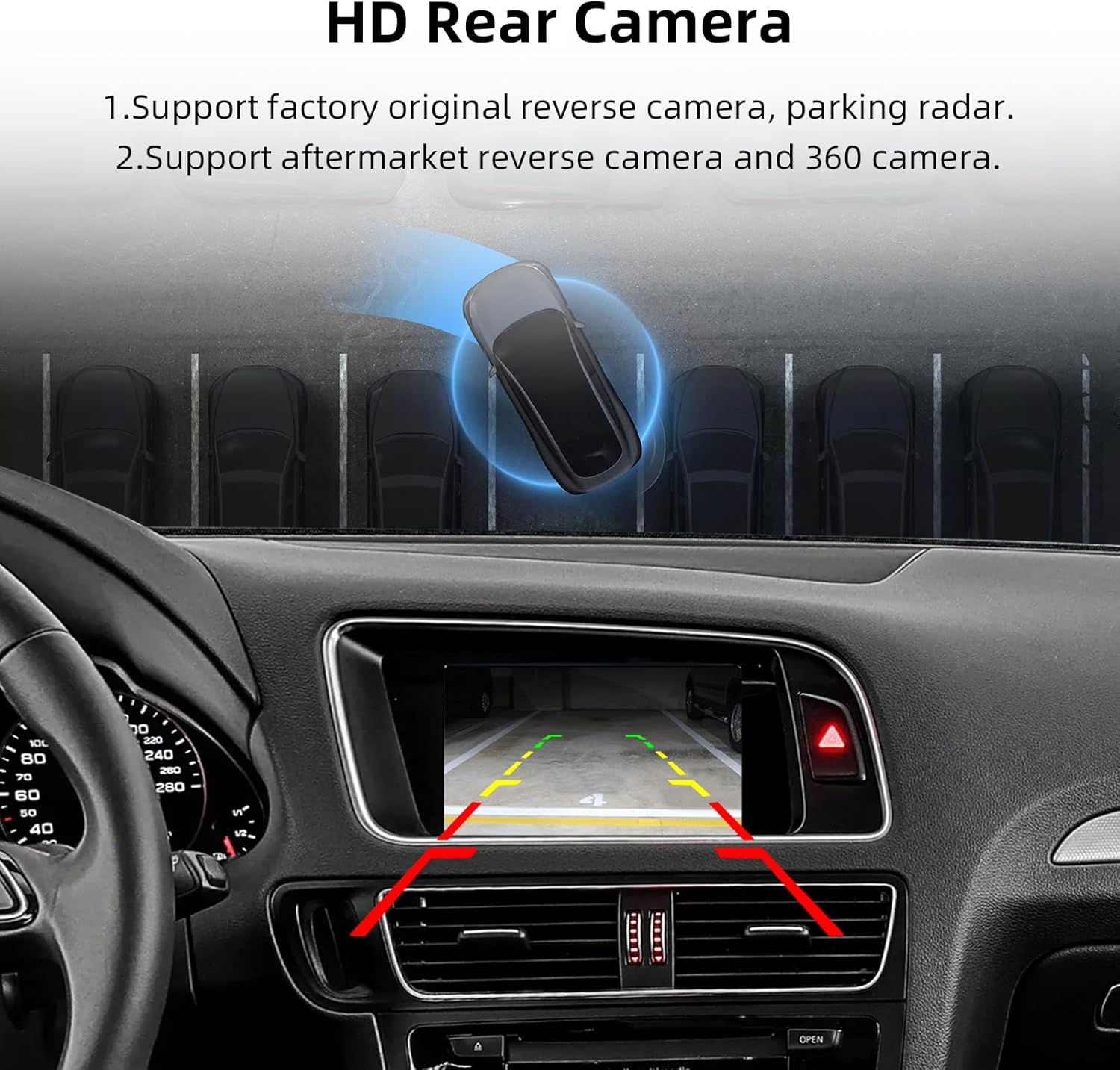
- Backup Camera Input Support: Connect aftermarket or factory original backup and front cameras for enhanced safety and parking assistance.
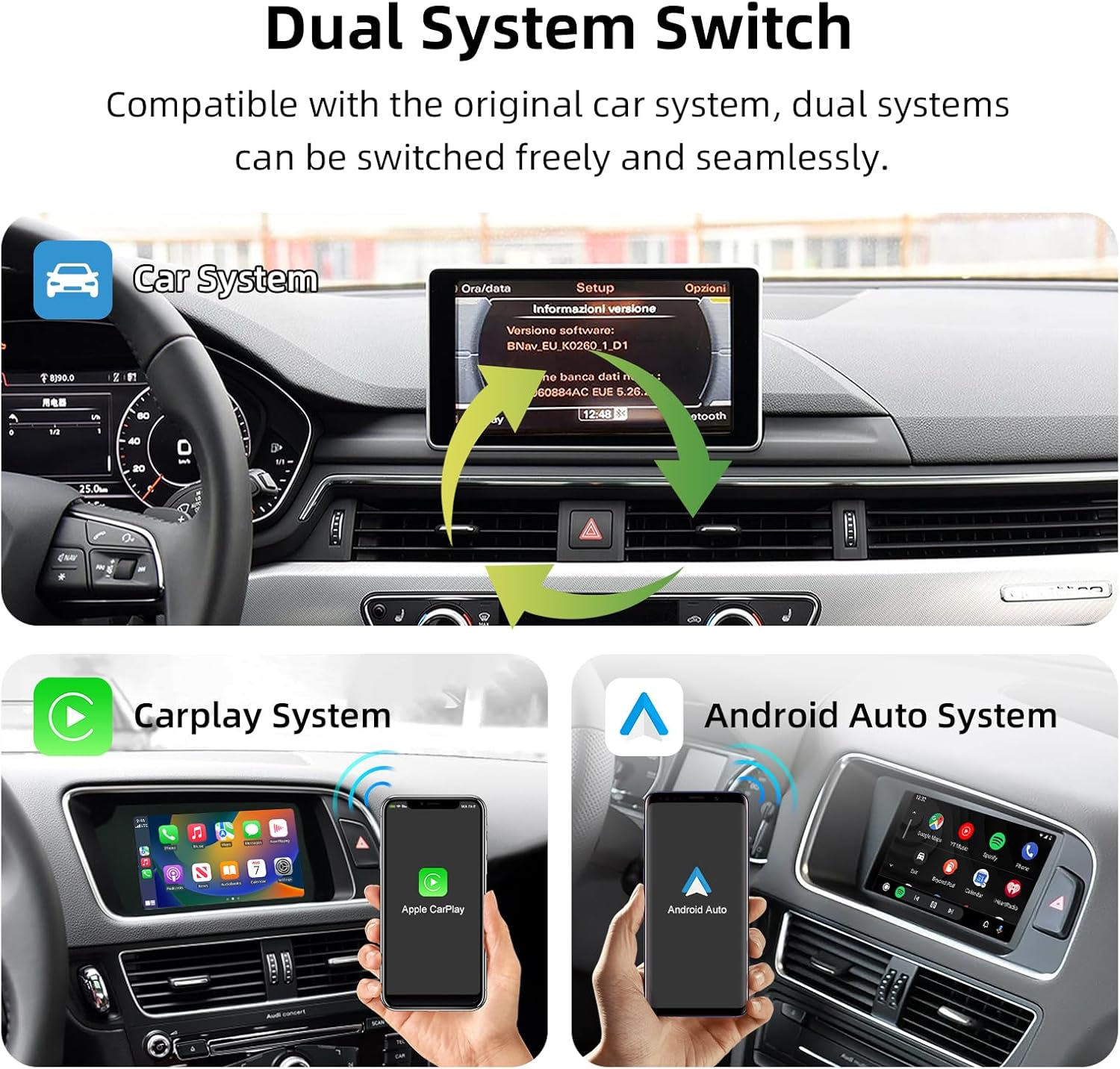
2.1. Commutazione del sistema doppio
The adapter allows for free and seamless switching between the original Audi MMI system and the integrated CarPlay/Android Auto system.
2.2. Enhanced Infotainment
Experience a wide range of functions including Bluetooth connectivity, CarPlay, Android Auto, Mirror Link, Voice Control, Live Map navigation, and online entertainment.

2.3. Verifying MMI 3G System
To confirm your Audi has the MMI 3G system, navigate to the 'Setup' menu on your car's display and check the software version. The MMI 3G system typically includes MMI 3G Low/Basic, MMI 3G High, and MMI 3G+ variants.

3. Contenuto della confezione
Dopo aver aperto la confezione, assicurarsi che siano presenti tutti i seguenti elementi:
- ANYFAR RM-AD3502Q Decoder Adapter
- Wiring Harnesses (specific to Audi MMI 3G)
- LVDS Cable
- Cavo USB
- Microfono
- Manuale dell'utente (questo documento)
4. Guida all'installazione
Installation of the decoder adapter requires careful handling of your vehicle's electrical system and interior components. It is recommended that installation be performed by a qualified professional.
4.1. Elenco di controllo pre-installazione
- Assicurarsi che l'accensione del veicolo sia spenta e che la batteria sia scollegata.
- Raccogliere gli strumenti necessari (ad esempio, utensili per la rimozione delle finiture, cacciaviti, spelafili).
- Confirm compatibility with your Audi MMI 3G system.
4.2. Schema elettrico
Follow the detailed wiring diagram below for correct connections. Incorrect wiring can damage the device or your vehicle's electronics.

4.3. Fasi generali di installazione (consultare un professionista)
- Carefully remove the necessary trim panels and the original head unit/display to access the MMI system's wiring.
- Connect the provided LVDS cable from the decoder to the original display cable.
- Connect the main power and CAN bus harness from the decoder to the vehicle's wiring, ensuring a secure fit.
- Route the USB cable and microphone to desired accessible locations.
- If installing a backup or front camera, connect the CVBS cables to the decoder's camera inputs.
- Secure the decoder module in a safe, dry location behind the dashboard.
- Reconnect the vehicle battery and test the system before reassembling the interior.
5. Guida operativa
5.1. Passaggio da un sistema all'altro
After installation, you can switch between your original Audi MMI system and the new CarPlay/Android Auto interface using a designated button or control on your vehicle's console, as per the installation configuration.
5.2. CarPlay wireless e Android Auto
- Assicurati che Bluetooth e Wi-Fi siano abilitati sul tuo smartphone.
- On the car's display, select the CarPlay or Android Auto option.
- Pair your phone via Bluetooth with the decoder adapter (usually named 'ANYFAR' or similar).
- Seguire le istruzioni visualizzate sullo schermo per stabilire la connessione wireless.
5.3. Funzionalità Mirror Link
To use Mirror Link (AirPlay for iOS, AutoLink for Android), select the Mirror Link option on the car's display. Follow the instructions to connect your smartphone and mirror its screen content.

5.4. Riproduzione di supporti USB
Insert a USB drive containing audio or video files into the provided USB port. Select the USB playback option on the car's display to browse and play your media.

5.5. Using Original Car Controls
The decoder adapter is designed to work seamlessly with your Audi's original controls, including the touchscreen (if applicable), steering wheel buttons, and MMI control knob. These controls will navigate both the original MMI system and the new interface.

5.6. Display della telecamera di retromarcia
When the vehicle is shifted into reverse, the connected backup camera feed will automatically display on the car screen. The system supports both factory original and aftermarket cameras.
6. Risoluzione Dei Problemi
If you encounter issues with your ANYFAR Decoder Adapter, refer to the following common problems and solutions:
| Problema | Possibile causa | Soluzione |
|---|---|---|
| Nessuna visualizzazione dopo l'installazione | Incorrect wiring, loose connections, incompatible MMI system. | Check all wiring connections according to the diagram. Confirm MMI 3G compatibility. Ensure power supply is correct. |
| CarPlay/Android Auto wireless non si connette | Bluetooth/Wi-Fi off on phone, incorrect pairing, signal interference. | Ensure phone's Bluetooth and Wi-Fi are active. Delete previous pairings and re-pair. Move phone closer to the adapter. |
| Audio issues (no sound, static) | Incorrect AUX input selection, loose audio cable connection. | Ensure the car's audio source is set to AUX. Check the AUX cable connection to the decoder. |
| Original controls not working | CAN bus wiring issue, software glitch. | Verify CAN bus connections. Restart the car and adapter. |
| La telecamera di backup non viene visualizzata | Camera not connected, incorrect camera input, faulty camera. | Check camera CVBS connection to the decoder. Ensure camera is powered correctly. |
If the problem persists after attempting these solutions, please contact ANYFAR customer support for further assistance.
7. Specifiche
| Caratteristica | Dettaglio |
|---|---|
| Numero di modello | Modello RM-AD3502Q |
| Compatibilità | Audi A4 (2008-2016), A5 (2008-2016), Q5 (2010-2018) con MMI 3G |
| Connettività | USB, Wireless (Bluetooth, Wi-Fi for CarPlay/Android Auto) |
| Caratteristiche speciali | Wireless CarPlay, Wireless Android Auto, Mirror Link, USB Playback, Hands-Free Calling, Backup Camera Support |
| Modalità di uscita audio | Stereo |
| Peso dell'articolo | 1.76 libbre (0.8 kg) |
| Dimensioni del pacco | 10.63 x 6.69 x 4.33 pollici (27 x 17 x 11 cm) |
8. Garanzia e supporto
8.1. Garanzia del prodotto
ANYFAR products are covered by a limited warranty against manufacturing defects. Please refer to the warranty card included in your package or visit the official ANYFAR websito per termini e condizioni di garanzia specifici.
8.2. Assistenza clienti
For technical assistance, troubleshooting, or warranty claims, please contact ANYFAR customer support through their official channels. You can find more information and contact details on the ANYFAR Store on Amazon.


