1. Introduzione
This manual provides detailed instructions for the installation, operation, and maintenance of your ANYFAR RM-LX2509F Decoder Adapter. This device integrates advanced features like wireless CarPlay, Android Auto, Mirror Link, and support for backup cameras into compatible Lexus vehicles, enhancing your in-car entertainment and navigation experience while retaining original vehicle controls.

Image 1.1: The ANYFAR RM-LX2509F Decoder Adapter unit.
2. Modelli di veicoli compatibili
The ANYFAR RM-LX2509F Decoder Adapter is designed for specific Lexus models and years. Please verify your vehicle's compatibility before installation.
- Lexus ES, ES300h, UX, NX, IS: Modelli 2018-2021
- Lexus GX460: Modelli 2021-2023
- Lexus RC300: modello 2009

Image 2.1: Table detailing compatible Lexus models, years, and screen sizes.
3. Caratteristiche principali
The RM-LX2509F Decoder Adapter offers a range of features to enhance your driving experience:
- CarPlay e Android Auto wireless: Seamless integration of your smartphone for navigation, music, calls, and messaging without physical connection.
- Mirror Link & USB Drive Playback: Display your phone's screen on the car's display and play media directly from a USB drive.
- In-Car Hi-Fi Audio: Digital audio transmission ensures high-quality sound without interference.
- Conservare i comandi originali dell'auto: Full functionality of existing touchscreen, voice control, physical buttons, and knobs is preserved.
- Backup Camera Input Support: Connect aftermarket backup or front cameras for enhanced safety.
- Controllo vocale intelligente: Utilize voice assistants like Siri or Google Assistant for hands-free operation.

Immagine 3.1: Passoview of the smart module's features integrated into a Lexus dashboard.
4. Contenuto della confezione
Si prega di controllare la confezione per verificare la presenza dei seguenti elementi:
- ANYFAR RM-LX2509F Decoder Adapter Unit
- Cavo di alimentazione
- Screen Harness
- Cavo LVDS OUT
- Cavo LVDS IN
- Cavo RCA e USB

Image 4.1: Diagram showing the decoder unit dimensions and included accessories.
5. Configurazione e installazione
Installation of the ANYFAR RM-LX2509F Decoder Adapter involves connecting it to your vehicle's existing infotainment system. Due to the complexity of automotive electronics, professional installation is highly recommended to ensure proper function and avoid damage to your vehicle.
Fasi generali di installazione (consultare un professionista):
- Preparazione: Assicurarsi che l'accensione del veicolo sia spenta e che la batteria sia scollegata.
- Unità principale di accesso: Carefully remove the necessary trim panels to access the back of your car's head unit/display.
- Collegare i cavi: Connect the provided power cable, screen harness, LVDS IN/OUT cables, and RCA/USB cable to the decoder unit and the corresponding ports on your vehicle's head unit and display.
- Unità sicura: Mount the decoder unit in a secure, accessible location within the dashboard.
- Funzionalità di prova: Reconnect the battery and test all functions before reassembling the dashboard.
For detailed, vehicle-specific wiring diagrams and instructions, please refer to the professional installer's guide or contact ANYFAR customer support.
6. Istruzioni per l'uso
6.1 Passaggio da un sistema all'altro
After installation, you can switch between your vehicle's original OEM system and the CarPlay/Android Auto system by long-pressing the 'Back' button or a designated button on your car's knob or central control panel.
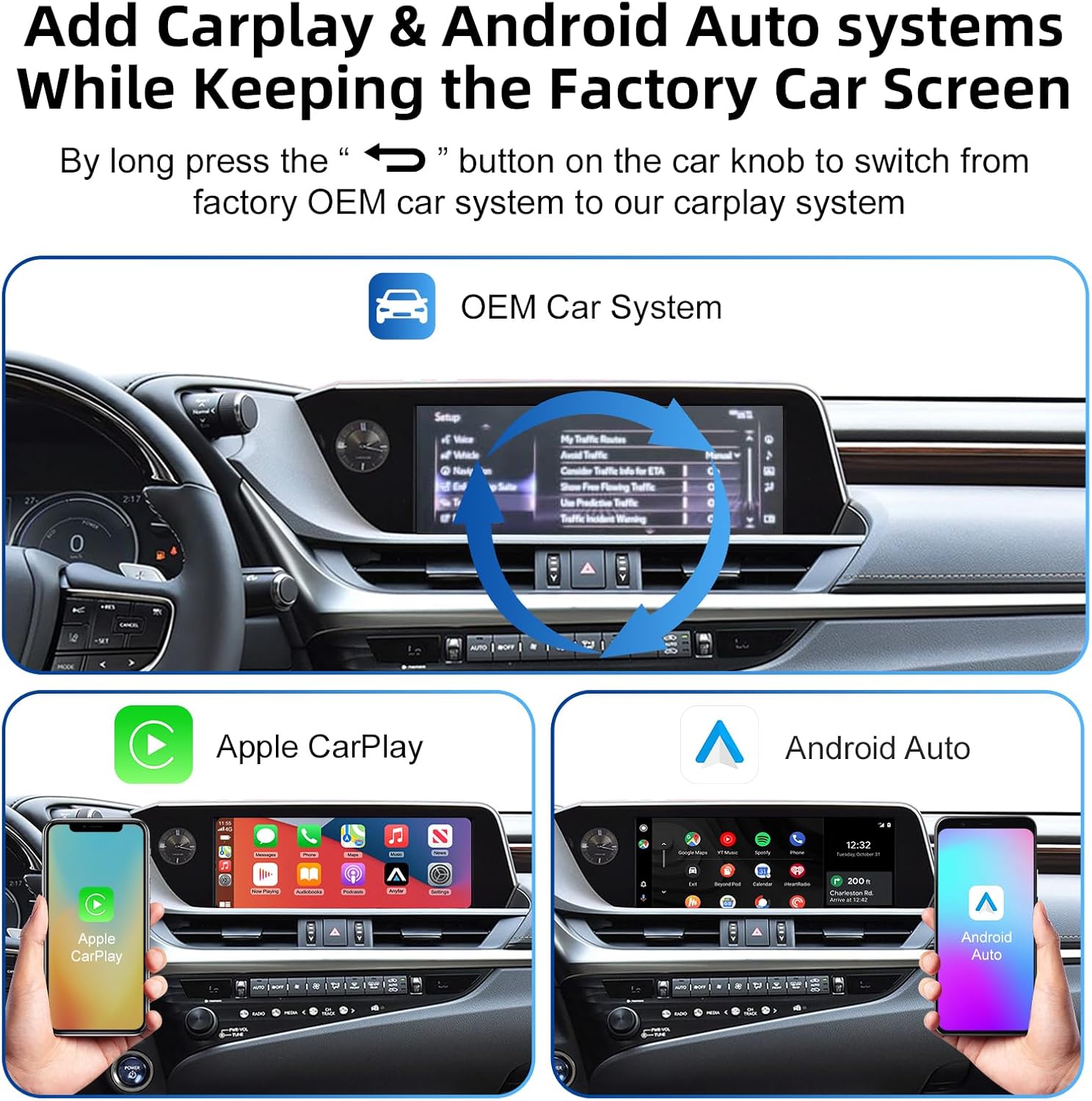
Image 6.1: Illustration of switching between the OEM car system and the CarPlay/Android Auto system.
6.2 Connessione wireless CarPlay e Android Auto
- Accoppia Bluetooth: On your smartphone, enable Bluetooth and connect to the adapter's Bluetooth signal (e.g., 'Car Audio-xxxx').
- Conferma connessione: Follow the prompts on your phone and car screen to confirm the CarPlay or Android Auto connection.
- Uscita audio: Ensure audio output is directed to your car's Bluetooth or AUX input for optimal sound.

Image 6.2: Steps for pairing Bluetooth and connecting to CarPlay for audio output.
6.3 Controllo vocale
Activate your smartphone's voice assistant (Siri for CarPlay, Google Assistant for Android Auto) by pressing the voice awakening button on your steering wheel or by saying the activation phrase (e.g., "Hey Siri" or "Hey Google").

Immagine 6.3: Es.ampdi comandi vocali per Siri e Google Assistant.
6.4 Collegamento specchio
To use Mirror Link, select the Mirror Link option from the adapter's interface. Follow the on-screen instructions to connect your smartphone and mirror its display to the car screen. This feature supports video playback from various applications.
6.5 Funzionalità della telecamera di backup
If an aftermarket backup camera is connected, the display will automatically switch to the camera feed when the vehicle is shifted into reverse.
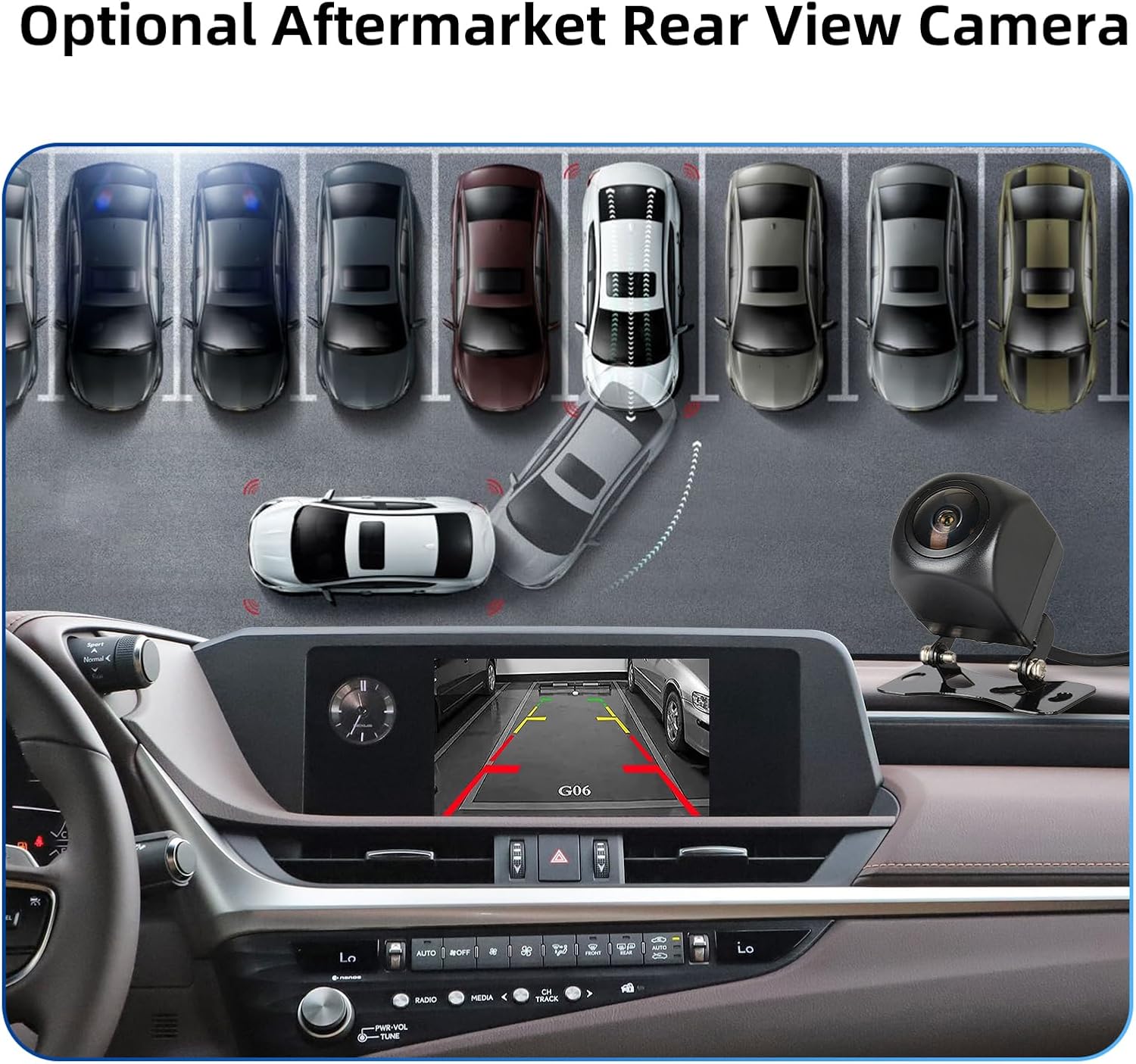
Immagine 6.4: Es.ample of a rear view visualizzazione della telecamera sullo schermo dell'auto.
7. Manutenzione
The ANYFAR RM-LX2509F Decoder Adapter requires minimal maintenance. Keep the unit free from dust and moisture. Do not attempt to open or repair the unit yourself, as this may void the warranty and cause damage.
- Pulizia: Utilizzare un panno morbido e asciutto per pulire l'esterno dell'unità. Evitare l'uso di prodotti chimici aggressivi o materiali abrasivi.
- Aggiornamenti software: Periodically check the ANYFAR official websito per eventuali aggiornamenti firmware disponibili per garantire prestazioni e compatibilità ottimali.
8. Risoluzione Dei Problemi
If you encounter issues with your decoder adapter, please refer to the following common solutions:
| Problema | Possibile causa | Soluzione |
|---|---|---|
| Nessun display/alimentazione | Collegamento elettrico allentato, cablaggio errato. | Check all power cables and connections. Ensure the vehicle's battery is properly connected. |
| CarPlay/Android Auto non si connette in modalità wireless | Bluetooth not paired, Wi-Fi interference, phone settings. | Ensure Bluetooth is enabled and paired. Check phone's Wi-Fi settings. Restart phone and adapter. |
| Nessuna uscita audio | Incorrect audio source selected in car, Bluetooth audio not connected. | Select the correct audio input (e.g., Bluetooth, AUX) on your car's head unit. Verify Bluetooth audio connection. |
| Original car controls not working | Incorrect wiring of control signals. | Recheck wiring connections for the control signals. Ensure the adapter is correctly integrated. |
| La telecamera di backup non viene visualizzata | Camera not connected, faulty camera, incorrect input. | Verify camera connection to the decoder. Test the camera independently if possible. |
If the problem persists after attempting these solutions, please contact ANYFAR customer support for further assistance.
9. Specifiche
| Caratteristica | Dettaglio |
|---|---|
| Numero di modello | RM-LX2509F |
| Dimensioni del pacco | 10.63 x 6.69 x 4.33 pollici |
| Peso dell'articolo | 1.72 libbre |
| Dispositivi compatibili | Smartphone |
| Tipo di connettore | Micro USB |
| Produttore | Huizhou Rhythm Technology Co, Ltd |
10. Garanzia e supporto
For warranty information and technical support, please refer to the documentation included with your purchase or visit the official ANYFAR websito. Il nostro team del servizio clienti è a tua disposizione per rispondere a qualsiasi domanda o problema tu possa incontrare.
ANYFAR Store Link: Visit the ANYFAR Store on Amazon


