Introduzione
This manual provides detailed instructions for the proper use, setup, and maintenance of your Trevi EAR 100 AID Wireless Headphones. Please read this manual carefully before using the product to ensure optimal performance and longevity.
Contenuto della confezione
Verificare che tutti gli articoli siano presenti nel pacco:
- Trevi EAR 100 AID Wireless Headphones (Left and Right Earbuds)
- Custodia di ricarica con display touch
- Cavo di ricarica USB-C
- 2 paia di gommini auricolari (varie misure)
- Manuale dell'utente (questo documento)
Prodotto finitoview
Familiarize yourself with the components of your Trevi EAR 100 AID headphones.
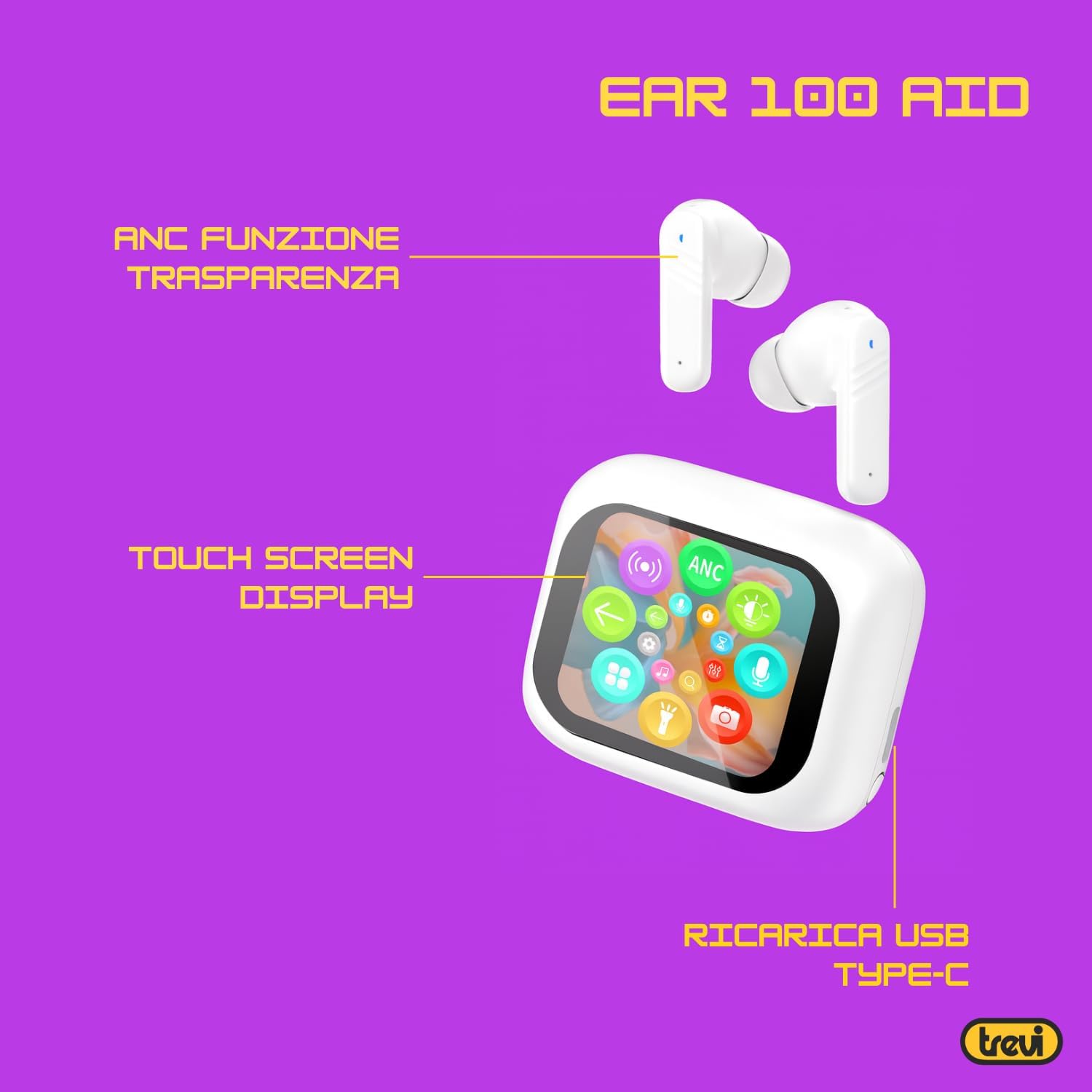
Image: Trevi EAR 100 AID Wireless Headphones and Charging Case. This image shows the earbuds and the charging case from a front-facing perspective.

Immagine: Lato view of Trevi EAR 100 AID Wireless Headphones and Charging Case. This image provides a profile view of the earbuds and their charging case.
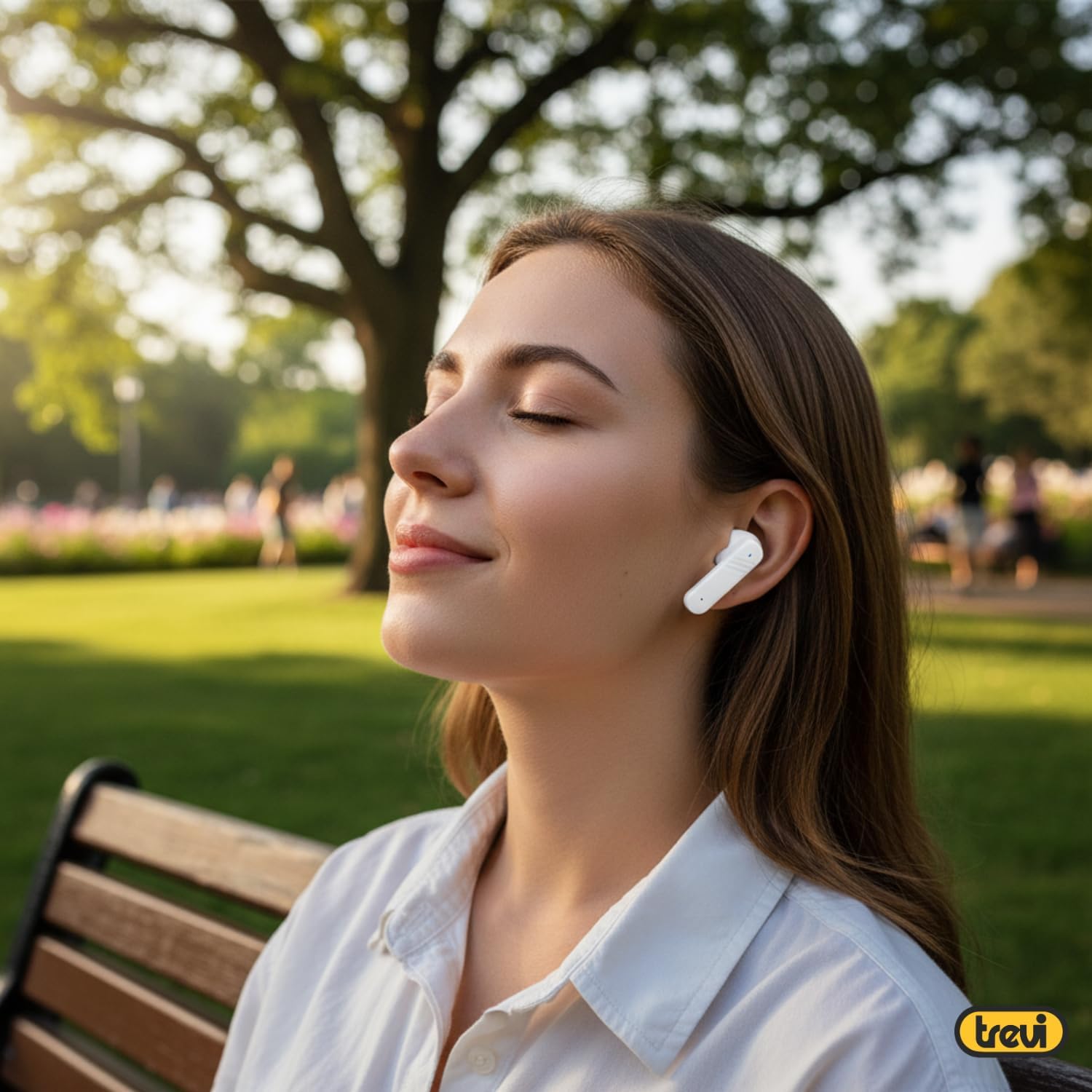
Immagine: Indietro view of Trevi EAR 100 AID Wireless Headphones and Charging Case. This image displays the rear aspect of the earbuds and their charging case.

Immagine: Oltreview of Trevi EAR 100 AID features. This graphic highlights the Active Noise Cancellation (ANC) and Transparency function, the Touch Screen Display on the charging case, and the USB-C charging port.
Impostare
1. Ricarica delle cuffie e della custodia
Prima del primo utilizzo, caricare completamente le cuffie e la custodia di ricarica.
- Riporre gli auricolari nella custodia di ricarica.
- Collegare il cavo di ricarica USB-C alla porta di ricarica sulla custodia e a una fonte di alimentazione.
- Il display sulla custodia di ricarica indicherà lo stato di carica.
- A full charge provides up to 5 hours of earbud autonomy, extendable with the charging case.

Image: Smart Charging Case with Rapid Charging. This image shows the open charging case with earbuds inside, emphasizing its quick charging capability via USB Type-C. A QR code for the AI COOL app download is also visible.
2. Associazione con un dispositivo
- Assicurati che gli auricolari siano nella custodia di ricarica e che la custodia sia aperta.
- Sul tuo dispositivo (smartphone, tablet, ecc.), attiva il Bluetooth.
- Cercare "Trevi EAR 100 AID" in the list of available Bluetooth devices.
- Selezionalo per associarlo. Un messaggio vocale confermerà l'avvenuta connessione.
- The headphones use Wireless V5.4 technology for a fast and reliable connection.
3. AI COOL App Installation
For AI simultaneous translation and advanced features, download the AI COOL app.
- Scan the QR code found on the charging case or in the product packaging.
- In alternativa, visita https://www.xuanjiai.cn/app/download per scaricare l'app.
- Follow the on-screen instructions to install and set up the app.
Istruzioni per l'uso
1. Indossare gli auricolari
Select the appropriate ear tips for a comfortable and secure fit. Insert the earbuds gently into your ears and adjust them until they feel snug.

Image: A woman wearing Trevi EAR 100 AID earbuds comfortably while relaxing in a park. This illustrates the in-ear fit and comfort of the headphones.
2. Touch Controls on Charging Case Display
The charging case features a touch display for smart controls.
- Riproduzione musicale: Control play, pause, skip tracks directly from the display.
- Gestione delle chiamate: Rispondi, termina o rifiuta le chiamate.
- Modalità audio: Switch between ANC, Transparency, and Normal modes.
- Equalizzatore (EQ): Regola il suono profiles.
- Trova auricolari: Use this function to locate misplaced earbuds.

Image: Trevi EAR 100 AID charging case with color LED touch screen. The screen displays various functions such as call answering, music playback, and other smart controls.

Image: Customizable screen options for the Trevi EAR 100 AID charging case. This image shows four dynamic and one static high-quality display options that can be changed at any time.
3. Cancellazione attiva del rumore (ANC) e modalità Trasparenza
The headphones offer two distinct audio modes for different environments:
- Cancellazione attiva del rumore (ANC): Eliminates external noise, providing a quiet listening experience. This mode is ideal for travel or noisy environments, reducing external noise by up to 35 dB with an effectiveness of up to 99.44%.
- Modalità trasparenza: Allows you to hear your surroundings while still enjoying your audio. This is useful for situations where you need to be aware of your environment, such as walking in a city or listening to announcements.
Switch between these modes using the touch controls on the charging case or through the connected app.

Image: A person using Trevi EAR 100 AID earbuds on an airplane, demonstrating the deep active noise reduction (ANC) feature. The image highlights the intelligent external noise cancellation up to 35 dB.
4. AI Simultaneous Translation
Utilize the AI COOL app for real-time language translation.
- Ensure the AI COOL app is installed and connected to your headphones.
- Open the app and select the desired translation mode (e.g., conversation mode, interpreter mode).
- Speak into your device's microphone or the earbud's microphone, and the translation will be provided in real-time through the earbuds.
- This feature is designed for seamless communication across language barriers during travel, work, or multilingual conversations.
5. Clear Calls with ENC Technology
The headphones feature Environmental Noise Cancellation (ENC) technology for clear voice calls.
- ENC reduces background noise during calls, making your voice clearer to the person on the other end.
- This technology is optimized for crowded environments, ensuring conversations are clear and free from interference.

Image: A man making a phone call using Trevi EAR 100 AID earbuds. This image illustrates the ENC (Environmental Noise Cancellation) technology for clear calls, optimized for crowded environments.
Manutenzione
- Pulizia: Pulisci regolarmente gli auricolari e la custodia di ricarica con un panno morbido, asciutto e privo di lanugine. Non utilizzare detergenti abrasivi o solventi.
- Suggerimenti per le orecchie: Remove and clean the ear tips with mild soap and water, then dry thoroughly before reattaching.
- Magazzinaggio: Quando non le utilizzi, conservale nella custodia di ricarica per proteggerle da polvere e danni.
- Cura della batteria: Per preservare la durata della batteria, evitare di scaricarla completamente frequentemente. Caricare il dispositivo regolarmente, anche se non viene utilizzato per periodi prolungati.
Risoluzione dei problemi
| Problema | Possibile soluzione |
|---|---|
| Le cuffie non si accendono. | Ensure the charging case and earbuds are fully charged. Place earbuds in the case and close it, then open again. |
| Impossibile associare il dispositivo. | Make sure Bluetooth is enabled on your device. Ensure earbuds are in pairing mode (usually by opening the case). Forget the device from your Bluetooth list and try pairing again. |
| Nessun suono o volume basso. | Check volume levels on both your device and the headphones. Ensure earbuds are properly seated in your ears. Reconnect the Bluetooth connection. |
| La traduzione AI non funziona. | Verify the AI COOL app is installed, updated, and properly connected to the headphones. Check your internet connection for translation services. |
| Problemi di ricarica. | Controlla il cavo USB-C e l'alimentatore. Assicurati che i contatti di ricarica sugli auricolari e sulla custodia siano puliti e privi di detriti. |
Specifiche
| Caratteristica | Dettaglio |
|---|---|
| Marca | Trevi |
| Nome del modello | EAR 100 AID |
| Colore | Bianco |
| Posizionamento dell'orecchio | In-ear |
| Fattore di forma | In-ear |
| Controllo del rumore | Active Noise Cancellation (ANC) |
| Presa per cuffie | No Jack (Wireless) |
| Tecnologia di connettività | Senza fili |
| Tecnologia di comunicazione wireless | Versione Bluetooth 5.4 |
| Componenti inclusi | 2 Ear Tips, Cable, User Manual |
| Durata della batteria (auricolari) | Up to 5 hours (extendable with charging case) |
| ANC Effectiveness | Up to 35 dB reduction, 99.44% shielding effectiveness |
Garanzia e supporto
For warranty information and technical support, please refer to the official Trevi websito o contattare il servizio clienti. Conservare la prova d'acquisto per eventuali reclami in garanzia.
Per ulteriore assistenza, visitare il Trevi Store on Amazon.


