1. Introduzione
This manual provides detailed instructions for the Tangxi GBA SP to USB C / 3.5mm Adapter. This adapter is designed to enhance your GBA SP gaming experience by adding modern connectivity options. It allows you to charge your GBA SP console using a Type C cable and connect 3.5mm headphones for audio output.

Image 1.1: The Tangxi GBA SP to USB C / 3.5mm Adapter.
2 Caratteristiche
- GBA SP Compatibility: Specifically designed to fit GBA SP game consoles, ensuring seamless integration.
- Dual Expansion Interface: Features both a Type C charging port and a 3.5mm headphone jack.
- Ricarica di tipo C: Converts the original charging port to a Type C interface, supporting PD and standard Type C cables. Note: PD charger compatibility may vary and requires user testing.
- Jack per cuffie da 3.5 mm: Enables audio output through standard 3.5mm headphones. The audio output automatically switches between headphones and the console's speakers when headphones are plugged in or unplugged.
- Uso simultaneo: Allows for simultaneous Type C charging and headphone use without interference.
- Costruzione durevole: Made with sturdy PETG material via 3D printing, ensuring stable and safe circuitry, and long-lasting performance.
- Anti-Loss Hanging Rope: Includes a small and lightweight anti-loss hanging rope to prevent misplacement and maintain a secure connection.

Image 2.1: The adapter's PETG construction ensures durability.
3. Impostazione
Follow these steps to properly install and prepare your adapter for use:
- Locate the GBA SP Charging Port: Identify the charging port on your Game Boy Advance SP console.
- Inserisci l'adattatore: Align the adapter's GBA SP connector with the console's charging port. Gently push the adapter into the port until it is securely seated. Ensure a firm connection.
- Attach Anti-Loss Rope: If desired, attach the included anti-loss hanging rope to the adapter and secure it to your console or another convenient point to prevent accidental loss.

Image 3.1: The adapter securely connected to a GBA SP console.

Image 3.2: Detail of the adapter's GBA SP connector.
4. Istruzioni per l'uso
4.1 Charging Your GBA SP
To charge your GBA SP console using the adapter:
- Ensure the Tangxi adapter is securely connected to your GBA SP console.
- Connect a compatible Type C charging cable to the Type C port on the adapter.
- Connect the other end of the Type C cable to a power source (e.g., a wall adapter, power bank, or computer USB port).
The adapter supports both Power Delivery (PD) and standard Type C cables. Please note that compatibility with all PD chargers may vary, and user testing is recommended for specific PD setups.

Image 4.1: The adapter features a Type C port for charging.
4.2 Using the 3.5mm Headphone Jack
To use headphones with your GBA SP:
- Ensure the Tangxi adapter is securely connected to your GBA SP console.
- Plug your 3.5mm headphones into the 3.5mm headphone jack on the adapter.
The adapter will automatically switch the audio output from the GBA SP's internal speakers to your connected headphones. When you unplug the headphones, the audio will revert to the console's speakers. You can charge your GBA SP and listen through headphones simultaneously.

Image 4.2: The adapter includes a 3.5mm headphone jack for audio.
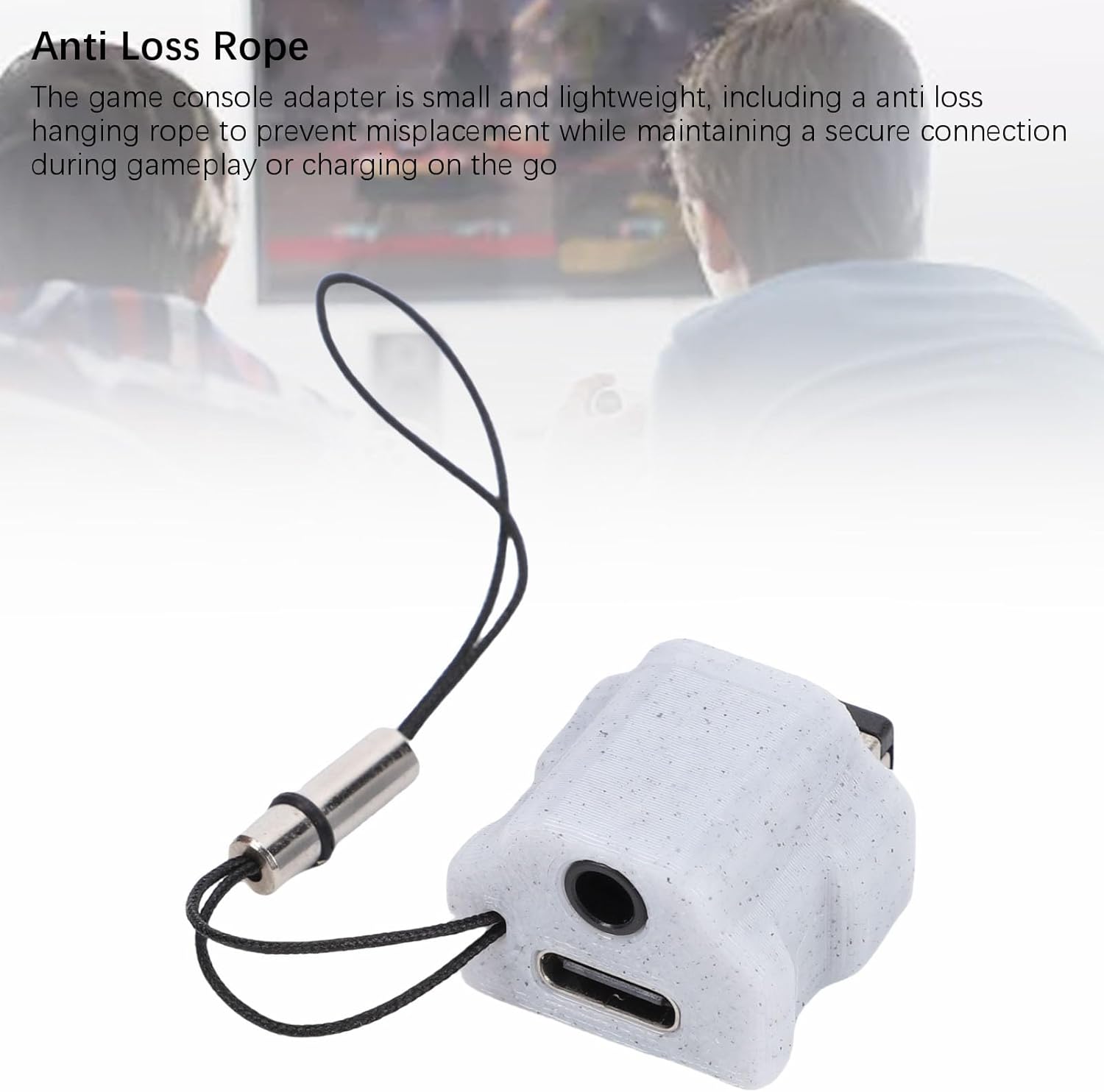
Image 4.3: The anti-loss rope helps secure the adapter during use.
5. Manutenzione
To ensure the longevity and optimal performance of your Tangxi GBA SP adapter, follow these maintenance guidelines:
- Pulizia: Use a soft, dry cloth to gently wipe the adapter. Avoid using harsh chemicals or abrasive materials.
- Magazzinaggio: Conservare l'adattatore in un luogo fresco e asciutto, lontano dalla luce solare diretta e da temperature estreme.
- Gestione: Handle the adapter with care. Avoid dropping it or subjecting it to strong impacts. Do not pull on the cables excessively when disconnecting.
- Smontaggio: Do not attempt to disassemble or modify the adapter. This can damage the device and may void the warranty.
6. Risoluzione Dei Problemi
If you encounter any issues with your adapter, refer to the following troubleshooting tips:
6.1 No Power/Charging
- Verifica connessione: Ensure the adapter is fully and securely inserted into the GBA SP charging port.
- Verifica cavo: Test the Type C charging cable with another device to confirm it is functional.
- Verificare la fonte di alimentazione: Ensure the power source (e.g., wall adapter, USB port) is working correctly. Try a different power source if available.
- PD Charger Compatibility: If using a Power Delivery (PD) charger, remember that compatibility can vary. Try a standard Type C charger if you suspect a PD compatibility issue.
6.2 Nessuna uscita audio
- Check Headphone Connection: Ensure your 3.5mm headphones are fully plugged into the adapter's headphone jack.
- Test Headphones: Verify that your headphones are working by testing them with another audio device.
- GBA SP Volume: Ensure the volume on your GBA SP console is turned up and not muted.
6.3 Loose Connection
- Re-insert Adapter: Remove the adapter and re-insert it firmly into the GBA SP charging port.
- Ispezionare le porte: Check both the adapter's connector and the GBA SP's port for any visible damage or debris that might prevent a secure connection.
7. Specifiche
| Tipo di articolo | Game Console Interface Adapter |
| Materiale del prodotto | PETG (3D Printed) |
| Dispositivo compatibile | GBA SP Game Console |
| Interfaccia di espansione | Type C + 3.5mm Headphone Jack |
| Numero di modello | Tangxiga7pwe9nhx-12 |
| Colore | Grigio |
8. Garanzia e supporto
8.1 Informazioni sulla garanzia
This Tangxi GBA SP to USB C / 3.5mm Adapter is covered by a manufacturer warranty for 90 giorni dalla data di acquisto. La presente garanzia copre i difetti di materiali e di fabbricazione in condizioni di normale utilizzo. Non copre i danni causati da uso improprio, incidenti, modifiche non autorizzate o cause esterne.
8.2 Assistenza clienti
For technical assistance, warranty claims, or any other inquiries regarding your Tangxi adapter, please contact Tangxi customer support through the retailer's platform or the official Tangxi website. Please have your purchase information and model number (Tangxiga7pwe9nhx-12) ready when contacting support.