Introduzione
This instruction manual provides essential information for the safe and efficient operation of your Skyworth 60Q6600H 60-Inch QLED+ 4K Google TV. Please read this manual thoroughly before using the television and retain it for future reference. It covers setup, operation, maintenance, and troubleshooting to ensure you get the best experience from your new TV.
Informazioni importanti sulla sicurezza
Per ridurre il rischio di scosse elettriche, incendi o danni, seguire sempre queste precauzioni di sicurezza di base:
- Fonte di energia: Collegare il televisore solo a una presa di corrente CA da 100-240 V, 50/60 Hz.
- Ventilazione: Ensure adequate ventilation. Do not block ventilation openings. Maintain a minimum distance of 10 cm (4 inches) around the TV for proper airflow.
- Acqua e umidità: Non esporre il televisore a pioggia o umidità. Non posizionare oggetti contenenti liquidi, come vasi, sul televisore.
- Fonti di calore: Tenere la TV lontana da fonti di calore come termosifoni, bocchette di riscaldamento, stufe o altri apparecchi (inclusi amplificatori) che producono calore.
- Pulizia: Scollegare il televisore dalla presa a muro prima di pulirlo. Utilizzare un panno morbido e asciutto. Non utilizzare detergenti liquidi o spray.
- Manutenzione: Non tentare di riparare questo prodotto da soli. Affidare tutte le operazioni di manutenzione a personale di assistenza qualificato.
- Bambini: Sorvegliare i bambini per assicurarsi che non giochino con la TV.
Contenuto della confezione
Verifica che tutti gli articoli elencati di seguito siano inclusi nel tuo pacchetto:
- Skyworth 60Q6600H 60-Inch QLED+ 4K Google TV
- Telecomando
- Supporto TV (base)
- Manuale dell'utente (questo documento)
- Scheda di garanzia
- Cavo di alimentazione
- Viti per il montaggio del supporto
Guida all'installazione
1. Disimballaggio del televisore
Carefully remove the TV from its packaging. It is recommended to have two people for this process due to the size and weight of the television. Place the TV face down on a soft, flat surface (like a blanket or foam) to prevent screen damage during stand installation.
2. Fissaggio del supporto
Se non si monta la TV a parete, collegare il supporto incluso:
- Allineare le basi del supporto con le fessure corrispondenti nella parte inferiore del televisore.
- Secure each stand base with the provided screws using a screwdriver. Ensure the stands are firmly attached.
- Sollevare con cautela il televisore in posizione verticale e posizionarlo su una superficie stabile e piana.
Montaggio a parete: The Skyworth 60Q6600H is wall-mountable. If you choose to wall-mount, please refer to the instructions provided with your wall-mount bracket (sold separately) and ensure professional installation for safety.
3. Collegamento di periferiche
Collega i tuoi dispositivi esterni alle porte del televisore. Il televisore offre diverse opzioni di connettività:
- HDMI (HDMI 2.1): Per dispositivi ad alta definizione come lettori Blu-ray, console di gioco e decoder.
- USB: Per collegare dispositivi di archiviazione USB per riprodurre contenuti multimediali files.
- LAN (Ethernet): Per una connessione Internet cablata.
- Ingresso antenna/cavo: Per collegare un segnale televisivo via antenna o via cavo.
- Uscita audio: Per collegare sistemi audio esterni.
4. Accensione iniziale e configurazione iniziale
- Collegare il cavo di alimentazione al televisore e poi a una presa a muro.
- Premere il pulsante di accensione sul telecomando o sul televisore stesso.
- Seguire le istruzioni sullo schermo per completare la configurazione iniziale, che include:
- Selezione della lingua.
- Connecting to a Wi-Fi network (or using a wired LAN connection).
- Accedi con il tuo account Google per accedere alle funzionalità, alle app e all'Assistente Google di Google TV.
- Scanning for available TV channels (if using an antenna).
Utilizzo del televisore
1. Funzioni di controllo remoto
The included remote control allows you to navigate the TV's interface and control various functions. Familiarize yourself with the buttons for power, volume, channel, input selection, Google Assistant, and app shortcuts.
2. Navigating Google TV Interface
Google TV organizes your content from various streaming services and live TV into a personalized home screen. Use the directional pad and OK button on your remote to browse recommendations, access your apps, and manage settings.
3. Utilizzo delle funzioni intelligenti
- Assistente Google: Premi il pulsante Google Assistant sul telecomando e parla nel microfono per cercare contenuti, controllare i dispositivi della smart home, ottenere risposte e altro ancora.
- Chromecast integrato: Cast content (videos, photos, music) directly from your compatible smartphone, tablet, or computer to the TV. Look for the Cast icon in supported apps.
- Applicazioni: Access pre-installed apps like Netflix, YouTube, and Prime Video. Download thousands more from the Google Play Store.
4. Impostazioni immagine
Your Skyworth 60Q6600H features advanced display technologies. Adjust picture settings via the TV's menu to optimize your viewesperienza di acquisizione.
- QLED+ Display: Enjoy vibrant colors and enhanced brightness.
- HDR10+: Offre un contrasto e una precisione del colore superiori per contenuti compatibili.
- Cura degli occhi 5.0: Riduce l'emissione di luce blu per ridurre al minimo l'affaticamento degli occhi durante l'uso prolungato viewing.
- Movimento Turbo a 120 Hz e MEMC: Enhances motion clarity, reducing blur and judder in fast-paced scenes.
- Modalità Film Maker: Preserves the original aspect ratio, colors, and frame rates of films as intended by the director.
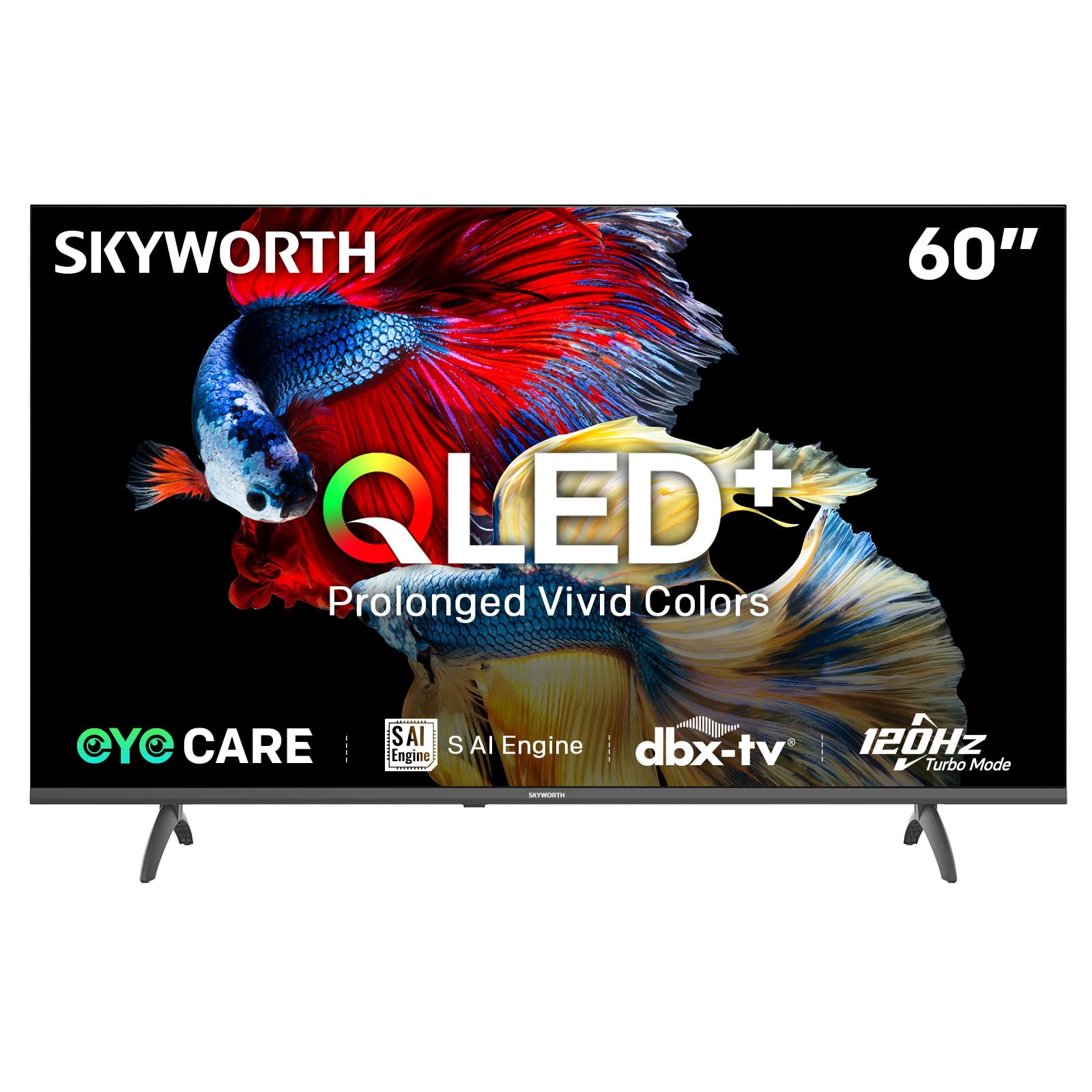
Image: A diagram illustrating the "No-Fading Extended Watching" feature, comparing Skyworth's stable and eco-friendly quantum dot performance over 10 years against conventional quantum dots.

Image: A graphic explaining the QLED+ technology, emphasizing its vivid, eco-friendly, brilliant, and prolonged color performance.

Image: An illustration of the 120Hz Turbo Motion feature, depicting a motocross rider with multiple frames to show enhanced motion clarity compared to 60Hz.
5. Impostazioni audio
The TV is equipped with 2x15W speakers and supports Dolby Digital/DBX audio processing for clear and powerful sound. Adjust sound modes (e.g., Standard, Music, Movie) and equalizer settings in the audio menu.

Image: A visual highlighting Skyworth's collaboration with Total Sonics for enhanced audio quality, featuring a sound wave graphic and a person associated with audio engineering.
6. Modalità di gioco
Activate Game Mode for reduced input lag and optimized picture settings when connecting gaming consoles, providing a more responsive gaming experience.
7. DVB-T2 Tuner
The integrated DVB-T2 tuner allows you to receive digital terrestrial television broadcasts. Perform a channel scan in the TV settings to find available channels.
Manutenzione
1. Pulizia della TV
- Schermo: Pulire delicatamente lo schermo con un panno morbido e privo di lanugine. Per macchie ostinate, strofinare leggermenteampImmergere il panno in acqua o in un detergente specifico per schermi (assicurarsi che sia sicuro per gli schermi TV) e pulire delicatamente. Non spruzzare mai il liquido direttamente sullo schermo.
- Corpo TV: Use a soft, dry cloth to wipe dust from the TV's frame and stand.
- Importante: Prima di pulire il televisore, scollegarlo sempre dalla presa di corrente.
2. Aggiornamenti software
Your Google TV may receive automatic software updates to improve performance and add new features. Ensure your TV is connected to the internet for these updates. You can also manually check for updates in the TV's settings menu.
3. Stoccaggio e movimentazione
If storing the TV for an extended period, keep it in a cool, dry place, preferably in its original packaging. When moving the TV, always lift it with at least two people and avoid putting pressure on the screen.
Risoluzione dei problemi
Prima di contattare l'assistenza clienti, prova le seguenti soluzioni per i problemi più comuni:
| Problema | Possibile soluzione |
|---|---|
| Nessun potere |
|
| Nessuna immagine, ma il suono è presente |
|
| Nessun suono, ma l'immagine è presente |
|
| Il telecomando non funziona |
|
| Problemi di connessione di rete |
|
Ripristino delle impostazioni di fabbrica
If problems persist, a factory reset may resolve them. This will erase all personal settings and installed apps, returning the TV to its original factory state. Navigate to Impostazioni > Sistema > Informazioni > Ripristina > Ripristino dati di fabbrica e conferma la tua scelta.
Specifiche
Detailed technical specifications for the Skyworth 60Q6600H TV:
| Caratteristica | Dettaglio |
|---|---|
| Modello | 60Q6600H |
| Dimensioni dello schermo | 60 pollici |
| Tecnologia di visualizzazione | QLED+ |
| Risoluzione | Risoluzione 3840 x 2160 (4K UHD) |
| Frequenza di aggiornamento | 120Hz Turbo Motion |
| Supporto HDR | HDR10+ |
| Luminosità | 300 nidi |
| Gamma di colori | 90% DCI-P3 |
| Tecnologia per la cura degli occhi | Eye Care 5.0 |
| Sistema operativo | TV di Google |
| Uscita audio | 2 altoparlanti da 15 W |
| Tecnologia audio | Dolby Digital, DBX |
| Connettività | HDMI 2.1, USB, LAN, Bluetooth 5.1, Dual-band WiFi |
| Sintonizzatore | DVB-T2 |
| Dimensioni del prodotto (con supporto) | 134.5 L x 29.9 P x 85.8 A cm |
| Dimensioni del prodotto (senza supporto) | 134.5 L x 8.8 P x 78.5 A cm |
| Peso (con supporto) | 15.9 kg |
| Peso (senza supporto) | 12.1 kg |

Image: A detailed diagram illustrating the width, depth, and height dimensions of the Skyworth Q6600H 60-inch TV, both with and without its stand.
Garanzia e supporto
Informazioni sulla garanzia
Your Skyworth 60Q6600H TV comes with a Garanzia del produttore di 3 anno. This warranty covers defects in materials and workmanship under normal use. Please retain your proof of purchase for warranty claims. For full terms and conditions, refer to the included Warranty Card.
Spare part availability information is not available or provided.
Assistenza clienti
If you encounter issues that cannot be resolved using the troubleshooting guide, or for any other inquiries, please contact Skyworth customer support. Refer to your Warranty Card or the official Skyworth websito per le informazioni di contatto più aggiornate.
Risorse online: Visita il sito ufficiale Skyworth websito per FAQ, download di software e risorse di supporto aggiuntive.


