Prodotto finitoview
The ILIFE A30 Pro is a versatile 3-in-1 robot vacuum and mop combo designed for efficient home cleaning. It features a self-emptying station, powerful suction, and smart navigation capabilities. This manual provides detailed instructions for setup, operation, and maintenance to ensure optimal performance of your device.
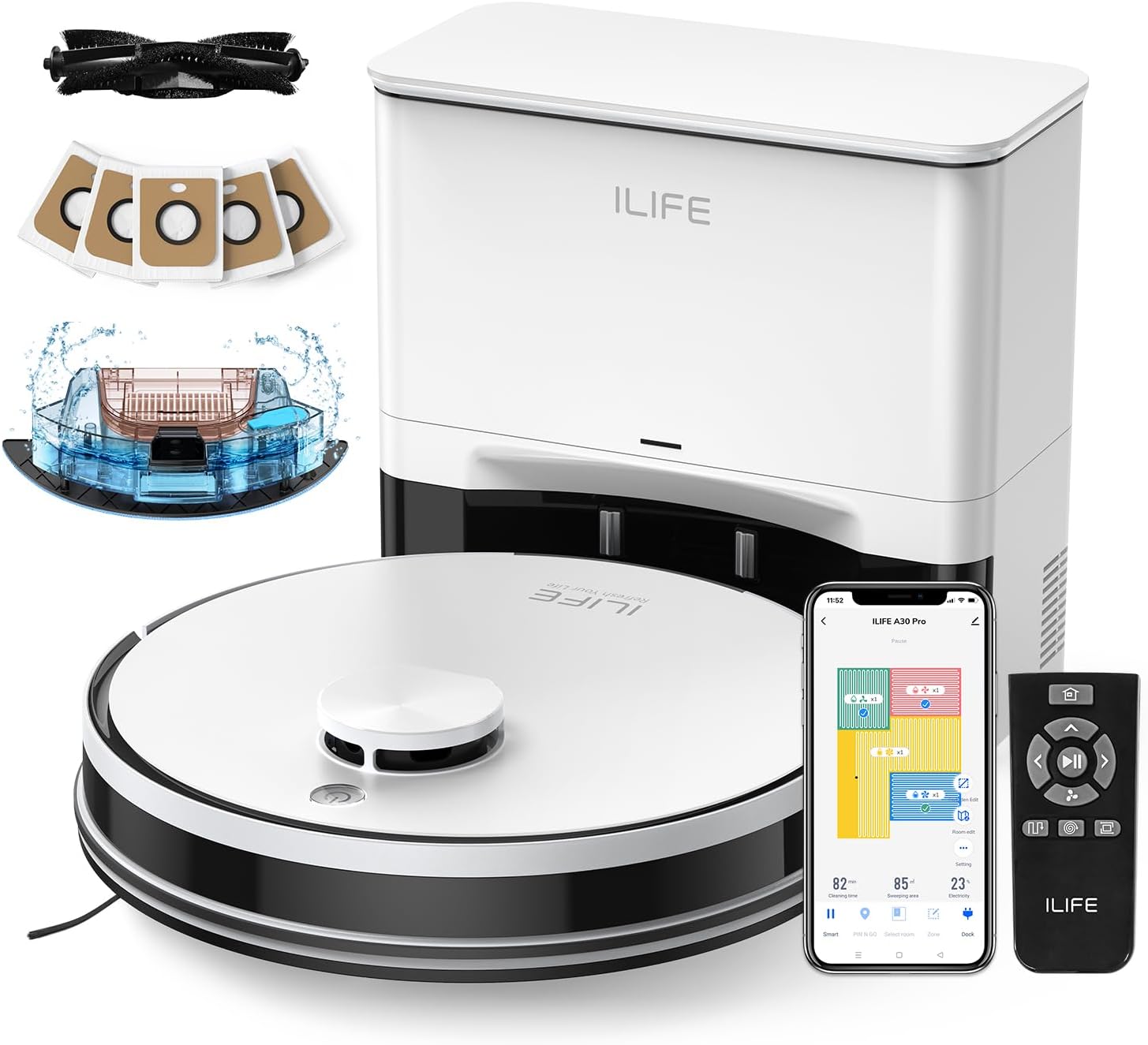
Figure 1: ILIFE A30 Pro Robot Vacuum and Mop Combo with its self-empty station, remote control, and a smartphone displaying the ILIFEClean app interface.
Guida all'installazione
1. Unboxing e posizionamento iniziale
Carefully remove all components from the packaging. Place the self-empty station against a wall in an open area, ensuring there are no obstacles within 1 meter (3 feet) to the sides and 1.5 meters (5 feet) in front. Plug the station into a standard 110V outlet.

Figure 2: The ILIFE A30 Pro robot vacuum positioned next to its self-empty station, highlighting the included 5x 2.5L dust bags for extended hands-free operation.
2. Ricarica del robot
Place the ILIFE A30 Pro robot onto the charging contacts of the self-empty station. Ensure the robot is properly aligned. The indicator light on the robot will show its charging status. Allow the robot to fully charge before its first use.
3. App Connection (ILIFEClean App)
Download the ILIFEClean App from your smartphone's app store. Open the app and follow the on-screen instructions to connect your robot to your 2.4GHz Wi-Fi network. The app allows for advanced control and scheduling.

Figure 3: The ILIFEClean App interface, demonstrating features such as No-Go Zone, Room Edit, Zone Cleaning, Schedule Cleaning, 4 Suction Levels, and 3 Water Levels.
4. Impostazione del telecomando
The included remote control provides direct access to basic functions. Insert batteries (not included) as per the diagram in the remote's compartment. The remote can be used to start/stop cleaning, direct the robot, and select cleaning modes.

Figure 4: The ILIFE A30 Pro robot vacuum, showcasing its multiple control options including the ILIFEClean App, 2.4GHz Wi-Fi connectivity, Amazon Alexa, Google Home compatibility, and a physical remote control.
Istruzioni per l'uso
1. Modalità di pulizia
The A30 Pro offers various cleaning modes to suit different needs:
- Pulizia intelligente: The robot intelligently maps your home and plans an optimal cleaning route.
- Modalità automatica: Pulizia generale di intere aree.
- Pulizia spot: Si concentra su una specifica area sporca.
- Pulizia dei bordi: Pulisce lungo le pareti e i bordi dei mobili.
Select your desired mode via the ILIFEClean App or the remote control.

Figure 5: The ILIFE A30 Pro robot vacuum utilizing LiDAR navigation for smart home mapping, path planning, and efficient cleaning.
2. Suction Power and Water Use
Adjust the suction power and water level through the ILIFEClean App:
- Modalità di aspirazione: Quiet (500Pa), Standard (1000Pa), Strong (1800Pa), and Max (5000Pa).
- Livelli dell'acqua: Standard, with options for low, middle, and high water output for mopping.
The A30 Pro features a 2-in-1 integrated water tank (200ml dustbin, 200ml water tank) for simultaneous vacuuming and mopping. To disable mopping, simply remove the mop holder.

Figure 6: The ILIFE A30 Pro demonstrating its 3-in-1 capability to sweep, vacuum, and mop simultaneously. The integrated water tank and removable mop holder are visible.
3. Zone vietate e muri virtuali
Use the ILIFEClean App to set up virtual boundaries, such as no-go zones or virtual walls, to prevent the robot from entering specific areas or falling down stairs.

Figure 7: The ILIFE A30 Pro robot vacuum navigating around a designated No-Go Zone and Virtual Wall, which can be configured via the app.
4. Pianificazione e controllo vocale
Schedule cleaning times through the app for automated cleaning. The robot is also compatible with Amazon Alexa and Google Home for convenient voice commands.
Manutenzione
Una manutenzione regolare garantisce la longevità e le prestazioni ottimali del tuo ILIFE A30 Pro.
1. Self-Empty Station Dust Bag
The self-empty station automatically transfers collected dust and debris from the robot's dustbin into a 2.5L dust bag. Each bag can hold up to 8 weeks of debris, providing up to 280 days of hands-free cleaning with the included 5 bags. Replace the dust bag when full.

Figure 8: A pack of 5 replacement dust bags, designed for the ILIFE A30 Pro's self-empty station, ensuring extended maintenance-free operation.
2. Pulizia del panno per mocio
The mop pad can be easily removed, cleaned, and reattached using its Velcro fastening. Clean the mop pad after each mopping session to maintain hygiene and effectiveness.
Video 1: This video demonstrates the process of replacing ILIFE mop pads, showing how to detach and reattach them for cleaning or replacement.
3. Pennelli e filtri
Regularly inspect and clean the rotating brushes and filters. The package includes replacement brushes. Refer to the instruction manual for detailed steps on how to access and clean these components.
Risoluzione dei problemi
If you encounter any issues with your ILIFE A30 Pro, please refer to the following common solutions:
- Il robot non si carica: Ensure the charging contacts on both the robot and the station are clean and free of debris. Verify the charging station is properly plugged into a working outlet.
- Il robot non si connette al Wi-Fi: Confirm your Wi-Fi network is 2.4GHz. Restart your router and the robot, then attempt to reconnect via the ILIFEClean App.
- Scarsa prestazione di pulizia: Check and clean the main brush, side brushes, and filters. Ensure the dustbin is not full and the mop pad is clean.
- Robot bloccato: Clear obstacles from the cleaning path. Use the app to set up no-go zones for problematic areas.
For further assistance, consult the full instruction manual or contact ILIFE customer support.
Specifiche
| Caratteristica | Dettaglio |
|---|---|
| Modello | A30 Pro |
| Funzioni | Spazzare, aspirare, lavare (3 in 1) |
| Potenza massima di aspirazione | 5000Pa |
| Capacità del bidone della spazzatura | 200 ml (integrato) |
| Capacità del serbatoio dell'acqua | 200 ml (integrato) |
| Capacità del sacchetto raccoglipolvere della stazione di svuotamento automatico | 2.5 l (5 sacchetti inclusi) |
| Connettività | Wi-Fi a 2.4 GHz |
| Metodi di controllo | ILIFEClean App, Remote Control, Amazon Alexa, Google Home |
| Navigazione | Sensore LiDAR |
Garanzia e supporto
The ILIFE A30 Pro typically comes with a standard warranty. Please refer to your product packaging or the ILIFEClean App for specific warranty details and registration information. The app also offers an option to register for an extra 6-month warranty service.
For technical support or service inquiries, please contact ILIFE customer service. Contact information can usually be found in the app or on the official ILIFE websito.


