1. Introduzione
The EPOMAKER Aula MINI60 HE is a high-performance 60% wireless mechanical keyboard designed for gaming and productivity. It features Hall Effect switches with adjustable actuation, tri-mode connectivity (2.4GHz, Bluetooth, USB-C wired), and advanced customization options through its web-based driver. This manual will guide you through the setup, operation, and maintenance of your keyboard.
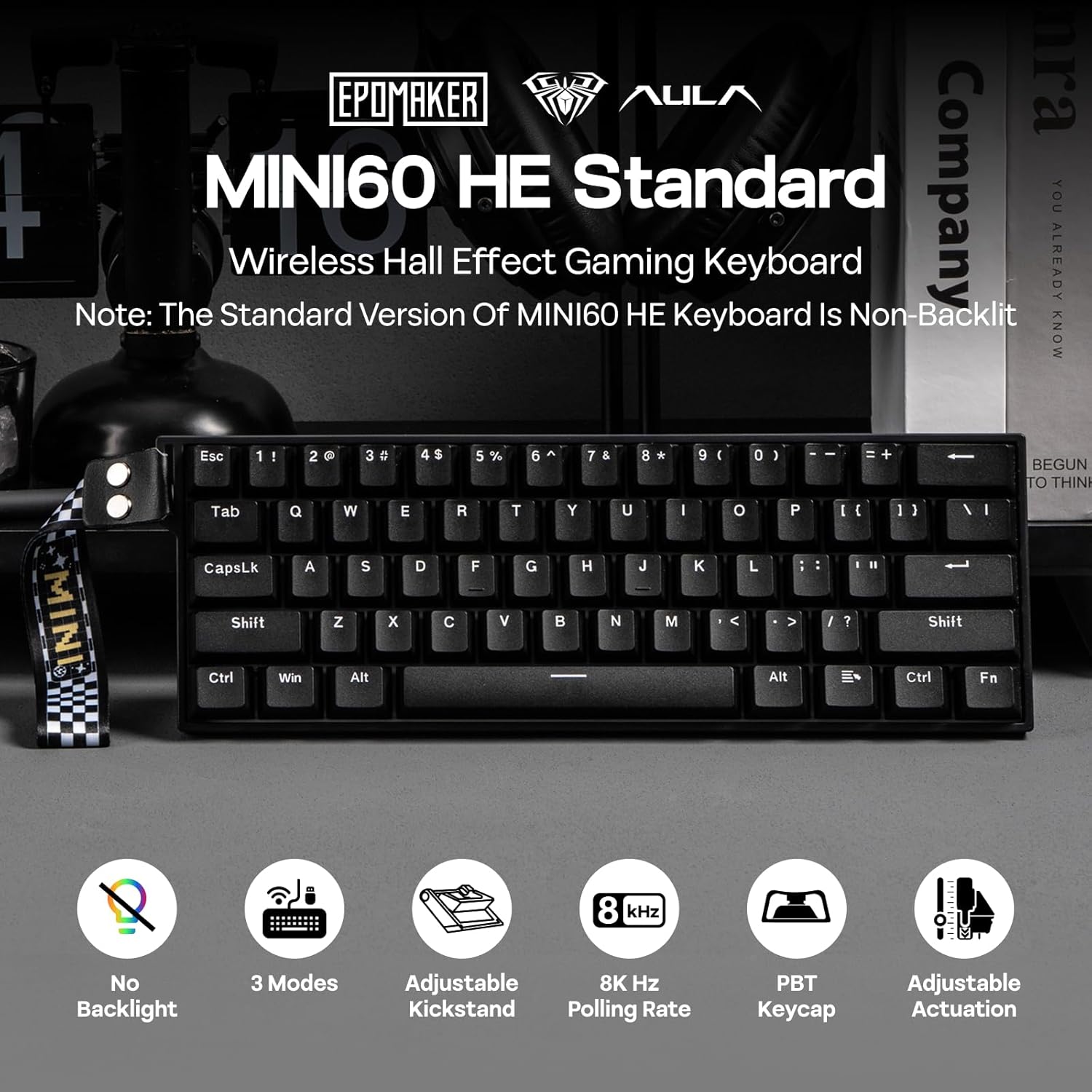
Immagine 1.1: Passoview of the EPOMAKER Aula MINI60 HE keyboard and its key features.
2. Cosa c'è nella scatola
Carefully unbox your EPOMAKER Aula MINI60 HE keyboard and ensure all components are present:
- EPOMAKER Aula MINI60 HE Keyboard
- Cavo da USB-C a USB-A
- Ricevitore wireless a 2.4 GHz
- Estrattore per tasti
- Manuale dell'utente (questo documento)

Immagine 2.1: Contenuto della confezione del prodotto.
3. Impostazione
3.1. Modalità di connettività
The MINI60 HE supports three connection modes:
- USB-C cablato: Connect the keyboard directly to your computer using the provided USB-C cable. This mode offers the highest polling rate (8000Hz for Standard version).
- Wireless a 2.4 GHz: Plug the 2.4GHz receiver into a USB port on your computer. Switch the keyboard to 2.4G mode using the switch on the back.
- Bluetooth (BT): Switch the keyboard to BT mode. On your device, search for and pair with "MINI60 HE".

Image 3.1: Keyboard connectivity hub.
3.2. Ricarica
Connect the keyboard to a USB power source using the USB-C cable to charge the internal battery. The keyboard features a 3000mAh battery.
3.3. Web Software del conducente
The EPOMAKER Aula MINI60 HE utilizes a web-based driver for customization. To access the software:
- Visita l'AULA ufficiale website (aulastar.com) and navigate to the 'Downloads' section.
- Locate the driver for the MINI60 HE.
- Connect your keyboard via USB-C and follow the on-screen instructions to connect it to the web autista.
This software allows for real-time visual feedback on settings such as sensitivity, polling adjustment, key remapping, and macro settings.
Video 3.1: Demonstration of connecting the keyboard to the web driver software for customization.
4. Istruzioni per l'uso
4.1. Utilizzo di base
Once connected, the keyboard functions as a standard 60% layout keyboard. Utilize the 'Fn' key in combination with other keys to access secondary functions printed on the keycaps.
4.2. Gestione della batteria
The MINI60 HE is designed for efficient power consumption. To manage battery life and wake-up behavior:
- The keyboard can operate for approximately 44 hours with the backlight off (Standard version does not have backlight).
- Premere Fn+ESC to switch between single-key (ESC only) or full-board (any key) wake-up mode from sleep. This prevents accidental wake-ups.
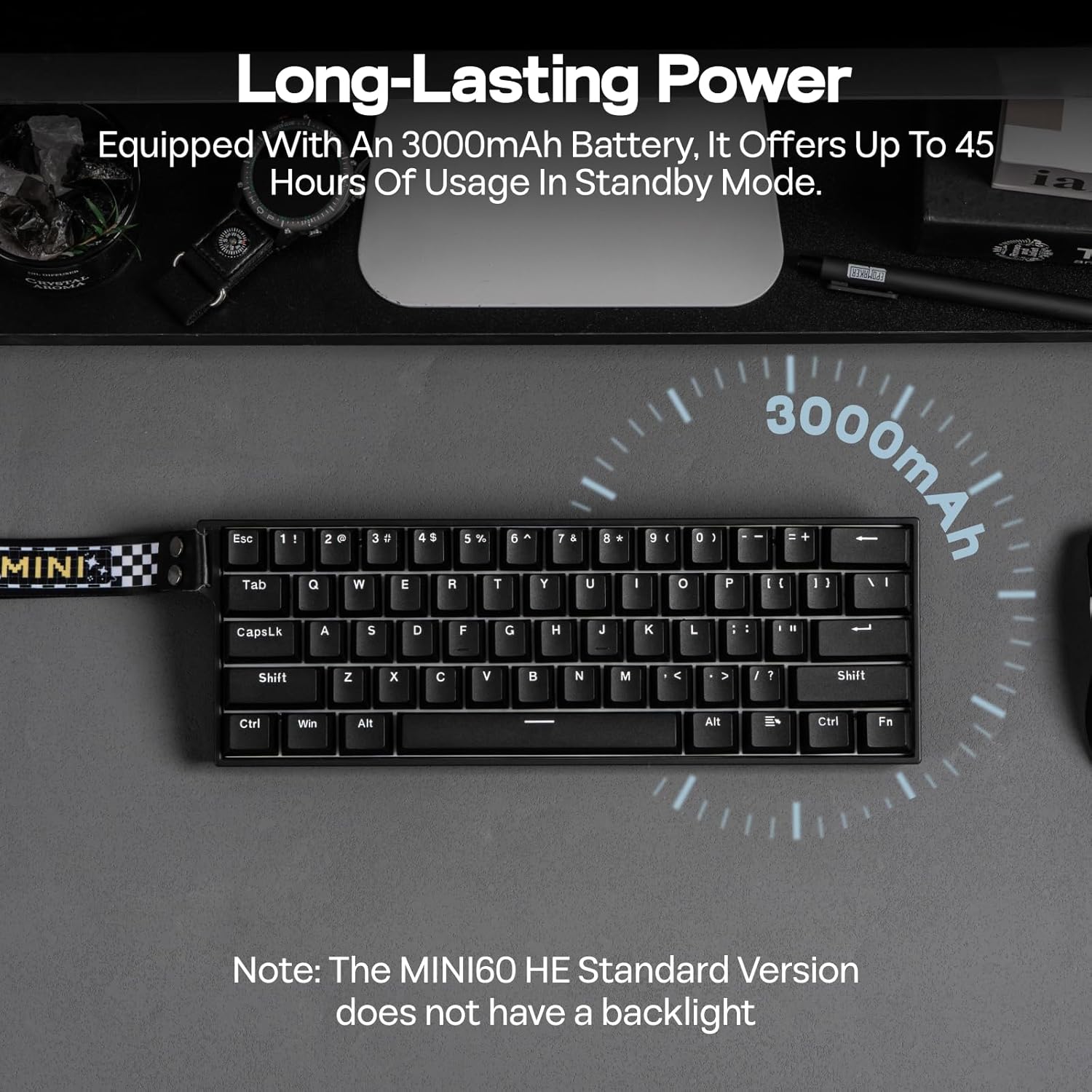
Image 4.1: Long-lasting battery feature.
5. Funzionalità avanzate
5.1. Punto di azionamento regolabile
The Hall Effect switches allow you to customize the actuation point for each key from 0.1mm to 3.4mm in 0.01mm increments. This can be adjusted via the web driver software to suit your typing or gaming preferences.

Image 5.1: Adjustable actuation point.
5.2. Rapid Trigger (RT) and Polling Rate
The keyboard supports Rapid Trigger (RT) functionality, allowing keys to react instantly to both press and release, providing a competitive edge. The Standard version features an 8K Hz polling rate in wired mode for ultra-low latency.

Image 5.2: Anti-Ghosting and Low Latency.
5.3. Snap Tap (SOCD) & Dynamic Keystroke (DKS)
These advanced functions enhance gaming performance:
- Snap Tap (SOCD): Prioritizes the latest input between two conflicting directional keys, enabling faster and more precise movements in games.
- Tasti dinamici (DKS): Allows up to 4 actions to be bound to a single keypress based on different actuation levels, facilitating complex combos and macros.
Image 5.3: Snap Key (SOCD) explanation.
Image 5.4: Dynamic Keystroke (DKS) and Mod Tap (MT) explanation.
5.4. Switch sostituibili a caldo
The MINI60 HE features hot-swappable sockets compatible with most south-facing magnetic switches. This allows for easy replacement or customization of switches without soldering.

Image 5.5: Hot-swappable switch feature.
6. Manutenzione
6.1. Pulizia
Per pulire la tastiera:
- Scollegare la tastiera da tutte le fonti di alimentazione.
- Utilizzare l'estrattore per tasti in dotazione per rimuovere con cautela i tasti.
- Clean keycaps with a mild soap solution and soft cloth, then dry thoroughly.
- Utilizzare aria compressa per rimuovere polvere e detriti dagli spazi tra gli interruttori.
- Wipe the keyboard frame with a damp, panno morbido.
6.2. Sostituzione dell'interruttore
If a switch needs replacement:
- Use a switch puller to gently remove the old switch.
- Align the pins of the new magnetic switch with the holes on the PCB.
- Premere con decisione il nuovo interruttore finché non scatta in posizione. Assicurarsi che sia posizionato correttamente per evitare che i perni si pieghino.
7. Risoluzione Dei Problemi
Se riscontri problemi con la tastiera, prova le seguenti soluzioni:
| Problema | Soluzione |
|---|---|
| La tastiera non risponde (cablata) | Assicurati che il cavo USB-C sia collegato saldamente sia alla tastiera che al computer. Prova una porta USB o un cavo diverso. |
| La tastiera non risponde (2.4 GHz/BT) | Check if the keyboard is in the correct wireless mode. Ensure the 2.4GHz receiver is plugged in or Bluetooth is paired. Recharge the keyboard battery. |
| Tasti non registrati o digitati due volte | Recalibrate the switches using the web driver software. Ensure switches are properly seated. |
| Problemi di connessione software | Ensure the keyboard is connected via USB-C. Try a different browser or clear browser cache. Refer to the AULA websito per gli aggiornamenti dei driver. |
| Keyboard not waking from sleep | Press Fn + ESC to toggle wake-up modes. Ensure the battery is charged. |
8. Specifiche
| Caratteristica | Dettaglio |
|---|---|
| Dimensioni del prodotto | 11.77"L x 4.02"W x 1.46"H (29.9 cm x 10.2 cm x 3.7 cm) |
| Peso dell'articolo | 1.9 libbre (0.86 kg) |
| Tecnologia di connettività | 2.4Ghz Wireless, Bluetooth (BT), USB A-to-C Wired |
| Descrizione della tastiera | Hall Effect Gaming Keyboard |
| Punto di attuazione | Regolabile da 0.1 mm a 3.4 mm |
| Frequenza di polling (cablata) | 8000 Hz |
| Polling Rate (2.4GHz) | 1000 Hz |
| Frequenza di polling (Bluetooth) | 125 Hz |
| Batteria | 3000 mAh (incluso) |
| keycaps | PBT a doppio colpo |
| Caratteristiche speciali | Ergonomic, Hot-Swappable, Portable, Programmable Keys, Rechargeable |
| Dispositivi compatibili | Console di gioco, laptop, PC, proiettore, tablet |
9. Garanzia e supporto
EPOMAKER products are covered by a limited warranty against manufacturing defects. For warranty claims, technical support, or further assistance, please contact EPOMAKER customer service through their official webo al rivenditore presso cui è stato acquistato il prodotto. Conservare la prova d'acquisto per la convalida della garanzia.


