1. Introduzione
Thank you for choosing the Homall Electric Standing Desk. This manual provides essential information for the safe assembly, operation, and maintenance of your new height-adjustable desk. Please read these instructions carefully before use and retain them for future reference.
The Homall Electric Standing Desk is designed to enhance your workspace with its versatile features, including a seamless extra-thick desktop, integrated digital display, a multi-zone organizer drawer, and built-in USB and Type-C charging ports. Its electric height adjustment mechanism allows for smooth transitions between sitting and standing positions, promoting a healthier work environment.

Image 1.1: The Homall Electric Standing Desk in a typical office setup, showcasinil suo design e la sua funzionalità.
2. Informazioni sulla sicurezza
- Assicurarsi che tutti i componenti siano fissati saldamente prima dell'uso.
- Per evitare lesioni, tenere bambini e animali domestici lontani dalla scrivania durante il funzionamento.
- Do not overload the desk. The maximum load capacity for the lift mechanism is 110 lbs (50 kg). The tabletop itself has a load-bearing capacity of 150 lbs.
- Avoid placing liquids directly on the desktop without protective coasters.
- Non tentare di smontare o riparare autonomamente il motore o l'unità di controllo. Contattare l'assistenza clienti per ricevere assistenza.
- Assicurarsi che il cavo di alimentazione non sia schiacciato o danneggiato.
- This product requires assembly by two people due to the weight of the components.
3. Contenuto della confezione
Before assembly, verify that all parts are present and undamaged. If any parts are missing or damaged, do not proceed with assembly and contact customer support.
- Scrivania (1 pezzo)
- Gambe/struttura per scrivania (2 pezzi)
- Motor and Control Box (1 set)
- Adattatore di alimentazione e cavo (1 set)
- Drawer Assembly (1 piece)
- Hardware Kit (screws, tools, cable grommets)
- Manuale dell'utente (questo documento)
4. Installazione e assemblaggio
Assembly is required for this product. It is recommended that two people perform the assembly due to the weight of the desk components. Follow the detailed instructions provided in the separate assembly guide for step-by-step installation.
Punti chiave di assemblaggio:
- Ensure all electrical connections are secure before plugging into a power source.
- Verify the stability of the desk after assembly by gently shaking it.
- Route cables through the provided cable grommets for a tidy workspace.

Image 4.1: Product dimensions for the 55-inch Homall Electric Standing Desk, including desktop and frame measurements.
5. Istruzioni per l'uso
5.1. Regolazione dell'altezza
The desk features an electric motor for smooth and quiet height adjustment. The height can be adjusted from 28.3 inches to 46.5 inches.
- Pulsanti su/giù: Use the ▲ (Up) and ▼ (Down) buttons on the integrated digital display to manually adjust the desk height.
- Preimpostazioni di memoria: The desk has three programmable memory presets (1, 2, 3). To save a desired height, adjust the desk to the preferred position, then press and hold one of the memory buttons (1, 2, or 3) until the display flashes or beeps, indicating the position is saved. To recall a saved position, simply press the corresponding memory button.
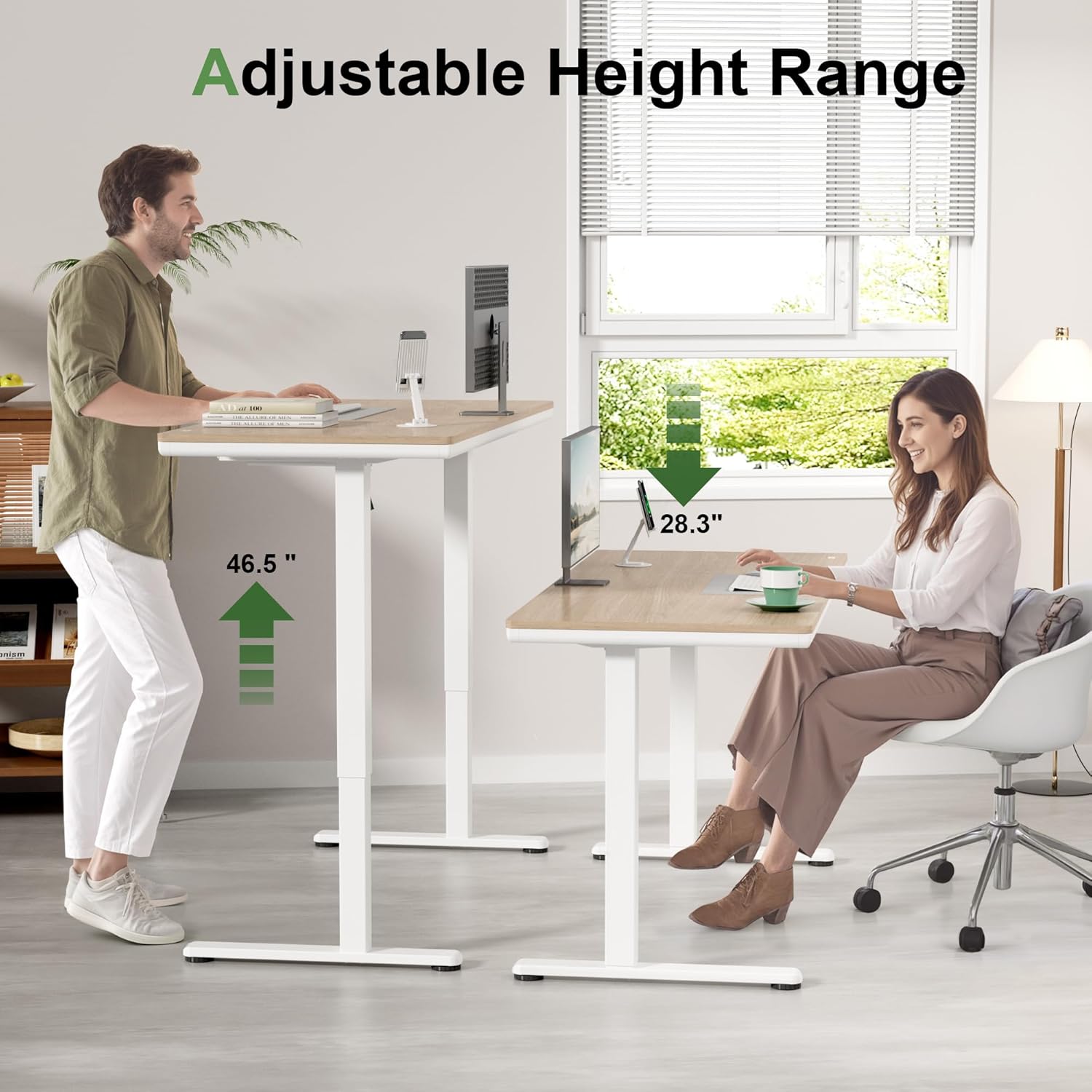
Image 5.1: Illustration of the adjustable height range, demonstrating the desk's versatility for both sitting and standing positions.
5.2. Integrated Digital Display and Charging Ports
The digital display is seamlessly integrated into the desktop, showing the current height. Adjacent to the display are the control buttons and charging ports.
- Porte USB e Type-C: The desk is equipped with both USB and Type-C charging ports. These ports provide a combined 10W output, allowing you to charge two devices simultaneously.

Image 5.2: Detail of the desktop's integrated digital display and charging hub, highlighting the control interface and connectivity options.
5.3. Utilizzo del cassetto
The built-in 4-zone organizer drawer helps keep your workspace tidy by providing categorized storage for office supplies. The drawer features reinforced metal edges and base for enhanced load capacity and a deeper interior for increased storage space.

Image 5.3: The desk's surface and open drawer, illustrating the storage compartments and the desktop's writable, easy-to-clean, and waterproof features.
6. Manutenzione
- Pulizia del desktop: The desktop surface is scratch-resistant and easy to clean. Use a soft, damp cloth with a mild cleaner to wipe down the surface. Avoid abrasive cleaners or harsh chemicals.
- Pulizia del telaio: Wipe the metal frame with a soft, dry cloth.
- Controlli regolari: Controllare periodicamente tutte le viti e i collegamenti per assicurarsi che siano sempre ben serrati.
- Gestione dei cavi: Ensure cables are neatly organized and not obstructing the desk's movement.
7. Risoluzione Dei Problemi
If you encounter issues with your Homall Electric Standing Desk, refer to the following common troubleshooting steps:
- La scrivania non si muove: Verificare che il cavo di alimentazione sia saldamente collegato sia alla scrivania che alla presa a muro. Assicurarsi che non vi siano oggetti che ostacolino il movimento della scrivania.
- Movimento irregolare: If the desk moves unevenly, ensure the weight distribution on the desktop is balanced.
- Codici di errore sul display: Se viene visualizzato un codice di errore, scollegare la scrivania per 10 minuti, quindi ricollegarla. Se l'errore persiste, contattare l'assistenza clienti.
- Rumore durante il funzionamento: A slight motor sound is normal. If you hear unusual or loud noises, ensure all screws are tightened and nothing is rubbing against the moving parts.
8. Specifiche
| Caratteristica | Specificazione |
|---|---|
| Numero di modello | T-HAD25-0909-A |
| Marca | Casamatta |
| Progettazione della scrivania | Writing Desk / Computer Workstation |
| Dimensioni del prodotto (L x P x A) | 55.12" x 23.62" x (28.3"-46.5") (Approximate, based on images and description) |
| Intervallo di altezza regolabile | Da 28.3" a 46.5" |
| Materiale del desktop | Wood (Extra Thickening) |
| Spessore della scrivania | 1.35 pollici |
| Materiale del telaio | Metallo |
| Desk Weight Capacity (Lift Mechanism) | 110 libbre (50 kg) |
| Capacità di carico del desktop | 150 libbre |
| Lift Cycles Tested | 50,000 |
| Porte di ricarica | 1x USB, 1x Type-C (10W combined output) |
| Caratteristiche speciali | Integrated Digital Display, 3 Memory Presets, 4-Zone Organizer Drawer, Ergonomic |
| Peso dell'articolo | 81.13 libbre |
| Colore | Naturale |
9. Informazioni sulla garanzia
For specific warranty details regarding your Homall Electric Standing Desk, please refer to the warranty card included with your product or contact Homall customer support directly. Warranty coverage typically includes manufacturing defects and malfunctions under normal use conditions.
10. Assistenza clienti
If you have any questions, require assistance with assembly, or need troubleshooting support, please contact Homall customer service. You can typically find contact information on the Homall websito o tramite il rivenditore presso cui hai acquistato il prodotto.
Per maggiori informazioni, potete visitare il sito Homall Store on Amazon.


