1. Introduzione
This manual provides detailed instructions for the installation, operation, and maintenance of your Stiflix 7" Double Din Touchscreen Stereo. This unit features wireless CarPlay and Android Auto, Bluetooth 5.5, a 7-inch HD IPS touchscreen, a 45W USB Type-C charging port, and a built-in DSP for enhanced audio control. Please read this manual thoroughly before use to ensure proper functionality and safety.
2. Informazioni sulla sicurezza
- Non utilizzare l'unità in modo da distrarti dalla guida. Dare sempre priorità alla sicurezza stradale.
- Assicurarsi che tutti i cavi siano collegati correttamente per evitare cortocircuiti o danni. In caso di dubbi, consultare un professionista per l'installazione.
- Non esporre l'unità a temperature estreme, alla luce solare diretta per periodi prolungati o a umidità eccessiva.
- Utilizzare solo il volume specificatotage fonti di energia.
- Mantenere l'unità pulita e priva di polvere. Non utilizzare prodotti chimici aggressivi per la pulizia.
3. Cosa c'è nella scatola
Verificare che tutti i componenti siano presenti prima di procedere con l'installazione:
- Stiflix Double Din CarPlay Stereo Unit
- Backup Camera & Cable
- Wiring Harness & Wires
4. Configurazione e installazione
4.1 Installazione generale
The Stiflix 7" Double Din Stereo is designed to fit universal double-DIN slots (7" x 4"). Ensure your vehicle's dashboard opening is compatible. The unit features a full black double-DIN chassis with multiple mounting points for secure installation and heat dissipation.

4.2 Collegamenti di cablaggio
The included wiring harness is color-coded for easy connection. Refer to your vehicle's wiring diagram for specific connections. Common connections include power (constant 12V, accessory 12V, ground), speaker outputs, antenna, and steering wheel control wires.
- filo giallo: 12V costanti (batteria)
- Filo rosso: Accessory 12V (Ignition Switched)
- Filo nero: Terra
- Filo arancione: Illuminazione
- Filo blu: Antenna di potenza / AmpAccensione remota lifier
- Cavi dell'altoparlante: Typically color-coded (e.g., White/White-Black for Front Left, Gray/Gray-Black for Front Right, Green/Green-Black for Rear Left, Purple/Purple-Black for Rear Right).
- Cavi del controllo del volante (SWC): Collegati all'interfaccia SWC del tuo veicolo (se applicabile).
4.3 Installazione della telecamera di backup
The package includes a waterproof night vision AHD backup camera. Follow these steps for installation:
- Fase 1: Plug the rear camera into the camera interface on the stereo unit.
- Fase 2: Open the side gap of your vehicle's interior trim and insert the camera cable.
- Fase 3: Fix the rear camera above the car license plate or in a suitable location.
- Fase 4: Collegare la spina del jack della fotocamera posteriore alla presa del cavo.
- Fase 5: Connect the red wire (12V) of the reversing lamp to the positive wire of the camera.

5. Istruzioni per l'uso
5.1 CarPlay wireless e Android Auto
This unit supports wireless CarPlay and Android Auto, allowing seamless integration with your smartphone for navigation, music, calls, and messages. To connect:
- Assicurati che Bluetooth e Wi-Fi siano abilitati sul tuo smartphone.
- Sullo stereo, accedi all'applicazione CarPlay o Android Auto.
- Segui le istruzioni sullo schermo per associare il telefono tramite Bluetooth. Una volta associato, il sistema stabilirà automaticamente una connessione Wi-Fi per CarPlay/Android Auto wireless.

5.2 Bluetooth Calling & Music Streaming
The unit features upgraded Bluetooth 5.5 for stable hands-free calling and wireless audio streaming.
- Attiva il Bluetooth sul tuo telefono e cerca i dispositivi disponibili.
- Select "Stiflix Stereo" (or similar name) from the list on your phone to pair.
- Once connected, you can make/receive calls and stream music from your phone. The built-in microphone and external mic jack ensure clear communication.

5.3 USB Media & Type-C Charging
The unit includes a USB port for media playback and a Type-C port for fast charging.
- Supporto USB: Insert a USB flash drive into the USB port to play 1080p videos or MP3 music files.
- Ricarica di tipo C: The USB-C port delivers 45W power, capable of charging compatible devices up to 100% in approximately 30 minutes. Use a compatible USB-C to USB-C cable for optimal charging speed.

5.4 7-Inch HD IPS Touchscreen
The 7-inch capacitive touchscreen offers a 1024x600 resolution and a 178° ultra-wide viewing angle for clear visibility, even in direct sunlight. Operate the unit by touching the icons and controls on the screen.
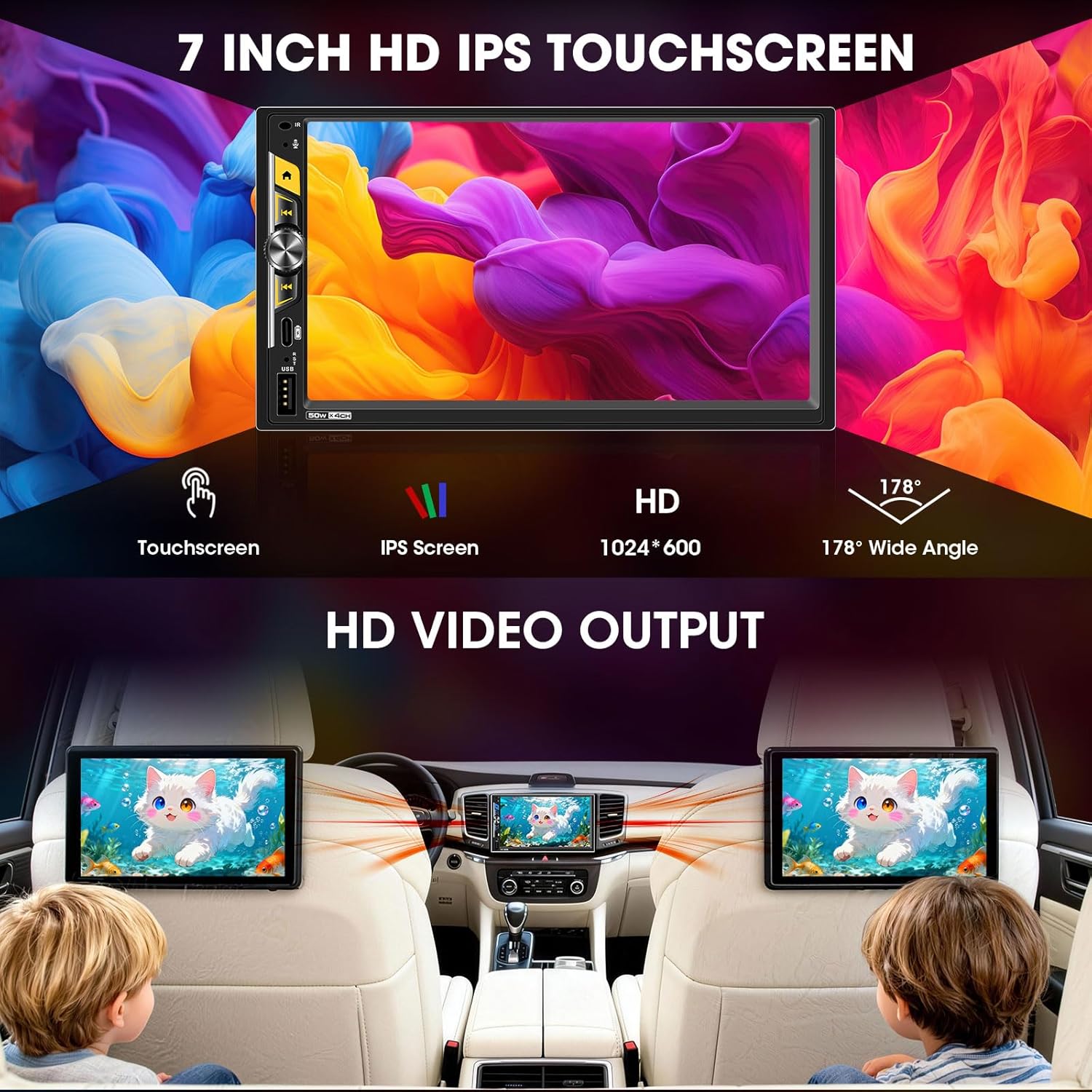
5.5 Audio Outputs & Built-in DSP
The stereo features 4-channel preamp outputs plus 2 separate subwoofer outputs, ideal for upgrading speakers or adding an amplifier. The advanced DSP (Digital Sound Processor) includes a 16-band equalizer and time alignment settings for precise audio adjustment. Integrated HPF/LPF (High-Pass/Low-Pass Filter) technology optimizes speaker performance.

5.6 Controllo del volante (SWC)
If your vehicle supports steering wheel controls, connect the SWC wires during installation. The unit can be configured to recognize your vehicle's steering wheel buttons, allowing you to control volume, track changes, and other functions without taking your hands off the wheel.
5.7 Mirrorlink
The Mirrorlink function allows you to mirror your smartphone's screen onto the stereo display. This feature is typically accessed via a dedicated app on the stereo and requires a wired USB connection for some devices.
5.8 FM/AM Radio Tuner
Access the built-in FM/AM radio tuner to listen to local broadcasts. You can scan for stations, save presets, and switch between FM and AM bands.
6. Manutenzione
- Pulizia dello schermo: Utilizzare un panno morbido e privo di lanugine per pulire delicatamente il touchscreen. Per le macchie ostinate, strofinare leggermenteampPulisci il panno con acqua o un detergente per schermi. Evita materiali abrasivi o sostanze chimiche aggressive.
- Pulizia generale: Keep the unit's exterior free from dust and debris. Use a dry cloth for cleaning.
- Aggiornamenti software: Controllare periodicamente le istruzioni del produttore websito per eventuali aggiornamenti software disponibili per garantire prestazioni ottimali e accesso a nuove funzionalità.
7. Risoluzione Dei Problemi
| Problema | Possibile causa | Soluzione |
|---|---|---|
| Nessun potere | Incorrect wiring (power/ground), blown fuse. | Check all power and ground connections. Inspect vehicle's fuse box and the unit's inline fuse. |
| Nessun suono | Cablaggio degli altoparlanti non corretto, volume troppo basso, disattivazione audio attivata, ampproblemi di lifier. | Verificare i collegamenti degli altoparlanti. Aumentare il volume. Controllare se la funzione mute è attiva. Assicurarsi che l'esterno amplifiers are powered on. |
| CarPlay/Android Auto non si connette in modalità wireless | Bluetooth/Wi-Fi disattivati sul telefono, associazione errata, telefono non supportato. | Ensure phone's Bluetooth and Wi-Fi are on. Re-pair the device. Check phone compatibility. |
| La telecamera di backup non viene visualizzata | Telecamera non alimentata, cavo video allentato, filo di attivazione della retromarcia non collegato. | Check camera power supply (reverse light connection). Ensure RCA video cable is securely connected. Verify reverse trigger wire connection. |
| Il touchscreen non risponde o è lento | Temporary software glitch, excessive heat. | Restart the unit (turn vehicle off and on). Ensure proper ventilation around the unit. |
8. Specifiche
| Caratteristica | Dettaglio |
|---|---|
| Numero di modello | B0G39538PX |
| Dimensioni dello schermo | 7 pollici |
| Tipo di visualizzazione | Schermo touch IPS HD |
| Risoluzione | 1024x600 |
| Connettività | Bluetooth 5.5, USB, Wi-Fi |
| Caratteristiche speciali | Wireless Apple CarPlay, Wireless Android Auto, Built-in DSP, 16-Band EQ, 2 Subwoofer Outputs, 4.2 CHN Audio Outputs, Type-C Fast Charging (45W), Mirrorlink, HD Video Output, Steering Wheel Control, FM/AM Receiver, Front/Rear View Ingresso telecamera |
| Dispositivi compatibili | Amplifier, Speaker, Subwoofer |
| Ricarica USB-C | PD3.0, 45 W |
| Dimensioni del prodotto | 4.64"P x 7"L x 3.93"A |
| Peso dell'articolo | 2 libbre |
9. Garanzia e supporto
This Stiflix product is covered by a standard manufacturer's warranty. For specific warranty details, please refer to the warranty card included with your product or visit the official Stiflix website. For technical support, troubleshooting assistance, or service inquiries, please contact Stiflix customer service through their official channels.
Conservare la prova d'acquisto per eventuali richieste di garanzia.