1. Introduzione
The LOTUS Smartwatch 50203/1 Naya Lite is designed to integrate health tracking and activity control into your daily routine. This smartwatch allows you to monitor health metrics, track various sports activities, and manage calls directly from your wrist. Its versatile and modern design ensures both functionality and comfort for daily use.
2. Cosa c'è nella scatola
- LOTUS Smartwatch 50203/1 Naya Lite
- 1 Caricabatterie
- Manuale dell'utente (questo documento)
3. Impostazione
3.1. Carica del dispositivo
Before initial use, fully charge your smartwatch. Connect the provided charger to the charging port on the back of the watch and plug the USB end into a compatible power adapter (not included) or a computer's USB port. The watch display will indicate charging status. A full charge typically takes approximately 2 hours.
3.2. Installazione e associazione dell'app
- Scarica l'App: Cercare the official LOTUS Smartwatch application in your smartphone's app store (Google Play Store for Android or Apple App Store for iOS). Install the application.
- Abilita Bluetooth: Assicurati che il Bluetooth sia abilitato sul tuo smartphone.
- Apri l'app: Launch the LOTUS Smartwatch app and follow the on-screen instructions to create an account or log in.
- Aggiungi dispositivo: All'interno dell'app, vai alla sezione "Aggiungi dispositivo" o "Associa dispositivo". L'app cercherà gli smartwatch disponibili.
- Seleziona il tuo smartwatch: Select 'LOTUS 50203/1 Naya Lite' from the list of discovered devices. Confirm the pairing request on both your smartphone and the smartwatch if prompted.
- Configurazione completa: Seguire le istruzioni rimanenti nell'app per completare la configurazione iniziale, inclusi i dati personalifile preferenze relative alle informazioni e alle notifiche.
4. Istruzioni per l'uso
4.1. Navigazione di base
- Schermo tattile: Swipe left, right, up, or down to navigate through menus and functions. Tap to select an option.
- Pulsante laterale: Press the side button to return to the home screen or to wake the display. A long press may access power options or specific features.
4.2. Effettuare e ricevere chiamate
Once paired with your smartphone, the smartwatch allows you to manage calls directly. Ensure your watch is connected via Bluetooth to your phone.
- Ricevere chiamate: Quando arriva una chiamata, l'orologio visualizzerà l'ID del chiamante. Tocca l'icona verde per rispondere o l'icona rossa per rifiutare.
- Effettuare le chiamate: Access the 'Phone' or 'Dialer' function on your smartwatch. You can dial numbers directly or select contacts from your synced phonebook.
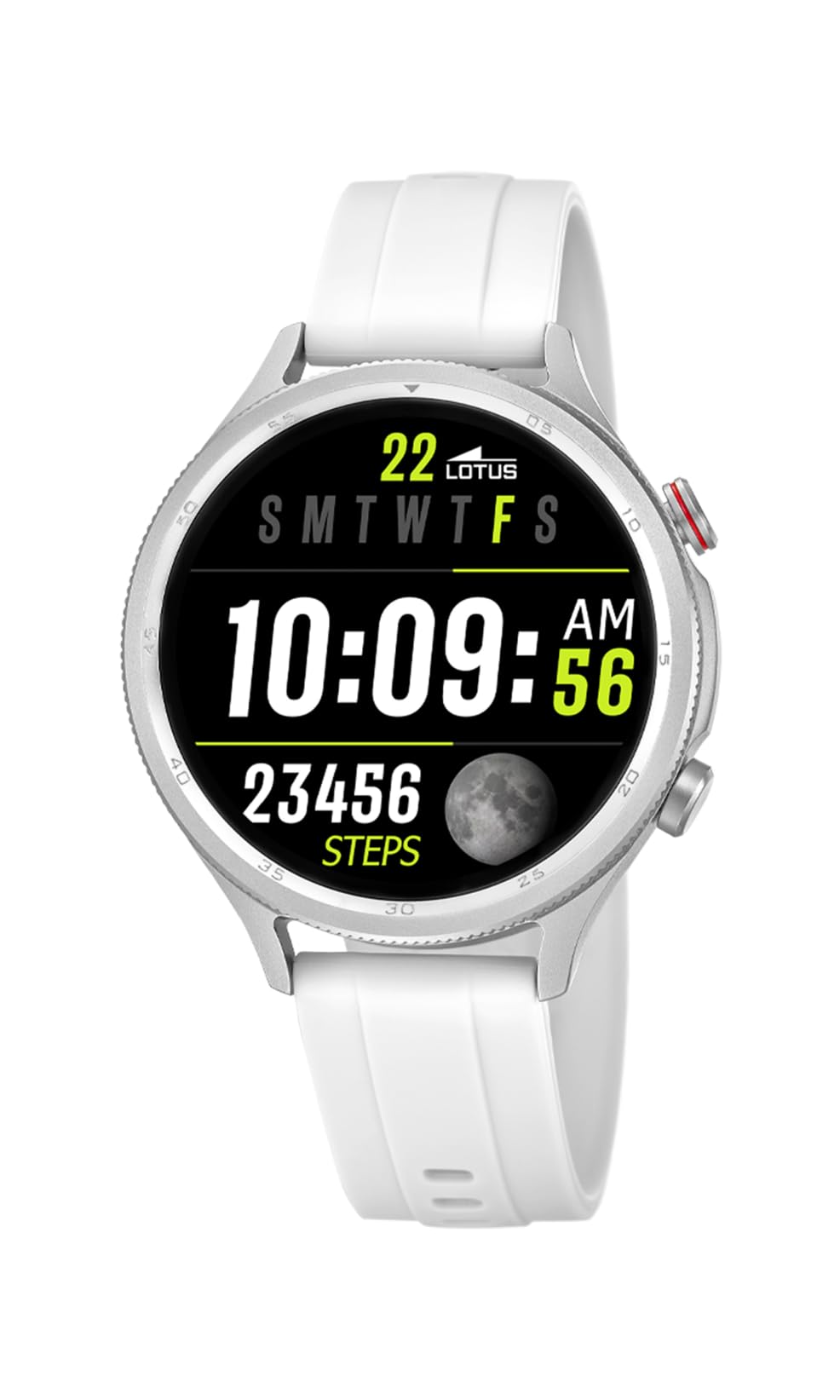
Image: The Lotus Smartwatch 50203/1 Naya Lite allows for convenient call management directly from your wrist.
4.3. Controllo della musica
Control music playback on your smartphone directly from your smartwatch. Navigate to the 'Music Control' feature on your watch. You can play, pause, skip tracks, and adjust volume.
4.4. Monitoraggio delle attività e degli sport
The smartwatch tracks various fitness metrics and supports multiple sports modes.
- Passi e calorie: L'orologio conta automaticamente i tuoi passi e stima le calorie bruciate durante il giorno. View your daily progress on the watch face or in the app.
- Modalità Sportive: Access the 'Sports' menu to select from various activities (e.g., running, walking, cycling). The watch will record duration, distance, and other relevant data for your chosen activity.

Image: The smartwatch display provides real-time updates on your activity metrics.
4.5. Monitoraggio della salute
- Monitoraggio del sonno: Wear the smartwatch to bed to track your sleep patterns. The app provides detailed analysis of your sleep quality.
- Other Health Metrics: The watch may offer additional health monitoring features. Refer to the app for a complete list and instructions on how to use them.
4.6. Assistente vocale AI
Activate the AI Voice Assistant feature on your smartwatch to perform tasks using voice commands. Ensure your watch is connected to your smartphone and the voice assistant feature is enabled in the app.
5. Manutenzione
5.1. Pulizia dello smartwatch
Pulisci regolarmente lo smartwatch e il cinturino per prevenire irritazioni cutanee e mantenerne la funzionalità.
- Pulisci lo schermo e il corpo con un panno morbido eamp, panno privo di pelucchi.
- For the rubber strap, use mild soap and water, then rinse thoroughly and dry completely before wearing.
- Evitare l'uso di prodotti chimici aggressivi, detergenti abrasivi o solventi.
5.2. Cura della batteria
- Evitare di scaricare completamente la batteria frequentemente.
- Do not expose the watch to extreme temperatures, as this can degrade battery life.
- Utilizzare solo il caricabatterie fornito.
5.3. Resistenza all'acqua (IP65)
The LOTUS Smartwatch 50203/1 Naya Lite is rated IP65 water resistant. This means it is protected against dust ingress and low-pressure water jets from any direction. It is suitable for everyday use and can withstand splashes or light rain. It is not suitable for swimming, showering, or prolonged submersion in water.
6. Risoluzione Dei Problemi
- L'orologio non si accende: Assicurati che l'orologio sia completamente carico. Collegalo al caricabatterie per almeno 30 minuti.
- Impossibile associare il telefono: Make sure Bluetooth is enabled on your phone and the watch. Ensure the watch is within range. Restart both the watch and your phone, then try pairing again through the app.
- Notifiche non visualizzate: Check app settings on your phone to ensure notification permissions are granted for the LOTUS Smartwatch app. Also, verify notification settings within the smartwatch app itself.
- Dati di attività imprecisi: Ensure the watch is worn snugly on your wrist. Calibrate your personal information (height, weight, age) in the app for better accuracy.
- Schermo non reattivo: Try restarting the smartwatch. If the issue persists, contact customer support.
7. Specifiche
| Marca | LOTO |
| Modello | 50203/1 |
| Produttore | Time Road SL. |
| Tipo di visualizzazione | Digitale |
| Tipo di materiale | Lega di zinco |
| Tipo di materiale del cinturino | Gomma |
| Colore della fascia | Bianco |
| Livello di resistenza all'acqua | IP65 (resistente all'acqua) |
| Batteria | 1 Non-standard battery (included) |
| Componenti inclusi | 1 Caricabatterie |
8. Garanzia e supporto
For warranty information and customer support, please refer to the documentation provided with your purchase or visit the official LOTUS websito. Conservare la prova d'acquisto per eventuali reclami in garanzia.
Produttore: Time Road SL.


