1. Introduzione
The KONNWEI MAXOBD OBD2 Scanner is a professional diagnostic tool designed to read and clear diagnostic trouble codes (DTCs) from your vehicle's engine control unit (ECU). It provides access to various vehicle systems, allowing users to monitor live data, perform I/M readiness tests, and retrieve vehicle information. This manual provides detailed instructions for the proper use and maintenance of your MAXOBD scanner.
2. Informazioni sulla sicurezza
Before operating the MAXOBD OBD2 Scanner, please read and understand all safety messages and instructions in this manual. Failure to do so may result in personal injury or damage to the vehicle or the scanner.
- Eseguire sempre i test automobilistici in un ambiente sicuro.
- Indossare una protezione per gli occhi conforme agli standard ANSI.
- Tenere vestiti, capelli, mani, strumenti, apparecchiature di prova, ecc., lontano da tutte le parti del motore in movimento o calde.
- Utilizzare il veicolo in un'area di lavoro ben ventilata; i gas di scarico sono velenosi.
- Mettere il cambio in posizione P (per cambio automatico) o FOLLE (per cambio manuale) e assicurarsi che il freno di stazionamento sia inserito.
- Tenere a portata di mano un estintore adatto per incendi di benzina/elettricità.
- Non collegare o scollegare alcuna attrezzatura di prova mentre l'accensione è inserita o il motore è in funzione.
3. Prodotto finitoview
The MAXOBD scanner features a clear display and intuitive button layout for easy navigation and operation. It connects directly to your vehicle's OBD-II port to retrieve diagnostic information.
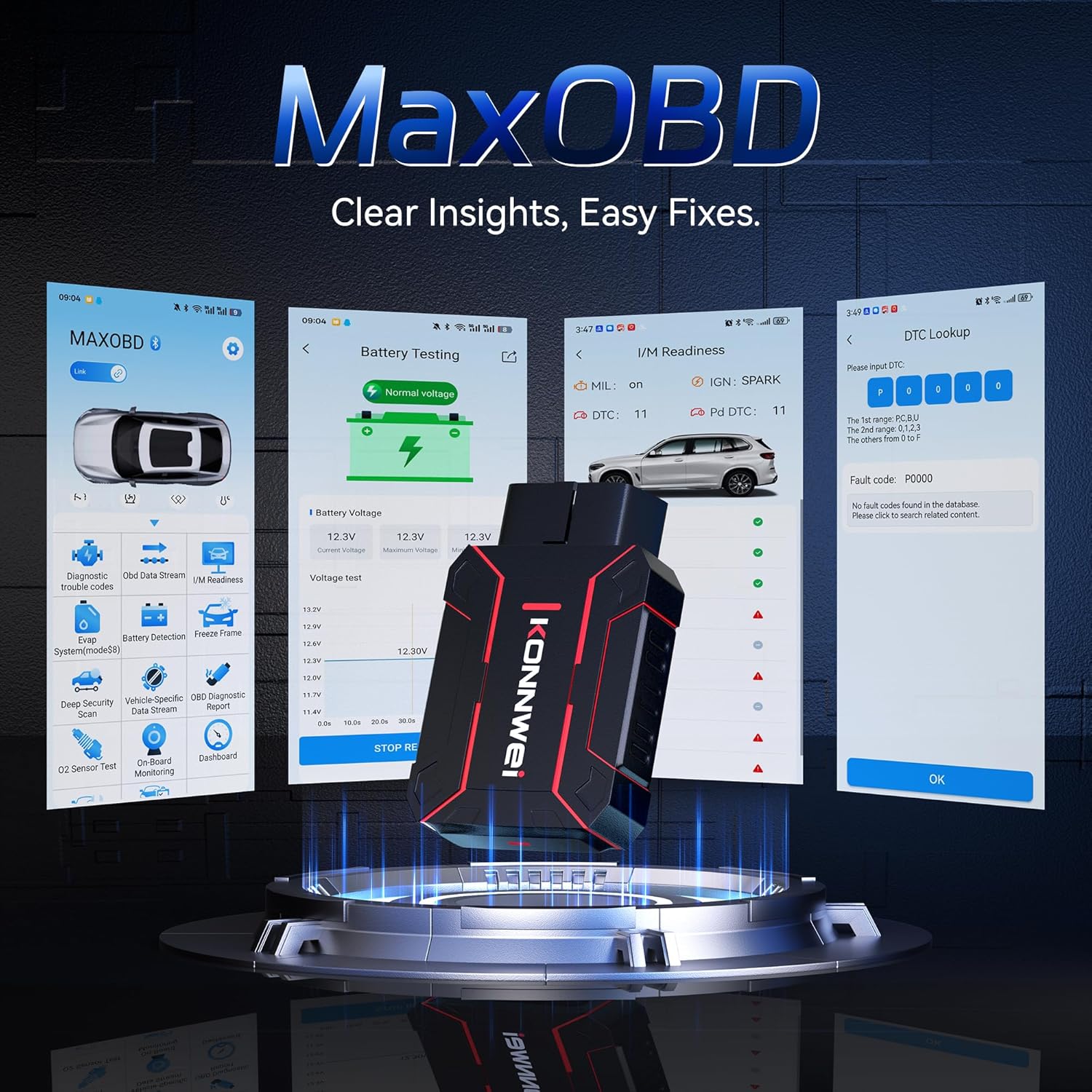
Image: The KONNWEI MAXOBD OBD2 Scanner device, illustrating its physical form and various diagnostic screen interfaces such as battery testing, I/M readiness, and DTC lookup.
Componenti chiave:
- Connettore OBD-II: Si collega al connettore di collegamento dati (DLC) del veicolo.
- Schermo LCD: Mostra i risultati dei test e le opzioni del menu.
- Pulsanti di navigazione: Utilizzato per scorrere i menu e selezionare le opzioni.
- Enter/Exit Buttons: Confirm selections or return to previous screens.
4. Impostazione
Follow these steps to set up your MAXOBD OBD2 Scanner:
- Individuare la porta OBD-II del veicolo: Il connettore Data Link (DLC) a 16 pin si trova solitamente sotto il cruscotto, sul lato conducente del veicolo. Se non riesci a trovarlo, consulta il manuale di manutenzione del tuo veicolo per la posizione esatta.
- Collegare lo scanner: Plug the MAXOBD scanner's OBD-II connector firmly into the vehicle's DLC. Ensure a secure connection.
- Accensione: Once connected, the scanner will automatically power on. If it does not, turn the vehicle's ignition to the 'ON' position (engine off).
5. Istruzioni per l'uso
The MAXOBD scanner offers various diagnostic functions. Use the navigation buttons to move through menus and the Enter button to select options.

Image: A visual representation of a vehicle highlighting various systems (Engine, ABS, SAS, SRS, DPF, TPMS) that the MAXOBD scanner can perform a full system scan on.
Funzioni del menu principale:
- Leggi i codici: Retrieves Diagnostic Trouble Codes (DTCs) from the vehicle's ECU. These codes indicate specific issues detected by the vehicle's onboard diagnostic system.
- Cancella codici: Clears all DTCs from the vehicle's ECU and turns off the Malfunction Indicator Lamp (MIL). Assicurarsi che il problema di fondo sia stato risolto prima di cancellare i codici.
- Prontezza I/M: Controlla lo stato dei sistemi di monitoraggio delle emissioni per determinare se sono pronti per un test sulle emissioni.
- Flusso di dati: Displays real-time operational parameters from the vehicle's sensors and components. This can include engine RPM, vehicle speed, oxygen sensor readings, and more.
- Cornice di congelamento: Captures a snapshot of sensor data at the moment a DTC was set. This data can help identify the conditions under which a fault occurred.
- Test sensore O2: Recupera i risultati dei test di monitoraggio del sensore O2 per i test completati più di recente dal computer di bordo del veicolo.
- Test del monitor di bordo: Recupera i risultati per i componenti e i sistemi del gruppo propulsore correlati alle emissioni che non sono monitorati costantemente.
- Test del sistema EVAP: Avvia un test di tenuta per il sistema di controllo delle emissioni evaporative del veicolo.
- Informazioni sul veicolo: Visualizza il numero di identificazione del veicolo (VIN), l'ID di calibrazione (CALID) e il numero di verifica della calibrazione (CVN).
Esecuzione di una scansione diagnostica:
- Connect the scanner to the vehicle's DLC and turn the ignition to 'ON'.
- From the main menu, select 'Read Codes' and press Enter.
- Lo scanner comunicherà con il veicolo e visualizzerà tutti i DTC rilevati.
- Use the navigation buttons to scroll through the codes and their descriptions.
- To clear codes, return to the main menu, select 'Erase Codes', and confirm.
6. Manutenzione
Proper maintenance ensures the longevity and reliable operation of your MAXOBD scanner.
- Pulizia: Utilizzare un morbido, damp panno per pulire l'esterno dello scanner. Non utilizzare detergenti abrasivi o solventi.
- Magazzinaggio: Store the scanner in a dry, clean environment away from extreme temperatures and direct sunlight. Keep it in its original packaging or a protective case when not in use.
- Aggiornamenti software: Controllare periodicamente il sito ufficiale KONNWEI website for available software updates to ensure your scanner has the latest vehicle compatibility and features. Follow the instructions provided on the website for updating the device.
7. Risoluzione Dei Problemi
If you encounter issues with your MAXOBD scanner, refer to the following common problems and solutions:
| Problema | Possibile causa | Soluzione |
|---|---|---|
| Lo scanner non si accende. | Loose connection; vehicle ignition off; faulty OBD-II port. | Ensure the scanner is securely plugged into the DLC. Turn vehicle ignition to 'ON'. Test on another vehicle if possible. |
| Messaggio "Errore di collegamento" o "Errore di comunicazione". | Loose connection; vehicle not OBD-II compliant; ignition off; communication protocol issue. | Verify connection. Ensure vehicle is OBD-II compliant (most vehicles 1996 and newer). Turn ignition to 'ON'. Try a different vehicle if available. |
| Lo schermo è vuoto o bloccato. | Problema software; interruzione di corrente. | Disconnect and reconnect the scanner. If the issue persists, contact customer support. |
If the problem persists after attempting these solutions, please contact KONNWEI customer support for further assistance.
8. Specifiche
- Marca: KONNWEI
- Modello: maxobdTM
- Fonte di energia: Alimentato a batteria (tramite porta OBD-II)
- Sistema operativo: Linux
- Dimensioni dello schermo: 2.8 pollici
- Tipo di adattamento automobilistico: Universal Fit (for OBD-II compliant vehicles)
- Dimensioni della confezione: 10.04 x 7.28 x 2.76 pollici
9. Garanzia e supporto
KONNWEI products are designed for reliability and performance. For warranty information, please refer to the documentation included with your purchase or visit the official KONNWEI website. For technical support, troubleshooting assistance, or any other inquiries, please contact KONNWEI customer service through their official channels.
KONNWEI Official Websito: Visita il negozio KONNWEI su Amazon


