1. Introduzione
1.1 Prodotto finitoview
The Inefala Android 15 Car Stereo is designed to enhance your driving experience with advanced features. It includes a 9-inch HD IPS touchscreen, Wireless Carplay/Android Auto, 5Ghz WiFi, GPS navigation, Bluetooth 5.0, FM/RDS radio, EQ sound customization, Steering Wheel Control (SWC) compatibility, and an AHD backup camera input. This unit is specifically compatible with Audi A4, S4, and RS4 models from 2002 to 2008.
1.2 Contenuto della confezione
Si prega di verificare che tutti gli articoli elencati di seguito siano inclusi nel pacchetto:
- 1 x autoradio Android
- 1 x cavo di alimentazione
- 1 antenna GPS
- 1 antenna radio
- 1 x cavo di ingresso per telecamera posteriore
- 1 x Cavo RCA
- 2 cavo USB
- Staffa di montaggio 2 x
- 4 x Vite
- 1 x Manuale utente
- 1 x microfono esterno
- 1 telecamera di retromarcia
- 1 x Canbus

2. Configurazione e installazione
Professional installation is recommended for optimal performance and to avoid damage to your vehicle or the unit. Ensure the vehicle's power is disconnected before beginning installation.
2.1 Schema elettrico
Refer to the following diagram for proper connection of the power, audio, and video cables. Ensure all connections are secure.

2.2 Collegamento della telecamera di backup
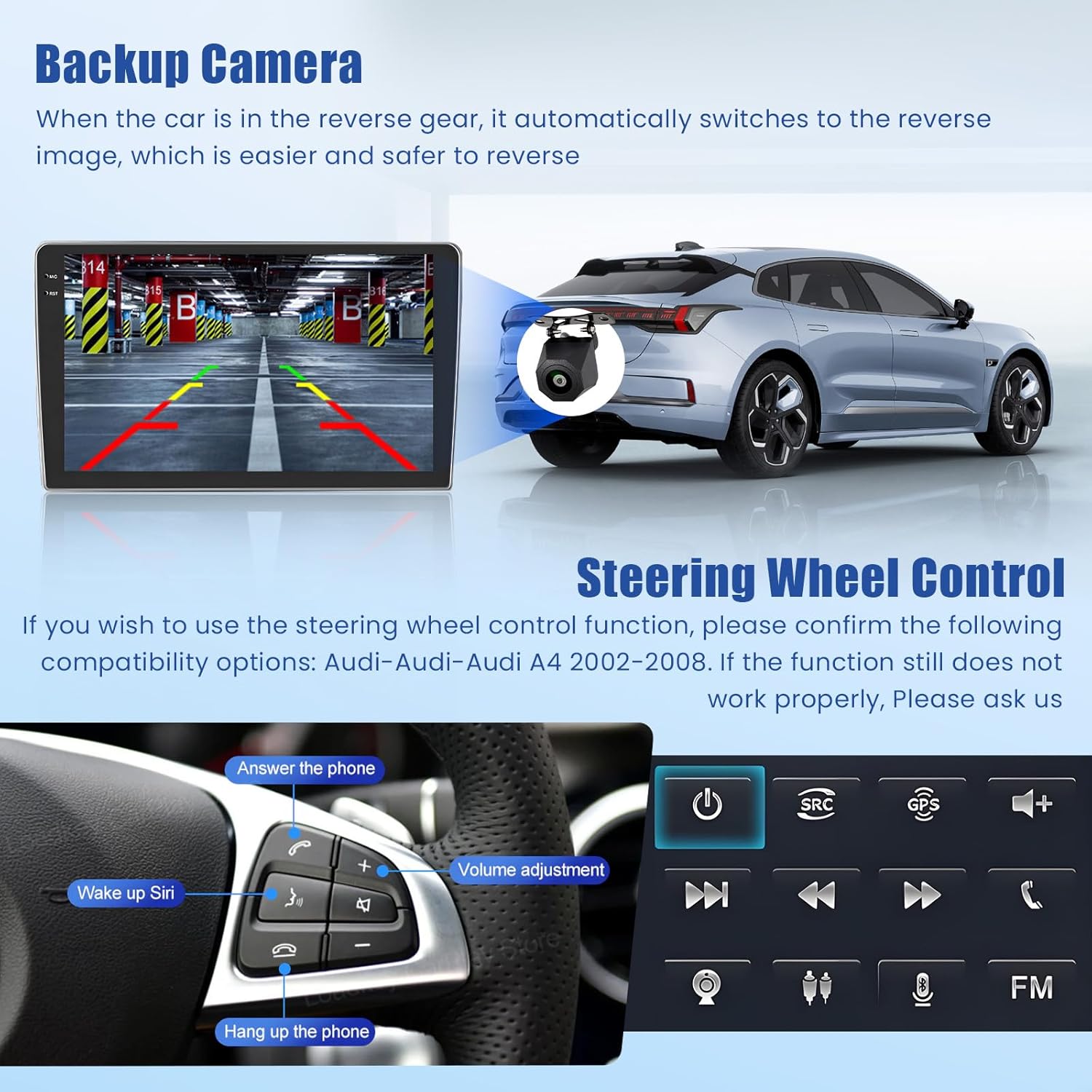
The included AHD backup camera provides a wide-angle view and night vision for safer reversing. Connect the camera as shown in the video and diagram below. The camera automatically activates when the vehicle is in reverse gear.
Video 1: Instructions on how to connect the included backup camera to the car stereo.
2.3 Prima e dopo l'installazione
Observe the transformation of your vehicle's dashboard with the new Inefala car stereo installed.

3. Istruzioni per l'uso
3.1 Carplay wireless e Android Auto
Connect your smartphone wirelessly to access navigation, music, calls, and more directly on the car stereo display. This feature supports both iOS Carplay and Android Auto.
Video 2: Demonstration of connecting and using Wireless Carplay and Android Auto.

3.2 Navigazione GPS e connettività WiFi
The unit features a built-in GPS chip for both online and offline navigation. Connect to WiFi via a mobile hotspot to download online maps, stream content, and access various applications.

3.3 Bluetooth 5.0, FM/RDS Radio & EQ Settings
Utilize Bluetooth 5.0 for hands-free calling and high-quality music streaming. The FM/RDS radio allows you to save your favorite stations. Customize your audio experience with the integrated EQ settings, offering various presets and manual adjustments.

3.4 Controllo del volante (SWC)
The unit supports steering wheel controls for convenient operation without taking your hands off the wheel. Ensure your vehicle's SWC system is compatible (Audi A4 S4 RS4 2002-2008). If functions do not work, consult the troubleshooting section or contact support.
3.5 In-cell Touchscreen
The 9-inch HD IPS touchscreen features scratch-resistant 2.5D tempered glass and an in-cell display for a thinner profile and brighter image. It supports multi-touch gestures and offers various customizable themes.

3.6 Function Operation Demonstration
Watch this video for a comprehensive demonstration of the various functions and operations of the car stereo system.
Video 3: A detailed demonstration of the car stereo's various functions and user interface.
4. Manutenzione
Per garantire la longevità e le prestazioni ottimali della tua autoradio Inefala, segui queste linee guida generali di manutenzione:
- Pulizia dello schermo: Utilizzare un panno morbido e privo di lanugine per pulire delicatamente il touchscreen. Per le macchie ostinate, strofinare leggermenteampPulisci il panno con acqua o un detergente per schermi. Evita prodotti chimici aggressivi o materiali abrasivi.
- Pulizia generale: Keep the unit and surrounding dashboard area free of dust and debris. Use a soft brush or compressed air to clean vents and crevices.
- Controllo della temperatura: Evitare di esporre l'unità a temperature estreme, sia calde che fredde, per periodi prolungati.
- Aggiornamenti software: Periodically check for software updates to ensure you have the latest features and bug fixes. Refer to the device settings for update options.
- Connessioni via cavo: Assicurarsi che tutti i cavi siano saldamente collegati. Collegamenti allentati possono causare problemi intermittenti.
5. Risoluzione Dei Problemi
If you encounter any issues with your Inefala car stereo, please refer to the following common troubleshooting steps. If the problem persists, contact customer support.
- Nessun potere:
- Controllare tutti i collegamenti dei cavi di alimentazione.
- Verificare che il fusibile dello stereo del veicolo sia intatto.
- Assicurarsi che l'accensione sia inserita o che il veicolo sia in funzione.
- Nessun suono:
- Controllare i livelli del volume dello stereo e di tutti i dispositivi collegati.
- Verificare i collegamenti dei cavi degli altoparlanti.
- Assicurarsi che sia selezionata la sorgente audio corretta.
- Carplay/Android Auto non si connette:
- Ensure Bluetooth is enabled on both your phone and the stereo.
- Dimentica e riassocia la connessione Bluetooth.
- Controlla se ci sono aggiornamenti software in sospeso sul tuo telefono o sullo stereo.
- GPS non funzionante:
- Assicurarsi che l'antenna GPS sia installata correttamente e abbia una visuale libera view del cielo.
- Controllare le impostazioni GPS nel menu stereo.
- Verify map data is up-to-date.
- La telecamera di backup non viene visualizzata:
- Controllare i collegamenti di alimentazione e del segnale video della telecamera.
- Assicurarsi che il veicolo sia in retromarcia.
- Verify the camera type setting in the stereo's factory settings (password 1234).
6. Specifiche
| Caratteristica | Specificazione |
|---|---|
| Peso dell'articolo | 6.14 libbre |
| Dimensioni del prodotto | 9.46 x 5.52 x 1.97 pollici |
| Dimensioni dello schermo | 9 pollici |
| Comando vocale | Microfono, Touchscreen |
| Tipo di servizio del veicolo | for Audi A4 S4 RS4 2002-2008 |
| Caratteristiche speciali | EQ, Bluetooth, FM/RDS, Online+Offline GPS & WiFi, SWC & Backup Camera, Touchscreen, Wireless IOS Carplay Android Auto & Mirror Link |
| Tecnologia di connettività | Bluetooth, USB, Wi-Fi |
| Tipo di mappa | In tutto il mondo |
| Modalità di uscita audio | Stereo |
| Tipo di montaggio | Supporto per cruscotto |
| Sistema operativo | Androide, iOS |
7. Garanzia e supporto
7.1 Informazioni sulla garanzia
Questo prodotto viene fornito con un Garanzia di 24 mesi. For any quality issues within this period, online consultation support is available with a response within 24 hours.
7.2 Piani di protezione aggiuntivi
Sono disponibili piani di protezione opzionali per una copertura estesa:
- Piano di protezione biennale: $ 15.99 (una tantum)
- Piano di protezione biennale: $ 21.99 (una tantum)
- NEW Complete Protect: $16.99 (monthly) - Covers all eligible past and future purchases.
7.3 Assistenza clienti
For any questions or assistance, please contact Inefala-US directly at inefalatech@163.com. Puoi anche visitare il Negozio Inefala su Amazon for more information and to ask a question.


