Introduzione
Thank you for choosing the Lefant M210 Robot Vacuum Cleaner. This manual provides essential information for the safe operation, maintenance, and troubleshooting of your device. Please read it thoroughly before use and keep it for future reference.

Image: The Lefant M210 Robot Vacuum Cleaner, showcasing il suo design compatto.
Importanti istruzioni di sicurezza
Quando si utilizzano apparecchi elettrici, seguire sempre le precauzioni di sicurezza di base per ridurre il rischio di incendi, scosse elettriche o lesioni. Tra queste rientrano:
- Leggere tutte le istruzioni prima di utilizzare l'apparecchio.
- Do not operate the vacuum cleaner in areas with flammable or combustible materials.
- Tenere capelli, abiti larghi, dita e tutte le parti del corpo lontano dalle aperture e dalle parti mobili.
- Non raccogliere nulla che stia bruciando o che stia producendo fumo, come sigarette, fiammiferi o cenere calda.
- Assicurarsi che la base di ricarica sia posizionata contro una parete su una superficie piana.
- Utilizzare esclusivamente l'adattatore di alimentazione e la base di ricarica originali forniti dal produttore.
Contenuto della confezione
Verificare che tutti i componenti siano presenti nella confezione:
- Robot aspirapolvere Lefant M210
- Stazione di ricarica
- Adattatore di alimentazione
- Spazzole laterali (2 paia)
- Filtro ad alte prestazioni
- Strumento di pulizia
- Manuale d'uso
Impostare
1. Prepare the Robot
- Rimuovere tutte le pellicole protettive e gli adesivi dal robot e dalla base di ricarica.
- Fissare le spazzole laterali premendole sui montanti finché non scattano in posizione.
2. Place the Charging Dock
- Posizionare la base di ricarica contro una parete in un'area aperta e ordinata.
- Ensure there is at least 0.5 meters (1.6 feet) of clear space on either side of the dock and 1.5 meters (4.9 feet) in front.
- Collegare l'adattatore di alimentazione alla base di ricarica e inserirlo in una presa a muro.
3. Caricare il robot
Place the robot onto the charging dock, ensuring the charging contacts align. The indicator light on the robot will show charging status. Fully charge the robot before first use (approximately 4-5 hours).
4. Connect to the Lefant App
- Scarica l'app "Lefant" dall'App Store o da Google Play.
- Register an account and follow the in-app instructions to connect your M210 robot vacuum cleaner to your home Wi-Fi network.
Istruzioni per l'uso
Avvio e arresto della pulizia
- Inizio: Press the power button on the robot or use the Lefant app to start a cleaning cycle.
- Pausa: Premere nuovamente il pulsante di accensione per mettere in pausa la pulizia.
- Ritorno al molo: Premi il pulsante Home sul robot o usa l'app per rimandare il robot alla sua base di ricarica.
Modalità di pulizia
Lefant M210 offre diverse modalità di pulizia per soddisfare diverse esigenze:

Image: Illustration of the Lefant M210's various cleaning modes, including Random, Zigzag, Edge, and Spot cleaning.
- Pulizia automatica: The robot automatically cleans in a zigzag pattern, adjusting to the environment.
- Pulizia spot: Si concentra su una specifica area sporca, pulendo seguendo uno schema a spirale.
- Pulizia dei bordi: Pulisce lungo le pareti e i bordi dei mobili.
- Pulizia programmata: Imposta gli orari di pulizia tramite l'app Lefant.
Efficient Cleaning Path

Image: The Lefant M210 utilizes an effective zigzag route for thorough and intelligent cleaning, avoiding random patterns.
Pulizia dei peli degli animali domestici
The Lefant M210 is designed to effectively pick up pet hair, making it suitable for homes with pets. Its powerful suction and brush design help manage pet dander and fur.

Image: The Lefant M210 Robot Vacuum Cleaner effectively collects pet hair, as demonstrated in a home setting with a dog and child.
Tecnologia FreeMove 3.0
The M210 is equipped with updated FreeMove Technology 3.0, which helps the robot navigate around obstacles and avoid getting stuck, ensuring a smooth cleaning process.
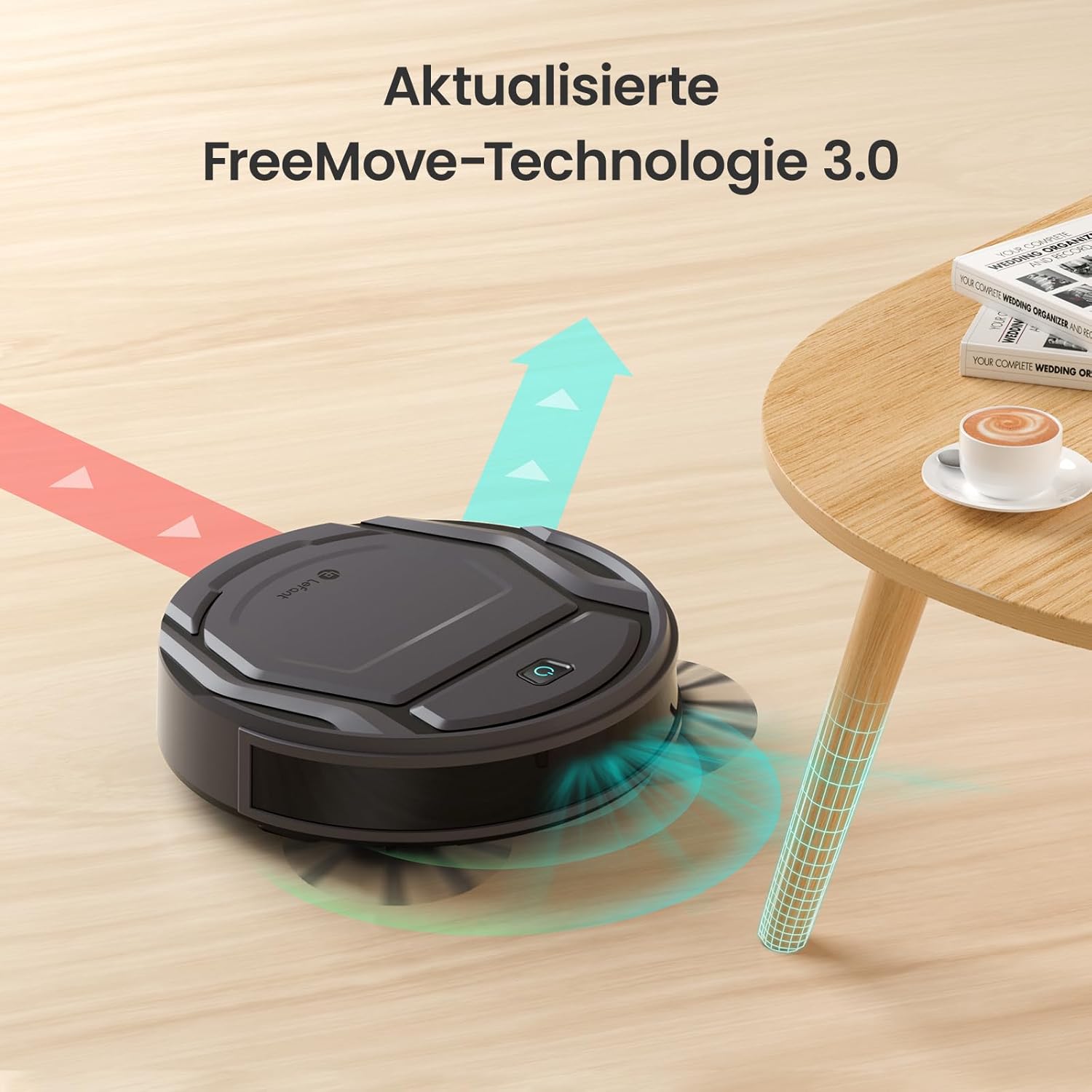
Image: The Lefant M210 demonstrating its updated FreeMove Technology 3.0 for enhanced navigation and obstacle avoidance.
Controllo vocale
The Lefant M210 supports voice control through Amazon Alexa and Google Home. Connect your robot to these services via the Lefant app for convenient hands-free operation.

Image: The Lefant M210 integrates with Amazon Alexa and Google Home for intelligent voice control, allowing users to start cleaning with simple commands.
Manutenzione
Regular maintenance ensures optimal performance of your Lefant M210. Always turn off the robot and disconnect it from the charging dock before performing any maintenance.
1. Svuotamento del contenitore della polvere (dopo ogni utilizzo)
- Premere il pulsante di sgancio del contenitore della polvere ed estrarlo.
- Aprire il coperchio del contenitore della polvere e svuotarne il contenuto nel cestino della spazzatura.
- Clean the filter with the provided cleaning tool or tap it gently to remove debris. Do not wash the filter with water.
- Reinsert the filter and close the dustbin cover. Place the dustbin back into the robot.
2. Cleaning the Side Brushes (Weekly or as needed)
- Tirare delicatamente le spazzole laterali verso l'alto per rimuoverle.
- Rimuovere eventuali peli o detriti avvolti attorno alle spazzole o ai perni delle spazzole.
- Riposizionare le spazzole, assicurandosi che scattino in posizione.
3. Cleaning the Sensors and Charging Contacts (Monthly or as needed)
- Use a clean, dry cloth to wipe the anti-drop sensors on the bottom of the robot.
- Pulire i contatti di ricarica sia sul robot che sulla base di ricarica.

Image: The Lefant M210 features a design optimized for easy maintenance, reducing hair tangles compared to traditional robot vacuum designs.
Risoluzione dei problemi
If your robot vacuum cleaner encounters issues, refer to the following common problems and solutions:
| Problema | Possibile causa | Soluzione |
|---|---|---|
| Il robot non si accende. | Batteria scarica o non carica. | Posizionare il robot sulla base di ricarica e assicurarsi che sia completamente carico. |
| Il robot non riesce a tornare alla base di ricarica. | Charging dock is obstructed or too far. | Ensure the charging dock is in an open area and free from obstacles. Manually place the robot on the dock if needed. |
| Le prestazioni di pulizia sono scarse. | Dustbin full, filter clogged, or brushes tangled. | Empty the dustbin, clean or replace the filter, and clean the side brushes. |
| Il robot si blocca spesso. | Too many obstacles or uneven surfaces. | Liberare l'area di pulizia da cavi allentati, piccoli oggetti e tappeti spessi. |
| Problemi di connessione all'app. | Incorrect Wi-Fi password, router issues, or robot not in pairing mode. | Ensure correct Wi-Fi credentials. Restart your router and the robot. Follow app instructions for pairing mode. |
Specifiche
| Caratteristica | Dettaglio |
|---|---|
| Marca | Sinistro |
| Nome del modello | Numero di modello: M210 |
| Numero di modello | Modello M210P |
| Colore | Nero |
| Dimensioni del prodotto (L x P x A) | 28 x 8 x 28 cm (11 x 3.1 x 11 pollici) |
| Peso dell'articolo | 3.14 kg (6.92 libbre) |
| Capacità del bidone della spazzatura | 500 litri (Note: This capacity is unusually large for a robot vacuum dustbin and may refer to a different metric or be a typo in the source data.) |
| Voltage | 220 Volt |
| Materiale | Plastica |
| Caratteristica speciale | Anti-collisione |
| Raccomandazione di superficie | Moquette, pavimenti duri |
| Tipo di controllore | Controllo dell'app |
| Composizione della batteria | Agli ioni di litio |
| Tempo di esecuzione | Fino a 120 minuti |
| Livello di rumore | 55 dB |

Image: The Lefant M210 offers a long runtime of up to 120 minutes on a single charge, capable of cleaning up to 120 square meters.
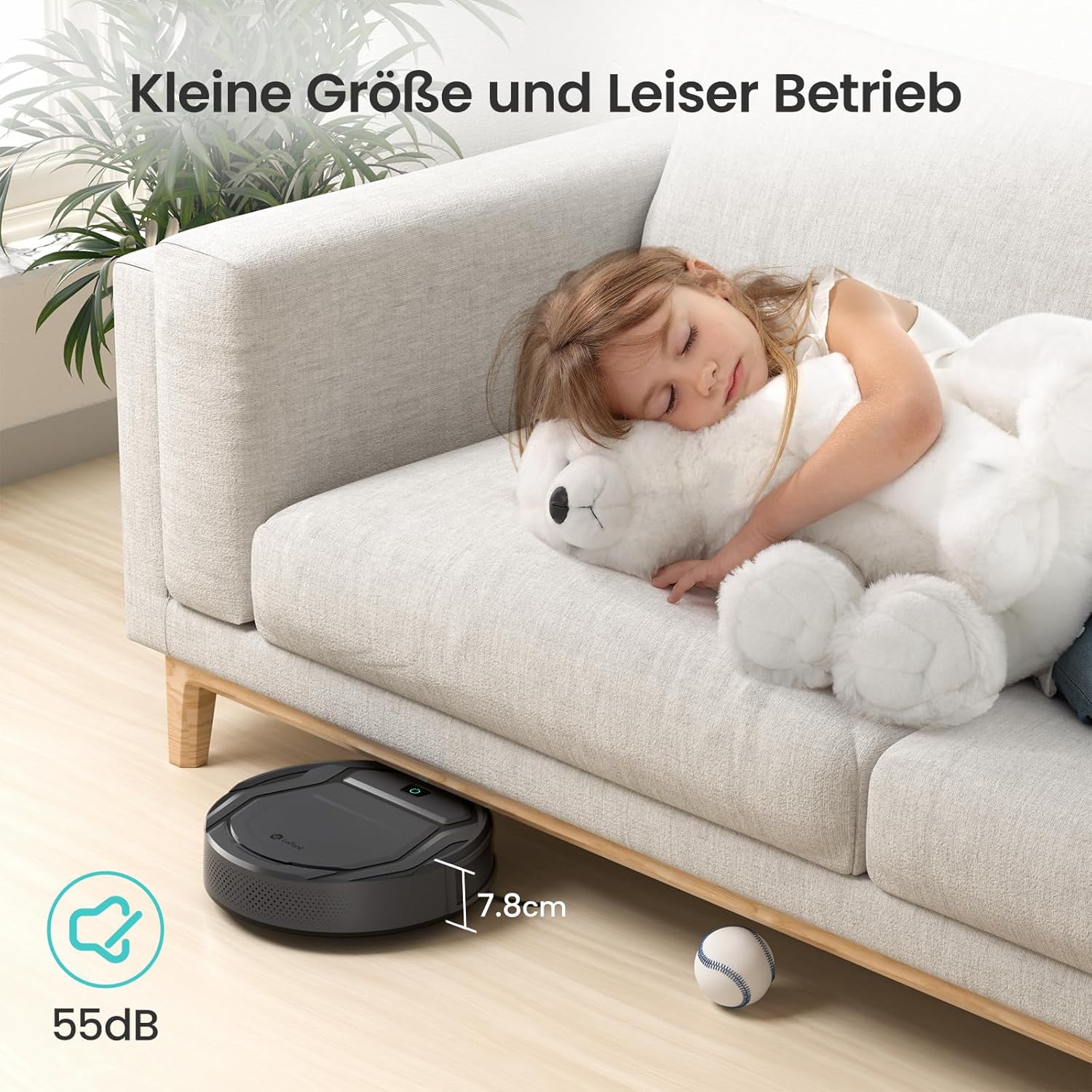
Image: The Lefant M210's compact size (7.8cm height) allows it to clean under furniture, and its quiet operation at 55dB ensures minimal disturbance.
Garanzia e supporto
For warranty information, technical support, or service inquiries, please refer to the official Lefant weboppure contatta direttamente il servizio clienti. Conserva la ricevuta d'acquisto come prova d'acquisto.
Ufficiale di Lefant Websito: www.lefant.com


