1. Informazioni importanti sulla sicurezza
Please read all safety and operating instructions carefully before using this television. Keep this manual for future reference.
- Fonte di energia: Connect the TV only to a power supply as indicated on the rating label.
- Ventilazione: Assicurare una ventilazione adeguata. Non ostruire le aperture di ventilazione.
- Acqua e umidità: Non esporre il televisore a pioggia o umidità. Non posizionare oggetti contenenti liquidi sul televisore.
- Calore: Tenere il televisore lontano da fonti di calore come termosifoni, bocchette di ventilazione, stufe o altri apparecchi che producono calore.
- Pulizia: Scollegare il televisore dalla presa a muro prima di pulirlo. Utilizzare un panno morbido e asciutto. Non utilizzare detergenti liquidi o spray.
- Manutenzione: Non tentare di riparare questo prodotto da soli. Affidare tutte le operazioni di manutenzione a personale di assistenza qualificato.
2. Installazione e assemblaggio
2.1 Disimballaggio del televisore
Estrarre con cautela il televisore e tutti gli accessori dalla confezione. Assicurarsi che tutti i componenti elencati di seguito siano presenti.
Componenti inclusi:
- Blaupunkt 32-inch HD LED TV
- Telecomando
- Cavo di alimentazione
- Supporto TV (2 pezzi)
- Viti per il montaggio del supporto
- Manuale dell'utente (questo documento)
- Scheda di garanzia
2.2 Fissaggio del supporto TV
To attach the stand, place the TV face down on a soft, flat surface to prevent screen damage. Align each stand piece with the corresponding slots on the bottom of the TV and secure them with the provided screws.
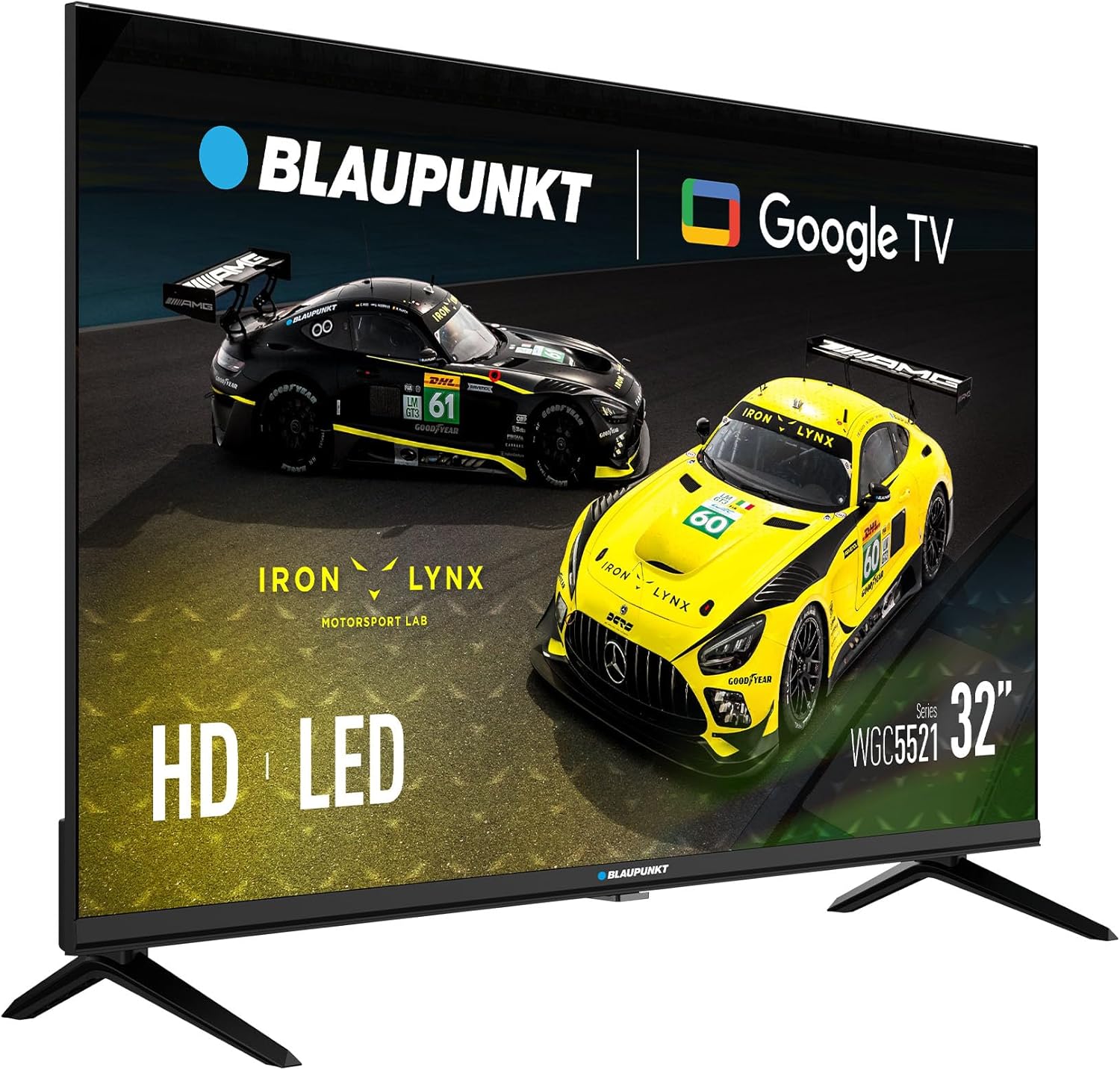
Immagine: Frontale view of the Blaupunkt 32-inch HD LED TV with its stand attached, ready for use.
2.3 Montaggio a parete (opzionale)
This TV supports VESA 100x100mm wall mounts. Ensure you use a compatible wall mount kit (sold separately) and follow the instructions provided with the wall mount. Remove the stand before wall mounting.

Immagine: Posteriore view of the Blaupunkt 32-inch HD LED TV, highlighting the VESA mounting points for wall installation.
3. Connessioni
Before making any connections, ensure the TV and all external devices are powered off and unplugged from the wall outlet.
3.1 Collegamento di alimentazione
Collegare il cavo di alimentazione in dotazione all'ingresso di alimentazione del televisore e quindi a una presa a muro.
3.2 Antenna/Cable/Satellite Connection
- DVB-T2 (Terrestrial): Collegare il cavo dell'antenna terrestre alla porta 'ANT IN'.
- DVB-S2 (Satellite): Connect a satellite dish cable to the 'SAT IN' port.
- DVB-C (Cable): Connect a cable TV signal to the 'ANT IN' port.
3.3 Connessioni HDMI
Connect external devices such as Blu-ray players, game consoles, or set-top boxes to the HDMI ports (HDMI1, HDMI2) using HDMI cables.
3.4 Connessione USB
Inserire un dispositivo di archiviazione USB nella porta USB per riprodurre contenuti multimediali files (foto, musica, video).
3.5 slot CI
Insert a Conditional Access Module (CAM) and smart card (provided by your service provider) into the CI Slot to access encrypted digital channels.

Immagine: Lato view of the Blaupunkt 32-inch HD LED TV, illustrating the various input and output ports including HDMI and USB.

Immagine: Parte posteriore angolata view of the Blaupunkt 32-inch HD LED TV, providing a clearer look at the rear-facing connection ports.
4. Istruzioni per l'uso
4.1 Procedura guidata di configurazione iniziale
After connecting the power cable and turning on the TV for the first time, the Initial Setup Wizard will guide you through the basic settings:
- Selezione della lingua: Scegli la lingua preferita per il menu TV.
- Connessione di rete: Connect the TV to your Wi-Fi network to access Google TV features and online content.
- Configurazione dell'account Google: Sign in with your Google account to personalize your experience, download apps, and access Google services.
- Scansione canali: The TV will automatically scan for available digital channels (DVB-T2/S2/C) based on your connection.
4.2 Funzioni del telecomando
Il telecomando consente di navigare tra le funzioni del televisore:
- Pulsante di accensione: Accende o spegne la TV.
- Volume +/-: Regola il livello del volume.
- Canale +/-: Cambia canale TV.
- Ingresso/sorgente: Selects the input source (HDMI1, HDMI2, TV, USB).
- Pulsanti di navigazione: Use arrow keys to move through menus and 'OK' to confirm selections.
- Pulsante Home: Accede alla schermata iniziale di Google TV.
- Pulsanti dell'app: Pulsanti dedicati per i servizi di streaming più diffusi (se disponibili).
4.3 Interfaccia di Google TV
The Google TV interface provides access to streaming apps, live TV, and personalized recommendations. Navigate using the remote control to explore content.
4.4 Riproduzione multimediale tramite USB
Inserisci un'unità USB contenente un supporto files. The TV will prompt you to open the media player, or you can access it from the Google TV home screen. Supported formats include common photo, music, and video files.
4.5 Impostazioni immagine e audio
Accedi al menu delle impostazioni del televisore per regolare le preferenze relative a immagine e audio:
- Modalità immagine: Choose from presets like Standard, Dynamic, Movie, or customize settings for Brightness, Contrast, Color, and Sharpness. The TV supports HDR for enhanced contrast and color.
- Modalità audio: Select from presets like Standard, Music, Movie, or Speech. The TV features Dolby Audio for an immersive sound experience.
5. Manutenzione
5.1 Pulizia del televisore
Scollegare sempre la TV prima di pulirla.
- Schermo: Pulire delicatamente lo schermo con un panno morbido e privo di lanugine. Per macchie ostinate, strofinare leggermenteampInumidire il panno con acqua o con un detergente specifico per schermi (non spruzzare direttamente sullo schermo).
- Consiglio dei ministri: Pulisci il mobile TV con un panno morbido e asciutto. Evita di utilizzare detergenti abrasivi, cere o solventi.
5.2 Power Off Procedures
To completely power off the TV, press the power button on the remote control or the TV itself, then unplug the power cable from the wall outlet.
6. Risoluzione Dei Problemi
In caso di problemi, prima di contattare l'assistenza fare riferimento ai seguenti problemi comuni e alle relative soluzioni.
| Problema | Possibile soluzione |
|---|---|
| Nessun potere | Ensure the power cable is securely connected to the TV and the wall outlet. Check if the wall outlet is working. |
| Nessuna immagine, ma l'audio è presente | Controlla la sorgente di ingresso. Assicurati che i dispositivi esterni siano accesi e collegati correttamente. Prova un cavo HDMI diverso. |
| Nessun suono, ma l'immagine è presente | Check the volume level. Ensure 'Mute' is not activated. Check audio settings and external device audio output. |
| Il telecomando non funziona | Sostituisci le batterie. Assicurati che non ci siano ostacoli tra il telecomando e il sensore IR del televisore. |
| Impossibile connettersi al Wi-Fi | Assicurati che il router sia acceso e funzionante. Reinserisci la password Wi-Fi. Prova a riavviare la TV e il router. |
| Scarsa qualità dell'immagine dall'antenna | Check antenna connection. Adjust antenna position. Perform a new channel scan. |
7. Specifiche
| Caratteristica | Specificazione |
|---|---|
| Modello | 32WGC5521S |
| Dimensioni dello schermo | 32 pollici |
| Tecnologia di visualizzazione | GUIDATO |
| Risoluzione | Alta definizione (1366 x 768) |
| Frequenza di aggiornamento | Frequenza 60 Hz |
| Caratteristiche speciali | HDR, Google TV (GTV), Dolby Audio |
| Sistema operativo | TV di Google |
| Connettività | 2x HDMI, 1x USB, CI Slot, DVB-T2/S2/C Tuner |
| Modalità di uscita audio | Stereo |
| Consumo energetico | 26 L |
| Voltage | 220 Volt |
| Compatibilità VESA | 100 x 100 millimetri |
| Dimensioni (L x A x P) | 71.6 x 42.3 x 5.8 cm (senza supporto) |
| Peso | 3.98 kg |
8. Garanzia e supporto
8.1 Garanzia del prodotto
This product comes with a warranty. Please refer to the included Warranty Card for detailed terms, conditions, and registration information. Keep your proof of purchase for warranty claims.
8.2 Assistenza clienti
If you experience any issues not covered in the troubleshooting section or require further assistance, please contact Blaupunkt customer support. Contact details can typically be found on the warranty card or the official Blaupunkt websito.


