1. Finitaview
The GTGUARD AI15 Thermal Monocular is an advanced thermal imaging device designed for enhanced observation in various outdoor conditions. It utilizes AI Super-Resolution technology to provide clear thermal images, making it suitable for activities such as hunting, outdoor exploration, and surveillance.
2. Cosa c'è nella scatola
- AI15 Thermal Monocular
- Borsa impermeabile
- Cavo USB-C
- Manuale d'uso
- Panno per la pulizia delle lenti

Descrizione dell'immagine: A diagram showing the dimensions of the AI15 Thermal Monocular (197mm length, 67mm height, 55mm width) and listing included accessories: lens cleaning cloth, flannel bag, lanyard, USB-C cable, gift box, and EVA bag.
3 Caratteristiche
- AI Super-Resolution HD Thermal Imaging: Equipped with a 256x192 sensor and AI super-resolution technology, the AI15 delivers crisp images equivalent to a 384x288 sensor display for precise detection.
- AMOLED Display with Recording: Features a 1.43-inch AMOLED display screen. Supports digital video recording and photography functions to capture observations.
- Versatile Scene Modes and Color Palettes: Offers Normal, Outline, City, Forest, Rainforest, and Birdwatching scene modes. Includes color palettes such as White Hot, Black Hot, Iron Red Hot, Red Hot, and Green Hot for varied viewpreferenze.
- Seamless Connectivity with GT-Share APP: Integrated Wi-Fi Hotspot allows real-time thermal image sharing and device control via the GT-Share APP, compatible with Android and iOS devices.
- Durable and Long-lasting Design: Constructed with a rugged exterior and IP66 protection level for resilience in tough conditions. Provides a battery life of over 10 hours for extended outdoor use.

Descrizione dell'immagine: Un oltreview of the GTGUARD AI15 Thermal Monocular highlighting its 1.43-inch AMOLED display, 8x digital zoom, AI Super Resolution, Wi-Fi Hotspot, and IP66 rating.
4. Impostazione
4.1 Installazione della batteria
The AI15 Thermal Monocular uses a rechargeable lithium battery. Ensure the battery is correctly inserted into the designated compartment, typically located at the rear of the device. Refer to the included user manual for detailed instructions and diagrams.
4.2 Accensione/spegnimento
To power on the device, press and hold the power button located on the top panel for a few seconds. To power off, press and hold the same button until the device shuts down.
4.3 Regolazione diottrica
Adjust the diopter ring near the eyepiece to achieve a clear focus for your vision. This is crucial for users with varying eyesight to ensure optimal image clarity.
5. Utilizzo del monoculare
5.1 Funzionamento e controlli di base
The monocular features intuitive buttons on its top panel for easy control:
- Pulsante di accensione: Per accendere/spegnere il dispositivo.
- Pulsanti di zoom: To adjust the digital zoom (up to 8x magnification).
- Pulsante Modalità: To cycle through various scene modes and color palettes.
- Pulsante di cattura: To take photos or record videos.
5.2 Scene Modes and Color Palettes
The AI15 offers multiple scene modes and color palettes to optimize viewing for different environments and preferences:
- Modalità scena: Normal, Outline, City, Forest, Rainforest, Birdwatching.
- Palette di colori: White Hot, Black Hot, Iron Red Hot, Red Hot, Green Hot.
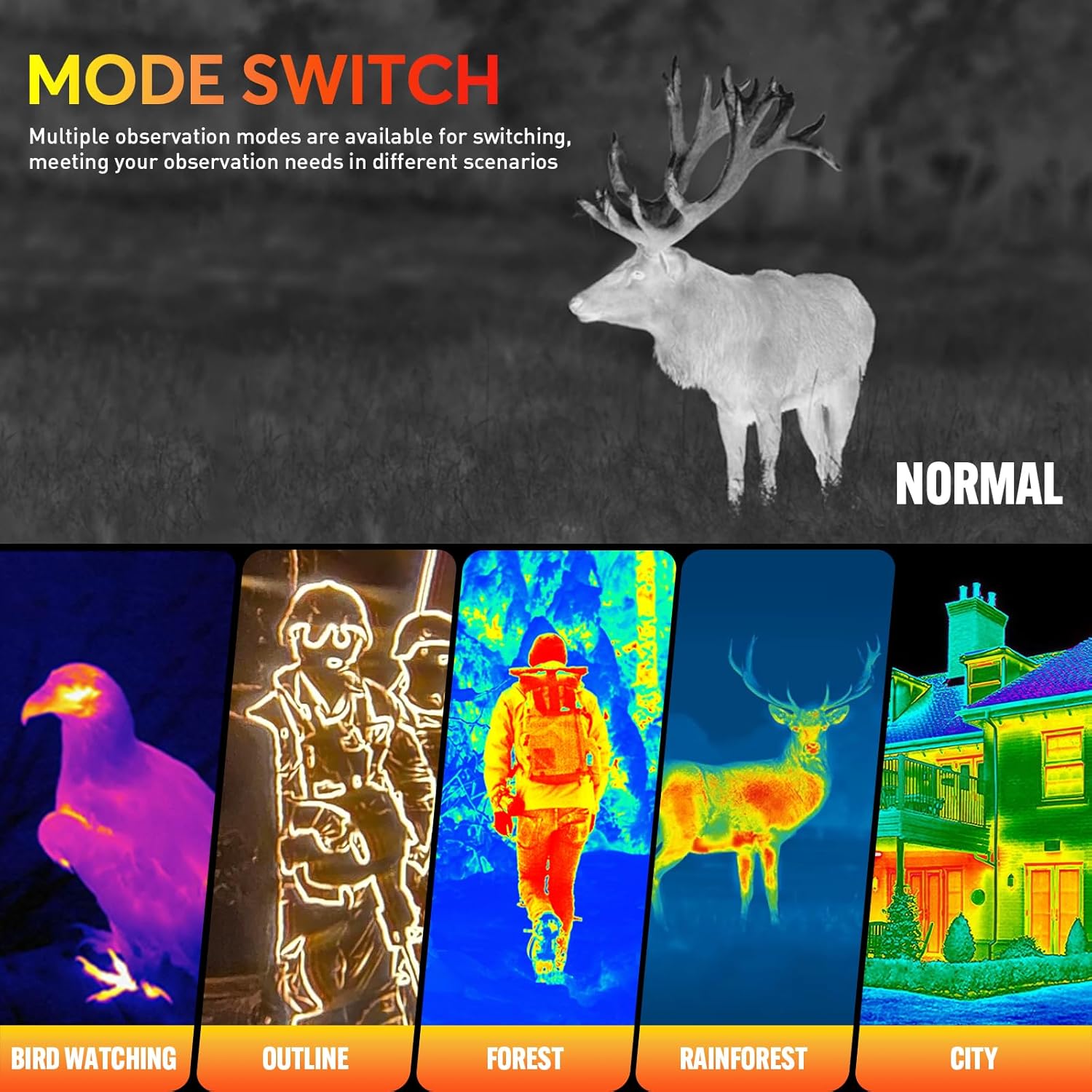
Descrizione dell'immagine: Examples of different observation modes including Normal, Bird Watching, Outline, Forest, Rainforest, and City, adapting the thermal view to various environments.
5.3 Zoom digitale
The device supports up to 8x digital zoom, allowing you to magnify distant targets. Use the dedicated zoom buttons to adjust the magnification level (1x, 2x, 4x, 8x).
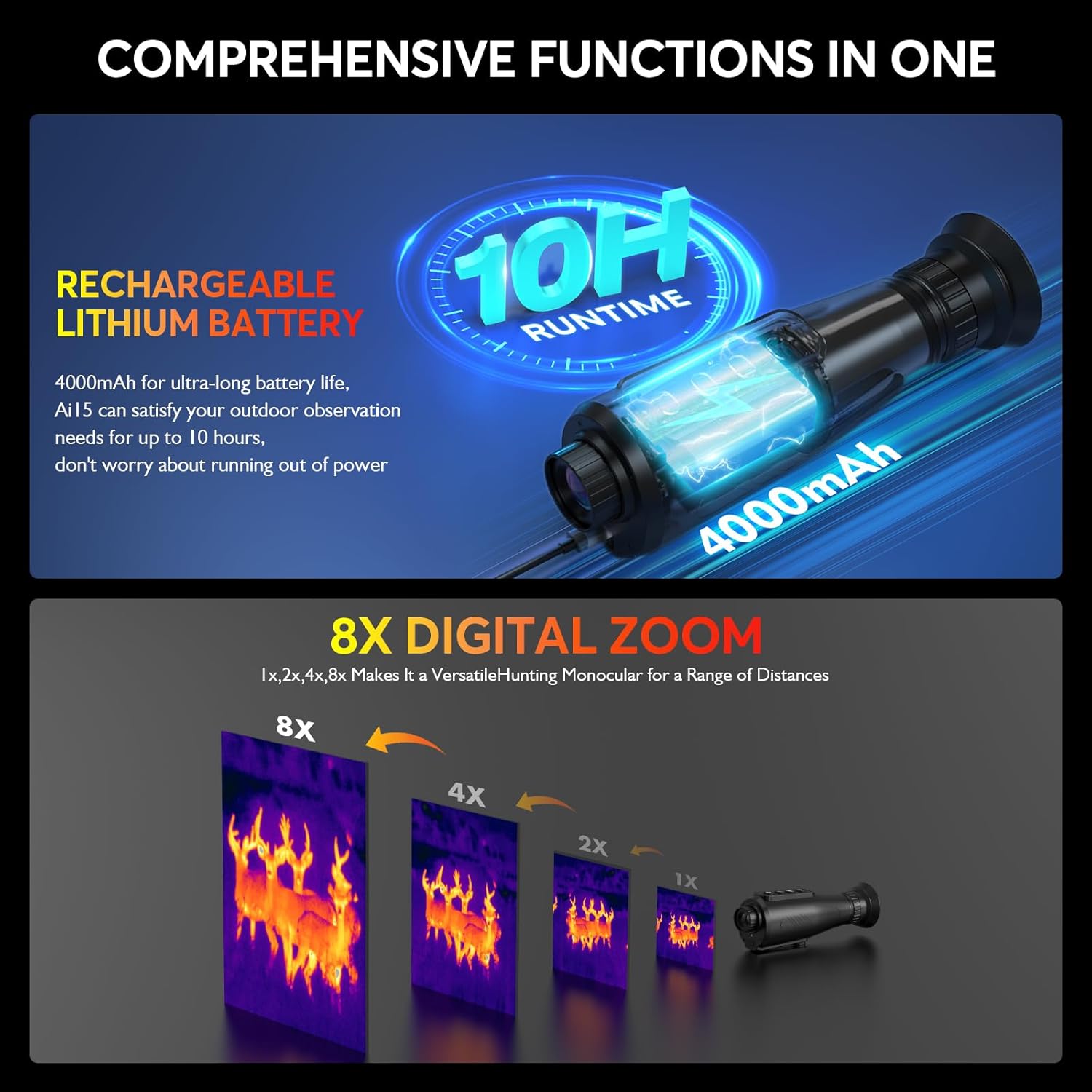
Descrizione dell'immagine: Illustration of the monocular's 10-hour runtime with its 4000mAh rechargeable battery and the effect of 1x, 2x, 4x, and 8x digital zoom on thermal images.
5.4 Wi-Fi Hotspot and GT-Share APP
The integrated Wi-Fi module enables connection to the GT-Share APP (available for Android and iOS). This allows for real-time thermal image sharing and remote control of the device via your smartphone or tablet.
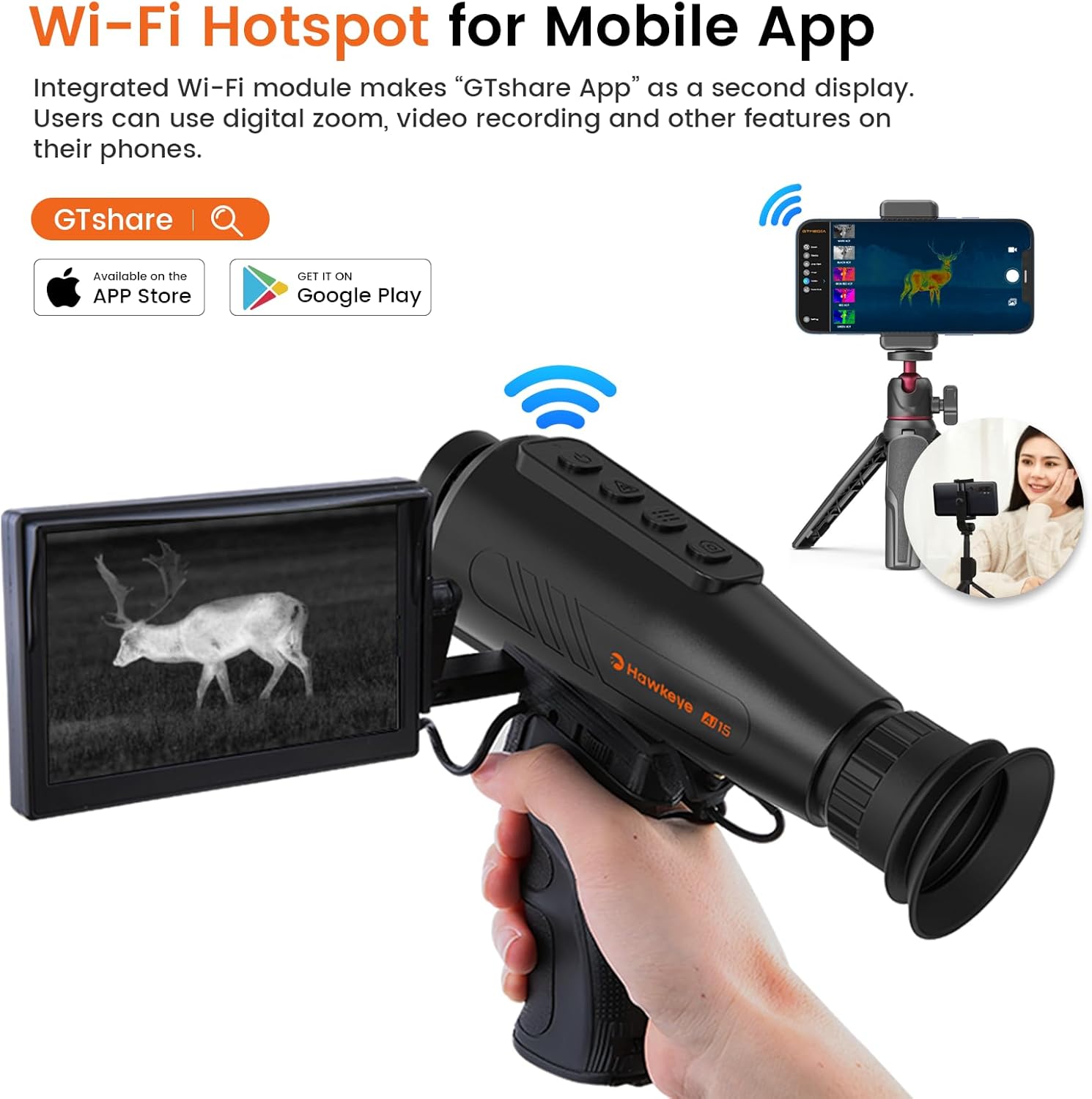
Descrizione dell'immagine: The monocular's Wi-Fi Hotspot feature allows real-time image sharing and control through the GT-Share APP on a smartphone or tablet.
5.5 AI Super-Resolution
The AI15 utilizes AI Super-Resolution technology to enhance image clarity, providing a visual experience equivalent to a higher-resolution sensor. This feature is automatically applied to improve image quality.

Descrizione dell'immagine: Visual comparison demonstrating the enhanced clarity and detail provided by the AI Super-Resolution technology, showing images equivalent to 384x288 sensor display.
5.6 Video ufficiali del prodotto
Descrizione del video: This video, titled "Testing the Hawkeye Ai15 thermal monocular" by V8 OFFICIAL, demonstrates the real-world performance and capabilities of the AI15 thermal monocular in various outdoor settings. It showcases the device's ability to detect heat signatures and provides examples of its thermal imaging output.
Descrizione del video: This video, titled "AI Super-Resolution HD Night Vision---AI15 Thermal Monocular" by GTmedia, highlights the advanced AI Super-Resolution and HD Night Vision features of the AI15 Thermal Monocular. It illustrates how the technology enhances image clarity and detail for improved observation in low-light conditions.
6. Manutenzione
6.1 Pulizia
Use the provided lens cleaning cloth to gently wipe the lens. Avoid using abrasive materials or harsh chemicals that could damage the optics. For the device body, a soft, damp panno può essere utilizzato.
6.2 Conservazione
Store the monocular in its waterproof bag or EVA case in a cool, dry place away from direct sunlight and extreme temperatures. Ensure the lens cap is securely in place to protect the lens from dust and scratches.

Descrizione dell'immagine: The rugged design and IP66 protection level ensure the monocular's durability in harsh outdoor conditions, including exposure to water.
7. Risoluzione Dei Problemi
7.1 Problemi comuni
- Scarsa qualità dell'immagine: Ensure the diopter is correctly adjusted for your eyesight. Check for any smudges or dirt on the lens and clean with the provided cloth.
- Il dispositivo non si accende: Verify that the battery is fully charged and correctly inserted.
- Problemi di connettività Wi-Fi: Ensure the GT-Share APP is updated and the device's Wi-Fi Hotspot is active. Try restarting both the monocular and your mobile device.
8. Specifiche
| Specificazione | Valore |
|---|---|
| Marca | GTGUARD |
| Nome del modello | AI15 |
| Colore | Nero |
| Stile | Visione notturna termica |
| Risoluzione sensore | 256x192 |
| Equivalent Display Resolution | 384x288 (with AI Super-Resolution) |
| Obiettivo focale | 15mm |
| Ingrandimento digitale | 8x |
| Tipo di visualizzazione | AMOLED da 1.43 pollici |
| Frequenza dei fotogrammi | 50 Hz |
| Connettività | Wi-Fi Hotspot (GT-Share APP) |
| Grado di impermeabilità | Grado di protezione IP66 |
| Durata della batteria | Oltre 10 ore |
| Peso dell'articolo | 320 grammi (11.3 once) |
| Dimensioni del prodotto | 7.7 x 2 x 2.6 pollici |
9. Garanzia e supporto
For warranty information and customer support, please refer to the warranty card included in your product packaging or contact GTGUARD directly. Ensure you register your product if required to activate your warranty.


