1. Introduzione
This manual provides essential information for setting up, operating, and maintaining your XIAOMI Redmi Note 15 Pro+ Plus 5G Ai smartphone. This device features a 6500mAh battery with 100W HyperCharge, a 200MP ultimate-clarity camera, and is powered by the Snapdragon® 7s Gen 4 processor. It boasts a 6.83" 1.5K CrystalRes AMOLED display with Corning® Gorilla® Glass Victus® 2 for enhanced durability. The phone is designed with IP66/IP68/IP69/IP69K dust and water resistance, ensuring reliability in various environments. Please read this manual thoroughly to ensure proper usage and to maximize your device's potential.
2. Cosa c'è nella scatola
Verifica che tutti gli articoli siano presenti nella confezione del prodotto:
- XIAOMI Redmi Note 15 Pro+ Plus 5G Ai Smartphone
- Espulsore del vassoio SIM
- Cavo USB
- Adattatore da parete 100W
3. Impostazione
3.1 Installazione della scheda SIM
The device supports Dual SIM (nano SIM + nano SIM or nano SIM + eSIM). Ensure your SIM card is already activated by your carrier. This device is compatible with T-Mobile, Mint, Tello, and other carriers under the T-Mobile network in the USA. For international use, it works with any GSM carrier SIM.

Image: Compatibility chart for network carriers.
- Individua il vassoio SIM sul lato del dispositivo.
- Inserire lo strumento di espulsione del vassoio SIM nel piccolo foro accanto al vassoio.
- Spingere delicatamente finché il vassoio non fuoriesce.
- Place your nano SIM card(s) or activate your eSIM as per carrier instructions.
- Reinserire con cautela il vassoio della SIM nel dispositivo.
3.2 Accensione iniziale
- Tenere premuto il pulsante di accensione finché non viene visualizzato il logo Xiaomi.
- Seguire le istruzioni sullo schermo per completare la configurazione iniziale, inclusa la selezione della lingua, la connessione Wi-Fi e la configurazione dell'account Google.
4. Caratteristiche principali
- Display: 6.83" 1.5K CrystalRes AMOLED display with up to 120Hz refresh rate, 3200 nits peak brightness, and Corning Gorilla Glass Victus 2 protection.
- Processore: Snapdragon® 7s Gen 4 (4nm manufacturing process, Octa-core up to 2.7GHz, Adreno GPU).
- Sistema di telecamere: New 200MP ultimate-clarity main camera with OIS, 1/1.4" sensor size, 8MP ultra-wide camera, and 32MP front camera.
- Batteria in carica: 6500mAh battery with 100W HyperCharge and up to 22.5W reverse charging.
- Durata: Ultra-durable smartphone with 2.5-meter certified drop resistance and IP66/IP68/IP69/IP69K dust and water resistance.
- Funzionalità AI: Includes Circle to Search with Google, Google Gemini, AI Interpreter, AI Notes, AI Recorder, AI Subtitles, AI Film, and AI image editing.
- Sicurezza: In-screen fingerprint sensor and AI face unlock.
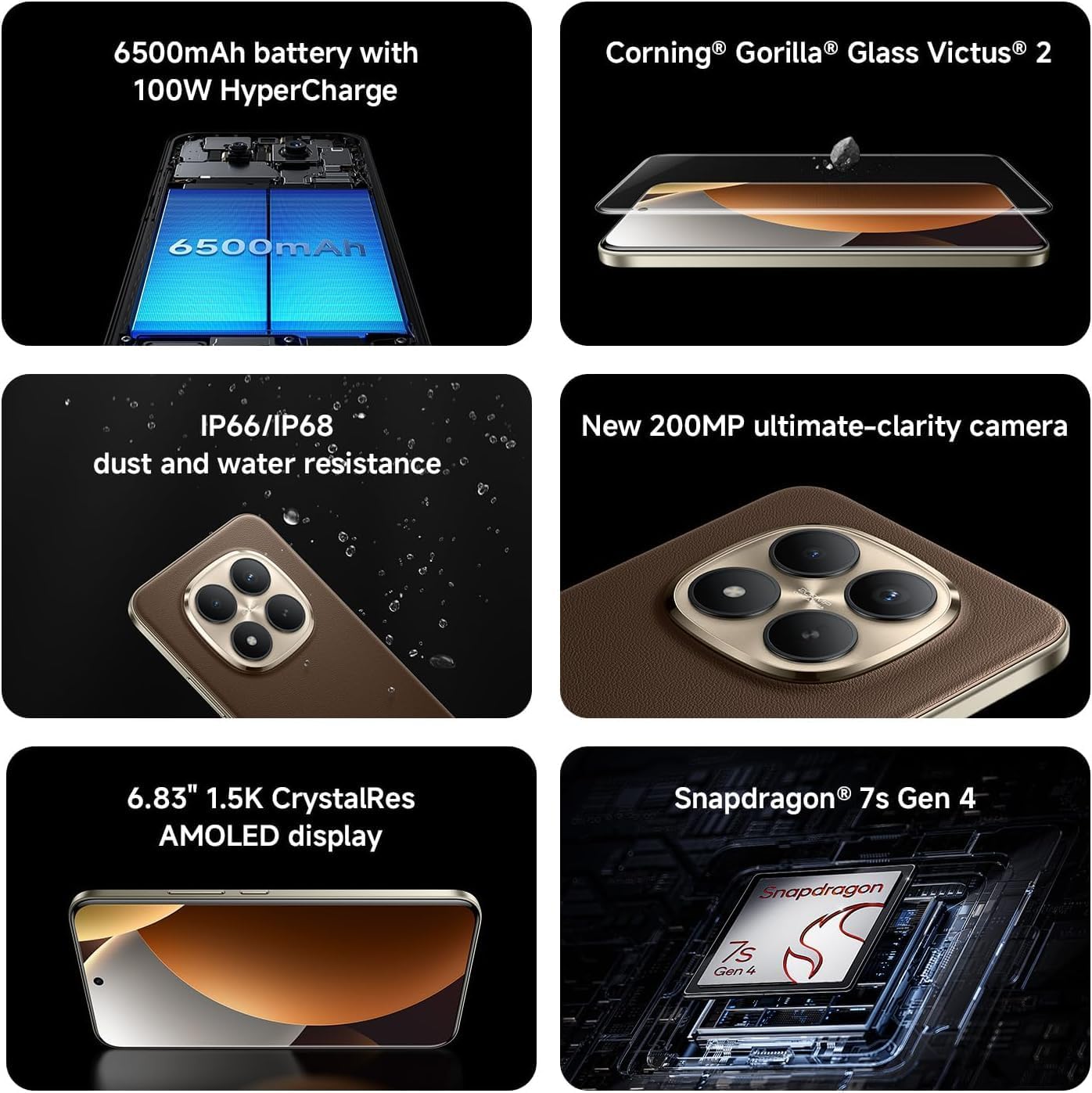
Image: Key features of the Redmi Note 15 Pro+ Plus 5G Ai.
5. Istruzioni per l'uso
5.1 HyperOS (Based on Android 14)
Your device runs on HyperOS, based on Android 14, offering a feature-rich and customizable user experience. Explore various settings for personalization, security, and productivity. While some third-party applications may be pre-installed, most can be uninstalled if not desired.
5.2 Utilizzo della fotocamera
The 200MP main camera system allows for capturing highly detailed photos and videos. The 32MP front camera is ideal for high-resolution selfies and video calls.
- Modalità foto: Utilize Ultra HD for 200MP images, Photo mode for standard shots, Portrait mode for bokeh effects, and Pro mode for manual control over imaging parameters.
- Registrazione video: Record 4K videos at 30 fps or 1080p videos at 30/60 fps with the rear camera. The front camera supports 1080p at 30/60 fps.
- Caratteristiche aggiuntive: Explore Documents, Slow Motion, Time-lapse, and Panorama modes for creative content creation.
5.3 Batteria e ricarica
The 6500mAh battery supports 100W HyperCharge for rapid charging and 22.5W reverse charging to power other devices. Optimize battery life using features like:
- Protezione della batteria: Extend battery lifespan by setting the device to stop charging at 80% or charge fully only when scheduled.
- Ricarica intelligente: The system learns your charging habits to optimize battery health.
- Cold Endurance Mode: Limits device performance in cold environments to extend battery life.
6. Specifiche
| Caratteristica | Dettaglio |
|---|---|
| Numero di modello | 2510ERA8BG |
| Dimensioni dello schermo | 6.83 pollici |
| Risoluzione dello schermo | 2712 x 1220 (1.5K CrystalRes AMOLED) |
| Frequenza di aggiornamento | Fino a 120Hz |
| Processore | Snapdragon® 7s Gen 4 |
| Memoria RAM | 12 GB (expandable with Memory Extension) |
| Magazzinaggio | 512 GB |
| Telecamera posteriore | 200MP Main (OIS) + 8MP Ultra-wide |
| Fotocamera frontale | 32MP |
| Capacità della batteria | 6500 mAh |
| Ricarica cablata | Ipercarica da 100 W |
| Sistema operativo | HyperOS Based on Android 14 |
| Resistenza all'acqua e alla polvere | IP66/IP68/IP69/IP69K |
| Connettività | 5G, 4G, Wi-Fi 6/6E, Bluetooth 5.4, NFC |
| Dimensioni | 7 x 4 x 2 pollici (confezione) |
| Peso dell'articolo | 14 once |
7. Manutenzione e cura
- Pulizia: Utilizzare un panno morbido e privo di lanugine per pulire lo schermo e il corpo. Evitare materiali abrasivi o prodotti chimici aggressivi.
- Temperatura: Utilizzare il dispositivo entro gli intervalli di temperatura consigliati. Evitare temperature estreme.
- Aggiornamenti software: Controlla e installa regolarmente gli aggiornamenti di sistema per garantire prestazioni ottimali, sicurezza e accesso alle nuove funzionalità.
- Resistenza all'acqua: While the device is water-resistant, avoid intentional submersion or exposure to high-pressure water. Ensure all ports are dry before charging.
8. Risoluzione Dei Problemi
- Il dispositivo non si accende: Ensure the battery is charged. Connect to the 100W wall adapter and try again.
- L'app si blocca/si arresta in modo anomalo: Chiudi l'app e riaprila. Se il problema persiste, riavvia il dispositivo.
- Problemi di connettività di rete: Check your SIM card installation. Toggle Airplane Mode on/off. Restart the device.
- Prestazioni lente: Clear cache of apps, uninstall unused applications, or perform a factory reset (back up data first).
9. Garanzia e supporto
For warranty information and customer support, please refer to the warranty card included in your product package or visit the official XIAOMI websito. Conservare la prova d'acquisto per eventuali reclami in garanzia.