1. Introduzione
The FiiO DISC is a portable HiFi music player designed for high-quality audio playback. It features a slim aluminum body, a circular touchscreen, and advanced audio components to deliver an immersive listening experience. This manual provides essential information for setting up, operating, and maintaining your FiiO DISC.

Figure 1.1: FiiO DISC Portable HiFi Music Player in various colors.
2. Impostazione
2.1. Disimballaggio e carica iniziale
Upon unboxing, ensure all components are present: the FiiO DISC player, a USB-C charging cable, and any included stickers. Before first use, fully charge the device using the provided USB-C cable connected to a compatible power adapter (not included).
2.2. Inserimento di una scheda MicroSD
The FiiO DISC supports MicroSD cards up to 2TB for expanded music storage. Locate the MicroSD card slot on the side of the device. Gently insert the MicroSD card until it clicks into place. Ensure the card is inserted correctly to avoid damage.

Figure 2.1: MicroSD card slot for storage expansion up to 2TB.
2.3. Accensione/Spegnimento
Press and hold the power button (usually located on the side or top) for a few seconds to power on or power off the device. A short press will typically turn the screen on/off or lock/unlock the device.
2.4. Selezione iniziale della lingua
Upon first power-on, you may be prompted to select your preferred language. Follow the on-screen instructions to navigate and select English or your desired language.
3. Operating the FiiO DISC
3.1. Navigazione touchscreen
The FiiO DISC features a circular touchscreen for intuitive control. Swipe across the screen to navigate menus and tap icons to select options. The user interface includes customizable lock screens, screen savers, album art, and lyrics display.

Figure 3.1: Dynamic user interface on the FiiO DISC circular touchscreen.
3.2. Riproduzione di musica
- Navigazione: Navigate to the 'Music' or 'Folders' section to browse your audio files.
- Riproduci/Pausa: Tap the play/pause icon on the screen or use the dedicated physical buttons.
- Salta tracce: Use the forward/backward icons on the screen or physical buttons to skip tracks.
- Controllo del volume: Adjust volume using the dedicated volume buttons on the device.
3.3. Connettività Bluetooth
The FiiO DISC supports Bluetooth 5.4 with LDAC for high-quality wireless audio. To pair with Bluetooth headphones or speakers:
- Go to the 'Settings' menu and select 'Bluetooth'.
- Attiva il Bluetooth e metti il tuo dispositivo esterno in modalità di associazione.
- Select your device from the list of available devices to connect.

Figure 3.2: FiiO DISC demonstrating Bluetooth 5.4 with LDAC support.
3.4. Wired Headphone Outputs
The device is equipped with both 3.5mm single-ended and 4.4mm balanced headphone outputs. Connect your preferred wired headphones to the corresponding jack for optimal audio quality.

Figure 3.3: The FiiO DISC features both 3.5mm and 4.4mm headphone outputs.
3.5. USB Modes and Other Connectivity
The FiiO DISC supports various connectivity options:
- Modalità DAC USB: Connect to a computer to use the FiiO DISC as an external DAC.
- Uscita audio USB: Output audio digitally via USB to compatible devices.
- Uscita digitale coassiale: For connecting to home audio systems.
- Funzione AirPlay: Trasmetti in streaming l'audio in modalità wireless dai dispositivi Apple.
4. Caratteristiche principali
- Premium Aluminum Alloy Body with Circular Touchscreen: The ultra-slim aluminum alloy body provides a refined, lightweight feel. The round touchscreen offers a rich UI with customizable lock screens, screen savers, album art, and lyrics display.
- Dual DAC Design with Dual Headphone Outputs: Equipped with dual CS43131 DACs and a balanced audio architecture, it delivers up to 280mW of output power through both 3.5mm single-ended and 4.4mm balanced headphone outputs.
- Bluetooth 5.4 with LDAC Support: Ensures fast, stable, and low-latency wireless connections with support for high-quality audio codecs like LDAC and SBC.
- Pure Music OS with Up to 2TB Storage Expansion: Powered by a dual-core X2000 controller and FiiO’s self-developed Linux-based pure music system, offering smooth operation and support for up to 2TB MicroSD card expansion.
- Fino a 12 ore di durata della batteria: The built-in 1450mAh battery provides up to 12 hours of continuous playback.
- Connettività versatile: Supports USB DAC mode, USB Audio output, coaxial digital output, and AirPlay for seamless integration with various audio setups.
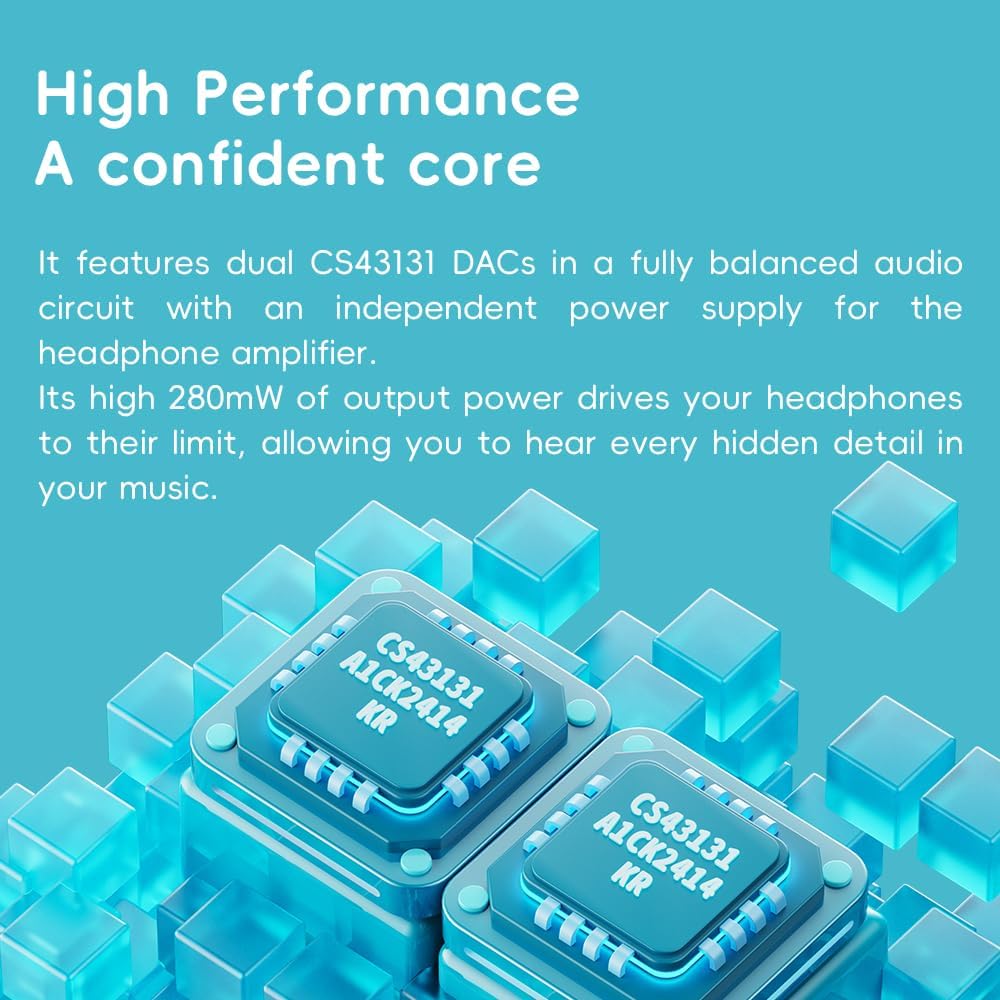
Figure 4.1: The FiiO DISC utilizes dual CS43131 DACs for high-fidelity audio.

Figure 4.2: The Ingenic X2000 dual-core chip powers the FiiO DISC's pure music OS.

Figure 4.3: The FiiO DISC offers up to 12 hours of battery life.
5. Manutenzione
- Pulizia: Utilizzare un panno morbido e asciutto per pulire il dispositivo. Evitare l'uso di prodotti chimici aggressivi o materiali abrasivi.
- Magazzinaggio: Store the FiiO DISC in a cool, dry place away from direct sunlight and extreme temperatures.
- Cura della batteria: Per prolungare la durata della batteria, evitare di scaricare completamente il dispositivo frequentemente. Caricarlo regolarmente, anche se non utilizzato per periodi prolungati.
6. Risoluzione Dei Problemi
6.1. Il dispositivo non si accende
- Assicurati che il dispositivo sia completamente carico. Collegalo a una fonte di alimentazione e attendi qualche minuto prima di riprovare ad accenderlo.
- Try holding the power button for a longer duration (e.g., 10-15 seconds) to perform a hard reset.
6.2. Nessuna uscita audio
- Check the volume level on the device and your connected headphones/speakers.
- Ensure headphones are properly connected to the correct output jack (3.5mm or 4.4mm).
- If using Bluetooth, verify that the device is correctly paired and connected to your audio output.
- Test with different headphones or speakers to rule out an issue with the audio output device.
6.3. Musica Files Non appare
- Assicurarsi che la scheda MicroSD sia inserita correttamente.
- Verificare che la musica filesono in un formato supportato.
- Perform a music library scan through the device's settings.
6.4. Problemi di associazione Bluetooth
- Ensure both the FiiO DISC and the target Bluetooth device are in pairing mode.
- Avvicinare i dispositivi tra loro per assicurarsi che siano nel raggio d'azione.
- Forget previous pairings on both devices and attempt to pair again.
7. Specifiche
| Caratteristica | Dettaglio |
|---|---|
| Marca | Fiio |
| Nome del modello | DISCO |
| Numero modello articolo | F5381D |
| Tecnologia di connettività | Aux, Bluetooth |
| Caratteristica speciale | Audio ad alta risoluzione |
| Colore | Blue (other variants available) |
| Dimensioni dello schermo | 1.8 pollici |
| Dispositivi compatibili | Cuffie |
| Batteria | 1450 mAh (fino a 12 ore di riproduzione) |
| Espansione di archiviazione | Scheda MicroSD fino a 2 TB |
| DAC | Doppio CS43131 |
| Potenza di uscita | Fino a 280 mW |
| Sistema operativo | Linux-based pure music system |
| Peso dell'articolo | 5.9 once |
| Dimensioni del pacco | 11.46 x 4.06 x 1.22 pollici |
8. Garanzia e supporto
Per informazioni sulla garanzia e supporto tecnico, fare riferimento al sito ufficiale FiiO websito o contattare il servizio clienti. Conservare la prova d'acquisto per eventuali reclami in garanzia.
Visit the official FiiO Store for more information: FiiO Store


