📘 Manuali PHOEBE LED • PDF online gratuiti
Logo PHOEBE LED

Manuali e guide per l'utente di PHOEBE LED

PHOEBE LED, backed by Crompton Lamps Limited, offers a wide range of energy-efficient smart lighting products, dimmer switches, and commercial LED luminaires.

Suggerimento: per una corrispondenza ottimale, includi il numero di modello completo stampato sull'etichetta del tuo PHOEBE LED.

Informazioni sui manuali PHOEBE LED su Manuals.plus

LED PHOEBE is a specialist lighting brand manufactured and distributed by Crompton Lamps Limited. The brand focuses on delivering first-class, energy-efficient, and environmentally friendly LED lighting solutions.

Their diverse product catalogue includes smart home Wi-Fi relay switches, intelligent dimmers integrating with the Tuya Smart App, heavy-duty commercial high bay lighting, and emergency daylight luminaires. Designed for both domestic and rigorous commercial environments, PHOEBE LED seamlessly joins modern smart home electronics with traditional lighting expertise spanning back to 1878.

Manuali PHOEBE LED

Ultimi manuali da manuals+ selezionati per questo marchio.

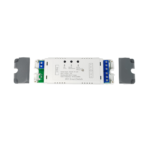
PHOEBE LED 14664 Smart Relay Switch Guida dell'utente

7 settembre 2022
PHOEBE LED 14664 Interruttore relè intelligente Configurazione interruttore relè intelligente Controllo Wi-Fi e app Scollegare l'alimentazione tramite interruttore Controllare la linea con voltage tester penna, assicurati che l'alimentazione...

PHOEBE LED support FAQ

Domande frequenti su manuali, registrazione e supporto per questo marchio.

  • Who manufactures PHOEBE LED products?

    PHOEBE LED is a specialist lighting brand owned and backed by Crompton Lamps Limited, offering commercial and domestic LED lighting solutions.

  • What app do I need to control PHOEBE LED smart switches?

    PHOEBE LED smart relay switches and intelligent dimmers can be controlled using the Tuya Smart App, which is available to download from the Apple App Store or Google Play.

  • How do I reset my PHOEBE LED Intelligent Dimmer Switch?

    To reset the device, press and hold the On/Off button for 5 seconds until the Status LED flashes, which indicates the dimmer is back in set-up mode.

  • How do I contact PHOEBE LED support?

    You can reach customer support via Crompton Lamps by emailing sales@cromptonlamps.com or calling +44 (0)1274 657 088.