
Guida per l'utente del telecomando tech4home Main S1
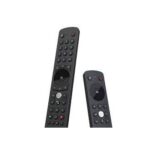
tech4home Main S1 Remote Control Main S1 Remote Control Turn On Main S1 The main S1 remote control arrives with 2 AAA batteries blister inside a polybag. To turn on…


Tech4home (t4h.) progetta e produce soluzioni innovative di controllo remoto per il settore dell'intrattenimento domestico, al servizio dei fornitori di servizi IPTV e Pay-TV in tutto il mondo.
Tech4home, frequently styled as t4h., is a key global player in the development of remote control devices and technologies. Headquartered in Portugal, the company specializes in designing tailored wireless input devices for IPTV, cable, satellite, and OTT service providers.
Their product portfolio ranges from standard infrared remotes to advanced Bluetooth Low Energy (BLE) and voice-controlled units. While Tech4home operates primarily as a B2B partner for telecommunications operators, their remote controls are a staple in households around the world, often provided alongside set-top boxes for seamless home entertainment control.
Ultimi manuali da manuals+ selezionati per questo marchio.




Domande frequenti su manuali, registrazione e supporto per questo marchio.
Most Tech4home remotes, such as the Main S1 or Notus series, are ready to operate shortly after inserting the batteries. If using a Bluetooth model, ensure your Set-Top Box is on and follow the specific pairing sequence provided in your operator's manual.
The majority of Tech4home remote controls generally require 2 AAA batteries. Always check the battery compartment label for confirmation.
First, ensure fresh batteries are inserted correctly. If the remote uses Bluetooth (BLE), verify it is paired with your Set-Top Box. If interference occurs, try reorienting the box or moving other wireless devices away.