1. Introduzione
This manual provides essential information for the proper use and maintenance of your Gateway 15.6-inch FHD Ultra Slim Laptop, Model GTW15G. This device is equipped with an AMD Ryzen 5 3450U Mobile Processor, 8GB of DDR4 RAM, and a 256GB Solid State Drive (SSD). It features a 15.6-inch Full HD (1920x1080) IPS display, a built-in fingerprint scanner, and runs on Windows 10, with an available free upgrade to Windows 11.
Please read this manual thoroughly before operating your laptop to ensure optimal performance and longevity.
2. Impostazione
2.1 Disimballaggio e ispezione iniziale
Carefully remove the laptop and all accessories from the packaging. Verify that all components are present and undamaged. The package should include the laptop, power adapter, and this user manual.
2.2 Collegamento dell'adattatore di alimentazione
Before first use, connect the power adapter to the laptop's charging port and then to a power outlet. Allow the battery to charge for at least 30 minutes before powering on for the first time.

Figure 2.1: Gateway 15.6-inch Ultra Slim Laptop overview.
2.3 Prima accensione e configurazione di Windows
Press the power button located on the keyboard. The laptop will boot up and guide you through the Windows 10 initial setup process. Follow the on-screen instructions to configure your region, language, network connection, and user account.
2.4 Fingerprint Scanner Setup (Windows Hello)
During or after the initial Windows setup, you can configure the built-in fingerprint scanner for secure login using Windows Hello. Navigate to Impostazioni > Account > Opzioni di accesso and follow the prompts to set up your fingerprint.
3. Istruzioni per l'uso
3.1 Accensione/spegnimento e modalità di sospensione
- Accensione: Premere il pulsante di accensione.
- Fermare: Fare clic sul Inizio pulsante, quindi Alimentazione > Spegnimento.
- Modalità risparmio: Close the lid or click the Inizio pulsante, quindi Potenza > Sonno.
3.2 Using the Precision Touchpad
The laptop features a precision touchpad for navigation. It supports multi-touch gestures for scrolling, zooming, and other functions. Refer to Windows settings for customizing touchpad gestures.
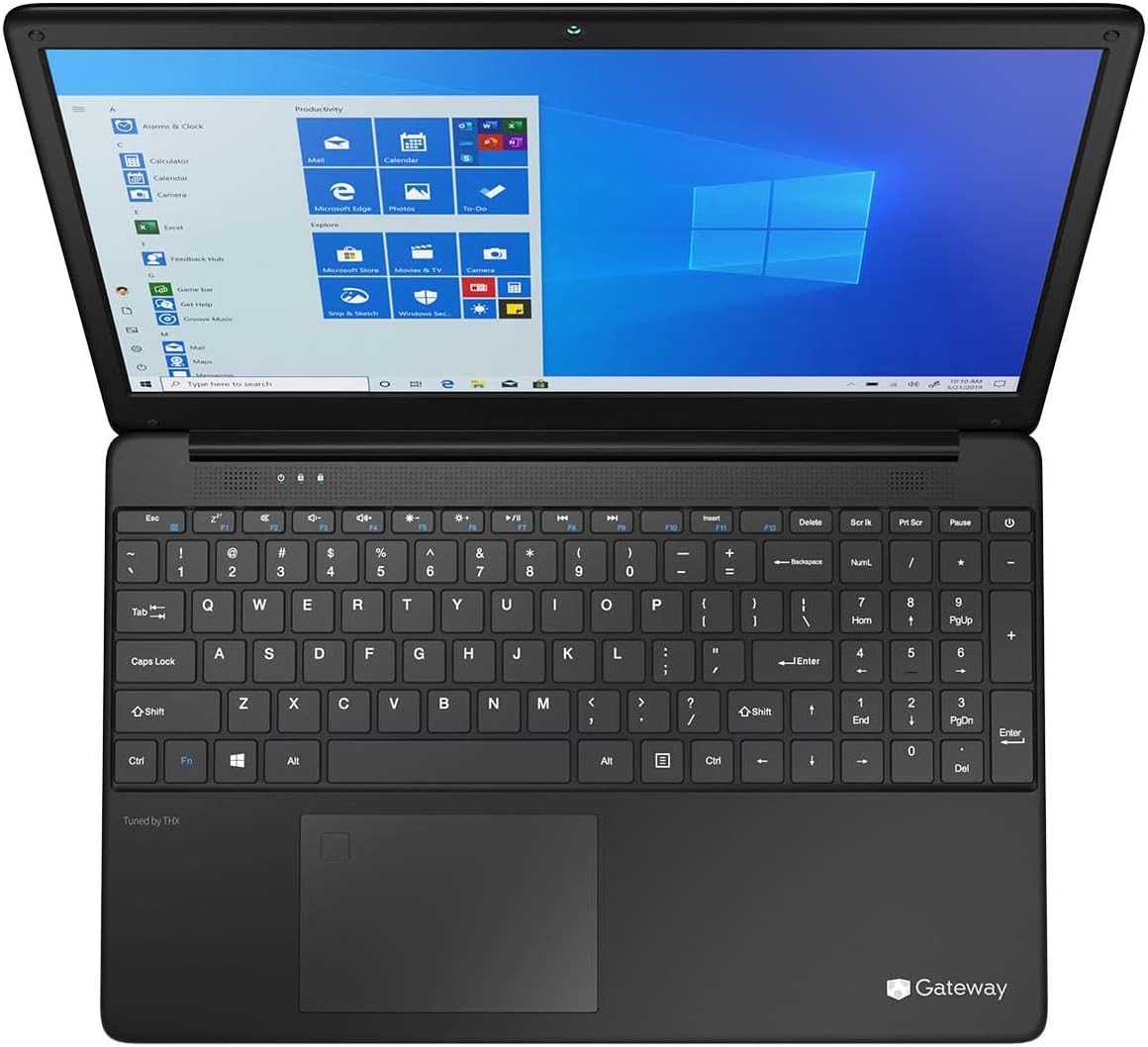
Figure 3.1: Keyboard and Precision Touchpad layout.
3.3 Collegamento di dispositivi esterni
Il portatile è dotato di diverse porte per il collegamento delle periferiche:
- Porte USB 3.0 (x2): Per collegare dispositivi USB come dischi rigidi esterni, mouse o tastiere.
- Porta USB di tipo C (x1): Supports both charging and data transfer.
- Uscita HDMI (x1): Collegare a un monitor esterno o a una TV.
- Slot Micro SD (x1): Supports Micro SD cards up to 512 GB for expanded storage.
- Blocco Kensington: Per la sicurezza fisica.
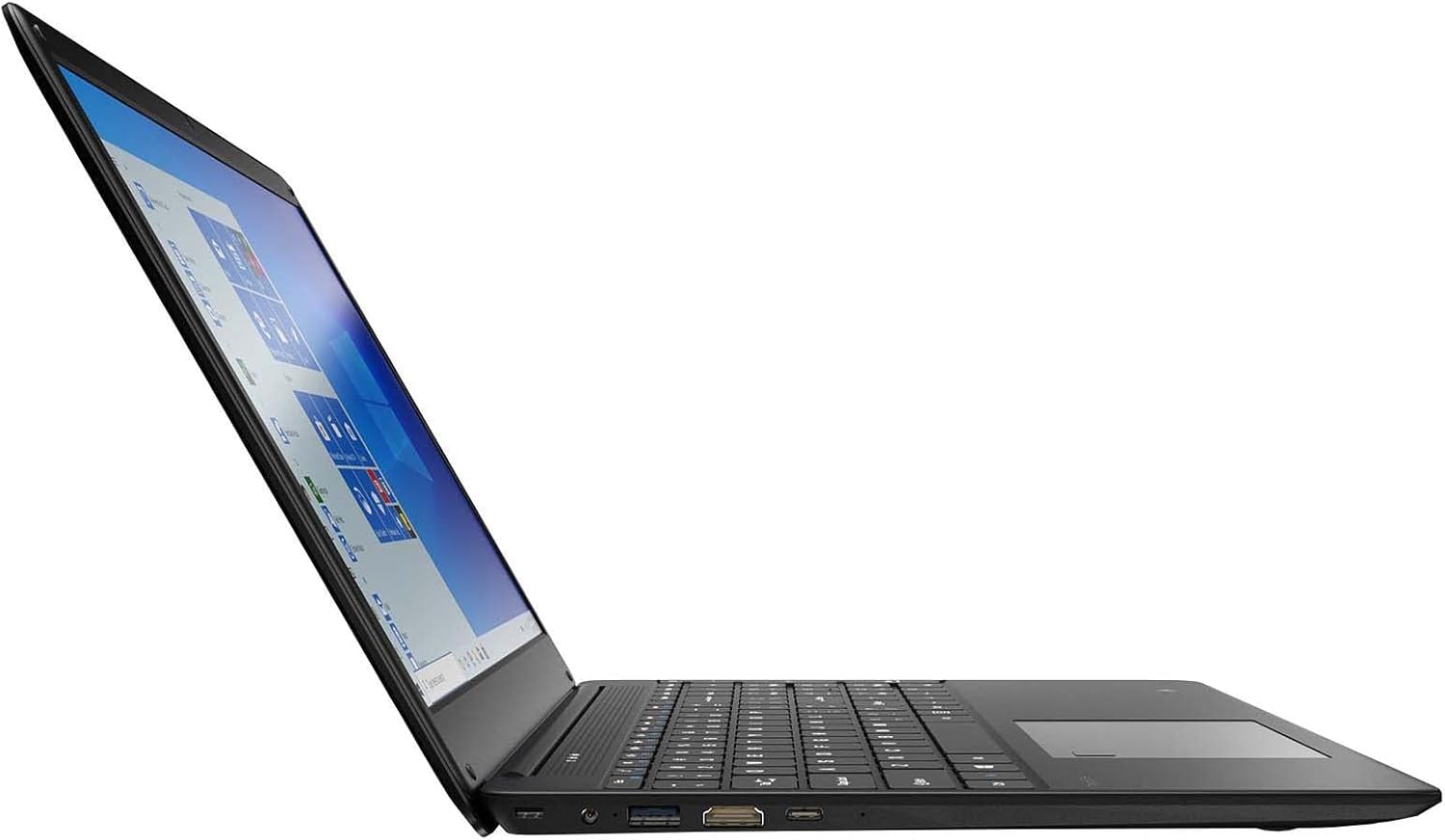
Figure 3.2: Left side ports (USB, HDMI, USB Type-C).
3.4 Connettività wireless
The laptop supports Wi-Fi and Bluetooth 5.1 for wireless connections. Access network settings via the Windows taskbar or Impostazioni> Rete e Internet to connect to Wi-Fi networks or pair Bluetooth devices.
3.5 Caratteristiche audio
The built-in stereo speakers are tuned by THX Audio, providing enhanced sound quality. Adjust volume using the function keys on the keyboard or through Windows sound settings.
4. Manutenzione
4.1 Pulizia del portatile
- Schermo: Utilizzare un panno morbido e privo di lanugine leggermente dampcon acqua o un detergente per schermi. Non spruzzare il liquido direttamente sullo schermo.
- Telaio e tastiera: Utilizzare un panno morbido e asciutto. Per lo sporco ostinato, un panno leggermente damp è possibile utilizzare un panno. Evitare prodotti chimici aggressivi.
- Vents: Pulire periodicamente le aperture di ventilazione con aria compressa per evitare l'accumulo di polvere, che può compromettere il raffreddamento.
4.2 Cura della batteria
Per massimizzare la durata e la longevità della batteria:
- Evitare di scaricare completamente la batteria frequentemente.
- Non esporre il portatile a temperature estreme.
- Se si conserva il portatile per un periodo prolungato, assicurarsi che la batteria sia carica circa al 50-70%.
- Optimize power settings in Windows to conserve battery power.
4.3 Aggiornamenti software
Regularly check for and install Windows updates to ensure your system has the latest security patches and performance improvements. Navigate to Impostazioni > Aggiornamento e sicurezza > Windows Update.
4.4 Backup dei dati
Esegui regolarmente il backup dei dati importanti su un'unità esterna o su un archivio cloud per evitare la perdita di dati.
5. Risoluzione Dei Problemi
Questa sezione affronta i problemi più comuni che potresti riscontrare con il tuo laptop.
5.1 Il laptop non si accende
- Assicurarsi che l'adattatore di alimentazione sia collegato saldamente sia al laptop sia a una presa di corrente funzionante.
- Verificare che la presa di corrente funzioni collegandovi un altro dispositivo.
- Allow the laptop to charge for some time before attempting to power it on again.
5.2 Problemi di connettività Wi-Fi
- Controlla se il Wi-Fi è abilitato nelle impostazioni di Windows.
- Riavvia il router e il modem.
- Assicurati di trovarti nel raggio di azione della rete Wi-Fi e di aver inserito la password corretta.
- Eseguire lo strumento di risoluzione dei problemi di rete di Windows (Impostazioni > Rete e Internet > Stato > Risoluzione dei problemi di rete).
5.3 Prestazioni lente
- Chiudere le applicazioni non necessarie in esecuzione in background.
- Controlla e installa eventuali aggiornamenti di Windows in sospeso.
- Assicurati che ci sia spazio libero sufficiente sul tuo SSD.
- Eseguire la scansione per rilevare malware o virus.
5.4 Surriscaldamento
If the laptop feels excessively warm, ensure that the ventilation vents are not blocked. Operate the laptop on a hard, flat surface to allow for proper airflow. Avoid using it on soft surfaces like beds or couches that can obstruct vents.
5.5 Altri problemi
For issues not covered here, refer to the Windows help documentation or contact Gateway customer support.
6. Specifiche
| Caratteristica | Specificazione |
|---|---|
| Nome del modello | Gateway GWTN156 (GTW15G) |
| Dimensioni dello schermo | 15.6 pollici |
| Risoluzione dello schermo | 1920 x 1080 pixel (FHD) |
| Processore | AMD Ryzen 5 3450U (2.1 GHz, Up to 3.50 GHz) |
| Memoria RAM | 8 GB DDR4 |
| Magazzinaggio | SSD da 256 GB |
| Coprocessore grafico | Grafica AMD Radeon Vega 8 |
| Sistema operativo | Windows 10 (Free Upgrade to Windows 11) |
| Tipo senza fili | Wi-Fi, Bluetooth 5.1 |
| Porti | 1x HDMI, 1x USB Type-C (Charge + Data), 2x USB 3.0, 1x Micro SD Slot (Up to 512 GB) |
| Caratteristiche speciali | Built-in Fingerprint Scanner (Windows Hello), Stereo Speakers Tuned by THX Audio, HD Webcamma |
| Peso dell'articolo | 5.5 libbre |
| Dimensioni del pacco | 16.65 x 11.73 x 2.8 pollici |
7. Garanzia e supporto
For warranty information and technical support, please refer to the official Gateway website or contact Gateway customer service directly. Keep your proof of purchase for warranty claims.
This product may be eligible for separate protection plans. Details regarding these plans are available from your retailer at the time of purchase.


